
Products compared
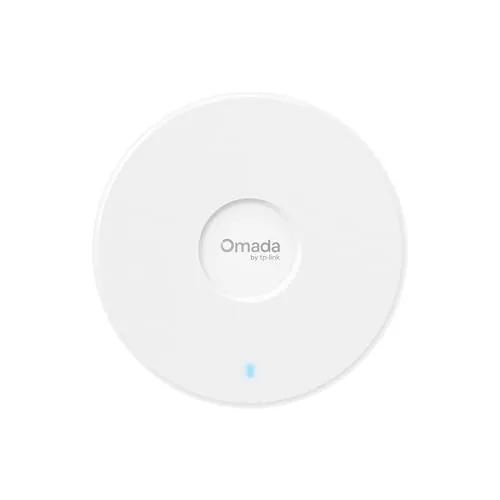
TP-Link
Omada EAP720
US listing; the seller’s delivered hardware revision and box were not independently inspected.
Model EAP720
Amazon ASIN B0FKRF82DX
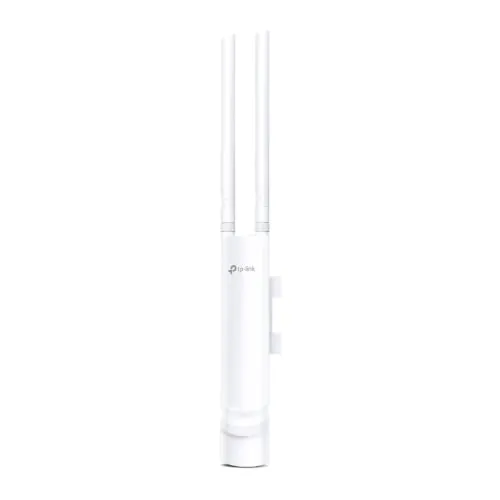
TP-Link
Omada EAP225-Outdoor
US listing; the seller’s delivered hardware revision and box were not independently inspected.
Model EAP225-Outdoor
Amazon ASIN B07953S2FD
Differences that matter
What matters most to you?
Choose a priority to see what it changes.
Sources for Maker-listed mounting surfaces
Sources for Documented power inputs
Sources for Maker-listed power equipment
Sources for Revision and installation guide
Start with the mounting surface
EAP720 is the indoor ceiling-mount model in this pair: its US product page lists ceiling, wall and junction-box mounting kits. Its quick guide also says to keep the device away from water and humidity. EAP225-Outdoor is listed for wall or pole mounting and has a maker-stated IP65 enclosure rating. That rating does not make every exposed location or installation suitable; use the manual for the exact delivered revision.
A useful pre-order check is to mark the intended device location and identify the actual surface: ceiling tile, wall, junction box or pole. Then compare that surface with the maker-listed kit and the contents of the exact seller listing. If the listing’s model revision or mounting hardware is unclear, resolve it before buying rather than assuming a universal bracket fit.
Match the power standard, not just the cable
The EAP720 US specifications list 802.3at PoE or 12V/1.5A DC, with a power adapter in the listed package. EAP225-Outdoor lists 802.3af PoE or 24V passive PoE; the page lists a passive injector and power cord. If reusing an existing feed, read its label and verify the exact output against the AP documentation. A familiar Ethernet plug is not enough to establish that the power source is suitable.
The two power plans also place equipment differently. The EAP720 guide says its adapter and outlet should be near and accessible. For EAP225-Outdoor, the maker specifically says the included injector is for dry indoor use only. Plan the injector’s indoor location and the Ethernet path to the outdoor AP before purchasing; do not position the injector outdoors based on the AP enclosure rating.
Check the actual box and hardware revision
The manufacturer pages list EAP720’s power adapter and mounting kit, and EAP225-Outdoor’s passive injector, power cord and wall/pole mounting kit. These are maker-listed package contents, not a physical inspection of the two Amazon ASINs. Use the exact seller listing to confirm its included items and quantity before checkout.
The current EAP720 support page identifies a US V1 guide, while TP-Link’s US support listing identifies an EAP225-Outdoor V3.26 guide. Those document labels do not identify the revision that will arrive. Read the model label on the delivered unit and use the matching revision’s installation instructions before connecting power or weather sealing.
Product details
Omada EAP720
The maker’s current US page lists a local DC adapter option alongside 802.3at PoE and ceiling, wall or junction-box mounting. The product page does not establish which hardware revision an Amazon order will deliver.
Omada EAP225-Outdoor
This model is the one to consider for the maker-documented wall or pole installation and IP65 enclosure rating. That rating is not a guarantee for every location or installation; the separate injector is specified for dry indoor use only.
Before you buy
Community discussions
Planning where to put an EAP720 at home
Omada EAP720
A home-network owner considered the EAP720 while planning how the new access point would fit with existing gigabit equipment.
What to check
Identify where the access point would sit, where your cable would reach and which ports you have available.
Checking the Ethernet port for a workshop device
Omada EAP720
A buyer drawing up a network for a detached shed asked about connecting a nearby printer while considering the EAP720.
What to check
Map out which device needs a wired connection and check the port and placement requirements for the exact access point.
Planning a garden access point
Omada EAP225-Outdoor
A homeowner looking for an outdoor access point included the EAP225-Outdoor on their shortlist and was considering how they would power it.
What to check
Check the supported installation locations, the included mounting hardware and the listed power requirements.
Common questions
Can I reuse an EAP225-Outdoor passive injector for EAP720?
Do not assume that. The maker lists 24V passive PoE for EAP225-Outdoor and 802.3at PoE or 12V/1.5A DC for EAP720. Match the source equipment to the exact AP revision and its instructions.EAP225-Outdoor: US specifications and packageEAP720: US specifications and package
Can the EAP225-Outdoor injector go outside beside the access point?
The maker’s specification lists the injector as for dry indoor use only. Plan an indoor injector location and check the matching guide for the cable and installation details.EAP225-Outdoor: US specifications and packageEAP225-Outdoor (US) V3.26 installation-guide support listing
Does the US guide version tell me which hardware revision is in the Amazon box?
No. The reviewed support pages identify documentation versions, not the revision shipped for the ASIN. Verify the label and package after delivery and use the guide for that exact revision.EAP720 (US) V1 installation-guide support listingEAP225-Outdoor (US) V3.26 installation-guide support listing
Sources and scope
This is a manufacturer-document comparison of installation fit, power standards and listed package contents, not a test of wireless speed, range, coverage, security or reliability. The Amazon boxes and delivered hardware revisions were not inspected. The checked documentation is US EAP720 V1 and the EAP225-Outdoor US V3.26 support listing; verify the delivered unit label, package and matching guide. IP65 is the maker-listed enclosure rating, not a guarantee for every site or installation.
- EAP720: US specifications and package
- EAP720 US V1 quick installation guide (REV1.0.0)
- EAP720 (US) V1 installation-guide support listing
- EAP225-Outdoor: US specifications and package
- EAP225-Outdoor (US) V3.26 installation-guide support listing
- EAP225-Outdoor multi-model quick installation guide (REV4.0.0)