
Products compared
Ring
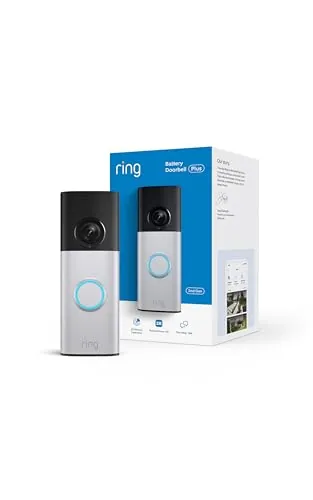
Ring Battery Doorbell 2K Plus (2nd Gen), Nickel Silver
Assigned U.S. Nickel Silver 2nd Gen model. Ring lists a Quick Release Battery Pack in the box, battery-only installation, and optional connection to compatible existing wiring for trickle charging and mechanical-chime use. Ring's product page says Micro-USB for recharging; a Ring Support specification page instead lists a USB-C cable in the box, so verify the exact box before planning around a connector.
Model 5DCFAB
Amazon ASIN B0F14N7HHH
Ring
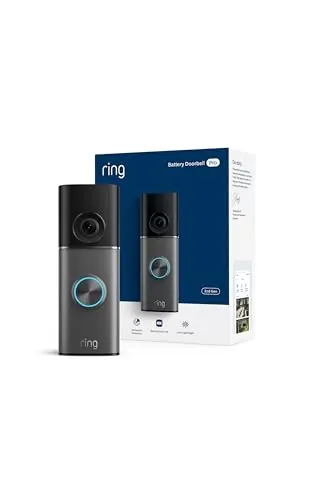
Ring Battery Doorbell 4K Pro (2nd Gen), Deep Silver
Assigned U.S. Deep Silver 2nd Gen model. Ring lists its Quick Release Ultra Battery Pack in the box and says to recharge that pack over USB-C. Ring says battery-only DIY installation is supported, existing mechanical chimes can be used when hardwired, and Quick Release Battery Packs from previous Ring doorbells are backward compatible.
Model 5DFYA6
Amazon ASIN B0FPPWKMGK
Differences that matter
What matters most to you?
Choose a priority to see what it changes.
Sources for Included battery pack and charging path
Sources for Battery-only setup or compatible existing wiring
Sources for Upload at the installation location
Sources for Saved-video plan requirement
Check the exact generation and included pack
The assigned products are the current Nickel Silver Battery Doorbell 2K Plus (2nd Gen), model 5DCFAB, and the Deep Silver Battery Doorbell 4K Pro (2nd Gen), model 5DFYA6. Ring's product pages identify both as 2026 releases. Ring also says it changed the name Battery Doorbell Pro (2nd Gen) to Battery Doorbell 4K Pro without changing features, so match the model number instead of relying on a shortened older listing title.
The 2K Plus package lists a Quick Release Battery Pack; the 4K Pro package lists the Quick Release Ultra Battery Pack. Ring's compatibility page lists both doorbells under both battery families. If your household keeps spare packs, verify the exact pack model in Ring's compatibility page and don't assume the included pack is the only supported option.
Resolve the 2K Plus charging connector before buying a cable
Ring's 4K Pro page describes charging its included Quick Release Ultra Battery Pack via USB-C. The 2K Plus product page says its Quick Release Battery Pack recharges via Micro-USB and describes a Micro-USB cable in the package. Ring Support's 2K Plus product specification page, however, lists a USB-C charging cable in the box. Those official statements conflict, so this guide does not tell you to buy one connector for the 2K Plus. Check the unit or contact Ring before adding a cable or spare pack.
Both boxes list a removable battery pack. No comparative battery-runtime or charging-time test is included here, and the maker descriptions do not establish how long either unit will run in a particular setup.
Choose battery-only mounting or check existing wiring
Ring describes battery-only installation without wiring for both models. It also says existing wiring is optional for the 2K Plus and may provide trickle charging and mechanical-chime operation. The 4K Pro page says it can use an existing mechanical chime when hardwired. Both product pages list a universal mounting plate and corner kit in the box.
If you intend to connect existing wiring, check the Ring installation guide and exact transformer requirements for the model before starting. The 2K Plus installation guide warns users to shut off power and consult a licensed electrician when wiring is unfamiliar or uncomfortable to handle. This comparison keeps the choice at the installation-planning level and does not give wiring steps.
Plan Wi-Fi and recorded-video access
Ring recommends at least 10 Mbps upload for its 2K devices and 15 Mbps for its 4K devices; Ring notes that resolution can vary with bandwidth. Check the upload connection at the location where the doorbell will sit. These recommendations are network-planning figures, not a measured comparison of captured video.
For saved video, Ring says a compatible Protect plan is required for recording on both models, although basic features work without a subscription. Ring's current plan page distinguishes one-device coverage from plans that cover devices at a location and says a trial can be unavailable when a location already has a plan. If recorded events matter, compare the live plan terms before choosing; subscription access is not a 2K-versus-4K difference.
Product details
Ring Battery Doorbell 2K Plus (2nd Gen), Nickel Silver
- Included battery hardware
- Quick Release Battery Pack; Ring also lists Quick Release Ultra Battery Pack as compatible Source
- Charging connector
- Ring's product page says Micro-USB for the Quick Release Battery Pack, but Ring Support's product specification page lists a USB-C charging cable in the box; verify the exact unit/cable Source
- Installation and chime
- Battery-only setup is supported; Ring says existing compatible doorbell wiring can optionally provide trickle charging and mechanical-chime functionality Source
- Network recommendation
- Ring recommends at least 10 Mbps upload for its 2K devices; resolution can vary with bandwidth Source
Ring Battery Doorbell 4K Pro (2nd Gen), Deep Silver
- Included battery hardware
- Quick Release Ultra Battery Pack; Ring says the model is also backward compatible with Quick Release Battery Packs from previous Ring doorbells Source
- Charging connector
- Ring's product page describes charging the Quick Release Ultra Battery Pack via USB-C Source
- Installation and chime
- Battery-powered installation without wiring is supported; Ring says existing mechanical chimes are supported if hardwired Source
- Network recommendation
- Ring recommends at least 15 Mbps upload for its 4K devices; resolution can vary with bandwidth Source
Before you buy
Community discussions
One owner compares 2K Plus and 4K Pro audio in a home setup
Ring Battery Doorbell 2K Plus (2nd Gen), Nickel Silver
The owner says they bought a Battery Doorbell 2K Plus and then a 4K Pro to compare. In their attached examples, they describe different handling of background traffic and static, and say switching between 2.4 GHz and 5 GHz did not change the reported link speed. The post does not identify the 2K Plus generation, so this is not a generation-specific result or a general model-quality ranking.
What to check
If two-way audio matters, compare live talk and saved clips from the intended mounting location on both options. This is one home-network comparison and does not establish a general audio advantage; the post also does not identify which 2K Plus generation was tested.
Common questions
What battery comes in each box?
Ring lists a Quick Release Battery Pack in the 2K Plus box and a Quick Release Ultra Battery Pack in the 4K Pro box. Ring's compatibility list names both doorbells for both pack types, so the in-box difference does not by itself mean an older compatible spare cannot be used.Battery Doorbell 2K Plus (2nd Gen) — Ring U.S.Battery Doorbell 4K Pro (2nd Gen) — Ring U.S.Device Compatibility List — Ring Support
Does the 2K Plus charge over Micro-USB or USB-C?
Ring's product page says the Quick Release Battery Pack charges via Micro-USB and describes a Micro-USB cable in the package. Ring Support's 2K Plus specification page instead lists a USB-C charging cable in the box. The official sources conflict, so verify the exact unit or contact Ring before purchasing a cable.Battery Doorbell 2K Plus (2nd Gen) — Ring U.S.Battery Doorbell 2K Plus — Ring Support U.S. product specifications
Can either doorbell be installed without existing wires?
Yes. Ring describes battery-only/no-wiring mounting for both. Existing compatible wiring is optional; the 2K Plus page says it can provide trickle charging and mechanical-chime operation, and the 4K Pro page says existing mechanical chimes are supported if hardwired. Verify the exact installation requirements before connecting wiring.Battery Doorbell 2K Plus (2nd Gen) — Ring U.S.Battery Doorbell 4K Pro (2nd Gen) — Ring U.S.Installing Battery Doorbell 2K Plus — Ring SupportInstalling Battery Doorbell 4K Pro — Ring Support
Do I need a Ring Protect subscription for recordings?
Ring says basic features work without a plan, but video recording requires a compatible Ring Protect plan on both models. Ring currently lists Solo for one device and Multi/Pro for devices at a location; check current plan details and any trial eligibility for your account.Battery Doorbell 2K Plus (2nd Gen) — Ring U.S.Battery Doorbell 4K Pro (2nd Gen) — Ring U.S.Ring Protect Plans — Ring U.S.
What upload speed does Ring recommend?
Ring recommends at least 10 Mbps upload for 2K devices and 15 Mbps for 4K devices, and says video resolution may vary with bandwidth. Check the connection at the planned mounting location; the numbers are recommendations, not a tested image-quality comparison.Battery Doorbell 2K Plus (2nd Gen) — Ring U.S.Battery Doorbell 4K Pro (2nd Gen) — Ring U.S.
Sources and scope
The assigned U.S. variants are Battery Doorbell 2K Plus Nickel Silver, model 5DCFAB (5739/B0F14N7HHH), and Battery Doorbell 4K Pro Deep Silver, model 5DFYA6 (5742/B0FPPWKMGK). Ring identifies both current products as 2nd Gen / 2026 release and says the former Battery Doorbell Pro (2nd Gen) name was changed to Battery Doorbell 4K Pro without feature changes. Ring's 2K Plus product page says the included Quick Release Battery Pack charges via Micro-USB, while Ring Support's product specifications list a USB-C charging cable in the box. The guide flags this unresolved manufacturer conflict and does not assume the cable/connector. No image-quality test or surveillance/use guidance is included.
- Battery Doorbell 2K Plus (2nd Gen) — Ring U.S.
- Battery Doorbell 4K Pro (2nd Gen) — Ring U.S.
- Battery Doorbell 2K Plus — Ring Support U.S. product specifications
- Installing Battery Doorbell 2K Plus — Ring Support
- Installing Battery Doorbell 4K Pro — Ring Support
- Device Compatibility List — Ring Support
- Ring Protect Plans — Ring U.S.
Related comparisons
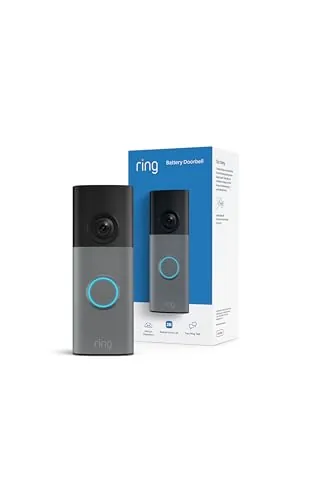
Ring Battery Doorbell 2K vs 2K Plus: Charging, Mounting and Chime Fit
Ring lists the Battery Doorbell 2K and 2K Plus with the same Retinal 2K, up-to-6x zoom and 140° horizontal by 140° vertical field of view. The practical differences are the removable Quick Release Battery Pack and included Corner Kit on the Plus versus a built-in battery on the standard 2K. Check your mounting angle, existing chime wiring, app and video-history needs before choosing; Ring requires a subscription to review saved recordings, but says Live View and answering alerts work without one.
Read comparison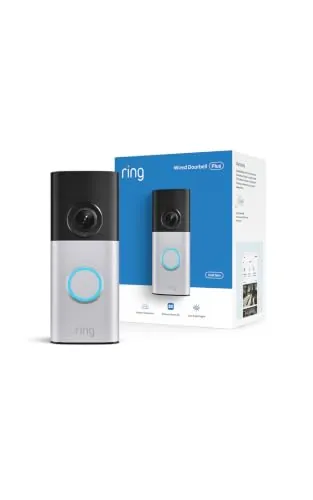
Ring Battery Doorbell 2K Plus vs Wired Doorbell 2K Plus
The Nickel Silver Battery Doorbell 2K Plus can mount without doorbell wiring and keeps a removable battery; optional suitable wiring can trickle-charge it and enable mechanical-chime use. The Wired 2K Plus needs a compatible fixed power source and does not ring existing in-home chimes. Check your transformer and indoor alert plan before ordering.
Read comparison