
Products compared
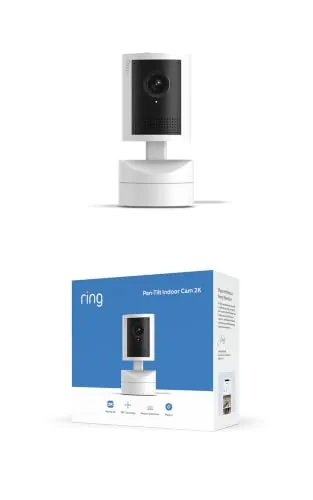
Ring
Ring Pan-Tilt Indoor Cam 2K
White U.S. listing; plug-in indoor camera; one camera
Model 5CNXA9
Amazon ASIN B0GZLRN1ST
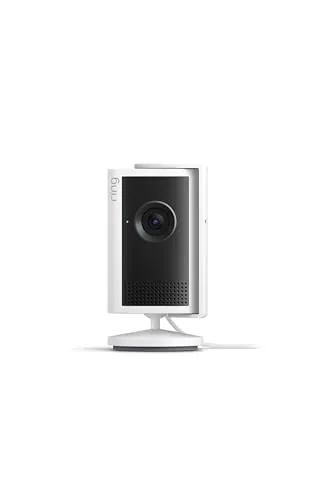
Ring
Ring Indoor Cam 2K
White U.S. listing; plug-in indoor camera; one camera
Model 5CFYAB
Amazon ASIN B0DXM9Y8J1
Differences that matter
Sources for Changing the view after placement
Sources for Camera and microphone privacy steps
Sources for Counter, shelf and cable planning
The practical difference: motorized re-aiming or a mounting adjustment
Both products are Ring's white, plug-in, single-camera 2K indoor models: Pan-Tilt Indoor Cam 2K (model 5CNXA9, ASIN B0GZLRN1ST) and Indoor Cam 2K (model 5CFYAB, ASIN B0DXM9Y8J1). Ring lists white, plug-in one-packs for both. The Indoor Cam 2K uses a detachable lens cover; the Pan-Tilt model has a built-in privacy shutter.
The useful distinction is how you expect to set and change the view. Ring documents motorized pan/tilt that can be directed from the app on the Pan-Tilt model. For the regular Indoor Cam 2K, Ring lists a multi-position mount and describes tilting/pivoting the device; its product page also mentions an app angle adjustment. That is not evidence of the same motorized pan/tilt mechanism, and neither page establishes what a particular room will look like from your chosen spot.
A pre-buy check: stand where the camera would go and list the areas you need in frame. If the camera must be physically re-aimed remotely after installation, the Pan-Tilt model has the relevant documented control. If you can aim the standard model's mount during setup and its listed field of view suits the layout, its smaller listed body may be easier to place. Ring's Pan-Tilt page contains conflicting numeric movement ranges, so no angle or coverage promise is used here.
Do not treat the lens cover as a microphone switch
The Pan-Tilt model's built-in shutter is the simpler combined physical routine: Ring says one slide disables both camera and microphone. That describes the maker's control, not a guarantee about privacy, security or how the device behaves in every software state.
The regular Indoor Cam 2K uses a separate lens cover. Ring says the cover blocks the picture and muffles the microphone, but its support page explicitly says the microphone, recording and Live View remain active while covered. For complete audio privacy, Ring directs users to disable the microphone in the app. If a caregiver, household member or shared-room routine needs one physical step, decide whether that combined control is important before purchasing.
After mounting, use the manufacturer's setup guidance to verify the intended cover or shutter state and confirm microphone settings in the app. The page comparison does not test what the camera captures, tracks or stores in a real home.
Check the physical setup and saved-video requirement
Ring lists the Pan-Tilt body at 2.6 × 2.6 × 5.19 inches and the Indoor Cam 2K body at 1.9 × 1.9 × 3.8 inches. Use those listed body dimensions to check a shelf or mounting location, then account for the chosen camera's movement and cable path; the numbers do not include a guaranteed view or installation clearance.
Both are plug-in indoor cameras. Ring's Pan-Tilt support page lists a USB-C power adapter and universal indoor mounting plate. For Indoor Cam 2K, Ring lists a power adapter, USB-A-to-USB-C cable, mounting plate and detachable cover. Confirm the Amazon page's exact configuration and included accessories rather than assuming every bundle has identical contents.
If you want to review video later, check Ring's current subscription and regional feature terms for each model. Ring labels event history and continuous recording as plan-dependent; the basic purchase comparison does not treat those features as included or compare subscription value.
Product details
Ring Pan-Tilt Indoor Cam 2K
- Video format
- Ring lists 2K video at 2560 × 1440; actual video quality may vary with bandwidth and device temperature. Source
- View adjustment
- Motorized pan/tilt; the Ring app can direct camera movement. Numeric movement ranges are omitted because Ring's current product page and FAQ conflict. Source
- Body and power
- 2.6 × 2.6 × 5.19 in; USB-C plug-in adapter is included. Ring's support page lists a 6.5 ft indoor power adapter. Source
Ring Indoor Cam 2K
- Video format and listed field of view
- Ring lists 2K video (2560 × 1440) and 115° horizontal × 60° vertical field of view. Source
- Mount and body
- Multi-position mounting arm; 1.9 × 1.9 × 3.8 in. Ring describes tabletop, wall or ceiling placement. Source
- Cover behavior
- The detachable cover blocks the lens view but does not disable recording or Live View; the microphone remains on until disabled separately in the Ring app. Source
Before you buy
Community discussions
Check what the physical cover controls
Ring Indoor Cam 2K
A buyer of Ring Indoor Cam Plus asked which camera functions the closed physical cover controls, especially around audio and live view.
What to check
Before choosing between the Ring Indoor Cam 2K and Pan-Tilt model, check the exact model manual for what its physical cover controls and whether separate privacy controls matter for your use.
Common questions
Does the Indoor Cam 2K lens cover turn off the microphone?
No. Ring says the cover blocks the camera view and muffles the microphone, but does not disable audio or video recording or Live View. Ring directs users to disable the microphone separately in its app for complete audio privacy.Indoor Cam 2K support and technical specifications | Ring HelpIndoor Cam 2K, white, plug-in, one-pack product page | Ring
Can I move the Pan-Tilt Indoor Cam 2K's view from the app?
Ring says its motorized Pan-Tilt Indoor Cam 2K can be directed from the app. Ring's current product page and FAQ disagree on the numerical movement range, so this guide does not use those angles or promise a particular room coverage.Pan-Tilt Indoor Cam 2K | RingPan-Tilt Indoor Cam 2K support and technical specifications | Ring Help
Do these exact cameras need to be close to an outlet?
Both selected variants are plug-in models. Ring lists a USB-C adapter and an indoor mounting plate for Pan-Tilt; for Indoor Cam 2K it lists an adapter, USB-A-to-USB-C cable and mounting plate. Check the exact box and cable arrangement on the listing before fixing a location.Pan-Tilt Indoor Cam 2K | RingPan-Tilt Indoor Cam 2K support and technical specifications | Ring HelpIndoor Cam 2K support and technical specifications | Ring Help
Is a Ring subscription needed to review recordings?
Ring identifies saved video history and continuous recording as plan-dependent features. Check the current Ring plan, device eligibility and regional terms for the exact features you expect; this guide does not claim that recording history is included without a plan.Pan-Tilt Indoor Cam 2K | RingIndoor Cam 2K, white, plug-in, one-pack product page | Ring
Sources and scope
Check the exact Ring model and whether the features you need require a compatible plan. Ring publishes different pan and tilt angles across its product and support pages, so use the actual mount location to assess framing.
Related comparisons
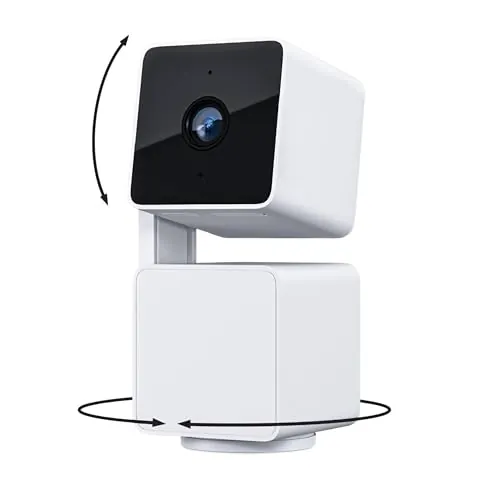
Wyze Cam Pan v3 vs Ring Pan-Tilt Indoor Cam 2K: Recording, Placement and Privacy
Choose Wyze Cam Pan v3 if you want local microSD recording or need the maker-documented outdoor setup. Outdoor use requires its separately sold adapter and a covered card slot. Choose Ring Pan-Tilt Indoor Cam 2K for a physical camera-and-mic shutter. Ring lists paid cloud options for continuous recording. Check the exact setup before choosing.
Read comparison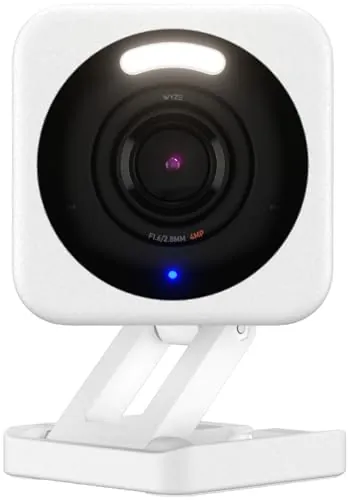
Ring Indoor Cam 2K vs Wyze Cam v4: Placement, Power and Video Storage
Both cameras plug into power and connect over 2.4 GHz Wi-Fi. Ring Indoor Cam 2K supports tabletop, wall or ceiling placement and requires an eligible Ring plan for recording replay. Wyze Cam v4 supports outdoor use with a separately sold power adapter and local recording with a separately sold microSD card. Plan the power route and how you want to review recordings.
Read comparison