
Products compared
Roborock
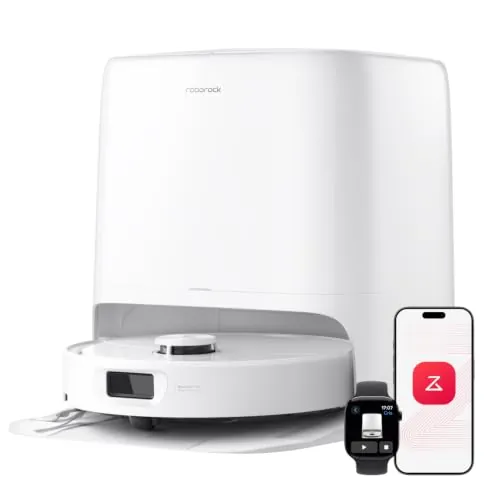
Roborock Qrevo 2 Pro Robot Vacuum with Auto Mop Removal
current listing data identifies the selected ASIN as the White Qrevo 2 Pro variant. Roborock's US page identifies the exact Qrevo 2 Pro model and lists both Black and White color options.
Model Qrevo 2 Pro
Amazon ASIN B0GXFHY7Y2
Roborock
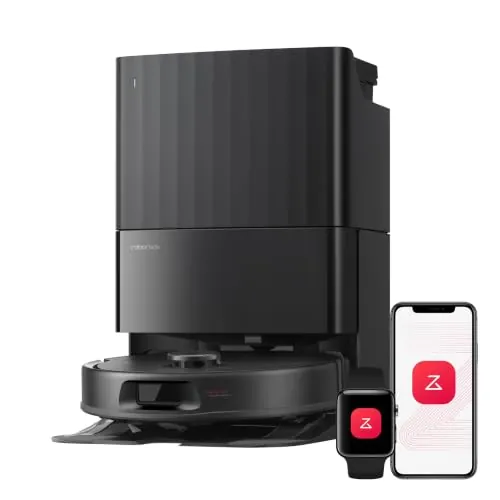
Roborock Qrevo S Pro Robot Vacuum and Mop
current listing data identifies the selected ASIN as the Black Qrevo S Pro variant. Roborock's US page identifies the exact Qrevo S Pro model and lists both Black and White color options.
Model Qrevo S Pro
Amazon ASIN B0GGRSMXKN
Differences that matter
What matters most to you?
Choose a priority to see what it changes.
Sources for Mop handling over carpet
Sources for Robot and dock envelope
The carpet difference is remove versus lift
Roborock says Qrevo 2 Pro's Auto Mop Removal detaches the mop at the dock before carpet cleaning and reattaches it afterward. Its product-page footnote says this feature must be enabled in the Roborock app. That is the more direct documented fit if you want the mop physically off the robot during carpet runs.
Qrevo S Pro's documented option is different: its dual spinning mop modules lift up to 10 mm when carpet is detected. The available manufacturer pages do not compare carpet moisture, rug performance, or pickup between the two models. Choose by which operating sequence you prefer, then test your own rug and settings during the return window if that is a deciding concern.
Compare the dock jobs and what the numbers mean
Both models have multifunction docks with automated mop washing, dust emptying, and tank refilling in Roborock's descriptions. Qrevo 2 Pro adds a detachable cleaning tray and an about-four-minute soaking mode for stuck residue. Qrevo S Pro lists up to 167°F at the internal heater output; Qrevo 2 Pro lists up to 149°F at its internal heater output. Those figures are not mop-surface temperatures and do not establish a superior wash result or hygiene level.
The listed hardware can still make the dock routine feel different: consider whether the tray-soaking mode will be useful for your messes, whether you'd rather compare a stated heater-output figure, and whether you will maintain the water tanks, mop pads, filters, and dock area. Do not treat advertised dust-emptying intervals as a promise for every household.
Measure the route and the complete dock envelope
Roborock lists similar robot dimensions: 13.86 × 13.78 × 3.80 inches for Qrevo 2 Pro and 13.78 × 13.90 × 3.80 inches for Qrevo S Pro. The dock triplets differ more: 15.83 × 19.45 × 17.72 inches for Qrevo 2 Pro and 13.39 × 19.17 × 20.43 inches for Qrevo S Pro. Measure the intended doorway and dock site against all listed axes rather than assuming one model is smaller overall.
For Qrevo S Pro, the exact FCC manual identifies robot model RRE0PEE and dock EWFD24LRR and specifies a hard, flat floor plus space around the dock. The Qrevo 2 Pro page's user-manual link opened an F25 Ultra manual, so its exact clearance requirement remains unresolved here. Avoid treating the published shell dimensions as the full installation envelope for that model.
Product details
Roborock Qrevo 2 Pro Robot Vacuum with Auto Mop Removal
Qrevo 2 Pro's most distinct documented workflow is removing its mop module before carpet cleaning, then returning it for mopping. Roborock also lists a reversible side brush, FlexiArm edge mop, and a detachable cleaning tray with soaking mode. These features may suit a mixed-floor routine but are not comparative test results.
- Carpet mopping workflow
- Auto Mop Removal detaches the mop at the dock before carpet cleaning and reattaches it afterward; Roborock says the feature must be enabled in the app. Source
- Edge and corner features
- Roborock lists FlexiArm edge mopping and a reversible side brush for corner cleaning. Source
- Dock workflow
- The official page lists a detachable tray and a soaking mode of about four minutes before the mop wash; its heater-output figure is up to 149°F. Source
- Listed dimensions
- Robot: 13.86 × 13.78 × 3.80 in; dock: 15.83 × 19.45 × 17.72 in. Source
Roborock Qrevo S Pro Robot Vacuum and Mop
Qrevo S Pro keeps its dual spinning mop modules attached and lifts them when its carpet sensor detects carpet. Its published dock heater-output figure is higher than Qrevo 2 Pro's, but Roborock does not provide a bilateral hygiene test. Its exact manual provides model and dock codes plus explicit dock-clearance instructions.
- Carpet mopping workflow
- Dual spinning mop modules lift up to 10 mm when carpet is detected; the modules remain on the robot. Source
- Dock wash and drying
- Roborock lists up to 167°F high-temperature mop self-cleaning and 113°F warm-air drying; the 167°F figure is measured at the internal heater output, not at the mop. Source
- Listed dimensions
- Robot: 13.78 × 13.90 × 3.80 in; dock: 13.39 × 19.17 × 20.43 in. Source
- Installation guidance
- The FCC manual identifies robot model RRE0PEE and dock model EWFD24LRR, and gives a hard, flat floor placement with clearance around the dock. Source
Before you buy
Community discussions
Check the edge of a floor protector under the dock
Roborock Qrevo S Pro Robot Vacuum and Mop
A Qrevo S Pro owner placed the base on a tray to protect an oak floor and reported that the robot could not climb its flexible raised edge.
What to check
When planning the dock spot, look at the full approach into the base, including the edge of any floor protector or rug you plan to use.
Check the mapped route across hard floors and rugs
Roborock Qrevo S Pro Robot Vacuum and Mop
A Qrevo S Pro owner saw unmopped patches in the app’s map in rooms with hardwood and rugs and wondered how the rooms should be configured.
What to check
For a mixed-floor room, compare the documented carpet settings for each robot and observe the first mop route around your actual rugs.
Common questions
Does the Qrevo 2 Pro lift its mop over carpet or remove it?
Roborock describes Auto Mop Removal: the mop detaches at the dock before carpet cleaning and reattaches afterward. The page says to enable the feature in the Roborock app. It does not guarantee the carpet stays dry in every setup.Qrevo 2 Pro - A Power Leap. Everyday Easy
Does Qrevo S Pro remove its mop module before carpet cleaning?
Roborock lists dual spinning mops that lift up to 10 mm when carpet is detected. The sources describe lifting, not the dock-based mop removal documented for Qrevo 2 Pro.Qrevo S Pro - Essential Power, Ultimate Convenience
Does 167°F mean Qrevo S Pro washes its mops 18°F hotter than Qrevo 2 Pro?
Both values refer to the internal heater output, not the mop itself. They are manufacturer specifications, not a measurement of mop temperature or a comparative hygiene result.Qrevo 2 Pro - A Power Leap. Everyday EasyQrevo S Pro - Essential Power, Ultimate Convenience
Which dock fits a shallow or low cabinet?
Compare all three listed dock dimensions with the actual space and leave the clearances required by the model's installation instructions. The Qrevo S Pro manual specifies setup clearance; the download linked from the Qrevo 2 Pro product page opened an unrelated F25 Ultra manual, so confirm the correct Qrevo 2 Pro installation document with Roborock before relying on a tight fit.Qrevo 2 Pro - A Power Leap. Everyday EasyQrevo S Pro - Essential Power, Ultimate ConvenienceRoborock Qrevo S Pro FCC User Manual
Sources and scope
This is an official-feature and space-planning guide, not a hands-on test. Roborock's pages do not provide a controlled Qrevo 2 Pro versus Qrevo S Pro comparison for pickup, stain removal, edge coverage, carpet protection, obstacle handling, noise, or reliability. Heater temperatures are stated at the internal heater output, not measured mop-surface temperatures, and do not prove a hygiene winner. The Qrevo 2 Pro product page's manual download opened a Roborock F25 Ultra manual, so that link was not used; an applicable Qrevo 2 Pro installation-clearance manual was not verified. Confirm its current instructions before planning a tight dock alcove.
Related comparisons
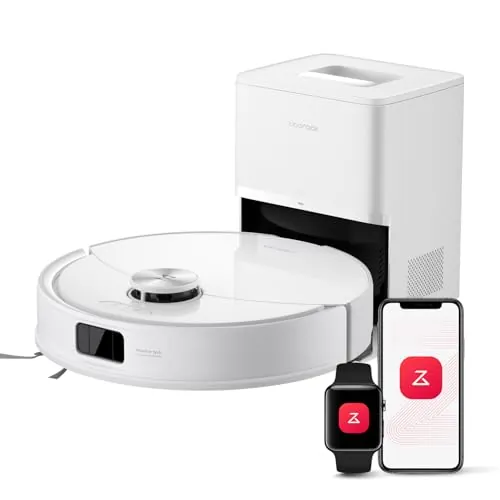
Roborock Q10 S5+ vs Qrevo S Pro
For US buyers, the Q10 S5+ White (B0DWXF15GF) pairs a vibrating mop with a compact auto-empty dock. The Qrevo S Pro Black (B0GGRSMXKN) adds a multifunction dock that washes and dries its spinning mops and refills the robot. The Qrevo is easier to justify for frequent mopping, if its larger dock fits and you accept clean/dirty tank and tray care. For occasional mopping, Q10 S5+ keeps the station and workflow simpler. Published suction figures are not a head-to-head cleaning test.
Read comparison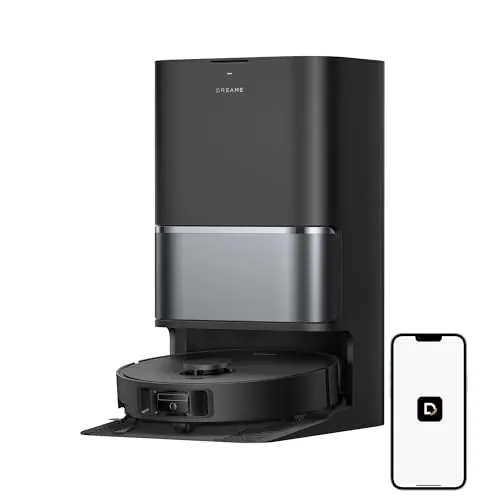
Dreame L40 Ultra Gen 2 vs Roborock Qrevo S Pro: Dock Fit and Mop Care
Both models pair vacuuming and mopping with an all-in-one dock. Dreame documents extending edge hardware and a 10.5 mm mop lift; Roborock documents a 10 mm lift and gives numeric dock clearances. Measure the planned dock position and decide which water, bag, and mop chores fit your routine; neither source set establishes a cleaning winner.
Read comparison