
Products compared
Roku
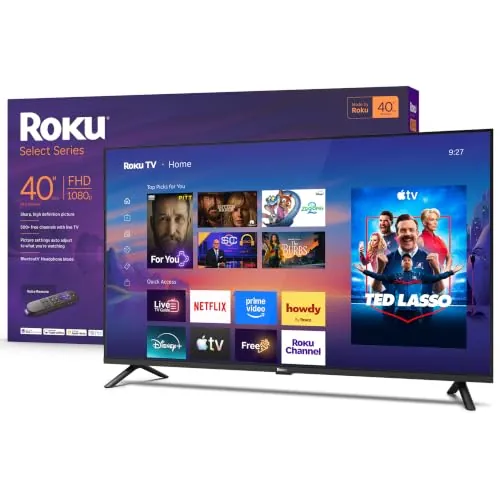
Roku 40-Inch Select Series FHD TV
U.S. 40-inch Select Series FHD model; Roku's selected product page identifies the 40R3E5 bundle and lists a voice remote.
Model 40R3E5
Amazon ASIN B0FV57TPWT
Samsung
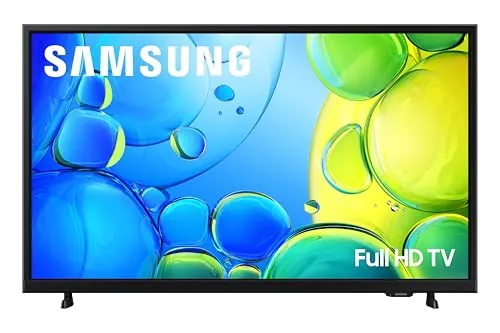
Samsung 40-Inch Class FHD F6000F Smart TV (2025)
U.S. 2025 40-inch F6000F model UN40F6000FFXZA; Samsung identifies One UI Tizen as its smart-TV platform.
Model UN40F6000FFXZA
Amazon ASIN B0DXN1CFFR
Differences that matter
Sources for Display size and resolution
Sources for Built-in platform and remote workflow
Sources for Listed inputs and outputs
First, confirm the screen size you want
The selected Roku 40R3E5 and Samsung UN40F6000FFXZA are both 40-inch-class Full HD sets. Their manufacturers list a 39.5-inch diagonal and 1,920 × 1,080 resolution. That makes screen size and pixel count a match on paper; it does not show that one has better color, contrast, brightness or motion handling.
If this is replacing a set in a cabinet or bedroom, measure the viewing space and the TV's stand footprint from the exact product dimensions before ordering. The class size alone is not a fit guarantee.
Choose the built-in TV platform you plan to use
Roku identifies the selected 40R3E5 as part of its Roku OS Select Series and lists a voice remote with push-to-talk. Samsung identifies the UN40F6000FFXZA as a 2025 F6000F with One UI Tizen. Samsung notes that a Samsung Account is required for network-based smart services.
Use this as a preference and setup decision, not a claim that one interface is faster or that any particular app will be available indefinitely. Check current manufacturer service information for an app or account requirement you consider essential.
Compare the ports against the devices in your room
Roku's product page lists “2 HDMI + 1 HDMI ARC,” composite, cable/antenna and USB-A inputs, plus optical output. Because the HDMI wording is unusual, this guide preserves it verbatim rather than deciding how many distinct HDMI connectors are present. Samsung lists 2 HDMI, eARC, USB-A, Ethernet/LAN and RF input for this exact model.
Before buying, make a short inventory: what will connect by HDMI, do you still use a composite source, do you need a wired LAN connection, and does your soundbar expect ARC/eARC or optical? Compare that inventory with the exact port diagram and setup instructions. A listed port does not by itself guarantee compatibility with every connected device, and an omitted port is not treated as proof of absence.
Do not buy a Roku wall bracket until its pattern is confirmed
Roku's selected product page gives its 40-inch models a 200 × 200 mm VESA pattern and lists 40R3E5 among the models. However, Roku Support's table names 40R3E5 directly and gives 200 × 100 mm with M6 × 10 mm screws. These official sources conflict, and the difference can determine bracket fit.
For the Roku, check the hole spacing on the exact set or its current model-specific manual/support record before buying mounting hardware. Samsung's exact specification lists 200 × 200 mm and M8 screws with 21–23 mm screw depth; use those values to check the bracket documentation, while still confirming the exact set and installation requirements.
Product details
Roku 40-Inch Select Series FHD TV
- Screen
- 40-inch class; 39.5-inch diagonal; 1080p Full HD Source
- Smart platform and remote
- Roku OS; Roku voice remote with push-to-talk Source
- Published connections
- Roku lists “2 HDMI + 1 HDMI ARC,” composite, cable/antenna, USB-A and optical output. The HDMI wording is retained as published rather than interpreted as a number of distinct connectors. Source
Samsung 40-Inch Class FHD F6000F Smart TV (2025)
- Screen
- 40-inch class; 39.5-inch diagonal; FHD (1,920 × 1,080) Source
- Smart platform
- One UI Tizen / Tizen Smart TV; network-based smart services require a Samsung Account according to the product page. Source
- Published connections
- Samsung lists 2 HDMI, eARC, 1 USB-A, Ethernet/LAN and RF input for UN40F6000FFXZA. Source
- Published wall-mount specification
- VESA 200 × 200 mm; M8 screw size; Samsung lists 21–23 mm screw depth. Source
Before you buy
Common questions
Are both TVs 1080p, and is one proven to have a better picture?
Both manufacturers list the 40-inch versions as Full HD at 1,920 × 1,080 and 39.5 inches diagonally. Those specifications do not compare actual image quality, and no hands-on picture test is claimed here.Roku Select Series HD/FHD TVs — selected 40R3E5 bundle and product details40 Inch Class FHD TV F6000F Smart TV (2025) — UN40F6000FFXZA
What wall-mount pattern does the Roku 40R3E5 use?
The Roku product page lists 200 × 200 mm for its 40-inch models and includes the 40R3E5 in its model list. Roku Support's exact 40R3E5 row lists 200 × 100 mm and M6 × 10 mm screws. Because the official references conflict, confirm the exact unit's mounting holes and manual/support information before buying a bracket.Roku Select Series HD/FHD TVs — selected 40R3E5 bundle and product detailsHow to choose a wall mount for your TV — Roku Select Series exact-model table
Which model has the connection I need for my soundbar or network?
Samsung's exact model specification lists Ethernet/LAN and HDMI eARC; Roku's selected product page lists optical output and describes an HDMI ARC connection. Check the ports on your particular soundbar and the exact TV's port diagram, including the manufacturer's cable/setup instructions, before choosing. The listed features alone do not establish compatibility with every device.Roku Select Series HD/FHD TVs — selected 40R3E5 bundle and product details40 Inch Class FHD TV F6000F Smart TV (2025) — UN40F6000FFXZA
Does the Samsung smart TV need an account?
Samsung says a Samsung Account is required for network-based smart services on this model. Confirm the current setup requirements directly with Samsung if account use affects your decision.40 Inch Class FHD TV F6000F Smart TV (2025) — UN40F6000FFXZA
Sources and scope
This guide compares exact-model manufacturer specifications and connection lists; it is not a picture, audio, app-availability, speed, gaming-latency or reliability test. Roku's selected product page and its support table conflict on the 40R3E5 VESA pattern. Verify the unit's mounting holes and current manual/support information before buying a bracket. Connection lists are reported as published; an omitted connector is not proof the TV lacks it. Smart-service features, app availability and user interfaces can change; confirm the services you require with the manufacturer before purchase.