
Products compared
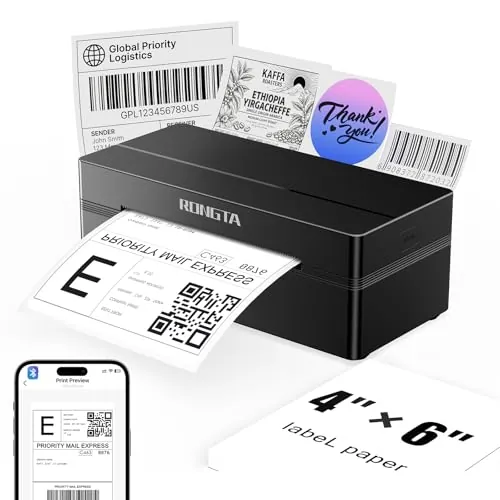
Rongta
Rongta Bluetooth Shipping Label Printer (Black)
This comparison covers the black Rongta RP425. Rongta’s current U.S. product page lists direct-thermal media, USB/Bluetooth and a 0.98–4.37-inch media width range.
Model RP425
Amazon ASIN B0FSKN56ZN
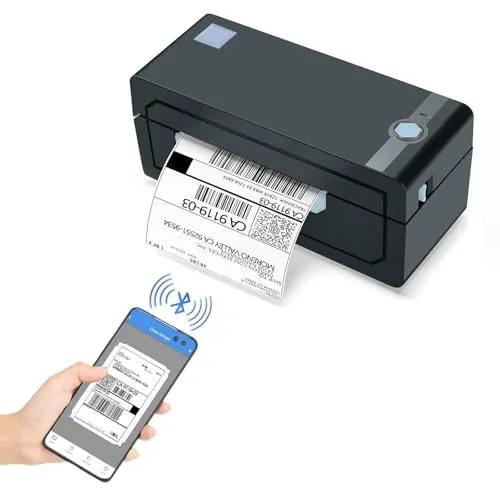
JADENS
JADENS Bluetooth Thermal Shipping Label Printer (Blue)
This comparison covers the blue JADENS JD268BT-CA listing. JADENS support material applies to the JD-268BT family; its reviewed manufacturer pages do not confirm the CA suffix or blue package.
Model JD268BT-CA
Amazon ASIN B099MLDBKJ
Differences that matter
What matters most to you?
Choose a priority to see what it changes.
Sources for Width figures and how to check your labels
Sources for Named media forms and stock changes
Start with the device and label-making route
For a laptop or desktop workflow, Rongta's RP425 support page lists Windows, macOS, Linux and ChromeOS driver resources, while its browser editor page names the RP425 for Chrome and Edge. JADENS publishes JD-268BT drivers, a manual and Chromebook guidance, plus USB tutorials for Mac and Windows. If you make the label in a carrier portal, marketplace or shipping platform, confirm that exact software path; a printer's OS list alone does not guarantee a connection to every label workflow.
If you want to print from a phone or tablet, Rongta points to its iOS/Android app. JADENS documents phone and iPad setup for the JD-268BT family. For a Mac's wireless path, JADENS's newer instructions require printing through its app instead of pairing from macOS Bluetooth settings. An older JADENS article still says Mac USB only, so check current instructions for the exact printer and app version.
Check width and feed format using the labels you already buy
Rongta's current US RP425 product page lists direct-thermal labels from 0.98 to 4.37 inches wide. JADENS lists 1.57 to 4.1 inches as the 268BT's label-width size and names roll and fanfold labels. Those are the manufacturers' own figures, not proof that one printer fits more of your stock. Measure the label and backing/liner, check the width convention and confirm whether your roll, fanfold stack or marked stock is supported by the exact unit.
Rongta describes automatic label identification; JADENS provides a JD-268BT automatic-calibration tutorial. Treat both as setup guidance from the maker, not a guarantee for every label. If you change stock often or use labels with a particular gap or mark, consult the exact manual before ordering the printer and a bulk supply.
A practical pre-buy check
Before ordering, note four things: the computer or phone and its OS; the app, portal or browser that creates the label; the label width plus backing/liner; and whether you feed roll or fanfold stock. Compare that list with current instructions for the exact model. This matters especially for the blue JD268BT-CA listing: the reviewed JADENS support pages name the JD-268BT family and do not confirm that retail suffix or color variant.
If your must-have is native AirPrint, a particular carrier integration or a guaranteed stock combination, ask the maker before you buy. The evidence reviewed here supports app, driver, browser, USB and Bluetooth routes; it does not certify AirPrint or test actual label feeding, print quality, barcode readability or speed.
Product details
Rongta Bluetooth Shipping Label Printer (Black)
- Listed host resources
- Windows, macOS, Linux and ChromeOS driver resources; RONGTA phone app and a Chrome/Edge browser label editor are listed on the RP425 support page. Source
- Media width
- Rongta lists 0.98–4.37 inches for direct-thermal labels; confirm the measurement basis and exact US unit with the maker and label supplier. Source
- Connection and label identification
- USB and Bluetooth are listed; Rongta describes automatic label identification on its product page. Source
JADENS Bluetooth Thermal Shipping Label Printer (Blue)
- Listed host resources
- JADENS lists USB for Windows and Mac, Bluetooth/app workflows for phones, and separate JD-268BT driver, manual and Chromebook guidance. Its newer Mac instructions say to pair through the Jadens Printer app rather than macOS Bluetooth settings. Source
- Media width and feed forms
- The 268BT page lists 1.57–4.1-inch label width and roll or fanfold labels. Check how the seller's exact JD268BT-CA bundle handles your stock. Source
- Stock-change help
- JADENS publishes a JD-268BT tutorial for automatic label calibration; the maker page does not establish that every label or bundle uses the same setup. Source
Before you buy
Community discussions
Making room for a roll or a stack of labels
JADENS Bluetooth Thermal Shipping Label Printer (Blue)
A casual seller asked about printing occasional labels from a Mac. A JADENS 268BT owner described using rolls or fanfold stacks.
What to check
Choose the packaging you plan to buy for the JD268BT-CA and leave enough space behind the printer for the holder or stack.
Common questions
Can either printer work with an iPhone or iPad?
Rongta lists its RONGTA app for iOS and Android phones. JADENS lists a Bluetooth/app workflow for iOS and iPad in its JD-268BT family resources. Check the current app instructions and confirm they support the label source you use; this is not the same as native AirPrint support.RP425 Label Printer: Drivers, App and ManualJD-268BT Driver, Manual and Setup VideosCan JADENS Label Printer Be Used with an iPad or iPhone?
Does “Bluetooth compatible with Mac” mean I should pair from macOS Settings?
Not for the JD-268BT path in JADENS's newer support note: it says to pair inside the Jadens Printer app, and that system Bluetooth pairing alone does not enable printing. JADENS has an older support answer that says USB only for Mac, so verify current app and firmware instructions for the exact selected unit if this route matters.Wireless Connection for 4-inch Transport Printer and PD-A4 on MacCan JADENS Label Printer Be Connected via WiFi or Bluetooth?
Are the listed label-width ranges directly comparable?
No same-stock fit test was performed. Rongta's current RP425 page lists 0.98–4.37 inches, while JADENS calls its 1.57–4.1-inch figure “Label Width Size.” Measure your own stock and confirm the maker's width convention, sensor/mark requirements and feed form for the exact printer.RP425 Thermal Shipping Label Printer (Black)Thermal Shipping Label Printer 268BT
Sources and scope
The blue JADENS JD268BT-CA listing is compared here, but the manufacturer’s reviewed product and support pages identify the JD-268BT family and do not confirm the CA suffix or blue package. The width figures come from the makers and are not a same-stock fit test. The reviewed material does not establish AirPrint, print quality or throughput for these exact listings.
- RP425 Thermal Shipping Label Printer (Black)
- RP425 Label Printer: Drivers, App and Manual
- Rongta Print Online Label Editor
- Thermal Shipping Label Printer 268BT
- JD-268BT Driver, Manual and Setup Videos
- Wireless Connection for 4-inch Transport Printer and PD-A4 on Mac
- Can JADENS Label Printer Be Connected via WiFi or Bluetooth?
- Can JADENS Label Printer Be Used with an iPad or iPhone?