
Products compared
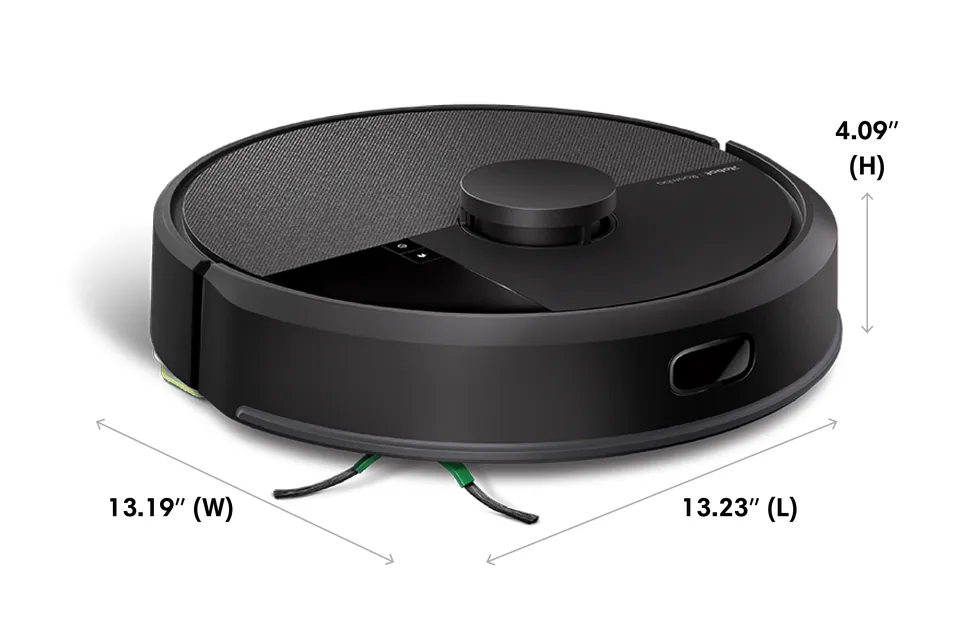
iRobot
Roomba 105 Combo Charge-Only
105 Combo robot with Charge-Only Dock
Model Y314020
Amazon ASIN B0DWG2BB7X
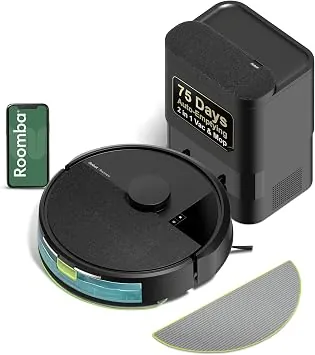
iRobot
Roomba 105 Combo AutoEmpty
105 Combo robot with AutoEmpty Dock
Model Y354020
Amazon ASIN B0DWFZ8Q7M
Find your Roomba 105 bundle and compatible parts
Find the dock included with an exact US model, or enter an iRobot part number to see which bundles it fits.
Enter a number from the box, product label, or part listing.
Browse all supported models and parts
- Y314020 Charge-Only Dock · Roomba 105 Combo Robot
- 4851529 · Black replacement bin for Roomba Combo 104/105/108/1010 robots
- 4837321 · Replacement filter, 3-pack
- 4837322 · Edge-Sweeping Brush, 3-pack
- 4849960 · Multi-Surface Bristle Brush
- 4849966 · Replenishment Kit (3 filters, 3 Edge-Sweeping Brushes, 1 Multi-Surface Bristle Brush)
- 4837324 · Washable Microfiber Mop Pads, 3-pack
- Y354020 Bagged AutoEmpty Dock · Roomba 105 Combo Robot + AutoEmpty Dock
- 4851477 · Black replacement bin for Roomba Combo robots with AutoEmpty Dock
- 4849916 · Replacement Dirt Disposal Bags, 3-pack
- 4837321 · Replacement filter, 3-pack
- 4837322 · Edge-Sweeping Brush, 3-pack
- 4849960 · Multi-Surface Bristle Brush
- 4849966 · Replenishment Kit (3 filters, 3 Edge-Sweeping Brushes, 1 Multi-Surface Bristle Brush)
- 4837324 · Washable Microfiber Mop Pads, 3-pack
- Q352020 Bagged AutoEmpty Dock · Roomba 105 Vac Robot + AutoEmpty Dock
- 4851483 · White replacement bin for Roomba Vac 104/105/106 robots with AutoEmpty Dock
- 4849916 · Replacement Dirt Disposal Bags, 3-pack
- 4837321 · Replacement filter, 3-pack
- 4837322 · Edge-Sweeping Brush, 3-pack
- 4849960 · Multi-Surface Bristle Brush
- 4849966 · Replenishment Kit (3 filters, 3 Edge-Sweeping Brushes, 1 Multi-Surface Bristle Brush)
Retrofit compatibility is unresolved: iRobot lists different replacement bins for the Charge-Only Combo, AutoEmpty Combo, and AutoEmpty Vac configurations. Confirm the robot model and serial number with iRobot before treating a separately purchased dock or bin as a supported retrofit.
Differences that matter
If you want fewer manual dust-bin emptyings
Roomba 105 Combo AutoEmpty · Y354020’s official guide documents automatic emptying attempts when the robot returns to or is placed on the dock.
View AutoEmpty on Amazon (paid link)Sources for Dock function
Sources for Mop workflow
Sources for Owner upkeep
What changes when you live with each dock?
Start with the chore you want to hand off, then check the dock location and the label on the box. The owner’s guides describe two different dust routines and the same hands-on mop care.
| Your check | Charge-Only · Y314020 | AutoEmpty · Y354020 | Before you buy |
|---|---|---|---|
| Measure the spot for the dock | The 105-series charge dock is about 5.4 in wide × 2.9 in deep × 4.8 in high. Its guide shows 1.6 ft to each side and 5 ft in front. | The 105-series AutoEmpty dock is about 8.4 × 6.7 × 11.5 in (W × D × H). Its guide shows 1.5 ft to each side and 4 ft in front. The bag comes out through the top lid. | Measure the clear floor from the dock, then check the space above it for bag access. Both owner’s guides warn to place the dock at least 5 ft away from stairs. |
| After a vacuum run | Remove the robot’s bin, empty it by hand as needed, and put it back in the robot. | The guide says the robot attempts to empty its bin each time it returns to or is placed on the dock. The bag collects dry debris. The bin and filter still need periodic care. | Think about whether opening the bin repeatedly is the interruption you want to remove. If the convenience you want is mopping automation, the AutoEmpty dock will not supply it. |
| Before and after mopping | Attach the pad and pad plate and fill the robot’s tank before a mop run. Afterwards, empty the tank and clean the pad. | You still prepare the pad and tank by hand. The guide tells you to empty the tank and care for the pad after the run. | If your routine includes mopping, decide where you will rinse and dry the pad. Pick a different dock category if your priority is automatic pad washing or tank refilling. |
| Plan for replacement parts | iRobot lists replacement bin 4851529 for the Charge-Only 105 Combo. The charging dock has no dust bag to replace. | iRobot lists bin 4851477 for the AutoEmpty Combo and bags 4849916 for its dock. The dock guide calls for checking the bag when alerted and clearing debris from the dock filter monthly. | Search the replacement part number as well as the bundle code. iRobot’s two bin listings explicitly exclude the other 105 Combo configuration. |
Which Roomba 105 is in the box?
Y314020
105 Combo · Charge-Only
Vacuum-and-mop robot with a charging base. Look for “Charge-Only Dock” under box contents.
Y354020
105 Combo · AutoEmpty
Vacuum-and-mop robot with the bagged AutoEmpty dock. Confirm the listing includes both the Combo robot and the dock.
Q352020
105 Vac · AutoEmpty
Vacuum-only bundle with a self-emptying dock. Choose a Combo code if you need a mop.
Which should you choose?
I vacuum often and mostly want fewer bin-emptying trips
Choose AutoEmpty (Y354020)
The dock takes over routine dry-debris collection after docking. You trade the repeated bin step for bag changes and dock upkeep.
Before ordering Confirm the site has room for the station and that you can lift out a bag under the proposed shelf.
View AutoEmpty on Amazon (paid link)I already have a low dock spot and prefer to avoid dock bags
Start with Charge-Only (Y314020)
Its charging base is lower and shallower, and the owner empties the bin directly. Check the approach space separately because the charging-only guide asks for a longer clear path in front.
Before ordering Verify both the dock height and the 5 ft in-front clearance before picking the smaller station.
View Charge-Only on Amazon (paid link)
Product details
Roomba 105 Combo Charge-Only
The Y314020 is the 105 Combo package with a charge-only dock, so dust-bin emptying stays hands-on. It includes a mop pad and lets the robot vacuum, mop, or do both.
- Exact bundle and dock
- Y314020 Roomba 105 Combo with a Charge-Only Dock Source
- Robot dimensions
- 13.23 × 13.19 × 4.09 in (robot only) Source
- Cleaning modes
- Vacuum only, mop only, or combined vacuum-and-mop; the manufacturer says it avoids carpets during mop modes Source
- Setup and care
- 2.4 GHz Wi-Fi is required for setup and operation; the owner handles bin and mop-pad care Source
Roomba 105 Combo AutoEmpty
The Y354020 keeps the 105 Combo's wet-cleaning hardware and adds a bagged AutoEmpty Dock. It cuts down routine dry-bin emptying but does not automate mop-pad or tank care.
- Exact bundle and dock
- Y354020 Roomba 105 Combo with an AutoEmpty Dock; iRobot states up to 75 days between bag changes under its stated conditions Source
- Robot dimensions
- 13.23 × 13.19 × 4.09 in (robot only; this is not the dock or package size) Source
- Wet-cleaning hardware
- Combo robot with mop pad; the dock empties dry debris but does not wash the pad or refill the water tank Source
- Setup and care
- 2.4 GHz Wi-Fi is required; the tank and mop-pad care remain owner tasks, and the AutoEmpty bag needs replacement Source
Before you buy
Community discussions
Check the bin before reusing a 105 AutoEmpty dock
Roomba 105 Combo AutoEmpty
A buyer paired a separately purchased Roomba 105 Combo with an AutoEmpty dock from an older 105. They reported that it charged and that debris stayed in the replacement bin.
What to check
For the AutoEmpty option, confirm the exact robot, dock and evacuation bin listed for the bundle before reusing any 105-series parts.
Common questions
Can I add an AutoEmpty dock to the Charge-Only Roomba I already own?
iRobot lists separate replacement bins for the two Combo bundles and explicitly excludes the other configuration on each listing. The product pages document the complete bundles. Confirm your model and serial number with iRobot before ordering a separate dock or bin for a retrofit.iRobot Y314020 product pageiRobot Y354020 product pageiRobot bin 4851529iRobot bin 4851477
Does Y354020 wash the mop pad or refill water?
Those functions are not documented for this bundle. Its guide still assigns tank and pad care to the owner.
Is the AutoEmpty bundle proven to clean better?
The cited sources establish the dock difference, not a measured head-to-head cleaning advantage.
Sources and scope
No applicable independent side-by-side evidence was opened for pickup, navigation, noise or reliability. No live prices or universal winner are included.
Related comparisons
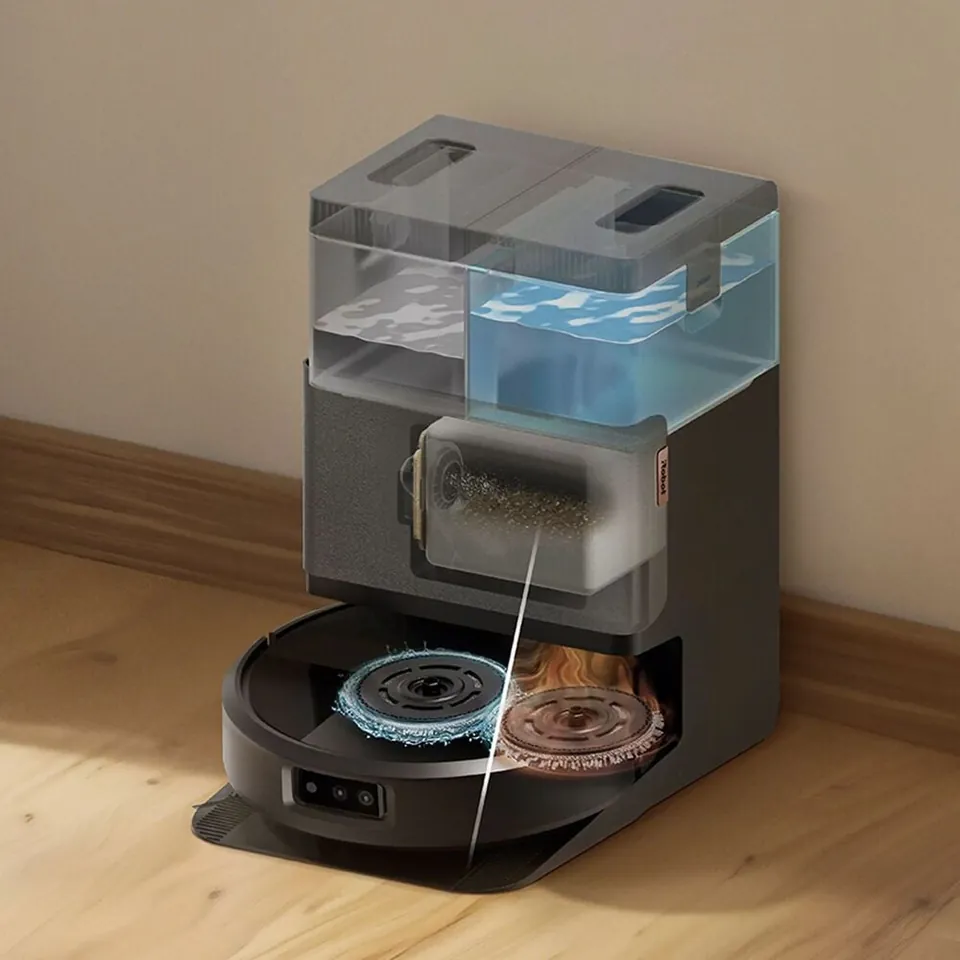
Roomba 105 Combo vs Roomba Plus 505 Combo
For the exact US bundles, Roomba 105 Combo Y314020 has a Charge-Only Dock; Roomba Plus 505 Combo N185020 has an AutoWash dock that empties debris and washes and heat-dries pads. The 505 also needs a hard-floor location at least four feet from stairs with room to enter and exit. Decide whether that dock space and its tank, basin, and bag care are worth shifting routine pad handling away from you.
Read comparison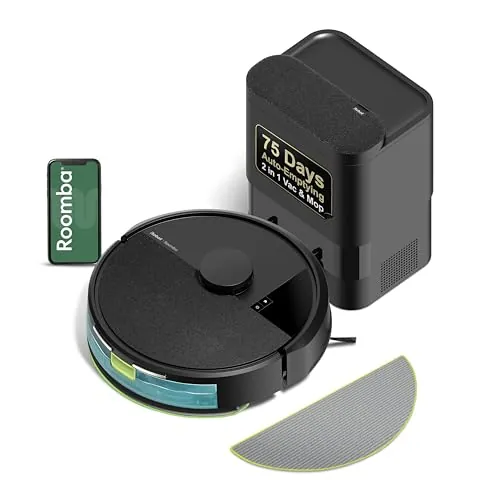
Roomba 104 Combo Y351020 vs Roomba 105 Combo Y314020: Check the Dock Before Buying
The selected Roomba 104 Combo Y351020 package includes an AutoEmpty dock; the selected Roomba 105 Combo Y314020 box list specifies a Charge-Only Dock. AutoEmpty can reduce routine dust-bin handling, but it still needs bags and monthly dock care, and both combos need regular robot and mop care. Check the item number and exact box contents because iRobot’s Y314020 page also contains a conflicting generic AutoEmpty-dock description.
Read comparison