
Products compared
Samsung
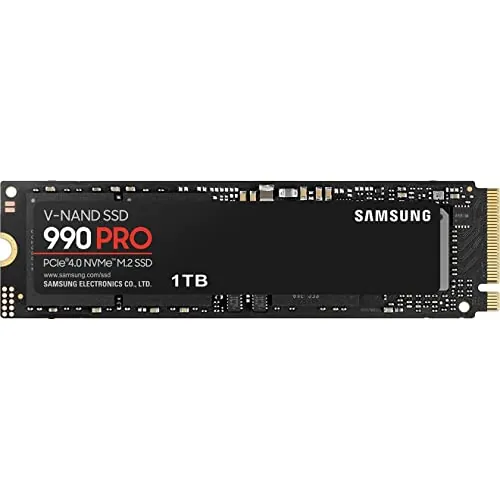
Samsung 990 PRO 1TB PCIe 4.0 NVMe M.2 SSD
listed U.S. retailer product code MZ-V9P1T0B/AM; standard 1TB card without Samsung's integrated-heatsink CW variant.
Model MZ-V9P1T0B/AM
Amazon ASIN B0BHJF2VRN
KIOXIA
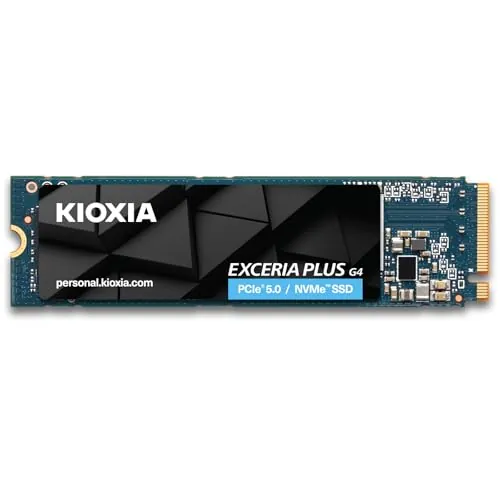
Kioxia EXCERIA PLUS G4 1TB NVMe SSD
Exact 1TB part number shown by Kioxia's official EXCERIA PLUS G4 specifications; the cited product specification is from Kioxia Europe, so verify U.S. warranty and seller package for this Amazon.com offer.
Model LVD10Z001TG8
Amazon ASIN B0DW52LDPD
Differences that matter
What matters most to you?
Choose a priority to see what it changes.
Sources for Interface and host slot
Sources for Maximum sequential ratings for these 1TB models
Sources for Card height and heatsink plan
Sources for Rated endurance and warranty wording
Sources for Firmware and maintenance tools
Match the SSD to the host before comparing its ceiling
Both products compared here are 1TB M.2 2280 NVMe SSDs, but Samsung specifies PCIe 4.0 x4 while Kioxia specifies PCIe 5.0 x4 and an M-key socket. Start with the computer manual: locate the exact slot, its generation and lanes, and any CPU/chipset lane-sharing conditions. Kioxia's Gen5 label describes the drive interface; it does not guarantee that every computer exposes a Gen5 x4 link.
The published 1TB sequential ceilings are 7,450/6,900 MB/s for Samsung read/write and 10,000/7,900 MB/s for Kioxia. Samsung's sheet says results depend on firmware and system hardware/configuration; Kioxia's figures are its own benchmark ceilings under its specified test conditions. They are not a controlled comparison and do not tell you what a particular system will sustain.
Treat the heatsink and mounting hardware as part of the fit check
The Samsung model code is MZ-V9P1T0B/AM. Samsung's U.S. page describes a standard 1TB M.2 card, and its series brochure separates standard 990 PRO 1TB codes from with-heatsink codes; MZ-V9P1T0CW is the 1TB integrated-heatsink model. For this /AM SKU compared here, plan around the motherboard's own M.2 cover if supplied, not an assumed Samsung heatsink.
Kioxia lists the 1TB EXCERIA PLUS G4 part number LVD10Z001TG8 as M.2 Type 2280-S3-M, maximum 80.15 × 22.15 × 2.38 mm, with an M-key connector. The cited specs do not list an included heatsink. Check the board's 2280 spacer/screw and thermal cover clearance before purchase; do not assume every seller bundle is identical.
Samsung lists an operating-temperature range of 0–70°C with proper airflow recommended, measured by S.M.A.R.T. Kioxia's page lists its specified operating range and describes a heat-dissipating label. These are manufacturer design limits, not evidence one drive will run cooler in your case. Follow the host and drive installation guidance for its cooling arrangement.
The same TBW label does not settle regional warranty service
Samsung and Kioxia each list 600 TBW for their 1TB model. Samsung's data sheet states a five-year limited warranty or the TBW threshold, whichever comes first. Kioxia's product page says up to five years, but that specification is on a European regional page. Kioxia's U.S. warranty page says U.S. customers who did not buy directly from Kioxia America must return the SSD to the place of purchase and are not eligible for Kioxia U.S. warranty support. For the listed Amazon.com Kioxia ASIN, verify the actual seller and written return/warranty terms instead of assuming the European statement describes U.S. coverage.
For firmware and maintenance, Samsung identifies Magician and Kioxia identifies SSD Utility. Check each vendor's current download page for your operating system if drive monitoring or firmware management matters to your setup.
Product details
Samsung 990 PRO 1TB PCIe 4.0 NVMe M.2 SSD
The Samsung is the PCIe 4.0 choice when the host's M.2 slot and 2280 mounting position match. This /AM SKU compared here is the standard low-profile card; if the motherboard supplies an M.2 cover, check its spacer and thermal-pad instructions. Do not mistake Samsung's with-heatsink CW model for this retailer product code.
- Host interface and form factor
- PCIe Gen 4.0 x4, NVMe 2.0; M.2 2280. Source
- Published 1TB sequential ceilings
- Up to 7,450 MB/s read and 6,900 MB/s write; actual performance may vary with firmware, system hardware and configuration. Source
- Published endurance
- 600 TBW; Samsung states a 5-year limited warranty or the TBW limit, whichever comes first. Source
- Heatsink model distinction
- Samsung lists MZ-V9P1T0B/AM as its 1TB M.2 SSD; the separate with-heatsink 1TB model code in its brochure is MZ-V9P1T0CW. Source
Kioxia EXCERIA PLUS G4 1TB NVMe SSD
The EXCERIA PLUS G4 is the Gen5 x4 option by interface specification, with 1TB maximum sequential ceilings of 10,000/7,900 MB/s. Its official specification gives an exact 1TB part number and a 2.38 mm bare-module height. The Kioxia page used for product specifications is European; confirm that the U.S. seller's unit and warranty terms match your expectations.
- Host interface and form factor
- PCIe 5.0 x4, NVMe 2.0c; M.2 Type 2280-S3-M, M-key connector. Source
- Published 1TB sequential ceilings
- Up to 10,000 MB/s read and 7,900 MB/s write. Kioxia specifies the test program and Q/T conditions and cautions performance depends on system conditions. Source
- Module envelope
- Maximum 80.15 × 22.15 × 2.38 mm; the cited EXCERIA PLUS G4 page identifies the M.2 module and 2.38 mm thickness but does not specify a seller-bundled heatsink. Source
- Published endurance and firmware utility
- 1TB model is listed at 600 TBW; Kioxia recommends its SSD Utility for maintenance/monitoring and installing the latest version. Source
Before you buy
Community discussions
A 990 PRO buyer checks clearance around two M.2 slots
Samsung 990 PRO 1TB PCIe 4.0 NVMe M.2 SSD
A shopper choosing a Samsung 990 PRO 1TB has two M.2 slots and describes tight access around the graphics card and a cooler cable.
What to check
Check the space around your intended M.2 slot with the GPU and cooler in place. Confirm its supported drive length.
Common questions
Will the Kioxia Gen5 drive run at 10,000 MB/s in my computer?
The specification is a manufacturer ceiling for the 1TB model, not a guarantee for every host. Check that the exact M.2 slot supports PCIe Gen5 x4 and verify its lane allocation and system configuration in the device manual. This article does not claim a measured speed for your computer.EXCERIA PLUS G4 NVMe SSD product specifications
Does the Samsung SKU include the heatsink shown on some 990 PRO listings?
The retailer product code is MZ-V9P1T0B/AM, and Samsung identifies it as the 1TB M.2 SSD. Samsung lists a separate 1TB with-heatsink code, MZ-V9P1T0CW. Check the exact retailer offer and avoid treating those model codes as interchangeable packages.MZ-V9P1T0B/AM 990 PRO 1TB PCIe 4.0 NVMe M.2 SSDSamsung 990 PRO Series Brochure
Are their 1TB endurance ratings different?
Both manufacturers list 600 TBW for their 1TB model. Samsung specifies a five-year limited warranty or the stated TBW threshold, whichever occurs first. Kioxia's cited product page lists up to five years, but its U.S. support page directs U.S. customers who did not buy directly from Kioxia U.S. to the place of purchase, so confirm the exact Amazon seller's coverage.Samsung NVMe SSD 990 PRO DatasheetEXCERIA PLUS G4 NVMe SSD product specificationsSSD Warranty & Support - United States
Sources and scope
This is a specification and setup comparison, not a sustained-write, thermal, reliability or application benchmark. Published sequential ceilings come from different manufacturer test descriptions and are not directly comparable results. The Samsung U.S. SKU on the Amazon listing is MZ-V9P1T0B/AM, the standard M.2 card rather than Samsung's separate with-heatsink CW version. Kioxia's exact 1TB part number is listed on its European product page, which does not establish that this Amazon.com ASIN has U.S.-specific warranty coverage or that every seller package includes a heatsink. Confirm the current seller, region and package before ordering.
Related comparisons
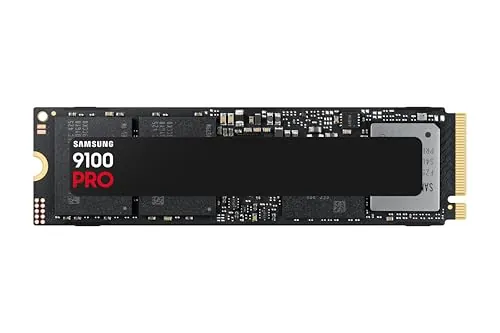
Samsung 990 PRO 1TB vs 9100 PRO 1TB: Check the M.2 Slot First
Both listings compared here are bare 1TB M.2 2280 NVMe drives, but they use different PCIe generations. Samsung rates the 990 PRO at up to 7,450/6,900 MB/s sequential read/write and the 9100 PRO 1TB at 14,700/13,300 MB/s. Check the exact socket, lane configuration and heat-sink clearance before treating the Gen5 rating as relevant.
Read comparison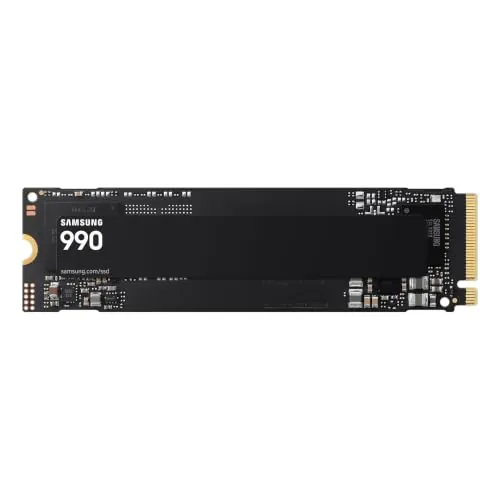
Samsung 990 PRO 1TB vs Samsung 990 1TB: Cache, Warranty and Fit
The Samsung 990 and 990 PRO are both 1TB PCIe 4.0 x4, NVMe 2.0, M.2 2280 drives. Samsung lists a dedicated 1GB DRAM cache, a 7,450/6,900 MB/s sequential ceiling and five years or 600 TBW for the PRO; the regular 990 uses HMB, with 7,150/6,450 MB/s and three years or 400 TBW in its 1TB specifications. Those are manufacturer ratings and coverage limits, not a matched test or a prediction of reliability. Check the exact motherboard slot, its M.2 cover and the current offer before deciding.
Read comparison