
Products compared
Samsung
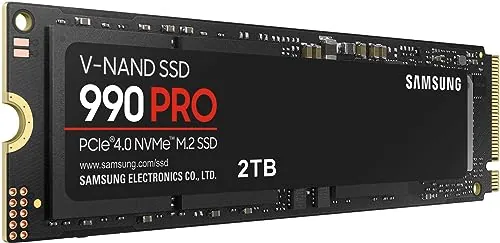
Samsung 990 PRO PCIe 4.0 NVMe M.2 SSD, 2TB
Samsung 990 PRO 2TB bare-drive U.S. model MZ-V9P2T0B/AM, PCIe 4.0 NVMe M.2 2280. Samsung sells the 2TB with-heatsink edition separately under CW model code MZ-V9P2T0CW.
Model MZ-V9P2T0B/AM
Amazon ASIN B0BHJJ9Y77
Samsung
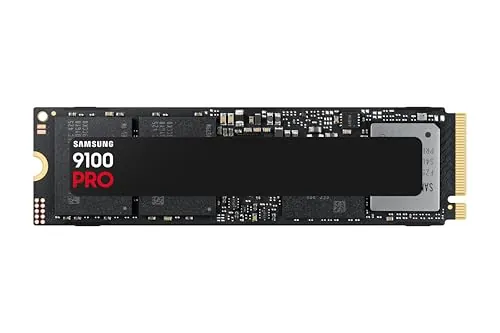
Samsung 9100 PRO PCIe 5.0 NVMe M.2 SSD, 2TB
Samsung 9100 PRO 2TB bare-drive U.S. model MZ-VAP2T0B/AM. Samsung’s Rev. 2.0 table provides a 2TB-specific rating; its U.S. product page headline is a family maximum. The with-heatsink edition is separate model MZ-VAP2T0CW.
Model MZ-VAP2T0B/AM
Amazon ASIN B0DX2DPJZ5
Differences that matter
What matters most to you?
Choose a priority to see what it changes.
Sources for Exact interface and slot
Sources for Bare drive, heatsink and airflow
Sources for Published endurance and warranty
Start with the socket you will use
The compared U.S. products are Samsung 990 PRO 2TB, model MZ-V9P2T0B/AM (ASIN B0BHJJ9Y77), followed by Samsung 9100 PRO 2TB, model MZ-VAP2T0B/AM (ASIN B0DX2DPJZ5). Both are M.2 2280 NVMe drives. Samsung lists the 990 PRO as PCIe 4.0 x4 and the 9100 PRO as PCIe 5.0 x4; Samsung also lists the 9100 as backward-compatible with Gen4 x4 and Gen3 x4.
Before choosing by the Gen5 label, open the exact motherboard or laptop manual and locate the socket you plan to populate. Confirm that it is NVMe M.2 2280, check its lane width and PCIe generation, and read any CPU/chipset lane-sharing notes. Different sockets on one board may not have the same wiring. If your slot is Gen4 or Gen3, the 9100 may link at that generation when supported, but the Gen5 rated ceiling is not available over that link.
Read the 2TB row and separate it from the headline
Samsung's 990 PRO 2TB table lists up to 7,450 MB/s sequential read and 6,900 MB/s sequential write. In Samsung's current Rev. 2.0 9100 PRO table, the 2TB row is up to 14,700/13,400 MB/s. The 9100 PRO U.S. product page and its separate U.S. specification sheet show 14,800/13,400 MB/s as a family headline without a capacity-specific row. Those are conflicting presentations from Samsung; this guide uses the newer capacity-specific 2TB table and tells buyers to verify the exact listing.
These are Samsung rated maxima, not results from a matched system test. Samsung’s 990 PRO datasheet describes IOmeter testing on a Ryzen 7 5800X / Windows 10 platform; the 9100 PRO Rev. 2.0 datasheet describes FIO 3.33 on a Ryzen 9 7950X / Ubuntu platform. Samsung notes that results vary with firmware and host configuration, and that sequential write ratings use Intelligent TurboWrite within a specific transfer size. Because the test programs and hosts differ, the headline rates are not a controlled pair comparison and do not establish proportional game-load, boot or editing-time improvements.
Confirm the bare-drive cooling plan
Both model codes end in /AM and identify Samsung’s bare-drive U.S. versions. Samsung lists separate 2TB heatsink models: MZ-V9P2T0CW for the 990 PRO and MZ-VAP2T0CW for the 9100 PRO. Do not assume these /AM offers include integrated heatsinks.
Samsung lists 0–70°C operating ranges and recommends proper airflow for both product families. For your actual system, check whether the board supplies an M.2 cover, whether its pad contacts the drive, and whether the installed drive or heatsink clears nearby parts. No host model was provided, so this page cannot confirm a particular thermal fit or decide whether a cooling accessory is required.
Endurance does not break the tie
At 2TB, Samsung lists 1,200 TBW and a five-year limited warranty for each. Warranty coverage is subject to the published duration or TBW threshold; neither number is a measured reliability result. If both meet your host requirements, decide by supported PCIe link and the file-transfer workload you actually have, then recheck the current exact model code and cooling bundle before ordering.
The guide does not include prices and does not claim hands-on testing or a universal performance winner. The useful decision is whether the exact slot and workload can use Gen5 x4, not whether a higher marketing number automatically changes everyday use.
Product details
Samsung 990 PRO PCIe 4.0 NVMe M.2 SSD, 2TB
- Interface and form factor
- PCIe Gen 4.0 x4, NVMe 2.0; M.2 2280 Source
- 2TB rated sequential read / write
- Up to 7,450 / 6,900 MB/s; manufacturer maximums, not a guaranteed host result Source
- Endurance / warranty
- 1,200 TBW; five-year limited warranty subject to the stated time or TBW limit Source
- Cooling variant
- Assigned MZ-V9P2T0B/AM bare model; 2TB integrated-heatsink model MZ-V9P2T0CW is sold separately Source
Samsung 9100 PRO PCIe 5.0 NVMe M.2 SSD, 2TB
- Interface and form factor
- PCIe Gen 5.0 x4, NVMe 2.0; M.2 2280; Samsung lists backward compatibility with PCIe 4.0 x4 and 3.0 x4 Source
- 2TB rated sequential read / write
- Current Rev. 2.0 capacity table: up to 14,700 / 13,400 MB/s. Samsung's U.S. product page and product sheet show a 14,800 / 13,400 family headline without a capacity-specific row; verify the exact listing and current specification. Source
- Endurance / warranty
- 1,200 TBW; five-year limited warranty subject to the stated time or TBW limit Source
- Cooling variant
- Assigned MZ-VAP2T0B/AM bare model; 2TB integrated-heatsink model MZ-VAP2T0CW is sold separately Source
Before you buy
Community discussions
Deciding which M.2 slot to give a new drive
Samsung 9100 PRO PCIe 5.0 NVMe M.2 SSD, 2TB
A 9100 PRO 2TB owner with two different M.2 slots was planning where to keep their operating system and active video projects.
What to check
Look up the slots in your board manual and decide which files each drive will hold before choosing the layout.
Checking the motherboard cover before ordering
Samsung 990 PRO PCIe 4.0 NVMe M.2 SSD, 2TB
A 990 PRO 2TB shopper asked whether they needed the heatsink version when their motherboard might already include an M.2 cover.
What to check
Confirm what your board provides and what the exact drive listing includes. Check the clearance for the two parts together.
Common questions
Will the Samsung 9100 PRO 2TB work in a Gen4 M.2 slot?
Samsung lists the 9100 PRO as backward-compatible with PCIe 4.0 x4 and 3.0 x4. Check your host manual to confirm the exact socket supports NVMe and the required length and lanes. A Gen4/Gen3 link cannot deliver the drive's Gen5 rating.Samsung NVMe SSD 9100 PRO Datasheet, Revision 2.0
Why do Samsung sources show both 14,700 and 14,800 MB/s for the 9100 PRO?
Samsung’s current Rev. 2.0 datasheet gives a capacity-by-capacity table: the 2TB row is up to 14,700 MB/s read and 13,400 MB/s write. Its U.S. product page and product sheet show 14,800/13,400 as a family headline rather than a 2TB-specific row. This comparison cites the 2TB table and makes the difference clear for buyers.Samsung NVMe SSD 9100 PRO Datasheet, Revision 2.0Samsung 9100 PRO 2TB PCIe 5.0 NVMe M.2 SSD (MZ-VAP2T0B/AM)Samsung 9100 PRO 2TB official product specification sheet
Do the 2TB /AM models include an integrated heatsink?
Samsung’s U.S. model pages identify the /AM codes as bare-drive versions. The company sells 2TB heatsink editions separately under MZ-V9P2T0CW and MZ-VAP2T0CW. Check the current offer title and box contents before checkout.Samsung 990 PRO 2TB PCIe 4.0 NVMe M.2 SSD (MZ-V9P2T0B/AM)Samsung 990 PRO 2TB with Heatsink (MZ-V9P2T0CW)Samsung 9100 PRO 2TB PCIe 5.0 NVMe M.2 SSD (MZ-VAP2T0B/AM)Samsung 9100 PRO 2TB with Heatsink (MZ-VAP2T0CW)
Does the higher rated sequential ceiling mean games or apps load twice as fast?
No such result follows from the specification alone. Samsung says performance varies with firmware, host hardware and configuration, and the two datasheets use different test platforms and software. This guide does not contain a matched system or application test.Samsung NVMe SSD 990 PRO Datasheet, Revision 2.0Samsung NVMe SSD 9100 PRO Datasheet, Revision 2.0
Sources and scope
This is a model-and-capacity-specific specification comparison, not a matched system benchmark or a hands-on test. Samsung's 990 PRO 2TB and 9100 PRO 2TB datasheets use different benchmark software and test platforms; write ratings also involve Intelligent TurboWrite within a limited transfer size. Samsung's 9100 PRO current Rev. 2.0 capacity table lists 14,700/13,400 MB/s at 2TB, while its U.S. product page and product sheet show a 14,800/13,400 MB/s family headline. The guide surfaces both and favors the capacity-specific table for this assigned 2TB model. No boot-time, game-load, sustained-transfer or reliability winner is inferred.
- Samsung 990 PRO 2TB PCIe 4.0 NVMe M.2 SSD (MZ-V9P2T0B/AM)
- Samsung NVMe SSD 990 PRO Datasheet, Revision 2.0
- Samsung 990 PRO 2TB with Heatsink (MZ-V9P2T0CW)
- Samsung 9100 PRO 2TB PCIe 5.0 NVMe M.2 SSD (MZ-VAP2T0B/AM)
- Samsung NVMe SSD 9100 PRO Datasheet, Revision 2.0
- Samsung 9100 PRO 2TB official product specification sheet
- Samsung 9100 PRO 2TB with Heatsink (MZ-VAP2T0CW)
Related comparisons
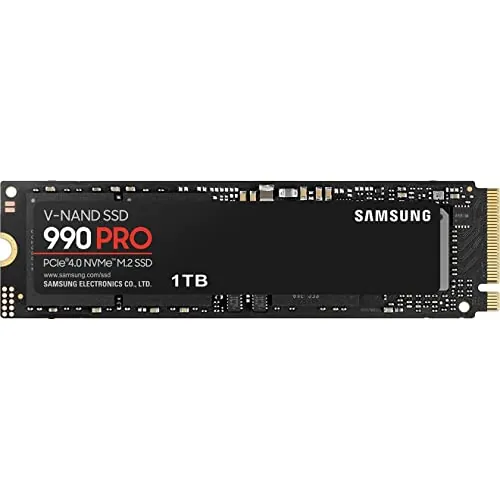
Samsung 990 PRO 1TB vs 9100 PRO 1TB: Check the M.2 Slot First
Both listings compared here are bare 1TB M.2 2280 NVMe drives, but they use different PCIe generations. Samsung rates the 990 PRO at up to 7,450/6,900 MB/s sequential read/write and the 9100 PRO 1TB at 14,700/13,300 MB/s. Check the exact socket, lane configuration and heat-sink clearance before treating the Gen5 rating as relevant.
Read comparison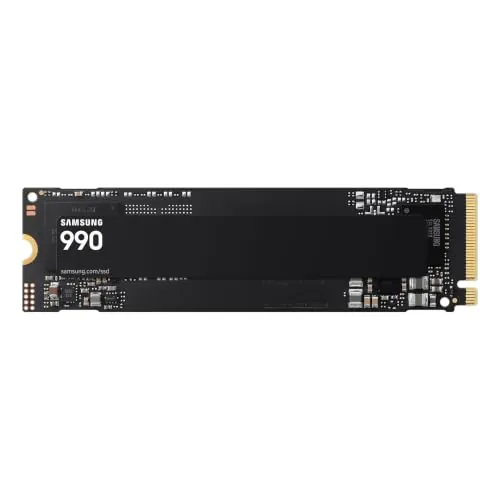
Samsung 990 PRO 1TB vs Samsung 990 1TB: Cache, Warranty and Fit
The Samsung 990 and 990 PRO are both 1TB PCIe 4.0 x4, NVMe 2.0, M.2 2280 drives. Samsung lists a dedicated 1GB DRAM cache, a 7,450/6,900 MB/s sequential ceiling and five years or 600 TBW for the PRO; the regular 990 uses HMB, with 7,150/6,450 MB/s and three years or 400 TBW in its 1TB specifications. Those are manufacturer ratings and coverage limits, not a matched test or a prediction of reliability. Check the exact motherboard slot, its M.2 cover and the current offer before deciding.
Read comparison