
Products compared
Samsung
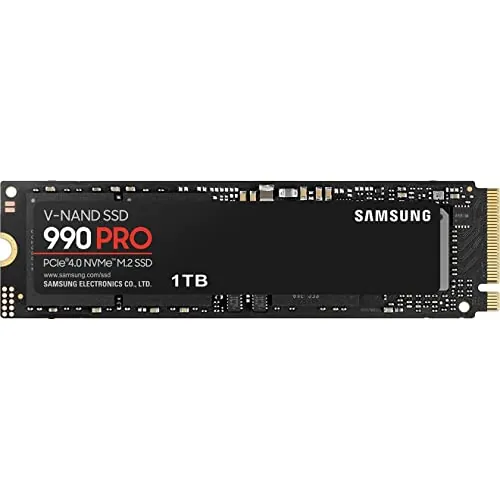
Samsung 990 PRO 1TB PCIe 4.0 NVMe M.2 SSD
Exact listed U.S. 1TB bare M.2 2280 model; Samsung lists PCIe Gen 4.0 x4, 1GB LPDDR4 DRAM cache and a separate 990 PRO with-heatsink SKU.
Model MZ-V9P1T0B/AM
Amazon ASIN B0BHJF2VRN
Samsung
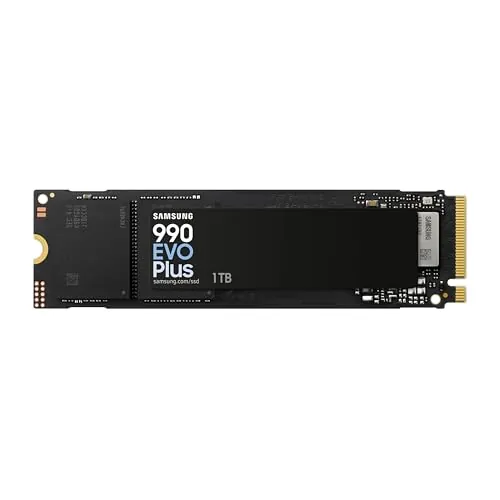
Samsung 990 EVO Plus 1TB PCIe 4.0 / 5.0 NVMe M.2 SSD
Exact listed U.S. 1TB bare M.2 2280 model; Samsung documents PCIe 4.0 x4 or PCIe 5.0 x2 modes and HMB cache.
Model MZ-V9S1T0B/AM
Amazon ASIN B0DHLFWBQ1
Differences that matter
What matters most to you?
Choose a priority to see what it changes.
Sources for Host slot and lane mode
Sources for Cache architecture and rated sequential ceilings
Sources for Thermal planning for long transfers
Start with the exact slot in your computer
Both listed drives are 1TB M.2 2280 NVMe SSDs, but they advertise different host-link options. Samsung specifies the 990 PRO as PCIe Gen 4.0 x4 and lists PCIe 4.0 x4 or PCIe 5.0 x2 for the EVO Plus. The EVO Plus datasheet also names PCIe 4.0 x4 and 3.0 x4 as backward-compatible modes; the PRO sheet says it is backward compatible with PCIe 3.0.
Before choosing, locate the exact M.2 connector in your motherboard or laptop manual. Check the supported PCIe generation and lane mode, whether that connector shares resources with SATA or PCIe slots, and the supported 2280 length. The EVO Plus's extra mode matters only if your host documents the matching configuration; it is not a universal promise of faster operation.
Confirm bare-drive versus heatsink clearance
The exact PRO product code in this comparison is MZ-V9P1T0B/AM. Samsung's lineup lists that code for its standard 1TB 990 PRO; Samsung gives the 1TB with-heatsink version a different code, MZ-V9P1T0CW. Do not rely on the family name alone when a seller has multiple variants.
Samsung's EVO Plus 1TB U.S. page names MZ-V9S1T0B/AM and its datasheet describes a maximum 80.15 × 22.15 × 2.38 mm M.2 2280 body. The practical fit question is the entire installed space: drive, motherboard shield or optional cooler, GPU clearance and laptop cover. Follow the host manual for its thermal pad and shield procedure; this guide does not certify a specific computer fit.
Read the speed ratings as ceilings, not a head-to-head test
For the exact 1TB capacity, Samsung lists up to 7,450 MB/s sequential read and 6,900 MB/s sequential write for the PRO, compared with 7,150/6,300 MB/s for the EVO Plus. The EVO Plus family headline of 7,250 MB/s read applies to its 2TB and 4TB rows, not the 1TB row. Samsung's PRO sheet lists 1GB LPDDR4 DRAM cache, while the EVO Plus sheet lists HMB.
These published ceilings do not measure the two drives side by side. Samsung used a Ryzen 7 5800X / X570, Windows 10 and PCIe 4.0 x4 test system for the PRO sheet; for EVO Plus sequential performance it names Ryzen 9 7950X / X670E, Windows 11 and PCIe 4.0 x4 / 5.0 x2. Both datasheets say actual performance can vary by system and firmware, and both report sequential write performance with Intelligent TurboWrite active within a specific transfer size. Use the ratings to understand the maker's specifications, not to predict a specific game, app, sustained transfer or thermal result.
A practical pre-buy check for your own build
Write down your exact computer or motherboard model, the intended M.2 slot, the slot's supported link mode and any shared-port rule. Then note whether that location already has an M.2 shield, whether the shield can close over the chosen installed stack, and whether nearby parts block access. If those answers favor Gen4 x4 with built-in DRAM and you want the higher listed 1TB ceiling, the PRO's documented profile may fit. If your host specifically supports PCIe 5.0 x2 and you want to use that documented mode, the EVO Plus is the relevant option.
If your computer's documentation does not expose the slot wiring or installed-height limit, pause and verify the exact model with its maker. A standard 2280 label alone does not confirm available lanes, cooler clearance, thermal behavior or an upgrade path in a particular PC.
Product details
Samsung 990 PRO 1TB PCIe 4.0 NVMe M.2 SSD
- Interface and format
- PCIe Gen 4.0 x4, NVMe 2.0; M.2 2280. Source
- Cache and rated sequential ceiling
- 1GB LPDDR4 DRAM; up to 7,450 MB/s sequential read and 6,900 MB/s sequential write for the 1TB row. Source
- part number and heatsink distinction
- Samsung identifies MZ-V9P1T0B/AM in the 1TB standard-drive lineup; its separately named 1TB 990 PRO with-heatsink page identifies MZ-V9P1T0CW. Source
Samsung 990 EVO Plus 1TB PCIe 4.0 / 5.0 NVMe M.2 SSD
- Interface and format
- PCIe 4.0 x4 / PCIe 5.0 x2, NVMe 2.0; M.2 2280; backward compatible with PCIe 4.0 x4 and 3.0 x4. Source
- Cache and exact 1TB rated sequential ceiling
- HMB (Host Memory Buffer); the exact 1TB datasheet row lists up to 7,150 MB/s sequential read and 6,300 MB/s sequential write. Source
- Exact U.S. model code
- Samsung's U.S. product page identifies the 1TB model as MZ-V9S1T0B/AM. Source
Before you buy
Community discussions
A 990 PRO buyer checks clearance around two M.2 slots
Samsung 990 PRO 1TB PCIe 4.0 NVMe M.2 SSD
A shopper choosing a Samsung 990 PRO 1TB has two M.2 slots and describes tight access around the graphics card and a cooler cable.
What to check
Check each M.2 slot’s physical access and supported connection before choosing the drive.
Common questions
Does the 990 EVO Plus run at PCIe 5.0 speed?
Samsung lists PCIe 5.0 x2 as one supported interface mode for the EVO Plus, alongside PCIe 4.0 x4, and documents backward compatibility with PCIe 4.0 x4 and 3.0 x4. The host slot must support the relevant mode; check the exact motherboard or laptop manual.Samsung SSD 990 EVO Plus datasheet, revision 1.0
Which 1TB model has the higher listed sequential speeds?
Samsung lists up to 7,450/6,900 MB/s read/write for the 990 PRO 1TB and 7,150/6,300 MB/s for the 990 EVO Plus 1TB. The sheets use different test configurations and both state that results vary by system and firmware, so the listed figures do not predict a direct real-world margin.Samsung SSD 990 PRO datasheet, revision 1.0Samsung SSD 990 EVO Plus datasheet, revision 1.0
Does the listed 990 PRO include a heatsink?
The listed U.S. part is MZ-V9P1T0B/AM, the standard 990 PRO 1TB. Samsung lists a separate 1TB 990 PRO with-heatsink part, MZ-V9P1T0CW. Confirm the exact part code in the offer and check whether your host has its own M.2 cover or thermal instructions.Samsung 990 PRO 1TB U.S. Business product page — MZ-V9P1T0B/AMSamsung 990 PRO 1TB with-heatsink U.S. product page — MZ-V9P1T0CW
Can this comparison tell me which drive will be faster in my PC or games?
No. The Samsung figures are manufacturer up-to measurements from different platforms, not a matched PC, sustained-write, boot, game-loading or application test. Host slot mode, workload, firmware and cooling affect results; choose first by your host's documented requirements and the features you need.Samsung SSD 990 PRO datasheet, revision 1.0Samsung SSD 990 EVO Plus datasheet, revision 1.0
Sources and scope
This guide compares Samsung documentation for the listed U.S. 1TB parts; it is not a matched benchmark or a motherboard-specific compatibility check. The datasheets report up-to sequential figures using different systems, operating systems, memory and PCIe configurations, and both note write measurements with Intelligent TurboWrite active within a specific transfer size. Actual results depend on the host, workload, firmware and cooling. Confirm the exact motherboard slot's supported generation/lanes, shared-device rules, physical 2280 support and available cooler clearance. The listed MZ-V9P1T0B/AM is the bare 990 PRO, not the separately listed MZ-V9P1T0CW with heatsink.
Related comparisons
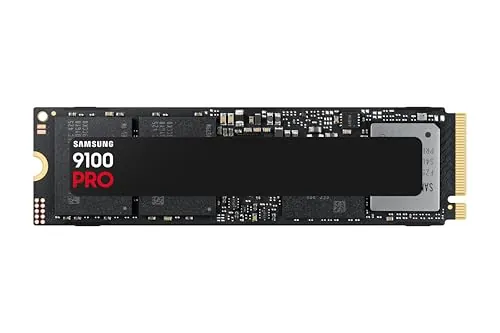
Samsung 990 PRO 1TB vs 9100 PRO 1TB: Check the M.2 Slot First
Both listings compared here are bare 1TB M.2 2280 NVMe drives, but they use different PCIe generations. Samsung rates the 990 PRO at up to 7,450/6,900 MB/s sequential read/write and the 9100 PRO 1TB at 14,700/13,300 MB/s. Check the exact socket, lane configuration and heat-sink clearance before treating the Gen5 rating as relevant.
Read comparison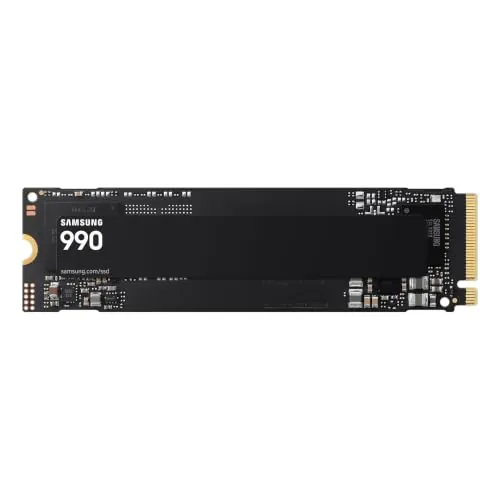
Samsung 990 PRO 1TB vs Samsung 990 1TB: Cache, Warranty and Fit
The Samsung 990 and 990 PRO are both 1TB PCIe 4.0 x4, NVMe 2.0, M.2 2280 drives. Samsung lists a dedicated 1GB DRAM cache, a 7,450/6,900 MB/s sequential ceiling and five years or 600 TBW for the PRO; the regular 990 uses HMB, with 7,150/6,450 MB/s and three years or 400 TBW in its 1TB specifications. Those are manufacturer ratings and coverage limits, not a matched test or a prediction of reliability. Check the exact motherboard slot, its M.2 cover and the current offer before deciding.
Read comparison