
Products compared
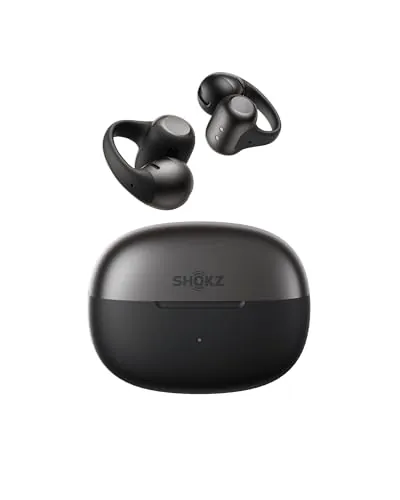
SHOKZ
Shokz OpenDots 2 Open-Ear Clip-On Earbuds, Black
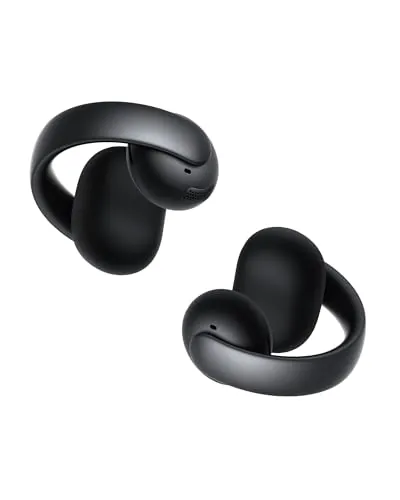
Black OpenDots 2 clip-on earbuds, model E320. Shokz’s wear guide places the ball-shaped speaker at the inner ear ridge and the barrel-shaped battery section behind the ear, and suggests a 0–30° downward JointArc angle. Shokz says either earbud can be worn on either side. These are maker instructions, not a promise of comfort or retention.
Model E320
Amazon ASIN B0GQ3MD31D
soundcore
soundcore AeroClip Open-Ear Clip-On Earbuds, Midnight
Midnight soundcore AeroClip, model A3388. soundcore’s wearing guide says to aim the speaker toward the ear canal, slide the earbuds up or down to adjust position, and use the M/L ear grips described for the accessory box if needed. Its FAQ permits gently expanding the joints by no more than 5 mm. These steps do not establish a fit outcome; verify the exact offer’s accessories.
Model A3388
Amazon ASIN B0DLGCHL8M
Differences that matter
What matters most to you?
Choose a priority to see what it changes.
Sources for Placement and left/right orientation
Sources for Adjustment and included grip options
Sources for Music and call gestures
Sources for Pairing a second device and app dependency
Start with the wearing instructions, not a comfort promise
Shokz's OpenDots 2 guide describes an orientation-specific sequence: pinch the JointArc, set the round speaker against the inner ridge of the ear, and position the barrel-shaped battery compartment behind the ear. It recommends the arc point downward at 0–30°. Shokz says either earbud can be used on either side. Those are placement instructions; they do not say how the device will feel or stay put on a particular person.
For AeroClip, soundcore tells the wearer to point the speaker toward the ear and slide the earbuds up or down to find a position. Its support guide describes M and L ear grips in the accessory box; the FAQ says its joints may be gently expanded by up to 5mm, not farther. Confirm the seller's exact carton if grips matter. Do not transfer the AeroClip 2 guide or another model's fit claims to A3388.
Choose a control sequence and pairing routine
OpenDots 2 provides both tap and pinch gestures. Shokz's guide maps a single pinch to answer or end calls and a double pinch to reject one; its Shokz App can customize gestures. The app is also the documented path to connect two devices with MultiPoint.
AeroClip's FAQ maps double-tap to play/pause and answer/end, and triple-tap to skip or reject. It says volume taps are off by default and can be enabled in the soundcore app. Dual Connections is enabled by default; the FAQ's second-device steps use the case button for three seconds. When both devices are connected, soundcore says the device that starts playback last takes over, and a notification sound may sometimes override audio. These are maker instructions, not a test of response or call quality.
Pre-buy check for your ears, devices and package
Use a three-part check before ordering: (1) compare the model-specific placement steps and ear-grip options you would actually use; (2) decide whether you want Shokz's documented interchangeable left/right placement or soundcore's M/L grip guidance and limited joint expansion; and (3) walk through the exact second-device pairing and control gestures for your phone and computer. Verify any accessory in the exact seller package. This can narrow the feature match, but only trying a pair can tell you how it fits, and neither maker guide predicts your call results.
Product details
Shokz OpenDots 2 Open-Ear Clip-On Earbuds, Black
- Placement and left/right use
- Shokz's OpenDots 2 guide places the speaker at the inner ear ridge and the battery compartment behind the ear; the manufacturer describes interchangeable left/right earbuds. Source
- Gestures and simultaneous devices
- Shokz documents tap and pinch gestures, including pinch call handling, and says MultiPoint can connect two devices through the Shokz App. Source
soundcore AeroClip Open-Ear Clip-On Earbuds, Midnight
- Position and ear-grip guidance
- The AeroClip guide directs the speaker toward the ear and describes M/L ear grips; the wearer can slide the earbuds up or down to adjust position. Confirm the exact retail package if included grips are essential. Source
- Joint adjustment limit
- soundcore says the joints may be gently expanded up to 5mm and warns against expanding farther. Source
Before you buy
Community discussions
Check pinch controls and clothing clearance on the OpenDots 2
Shokz OpenDots 2 Open-Ear Clip-On Earbuds, Black
An OpenDots 2 owner uses them for work calls and walks. They preferred changing volume on their phone and said a collar or bag strap could catch the rear barrel.
What to check
Try the pinch controls and check where each earbud sits with your usual collar, hood or bag strap.
Common questions
Are the OpenDots 2 earbuds left- and right-specific?
Shokz says OpenDots 2 uses interchangeable left/right earbuds and describes automatic ear detection. AeroClip's cited guide gives placement instructions but does not establish interchangeability, so do not assume the same feature.OpenDots 2 Open-Ear Clip-On EarbudsWearing Guide for soundcore AeroClip
How do the documented call controls differ?
Shokz describes a single pinch to answer or end a call and a double pinch to reject one. soundcore describes double-tap to answer or end and triple-tap to reject. These are the makers' control instructions, not a test of microphone or call quality.How to Use OpenDots 2soundcore AeroClip FAQ
Can both connect to two devices?
Both makers document a two-device feature. Shokz says to connect through the Shokz App. soundcore says Dual Connections is enabled by default and explains how to pair a second device using the case button; it also describes playback switching behavior. Host-specific behavior is not tested here.How to Use OpenDots 2soundcore AeroClip FAQ
Sources and scope
No head-to-head wear, retention, comfort, sound, hearing, call-quality or microphone test was performed. Manufacturer wearing directions and adjustment ranges do not predict fit on an individual’s ear. The compared OpenDots 2 offer is black model E320; the barcode and pictured accessory inclusion are not confirmed for the seller offer, so verify the box contents. For AeroClip, soundcore’s official support guide describes M/L ear grips in the accessory box, but check the exact offer if those pieces matter. Battery and water-resistance claims are omitted.