
Products compared
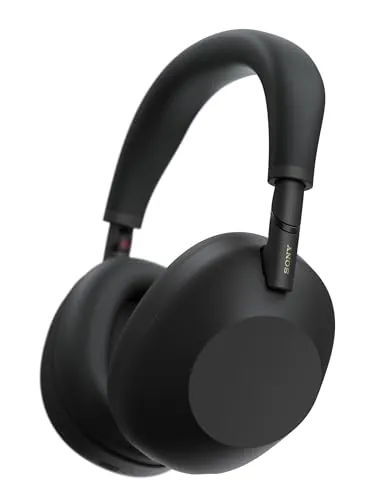
Sony
Sony WH-1000XM6 Wireless Noise Canceling Headphones
Black US listing; Sony model/part WH1000XM6B.UC.
Model WH-1000XM6
Amazon ASIN B0F3PQHWTZ
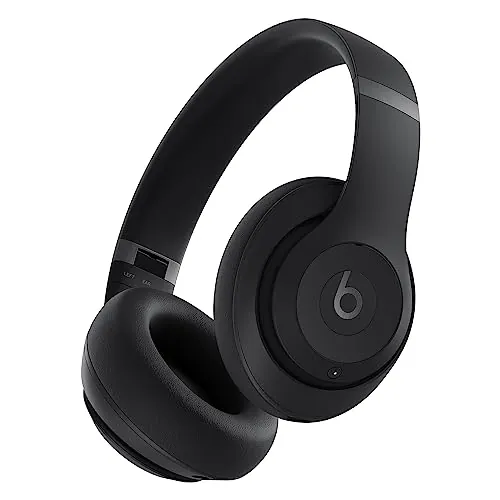
Beats
Beats Studio Pro Over-Ear Headphones
Black US listing; Beats product part family MQTP3.
Model Studio Pro (MQTP3)
Amazon ASIN B0C8PR4W22
Differences that matter
Sources for Included carry setup
Start with the source you will plug into
For analog listening, both products have a documented 3.5 mm route. Sony's supplied cable can play music while the WH-1000XM6 is off; turn it on if you also want its noise canceling or Ambient Sound, and expect to control playback and volume from the connected player while cabled. Beats lists an included 3.5 mm cable that can play without battery power.
The clearest wired distinction is USB-C. Beats documents USB-C audio from a compatible source, audio/calls while the headphones charge, and lossless playback when the source and content support it. Sony's WH-1000XM6 guide describes its USB-C port as a charging connection and separately explains analog cable audio. That documentation supports a decision based on Beats' stated USB-C workflow; it does not prove Sony has no other USB audio capability. Before buying, check the exact port and audio output mode on your phone, tablet, laptop or seatback adapter.
Choose the controls you want to reach by feel
The WH-1000XM6 uses a touch-sensor panel: a double tap plays or pauses, horizontal swipes navigate tracks, and vertical swipes adjust volume. Sony's Sound Connect app can switch that touch panel off. Sony notes that functions can vary with the connected device, music software or app. Its cable instructions direct you to use the playback device for wired play/pause and volume.
Studio Pro puts music and call actions on the 'b' button, volume on a separate rocker and listening mode/pairing actions on the System button. During USB-C audio, Beats also documents cycling three sound profiles with the System button. This is a meaningful tactile-versus-gesture preference, not a tested speed or usability ranking.
Check how your phone and computer hand off audio
Sony's multipoint setup is explicit: pair two Bluetooth devices, use Sound Connect on one, enable the two-device setting and connect the other. The guide says you can switch music between those connected devices without performing Bluetooth reconnection. The app is also where Sony exposes touch-panel settings.
Beats instead documents ecosystem-specific shortcuts: an unlocked compatible iPhone can show a nearby pairing prompt, and supported Android devices can offer Google Fast Pair. The support page lists manual Bluetooth pairing as an alternative and says a previously iPhone-paired Studio Pro can automatically pair with a Mac signed into the same iCloud account. The Beats product page also lists Android Audio Switch for compatible Android/ChromeOS devices. These are useful setup paths, but the cited pages do not say that they behave exactly like Sony's two-device multipoint setting.
Treat the case as a box check, not a travel-size verdict
Sony lists a carrying case and connection cable with the WH-1000XM6. Beats lists its case, USB-C audio/charging cable and 3.5 mm cable, and its product page describes Studio Pro as foldable. Both are therefore documented as arriving with a case; the sources do not provide a matched case-volume test.
If you are buying for a small sling or laptop compartment, compare the actual case and folded dimensions against that space. Also check that the expected cables are present in the exact listing package. Do not assume the word 'foldable' alone tells you how much room either set occupies.
Product details
Sony WH-1000XM6 Wireless Noise Canceling Headphones
- Analog input
- Stereo mini jack; passive operation is listed Source
- USB-C port
- Sony describes the port for charging Source
- Bluetooth multipoint
- Connect to two Bluetooth devices simultaneously after enabling the option in Sony | Sound Connect Source
- What's in the box
- Sony lists a carrying case, connection cable and USB cable Source
Beats Studio Pro Over-Ear Headphones
- Wired inputs
- 3.5 mm analog input and USB-C audio on compatible sources Source
- USB-C listening
- USB-C audio supports listening while charging; lossless playback needs a compatible source and supported lossless content Source
- On-device controls
- 'b' music/call button, volume rocker and multifunction System button Source
- What's in the box
- Beats lists a carrying case, USB-C to USB-C cable and 3.5 mm audio cable Source
Before you buy
Community discussions
Checking USB-C audio output on your computer
Beats Studio Pro Over-Ear Headphones
A Beats Studio Pro owner reported that the headphones charged over USB-C on their Mac and PC but did not appear as an audio output on either.
What to check
Decide whether you rely on USB-C or analog audio. Test that the computer detects the headset through your chosen cable and port.
Common questions
Can both headphones connect to a regular 3.5 mm source?
Yes. Sony describes the supplied headphone cable and Sony lists a stereo mini jack; Beats lists its included 3.5 mm cable for standard audio sources. Check whether your source has a 3.5 mm output or needs a compatible adapter.Sony WH-1000XM6 Help Guide: Using the supplied headphone cableSony WH-1000XM6 Specifications | Sony USABeats Studio Pro Support
Which can play wired audio with its battery off?
The Sony guide says music can play through the supplied headphone cable with the headset turned off, but noise canceling and Ambient Sound are then unavailable. Beats says its included 3.5 mm cable supports playback without battery power.Sony WH-1000XM6 Help Guide: Using the supplied headphone cableBeats Studio Pro Support
Does the Sony WH-1000XM6 support two connected Bluetooth devices?
Yes. Sony's guide says to pair both devices, connect through Sony | Sound Connect on one, turn on 'Connect to 2 devices simultaneously' in the app, then connect the second device. Sony notes playback can switch between them without Bluetooth reconnection.Sony WH-1000XM6 Help Guide: Connecting to two devices simultaneouslySony WH-1000XM6 Help Guide: Sony | Sound Connect app
Does Beats Studio Pro provide the same two-device Bluetooth workflow?
The cited Beats pages describe Apple one-touch pairing, Android Fast Pair and Android Audio Switch on compatible devices. They do not establish that this is identical to Sony's documented two-device Bluetooth multipoint procedure, so verify the switching behavior you need for your phone and computer before choosing.Beats Studio Pro SupportBeats Studio Pro Black product details, controls and box contents
Do these packages include a carrying case?
Sony's WH-1000XM6 specifications list a carrying case, and Beats lists a carrying case for Studio Pro. That does not show which case is smaller or fits a particular bag better.Sony WH-1000XM6 Specifications | Sony USABeats Studio Pro Black product details, controls and box contents
Sources and scope
This guide compares manufacturer-documented connections, controls, setup paths and box contents; it does not report listening tests, sound-quality rankings, comfort tests or measured packed size. Beats' USB-C audio requires a compatible USB-enabled source and supported lossless content for lossless playback. Sony's cited documentation identifies USB-C as a charging port and describes its supplied analog audio cable; that is not evidence that Sony lacks an unlisted USB audio function. Phone prompts, app features and available controls can vary with device, OS, software and source app.
- Sony WH-1000XM6 Help Guide: Using the supplied headphone cable
- Sony WH-1000XM6 Help Guide: Location and function of parts
- Sony WH-1000XM6 Help Guide: Touch sensor control panel
- Sony WH-1000XM6 Help Guide: Connecting to two devices simultaneously
- Sony WH-1000XM6 Help Guide: Sony | Sound Connect app
- Sony WH-1000XM6 Specifications | Sony USA
- Beats Studio Pro Support
- Beats Studio Pro Black product details, controls and box contents
Related comparisons
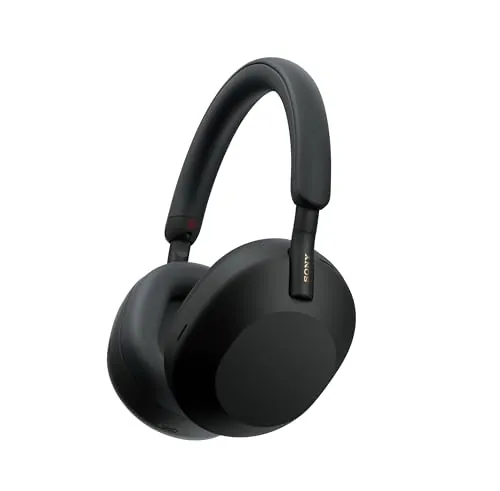
Sony WH-1000XM5 vs WH-1000XM6: Is the Upgrade Worth It for Office Noise?
Sony rates both headphones for up to 30 hours with noise canceling on and 40 hours off, so battery life is not a stated-generation upgrade. RTINGS' current public direct-pair verdict says XM6 reduces mid-range noise such as office chatter and keyboard clacks more effectively, but its softer pads can lose their seal more easily with glasses or small shifts. If your XM5 already handles your commute and calls, the XM6 changes matter most when that office-noise improvement is a problem you will use and the new fit feels secure.
Read comparison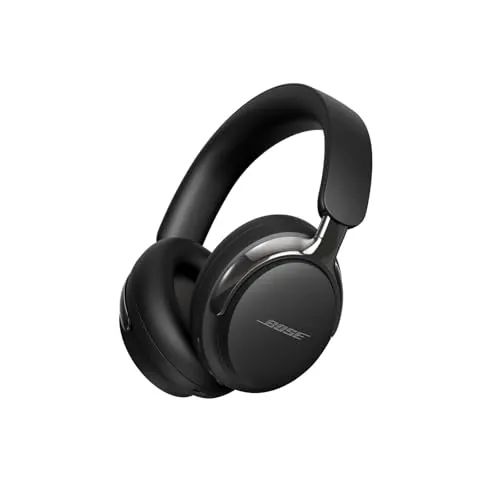
Sony WH-1000XM6 vs Bose QuietComfort Ultra 2nd Gen: Which Fits Your Day?
In an exact-model comparison, RTINGS describes the Sony WH-1000XM6 as having a small but close noise-isolation edge and a possible advantage for frequent callers; it says Bose is comfortable for more people and more consistent for glasses wearers. Sony weighs about 254 g and supports LDAC/LC3. Bose adds USB-C digital audio and lets you keep listening while charging. Both support two-device multipoint and list up to 30 hours under different conditions, so routine and fit—not a headline spec—should decide.
Read comparison