
Products compared
Sony
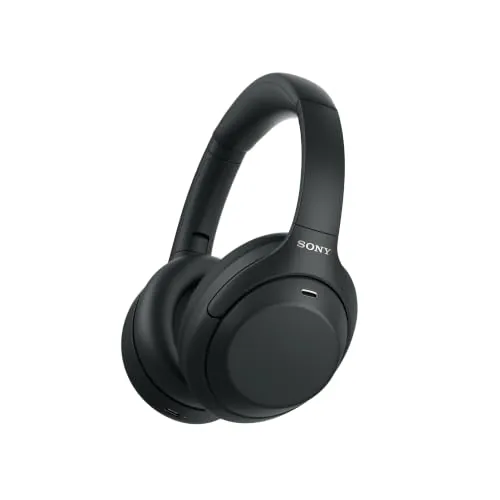
Sony WH-1000XM4C Wireless Noise Canceling Headphones (M4 2nd Gen), Black
The exact assigned US retailer offer is Black, model WH1000XM4C/B. Sony's US product page calls it WH-1000XM4C (M4 2nd Gen). This is the newer XM4C generation, not the original WH-1000XM4. Its manual documents two-device multipoint and a deliberate stop-current-source-then-start-other playback change.
Model WH-1000XM4C
Amazon ASIN B0HFB8N519
Sony
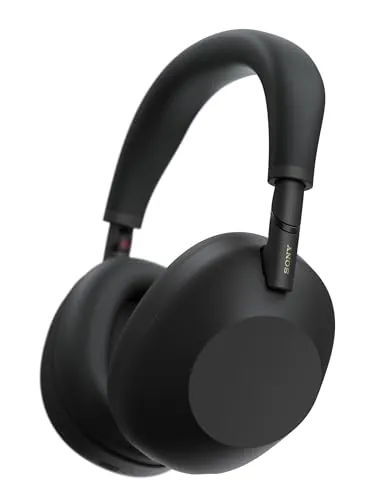
Sony WH-1000XM6 Wireless Noise Canceling Headphones, Black
The exact assigned US retailer offer is Black, listed model WH1000XM6B.UC; Sony's US black product page identifies WH-1000XM6/B. Its model-specific guide documents two-device multipoint and says starting playback on the second device makes that source audible.
Model WH-1000XM6
Amazon ASIN B0F3PQHWTZ
Differences that matter
If you want the second connected source to take over playback without manually stopping the first one
Sony WH-1000XM6 Wireless Noise Canceling Headphones, Black · The WH-1000XM6 guide says music from the second device is heard when playback starts there while the first device is playing.
View WH-1000XM6 on Amazon (paid link)Sources for When two paired sources are connected
Sources for Starting the second audio source
Sources for Wired cable controls
Sources for Putting the headset away
Sources for Touch controls and cable jack
The useful difference is what happens when you start the second source
Both manuals describe two-device Bluetooth multipoint. Setup is a separate step: pair each source, use Sony | Sound Connect on one of them, enable Connect to 2 devices simultaneously, then connect the second device. Sony's manuals do not make this an out-of-box behavior that needs no setup.
After setup, their documented handoff differs. With the WH-1000XM4C, Sony says to stop playback on the currently playing device and then start it on the other. With the WH-1000XM6, Sony says that starting the second device while the first is playing makes the second device's music audible. That is the clearest reason to choose between these two models if you alternate between a computer and phone.
A cable is a separate listening mode, not a multipoint shortcut
For both headsets, Sony's model-specific instructions say to connect the supplied headphone cable, and they state that Bluetooth is unavailable while the cable is connected. In that wired state, use the playback device for volume and play/pause. If this is your fallback for a desktop, check the source's audio connection before choosing either model; this guide does not verify a particular computer or adapter.
The manuals also say music can be heard with the headset powered off, while noise canceling and Ambient Sound functions require power. The key comparison point is shared across both models: neither cable guide describes keeping multipoint connected or adjusting source playback from the earcup while wired.
Packing instructions are close to parity
Sony's WH-1000XM4C guide says to rotate the units flat, fold one toward the headband, and put the headset in its case; cables sit in a holder divided by a divider. The WH-1000XM6 guide also specifies shortening the slider before flattening and folding the left unit toward the headband, then using its case cable holder.
Both therefore have a documented fold-and-case routine. The additional slider step on XM6 is a storage instruction, not evidence that either headphone or case takes less space. If bag fit matters, compare the actual case dimensions for the exact offer before purchase; no matched case measurements are established here.
Product details
Sony WH-1000XM4C Wireless Noise Canceling Headphones (M4 2nd Gen), Black
- Multipoint setup
- Connect to two Bluetooth devices after enabling Connect to 2 devices simultaneously in Sony | Sound Connect on one device. Source
- Playback switch
- To hear the other source, stop playback on the device currently playing, then start playback on the other device. Source
- Wired playback
- The supplied cable can be used with the headset on or off; Bluetooth is unavailable while connected by cable. Volume and play/pause are operated on the playback device. Source
Sony WH-1000XM6 Wireless Noise Canceling Headphones, Black
- Multipoint setup
- Connect to two Bluetooth devices after enabling Connect to 2 devices simultaneously in Sony | Sound Connect on one device. Source
- Playback switch
- If playback starts on the second connected device while the first is playing, the second device's music is heard through the headset. Source
- Wired playback
- The supplied cable can be used with the headset on or off; Bluetooth is unavailable while connected by cable. Volume and play/pause are operated on the playback device. Source
Before you buy
Community discussions
Checking your microphone after switching devices
Sony WH-1000XM6 Wireless Noise Canceling Headphones, Black
A WH-1000XM6 owner reported that callers sometimes struggled to hear them after a switch between an iPhone and a PC. The report describes one setup using phone calls, WhatsApp and Teams.
What to check
Try a call on each paired device, then switch and make a second call. Check what the other person hears.
Checking whether phone alerts interrupt playback
Sony WH-1000XM6 Wireless Noise Canceling Headphones, Black
A WH-1000XM6 owner reported that notifications from a paired Galaxy phone interrupted audio from an iPhone or Mac.
What to check
Keep your second device paired and play audio on the first. Trigger a typical notification on the second device and observe what happens.
Common questions
Do both headphones connect to a phone and computer at the same time?
Both exact guides document simultaneous Bluetooth connection to two devices after you enable the multipoint setting in Sony | Sound Connect on one of them. Actual behavior may vary with the source devices and apps.WH-1000XM4C Help Guide: Connecting the headset to 2 devices simultaneouslyWH-1000XM6 Help Guide: Connecting the headset to 2 devices simultaneously
What happens when audio is already playing on one connected device?
XM4C's guide says to stop the current device's playback before starting the other. XM6's guide says starting playback on the second device makes its music audible through the headset.WH-1000XM4C Help Guide: Connecting the headset to 2 devices simultaneouslyWH-1000XM6 Help Guide: Connecting the headset to 2 devices simultaneously
Can I keep Bluetooth multipoint active while using the headphone cable?
No. Both manuals say Bluetooth cannot be used while the supplied headphone cable is connected. For both models, operate volume and play/pause on the playback device.WH-1000XM4C Help Guide: Using the supplied headphone cableWH-1000XM6 Help Guide: Using the supplied headphone cable
Are their carrying routines different?
Both guides direct you to flatten the earcups, fold a unit toward the headband, and store the headset and cables in the case. The XM6 guide additionally says to set the slider to its shortest position first; neither guide establishes a relative packed-size advantage.WH-1000XM4C Help Guide: Setting the headset in the carrying caseWH-1000XM6 Help Guide: Setting the headset in the carrying case
Sources and scope
This comparison summarizes Sony’s manuals rather than hands-on testing. It covers the WH-1000XM4C (M4 2nd Gen), not the original WH-1000XM4. With Sony | Sound Connect enabled on one device, both manuals describe multipoint: the XM4C asks you to stop playback on the active device before starting the second, while the XM6 makes the second source audible when it starts playing. Your devices may behave differently, so check the switching workflow with your own phone or computer. With the supplied cable connected, Bluetooth is unavailable and volume, play, and pause are controlled on the playback device.
- WH-1000XM4C (M4 2nd Gen) Wireless Noise Canceling Headphones, Black
- WH-1000XM6 Wireless Noise Canceling Headphones, Black
- WH-1000XM4C Help Guide: Connecting the headset to 2 devices simultaneously
- WH-1000XM6 Help Guide: Connecting the headset to 2 devices simultaneously
- WH-1000XM4C Help Guide: Using the supplied headphone cable
- WH-1000XM6 Help Guide: Using the supplied headphone cable
- WH-1000XM4C Help Guide: Setting the headset in the carrying case
- WH-1000XM6 Help Guide: Setting the headset in the carrying case
- WH-1000XM4C Help Guide: Location and function of parts
- WH-1000XM6 Help Guide: Location and function of parts
Related comparisons
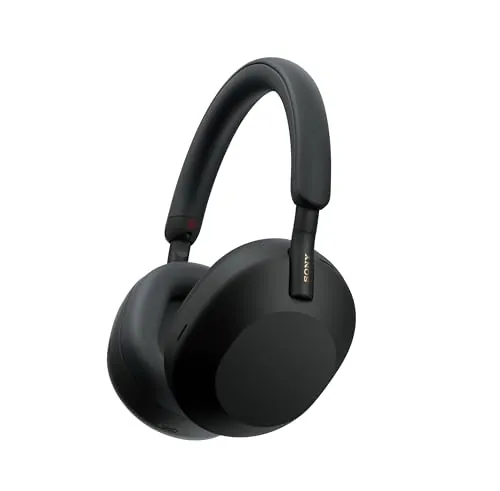
Sony WH-1000XM5 vs WH-1000XM6: Is the Upgrade Worth It for Office Noise?
Sony rates both headphones for up to 30 hours with noise canceling on and 40 hours off, so battery life is not a stated-generation upgrade. RTINGS' current public direct-pair verdict says XM6 reduces mid-range noise such as office chatter and keyboard clacks more effectively, but its softer pads can lose their seal more easily with glasses or small shifts. If your XM5 already handles your commute and calls, the XM6 changes matter most when that office-noise improvement is a problem you will use and the new fit feels secure.
Read comparison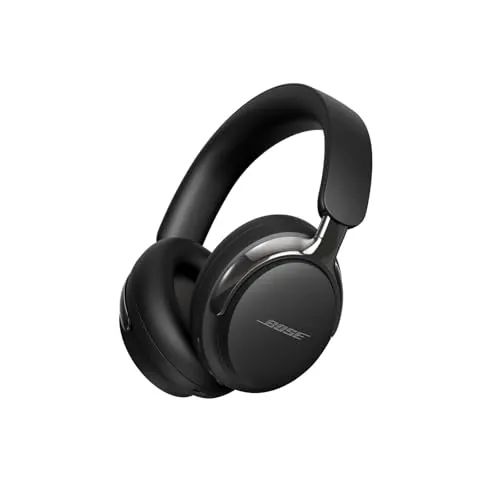
Sony WH-1000XM6 vs Bose QuietComfort Ultra 2nd Gen: Which Fits Your Day?
In an exact-model comparison, RTINGS describes the Sony WH-1000XM6 as having a small but close noise-isolation edge and a possible advantage for frequent callers; it says Bose is comfortable for more people and more consistent for glasses wearers. Sony weighs about 254 g and supports LDAC/LC3. Bose adds USB-C digital audio and lets you keep listening while charging. Both support two-device multipoint and list up to 30 hours under different conditions, so routine and fit—not a headline spec—should decide.
Read comparison