
Products compared
Sony
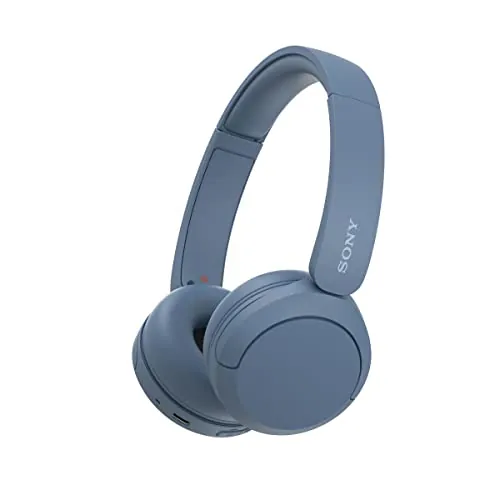
Sony WH-CH520 Wireless Headphones with Microphone, Blue
Blue U.S. on-ear Bluetooth headset. Sony's Blue model sheet identifies WHCH520/L; the U.S. specifications page lists USB-C charging and no audio input or passive operation.
Model WH-CH520/L (Blue)
Amazon ASIN B0BS1RT9S2
JBL
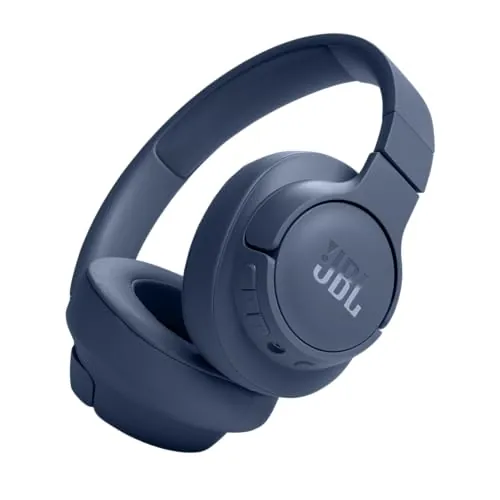
JBL Tune 720BT Wireless Over-Ear Headphones, Blue
Blue U.S. Tune 720BT over-ear Bluetooth headphones. JBL's U.S. page lists Blue as a color option and describes a foldable design and detachable audio cable; confirm the selected color and exact bundle on the retailer page.
Model Tune 720BT (listing data part JBLT720BTBLUAM)
Amazon ASIN B0CS8WVRLQ
Differences that matter
What matters most to you?
Choose a priority to see what it changes.
Sources for Earcup format and carrying
Sources for Bluetooth-only versus wired option
Sources for Buttons and companion-app workflow
Sources for Two-device connection
Sources for What comes in the box
Start with the way the earcups sit
The blue Sony WH-CH520/L is described in Sony's model sheet as on-ear with a swivel design. JBL describes the Tune 720BT as over-ear and foldable. That difference gives you a concrete first filter: consider whether you want the pads to rest on your ears or surround them, then check the fit in person if fit is decisive. Neither shape guarantees a more comfortable experience.
For a bag, the Sony sheet calls out swiveling earcups and JBL describes a foldable construction. Treat these as different stowing arrangements and compare the shape with your own case or bag; no carrying-case fit measurement is documented here.
Decide whether you need an analog cable path
Sony lists WH-CH520 with no audio input and no passive operation. Its USB Type-C connection is for charging, and the included cable is a short USB-A to USB-C charging lead. A USB charging connection does not provide a documented wired-audio mode for this headset.
JBL lists a detachable audio cable in the Tune 720BT package and describes wired listening when the battery is flat. Before depending on it, confirm the audio source has a matching output or the adapter you need. JBL's official listing gives the audio cable as 0.7 ft (0.2 m); the available source material does not confirm whether a microphone or inline remote works in wired mode.
Check pairing and app setup for your devices
For WH-CH520, Sony's guide says the first pairing starts by turning on the headset; to pair another device after earlier devices are saved, hold its Bluetooth button for about five seconds, then select WH-CH520 on the source. To keep two devices connected at once, pair each one and switch on Connect to 2 devices simultaneously in Headphones Connect.
JBL's Quick Start Guide shows Tune 720BT pairing by holding the power/connect control for two seconds and selecting JBL TUNE720BT on the Bluetooth source. It illustrates multipoint for a maximum of two devices and says to power off and hold the control for five seconds to enter pairing mode again. JBL's product page describes app EQ presets or custom adjustment and earcup controls. These documented setup details can help choose the routine that fits your phone-and-computer use; they do not establish better audio, calls, or battery life.
Product details
Sony WH-CH520 Wireless Headphones with Microphone, Blue
- Wearing style and carry
- On-ear with swivel design Source
- Audio connection
- No audio input and no passive operation; USB Type-C is listed as the battery charging method Source
- Two-device setup
- Multipoint can connect two Bluetooth devices simultaneously; enable it in Sony | Headphones Connect Source
- Included cable
- USB-A to USB-C charging cable, approximately 20 cm; no audio cable is listed Source
JBL Tune 720BT Wireless Over-Ear Headphones, Blue
- Wearing style and carry
- Over-ear with a foldable design Source
- Wired listening
- JBL lists an included detachable audio cable and describes it as a wired-listening option when the headphone battery is flat; confirm source and cable connector fit Source
- Two-device setup and controls
- Quick Start Guide shows multipoint for a maximum of two devices; JBL describes call, sound and volume buttons on the earcup Source
- Included cables and app
- JBL's box list includes a USB-C charging cable and detachable audio cable; JBL Headphones app provides EQ presets or custom adjustment Source
Before you buy
Community discussions
Shortlist by commute, earcup style and device routine
JBL Tune 720BT Wireless Over-Ear Headphones, Blue
A commuter considering the WH-CH520 and Tune 720BT asks about earcup fit, connecting two devices, and how often they would need to recharge.
What to check
Check how each model pairs with the devices you use. Try on-ear and over-ear cups if fit is the deciding factor.
Common questions
Can I listen through a cable on the Sony WH-CH520/L?
Sony's U.S. specifications list no audio input and no passive operation. USB Type-C is given as the charging method, and the documented box contents include a charging cable rather than an audio cable.WH-CH520 Specifications | Sony USAWH-CH520 Help Guide: package contents
Can the JBL Tune 720BT play over its cable when its battery is flat?
JBL lists an included detachable audio cable and describes wired listening as an option when the battery is flat. Check that the cable fits your source; the JBL material reviewed here does not establish wired-call or microphone behavior.JBL Tune 720BT U.S. product pageJBL Tune 720BT Quick Start Guide
How do the two models connect to a phone and computer?
Both support two-device Bluetooth use. For WH-CH520, pair each device and enable Connect to 2 devices simultaneously in Sony | Headphones Connect. JBL's Quick Start Guide shows Tune 720BT multipoint for a maximum of two devices. Follow each headset's own steps rather than assuming the switching behavior is identical.WH-CH520 Help Guide: two-device multipointJBL Tune 720BT Quick Start Guide
What cables are listed in the standard packages?
Sony's WH-CH520 Help Guide lists a short USB-A to USB-C charging cable. JBL's Tune 720BT page lists both a USB-C charging cable and a detachable audio cable. Marketplace sellers may assemble different bundles, so verify the chosen retailer listing.WH-CH520 Help Guide: package contentsJBL Tune 720BT U.S. product page
Do the companion apps do the same thing?
Sony documents EQ Custom in Headphones Connect and uses that app to enable WH-CH520 multipoint. JBL documents EQ presets or custom adjustment in the JBL Headphones app, with voice prompts for features. These are software features, not evidence of a sound-quality winner.WHCH520/L Blue specification sheetWH-CH520 Help Guide: two-device multipointJBL Tune 720BT U.S. product page
Sources and scope
This is a feature and setup comparison, not a listening, comfort, ANC, noise-isolation or battery-runtime test. Sony documents no audio input or passive operation for WH-CH520; JBL documents an included detachable cable for wired listening, but the reviewed sources do not establish wired-call or inline-control behavior. JBL's current official page lists Blue as a color option while its displayed item number is for Black, so verify the retailer's exact Blue variant and package.
- WH-CH520/L Blue U.S. product page
- WHCH520/L Blue specification sheet
- WH-CH520 Specifications | Sony USA
- WH-CH520 Help Guide: package contents
- WH-CH520 Help Guide: two-device multipoint
- WH-CH520 Help Guide: Bluetooth pairing
- JBL Tune 720BT U.S. product page
- JBL Tune 720BT Quick Start Guide
- JBL Tune 720BT Specification Sheet
Related comparisons
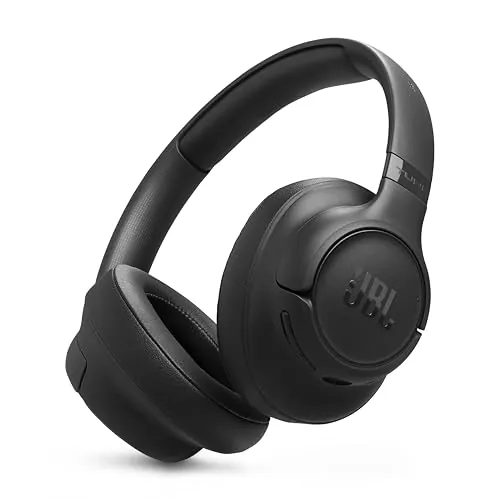
JBL Tune 730BT vs Tune 720BT: Charging, Cable, and Pairing Differences
Both over-ear headphones are rated for up to 76 hours and support multipoint Bluetooth. JBL lists a five-minute charge for three extra hours on the Tune 720BT and five hours on the Tune 730BT. The practical split is the 720BT’s included detachable 3.5 mm audio cable and USB-C charging cable versus the 730BT’s faster stated top-up, with its charging cable sold separately.
Read comparison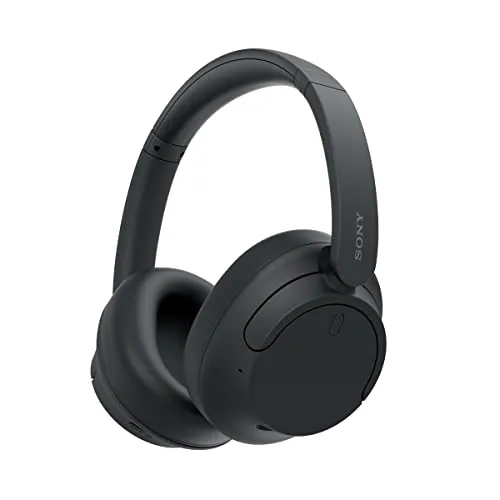
Sony WH-CH720N vs WH-CH520: ANC, On-Ear Fit, and Wired Listening
For the U.S. WH-CH720N/B Black and WH-CH520/L Blue, the practical split is not a sound or comfort ranking. Sony documents active noise canceling and a supplied analog cable on the over-ear CH720N, including playback with the headset off. The on-ear CH520 is Bluetooth-only and has no audio input or passive operation. Check whether your source has a headphone output and which wearing style you prefer before choosing.
Read comparison