
Products compared
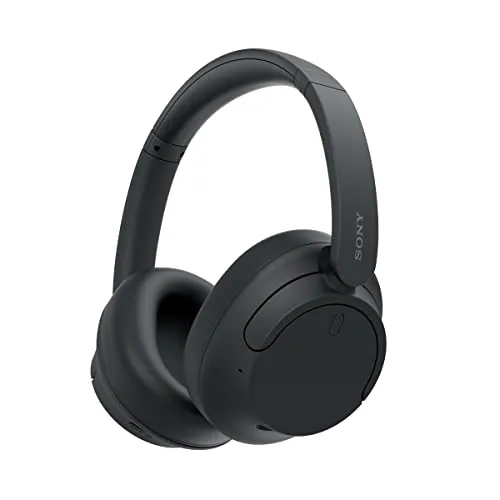
Sony
Sony WH-CH720N Wireless Noise Canceling Stereo Headset
Black US variant; listed model WH-CH720N/B.
Model WH-CH720N/B
Amazon ASIN B0BS1QCFHX
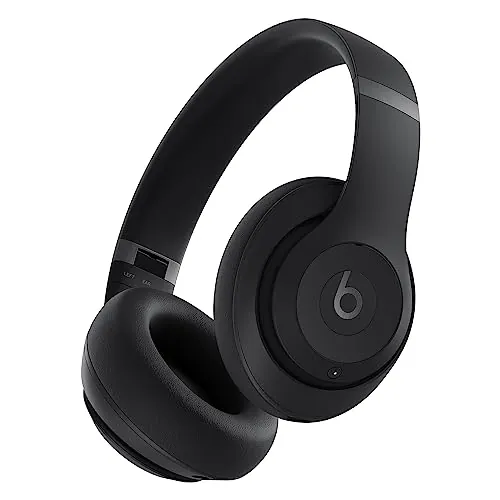
Beats
Beats Studio Pro
Black US variant; listed model MQTP3DN/A.
Model MQTP3DN/A
Amazon ASIN B0C8PR4W22
Differences that matter
What matters most to you?
Choose a priority to see what it changes.
Sources for USB-C wired listening and charging
Sources for 3.5 mm cable and battery dependence
Sources for Two-source Bluetooth routine
Sources for App, OS and on-headphone controls
Sources for Included travel and connection items
Start with your wired fallback
The biggest day-to-day distinction is what happens when you plug in. Sony lists a detachable 3.5 mm cable and passive operation, but the Sony Help Guide says the headset powers off when charging begins and playback cannot be used while it remains connected to power. Beats has two wired choices: 3.5 mm analog, which Apple's Studio Pro guide says needs no battery, and USB-C audio/calls from a compatible source while the headset charges. If you listen at a desk during long calls, the Beats USB-C path is documented for that combined job; if your fallback is a seatback jack, either maker lists a 3.5 mm cable route.
Before buying, check whether your laptop's USB-C port supports USB audio and whether your airplane or older player has a 3.5 mm output. Beats' USB-C adapter is sold separately for charging from a wall outlet. Sony's cited charging instructions call for the supplied USB Type-C cable and a compatible adapter, and do not describe USB-C as an audio input.
Plan the two-device setup before your workday
Sony documents a WH-CH720N route for keeping two Bluetooth sources connected: pair both sources, then enable Connect to 2 devices simultaneously in the Sony phone app. That can suit a phone-plus-computer routine, but it takes initial app setup and is limited to two connected devices. Sony's support article says some illustrated steps use another model, so the exact menus may differ.
Beats lists iCloud-based one-touch pairing for Apple devices and Fast Pair / Audio Switch features for Android or Chrome devices, plus an Android Beats app for customization and updates. Those ecosystem features may make initial pairing convenient on your devices, but the cited pages do not specify a matching two-source multipoint setup. If that exact behavior matters, confirm it with Beats for your source devices rather than assuming it is unavailable.
Check controls and what comes in the box
Beats' maker page lists a “b” button for music and calls, a volume rocker, and a system button for modes, EQ profiles, power and pairing. Its black Studio Pro listing includes a case, USB-C audio/charging cable and 3.5 mm cable, but says a USB-C power adapter is separate. Sony's specifications list a connection cable and USB cable; the Sony app provides setting changes, and Sony says there is no PC app. Its listed weight is about 6.77 oz versus 9.17 oz for Beats, which is useful when comparing published dimensions but does not predict how either headset will feel on your head.
At checkout, match the color and exact model code, then compare the retailer's box contents and return policy. The manufacturer's published contents are a useful checklist, but the listing you receive is the final bundle to verify.
Product details
Sony WH-CH720N Wireless Noise Canceling Stereo Headset
Beats Studio Pro
- Wired inputs
- 3.5 mm analog and USB-C audio; USB-C supports audio and calls while charging from a compatible source. Source
- Listed weight
- 260 g / 9.17 oz. Source
- Listed in the box
- Carrying case, USB-C to USB-C cable for charging and audio, and 3.5 mm audio cable; USB-C power adapter sold separately. Source
Before you buy
Community discussions
USB-C charged but did not appear as audio on one setup
Beats Studio Pro
A Studio Pro owner on firmware 2C301 said USB-C charged the headphones but did not expose an audio output on a MacBook Air M2 running macOS Sequoia 15.3 or a Windows PC; an Android phone did not charge them. Bluetooth audio worked on the Mac and phone.
What to check
Before relying on Beats USB-C audio, check that your exact host and cable recognize the headphones as an audio output. This report records one setup; it does not prove that Studio Pro lacks USB-C audio or establish host-wide compatibility.
A CH720N owner asks whether the wired PC path supports its microphone
Sony WH-CH720N Wireless Noise Canceling Stereo Headset
A WH-CH720N owner asks whether the headset microphone works when the headphones are wired to a PC and what connection would be needed for calls. The post does not provide an answer, so it does not establish microphone support or a fix for that setup.
What to check
If you need wired PC calls, verify that the exact cable and computer input support microphone audio before choosing between analog and USB-C audio paths. This thread identifies an unanswered setup question, not a tested result.
Trying the microphone on a work laptop and phone
Beats Studio Pro
A Beats Studio Pro owner could listen on their paired work laptop but said the microphone worked on their iPhone and was silent on the laptop.
What to check
If you also use the headphones for work calls, check which input and output appear on the actual laptop and try a recording over your intended connection.
Common questions
Can either model use a 3.5 mm cable?
Yes. Sony lists a detachable cable with a stereo mini jack and passive operation. Beats includes a 3.5 mm analog cable; Apple's Studio Pro guide says that playback over the included 3.5 mm cable does not require battery power. Check that your source has the matching headphone output.WH-CH720N SpecificationsBeats Studio Pro – Black product detailsUse your Beats Studio Pro
Which one documents USB-C audio while charging?
Beats Studio Pro: Beats says a compatible USB-C source can send audio or calls while the headset charges. Sony's cited WH-CH720N sources describe USB charging and 3.5 mm wired audio; they do not document USB-C audio, and Sony's charging guide says playback is unavailable while connected for charging.Studio Pro Headphones SupportWH-CH720N SpecificationsWH-CH720N Help Guide: Charging the headset
Can the Sony stay connected to a phone and computer?
Sony's WH-CH720N support article describes connecting two Bluetooth devices and turning on Connect to 2 devices simultaneously in the Sony app. The article notes that the setup steps shown are examples from another headphone model, so use the WH-CH720N help guide if a menu differs. Beats' cited pages describe Apple and Android pairing features but do not settle a two-source multipoint comparison.WH-CH720N: Connect the headphones to two devices simultaneouslyBeats Studio Pro – Black product details
Do both boxes include the cables and a charger?
The maker pages list a Sony connection cable and USB cable, and a Beats carrying case, USB-C charging/audio cable and 3.5 mm cable. Beats says its USB-C power adapter is sold separately. Verify the actual seller listing for the exact color and ASIN before ordering.WH-CH720N SpecificationsBeats Studio Pro – Black product details
Sources and scope
This is a source-based feature and setup comparison, not a listening, comfort, noise-canceling, microphone, or battery test. The Sony two-device instructions require the mobile app, and Sony notes that some illustrated steps use another model. Beats lists supported Apple and Android features, but this comparison does not establish that Beats lacks Bluetooth multipoint. Confirm your exact source ports, OS and retailer box contents before purchase; adapters and power supplies may vary by listing.
- WH-CH720N Specifications
- WH-CH720N Help Guide: Charging the headset
- WH-CH720N: Connect the headphones to two devices simultaneously
- WH-CH720N: Sony | Sound Connect app and PC settings
- Beats Studio Pro – Black product details
- Studio Pro Headphones Support
- Beats App for Android
- Use your Beats Studio Pro
Related comparisons
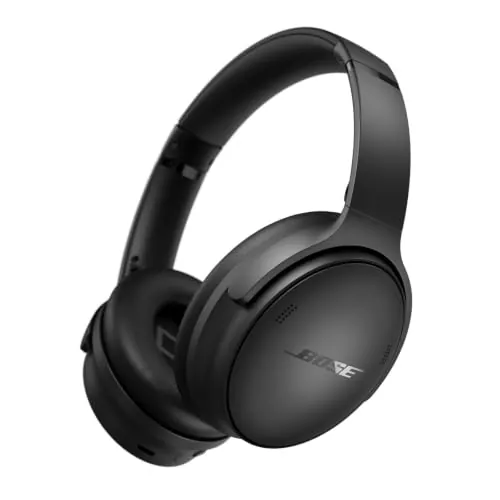
Bose QuietComfort (2023) vs Beats Studio Pro: Wired Audio and Travel Use
Both include a 3.5 mm listening path that works without battery power. The Bose QuietComfort's included cable also has a documented inline microphone for calls when the headphones are off or depleted. Beats Studio Pro adds digital USB-C audio and calls while charging, but an independent review found ANC and Transparency unavailable during active USB playback.
Read comparison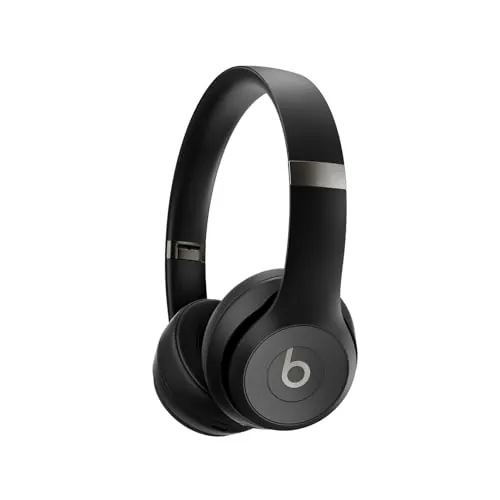
Beats Solo 4 vs Studio Pro: Fit, ANC and Wired Listening
Choose by fit and listening conditions. Solo 4 (Matte Black, MUW23DN/A) is on-ear and weighs 217 g; Studio Pro (Black, MQTP3DN/A) is over-ear and weighs 260 g. Studio Pro adds adaptive ANC and Transparency and publishes up to 40 hours with those modes off or up to 24 hours with ANC on. Both support battery-free 3.5 mm listening. Solo 4 offers lossless USB-C playback; Studio Pro adds USB-C sound profiles for music, movies/games and calls. These published specifications do not determine which shape will feel more comfortable to you.
Read comparison