
Products compared
Sony
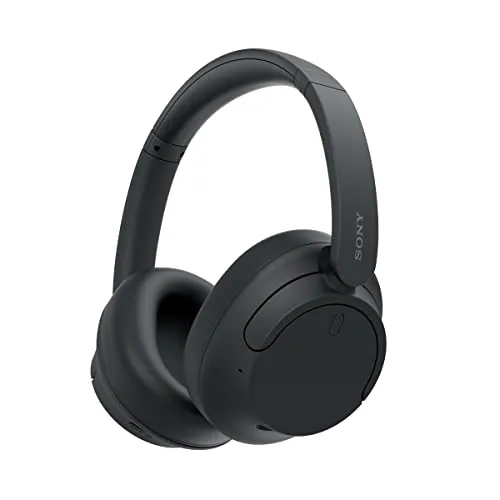
Sony WH-CH720N Wireless Noise Canceling Headphone - Black (WH-CH720N/B)
U.S. black WH-CH720N configuration. Sony's exact-model help guide lists a USB-A to USB-C charging cable and a 1.2 m headphone cable.
Model WH-CH720N/B
Amazon ASIN B0BS1QCFHX
Anker soundcore
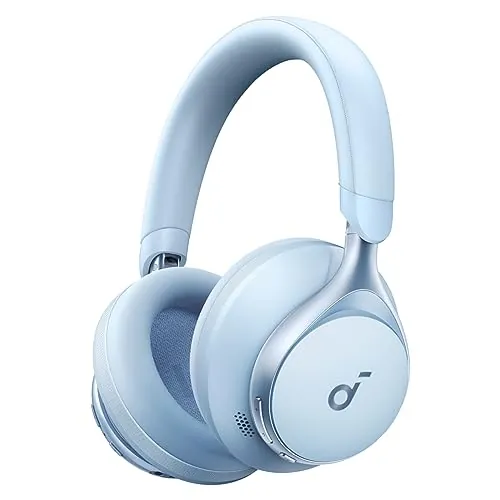
soundcore Space One Active Noise Cancelling Headphones - Sky Blue (A3035G31)
U.S. Sky Blue Space One configuration (A3035 model family), not the separate Space One Pro. Soundcore documents Bluetooth, AUX, app-adjustable modes and a two-device connection feature.
Model A3035G31
Amazon ASIN B0C6KKQ7ND
Differences that matter
What matters most to you?
Choose a priority to see what it changes.
Sources for Analog cable, Bluetooth and call-mic path
Sources for Noise canceling, ambient mode and app setup
Sources for Two Bluetooth devices and the LDAC condition
Sources for Included cable and package check
Decide whether your cable needs to work with the headset off
Sony's WH-CH720N guide lists a 1.2 m headphone cable. Plugging it in switches Bluetooth off, but noise canceling can remain on if the headset stays powered. For ordinary passive listening, Sony says to switch the headset off; the source device then controls playback and volume. A wired phone call uses the phone microphone.
Space One's documented AUX mode also disables Bluetooth, but it requires the headset to be switched on. Soundcore says the AUX cable has no mic, so route calls through the source device. If you rely on a wired headset microphone, neither included-cable workflow is documented as providing one.
Compare the physical noise-mode button with its app setup
The Sony NC/AMB button changes between noise canceling and Ambient Sound modes, and Sony's exact-model guide says the app can set how that button cycles. Ambient settings adjusted in the app are stored on the headset. Sony's current support page calls the companion app Sony | Sound Connect; its older Help Guide refers to Sony | Headphones Connect.
On Space One, the NC button toggles ANC and Transparency by default. Soundcore says the app can adjust the mode levels and add Normal to the button cycle. These are documented controls; they do not establish which headset cancels more noise.
Check dual-device Bluetooth against Space One's LDAC mode
Sony says WH-CH720N multipoint is enabled in its app and connects two Bluetooth devices simultaneously. Soundcore describes pairing a second device on Space One, but its FAQ says multipoint pairing is unavailable while LDAC mode is active. If you use LDAC, leave that mode before pairing the second device; no audio-quality advantage is inferred here.
Use the box list to check the right cables before ordering
Sony's Help Guide lists a short USB-A to USB-C charging cable and a 1.2 m headphone cable for WH-CH720N. The soundcore U.S. product page's specification identifies 'Travel Pouch, AUX' as special features, but it is not a complete package inventory for the selected Sky Blue marketplace child listing. Check that seller's included-items field before counting on those accessories.
Product details
Sony WH-CH720N Wireless Noise Canceling Headphone - Black (WH-CH720N/B)
- Included cables
- The exact-model Help Guide lists a 20 cm USB-A to USB-C cable and a 1.2 m headphone cable. Source
- Wired mode
- With the supplied headphone cable attached Bluetooth is off. Noise canceling can continue if the headset is on; when used as ordinary headphones, Sony says to turn the headset off. Source
- Wireless controls
- Sony documents Bluetooth multipoint for two devices when enabled in its companion app, plus an NC/AMB button and app-adjustable noise/ambient sound settings. Source
soundcore Space One Active Noise Cancelling Headphones - Sky Blue (A3035G31)
- Wired AUX mode
- Soundcore says AUX disables Bluetooth and the headphones must be powered on for wired use. Its FAQ says the AUX cable has no microphone, so calls use the connected device's microphone. Source
- Noise mode and app control
- The NC button switches between ANC and Transparency by default; Soundcore says the app can add Normal mode and adjust noise-mode levels. Source
- Two-device connection
- Soundcore documents pairing a second Bluetooth device; its FAQ says multipoint pairing is unavailable while LDAC mode is active. Source
Before you buy
Community discussions
Check which controls you use over a cable
Sony WH-CH720N Wireless Noise Canceling Headphone - Black (WH-CH720N/B)
A new WH-CH720N owner asked which of its volume and playback controls would work when the cable was connected.
What to check
Check which controls you need when listening with a cable. See whether you would use them from the headset or the device playing audio.
Common questions
Can I use the WH-CH720N with its cable and noise canceling?
Sony says connecting the supplied headphone cable turns Bluetooth off, but noise canceling can continue if the headset remains on. Turn the headset off to use it as ordinary wired headphones.WH-CH720N Help Guide (model YY2966)
Does the Space One AUX cable provide a call microphone?
No. Soundcore says the AUX cable has no mic; in wired mode calls use the connected phone or computer microphone. The headphones must be on, and Bluetooth is disabled.soundcore Space One - U.S. product page (Sky Blue option; A3035 family)soundcore Space One Headphones FAQ
Can Space One use LDAC while connected to two devices?
Soundcore says multipoint pairing is not available while LDAC is active. Leave LDAC mode in the app before connecting a second device.soundcore Space One Headphones FAQsoundcore A3035 Space One User Guide
What cables are listed in the Sony WH-CH720N package?
Sony's exact-model Help Guide lists a 1.2 m headphone cable and a 20 cm USB-A to USB-C cable. Verify the Soundcore seller's exact package contents for the selected Sky Blue ASIN.WH-CH720N Help Guide (model YY2966)soundcore Space One - U.S. product page (Sky Blue option; A3035 family)
Can either headset provide LDAC while connected to two devices?
The Sony WH-CH720N specifications list SBC and AAC, not LDAC. The Space One A3035 guide says LDAC is unavailable while two devices are connected. If you need LDAC and simultaneous multipoint, these sources do not support that combination for either choice.WH-CH720N Specificationssoundcore A3035 Space One User Guide
Sources and scope
This guide compares documented connection and control workflows for Sony WH-CH720N/B Black and soundcore Space One A3035G31 Sky Blue. It does not test sound, noise-canceling effectiveness, comfort, microphone quality, call quality, latency or battery life. The soundcore U.S. product specification does not provide a complete package inventory for the selected marketplace child listing; verify exact included items on that listing.
- WH-CH720N Help Guide (model YY2966)
- WH-CH720N Specifications
- WH-CH720N Wireless Noise Canceling Headphone - Black
- Sony | Sound Connect support page for WH-CH720N
- soundcore Space One - U.S. product page (Sky Blue option; A3035 family)
- soundcore Space One Headphones FAQ
- How to Switch Ambient Sound Modes - Space One
- soundcore A3035 Space One User Guide
Related comparisons
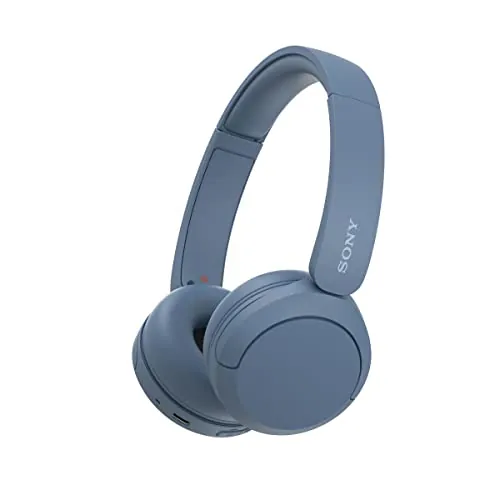
Sony WH-CH720N vs WH-CH520: ANC, On-Ear Fit, and Wired Listening
For the U.S. WH-CH720N/B Black and WH-CH520/L Blue, the practical split is not a sound or comfort ranking. Sony documents active noise canceling and a supplied analog cable on the over-ear CH720N, including playback with the headset off. The on-ear CH520 is Bluetooth-only and has no audio input or passive operation. Check whether your source has a headphone output and which wearing style you prefer before choosing.
Read comparison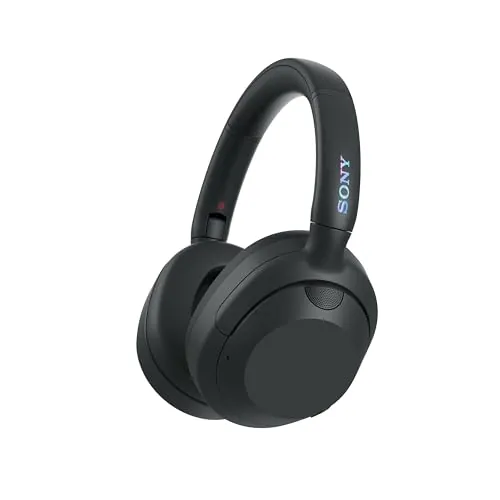
Sony ULT WEAR vs WH-CH720N: LDAC, Wired Use, and What Is in the Box
The black Sony ULT WEAR (WH-ULT900N family; listed model WHULT900NB.UC) adds LDAC when the Bluetooth source supports it, plus a listed carrying case, headphone cable, USB-A-to-USB-C charging cable, and a physical ULT1/ULT2/OFF button. The black Sony WH-CH720N (WH-CH720N/B) lists SBC/AAC, a connection cable and a USB cable; its U.S. Sony specs do not list a case. Both accept their supplied headphone cable, but some features change in wired use. Check the source codec, the exact package list, and which controls remain available on cable before deciding. None of these specifications establish a sound or noise-canceling winner.
Read comparison