
Products compared
Sony
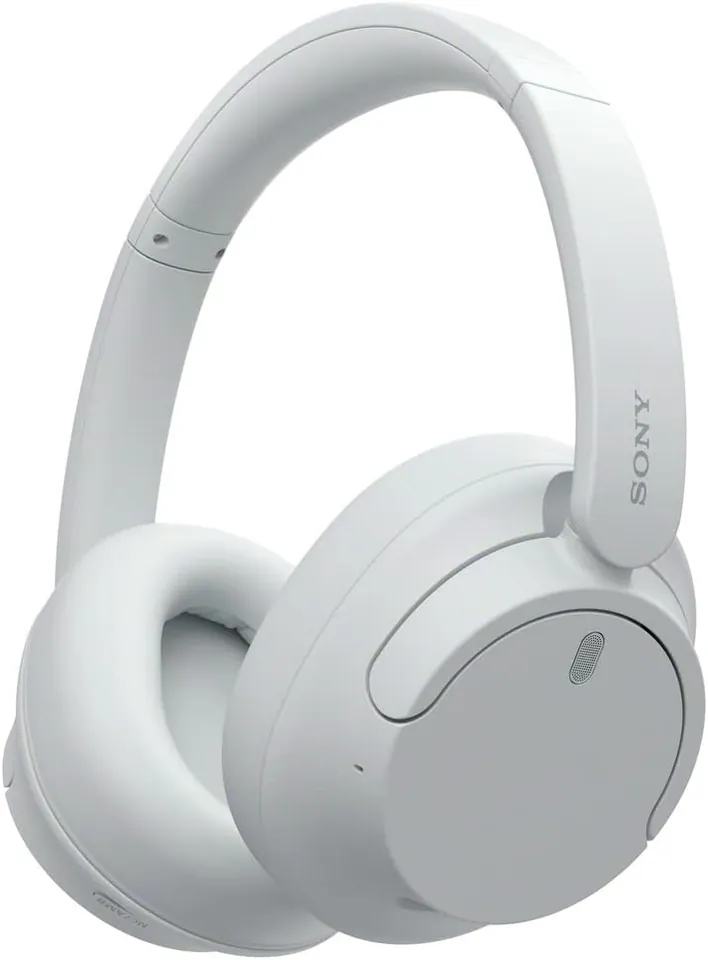
Sony WH-CH720N Wireless Noise Canceling Headphones (White)
White U.S. variant. Sony’s exact white product page identifies model WH-CH720N/W.
Model WH-CH720N/W
Amazon ASIN B0BS74M665
Sony
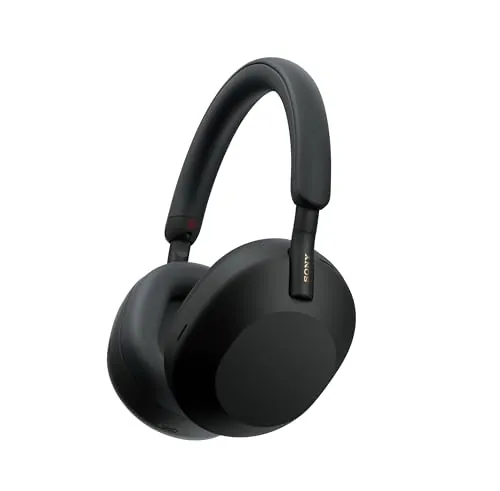
Sony WH-1000XM5 Premium Wireless Noise Canceling Headphones (Black)
Black U.S. variant. Sony’s black product page identifies WH-1000XM5; the current listing data part number is WH1000XM5/B.
Model WH-1000XM5/B (black; listed model shorthand XM5BK)
Amazon ASIN B09XS7JWHH
Differences that matter
What matters most to you?
Choose a priority to see what it changes.
Sources for Analog and USB charging connections
Sources for Bluetooth codec and two-device workflow
Sources for Travel case and listed carry weight
Start with how you connect
The two headsets have a lot in common at the connection level: Sony lists Bluetooth 5.2 and a stereo mini jack with passive operation for each, plus USB charging and supplied USB-C and headphone cables. Both also support two-device multipoint when enabled in Sony’s app. For a wired phone or laptop, confirm it has a compatible headphone port or plan for a separate adapter.
The difference in codec support is narrower than a sound-quality verdict: Sony lists SBC/AAC for the WH-CH720N and SBC/AAC/LDAC for the WH-1000XM5. LDAC is relevant only when your source supports it. This comparison does not test audio quality, and codec support alone does not establish that one headset sounds better.
Pick the control pattern you will use
The WH-CH720N uses physical playback and volume controls plus a separate NC/AMB button for switching noise-canceling and ambient-sound modes. The WH-1000XM5 uses a touch-sensor panel for playback and volume gestures; its Speak-to-Chat function can pause or mute playback when you speak, but Sony says it must be enabled first and is off by default.
For a phone-plus-computer routine, the common multipoint feature may matter more than the model difference: both can stay connected to two Bluetooth devices once the app setting is enabled. Follow the model-specific guide, and stop playback on the first source when switching if the second source does not take over.
Check the exact box before travel
For the black WH-1000XM5, Sony’s U.S. specifications list a carrying case, and the matching help guide explicitly says that the case is for WH-1000XM5 while the separate XM5SA is supplied with a pouch. The white WH-CH720N guide’s checklist names the headset and two cables but does not specify a carrying case. That is a package-information gap, not proof that the Amazon offer lacks one; confirm the exact included items for ASIN B0BS74M665 if you want a case.
The manufacturer-listed weights are about 6.8 oz for WH-CH720N and 8.82 oz for WH-1000XM5. Use those figures as a packing reference only; they do not measure comfort or how either headset feels during a trip.
Product details
Sony WH-CH720N Wireless Noise Canceling Headphones (White)
- Wired and charging connections
- Sony lists a stereo mini jack, passive operation, and USB charging. The package checklist names a short USB-A-to-USB-C cable and an approximately 1.2 m headphone cable. Source
- Bluetooth
- Bluetooth 5.2; Sony lists SBC and AAC. Multipoint can connect two devices when enabled in the Sony Headphones Connect app. Source
- Controls
- Physical playback/volume controls and a physical NC/AMB button switch between noise-canceling and ambient-sound modes; button actions can be configured in the app. Source
- Published weight and box check
- Sony lists approximately 6.8 oz. The WH-CH720N package checklist names the headset and two cables but does not specify a carrying case; verify the exact retailer bundle if a case is required. Source
Sony WH-1000XM5 Premium Wireless Noise Canceling Headphones (Black)
- Wired and charging connections
- Sony lists a stereo mini jack, passive operation, and USB charging. The package includes a USB-A-to-USB-C cable and an approximately 1.2 m headphone cable. Source
- Bluetooth
- Bluetooth 5.2; Sony lists SBC, AAC, and LDAC. Multipoint can connect two devices when enabled through Sony’s app; LDAC also requires a compatible source device. Source
- Controls and conversation feature
- Touch-sensor gestures handle playback and volume. Speak-to-Chat can pause or mute music when enabled in advance; Sony says it is disabled by default. Source
- Published weight and box contents
- Sony lists approximately 8.82 oz and a carrying case for WH-1000XM5. Its help guide explicitly distinguishes the XM5 case from the pouch supplied with the separate XM5SA model. Source
Before you buy
Community discussions
Taking a phone call while the laptop is already on a call
Sony WH-1000XM5 Premium Wireless Noise Canceling Headphones (Black)
A longtime WH-1000XM5 user reported that incoming calls on their Android phone took over audio while they were in a Windows meeting. They said they had to end one call to continue the other in their setup.
What to check
Pair the phone and computer you normally use. During a meeting, receive a test call on the other device and see how easy it is to select the audio you want.
Trying the controls during a normal laptop session
Sony WH-1000XM5 Premium Wireless Noise Canceling Headphones (Black)
A WH-1000XM5 owner said laptop audio sometimes paused and resumed on its own with the sound they associate with the headset controls. They had not found the cause and their phone setup worked as expected.
What to check
Test your normal laptop app and headphone controls together. Try the touch and button actions you use for playback before deciding which control layout you prefer.
Common questions
Do both headsets have a wired headphone connection?
Yes. Sony lists a stereo mini jack and passive operation for both models, and the package checklists include a headphone cable. Check the audio port on your source device and purchase a compatible adapter separately if needed.WH-CH720N Specifications — Sony U.S.WH-1000XM5 Specifications — Sony U.S.WH-CH720N Help Guide: Checking the package contentsWH-1000XM5 Help Guide: Checking the package contents
Can either model stay connected to a phone and computer at the same time?
Both support multipoint for two Bluetooth devices when the option is enabled in Sony’s app. The headphones can then switch playback between the connected devices; follow the exact model’s setup guide.WH-CH720N Help Guide: Two-device multipoint connectionWH-1000XM5 Help Guide: Two-device multipoint connection
Does the white WH-CH720N include a hard carrying case?
Sony’s WH-CH720N package checklist lists the headset, USB cable, and headphone cable but does not specify a case. That is not proof that a particular retailer bundle omits one; check the exact offer’s included-items section.WH-CH720N Help Guide: Checking the package contents
Is Speak-to-Chat ready as soon as the XM5 is opened?
Sony says Speak-to-Chat is disabled in factory settings and must be enabled first. It is a configurable feature, not a claim about call quality or noise cancellation.WH-1000XM5 Help Guide: Speak-to-Chat
Sources and scope
This is a feature and package comparison using Sony’s model-specific U.S. specifications and help guides. It does not compare measured sound, noise cancellation, call quality, comfort, durability, or battery runtime under matched conditions. The WH-CH720N package checklist does not specify a carrying case; that silence does not prove the exact retailer offer excludes one. Check the listing and included-items section for the exact ASIN before buying. No price is represented.
- Sony WH-CH720N Wireless Noise Canceling Headphone — White (WH-CH720N/W)
- WH-CH720N Specifications — Sony U.S.
- WH-CH720N Help Guide: Controlling the audio device
- WH-CH720N Help Guide: Using the noise canceling function
- WH-CH720N Help Guide: Checking the package contents
- WH-CH720N Help Guide: Two-device multipoint connection
- Sony WH-1000XM5 Premium Wireless Noise Canceling Headphones — Black
- WH-1000XM5 Specifications — Sony U.S.
- WH-1000XM5 Help Guide: Controlling the audio device
- WH-1000XM5 Help Guide: Checking the package contents
- WH-1000XM5 Help Guide: Two-device multipoint connection
- WH-1000XM5 Help Guide: Speak-to-Chat
Related comparisons
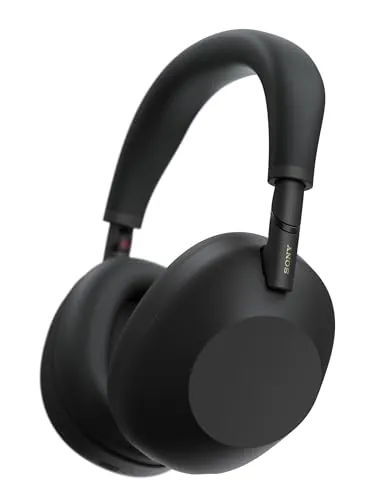
Sony WH-1000XM5 vs WH-1000XM6: Is the Upgrade Worth It for Office Noise?
Sony rates both headphones for up to 30 hours with noise canceling on and 40 hours off, so battery life is not a stated-generation upgrade. RTINGS' current public direct-pair verdict says XM6 reduces mid-range noise such as office chatter and keyboard clacks more effectively, but its softer pads can lose their seal more easily with glasses or small shifts. If your XM5 already handles your commute and calls, the XM6 changes matter most when that office-noise improvement is a problem you will use and the new fit feels secure.
Read comparison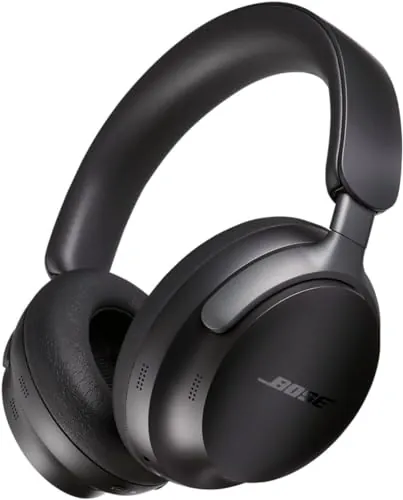
Sony WH-1000XM5 vs Bose QuietComfort Ultra (1st Gen): Which Fits Your Travel Routine?
The Sony WH-1000XM5 and first-generation Bose QuietComfort Ultra suit different travel priorities. In SoundGuys' same-test result, Sony played 31 hours 53 minutes with ANC on versus Bose at 27 hours 37 minutes; Sony also supports passive wired operation when powered off. RTINGS reports a small Bose noise-isolation edge and better comfort in its exact comparison, but fit remains personal. Compare your fit, cable fallback and phone codec support before choosing.
Read comparison