
Products compared
soundcore
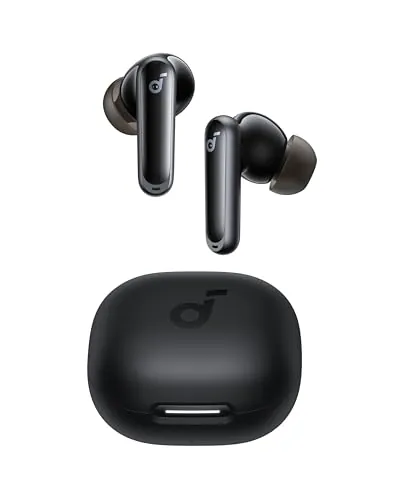
soundcore P40i True-Wireless Earbuds
Black P40i, part A3955Z11, with a charging case that also serves as a landscape phone stand.
Model A3955
Amazon ASIN B0CQXG17RL
JBL
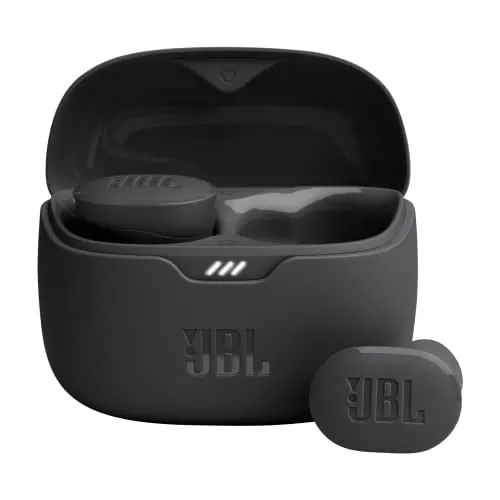
JBL Tune Buds True Wireless Noise-Cancelling Earbuds
Black U.S. Tune Buds; model/item JBLTBUDSBLKAM, not Tune Buds 2.
Model JBLTBUDSBLKAM
Amazon ASIN B0C1QWWZR4
Differences that matter
What matters most to you?
Choose a priority to see what it changes.
Sources for Two-device host switching
Sources for App setup and touch controls
Sources for Case use and charging options
Sources for Charging contact and moisture routine
Start with your two-host routine
If the usual day moves between a phone and laptop, multipoint is relevant on both sides of this comparison: soundcore lists the P40i feature, while JBL documents two-device Tune Buds multipoint and includes Tune Buds on its U.S. compatible-products page. That means the useful first question is not whether multipoint exists, but how you prefer to set it up and which two hosts you want to keep paired.
P40i’s support materials describe adding a second host through Dual Connections in the app or entering pairing mode; when replacing a host, the FAQ describes disconnecting one of the existing devices first. JBL’s quick start guide shows a two-device maximum and JBL’s support page describes switching between connected devices. The sources do not promise identical host priority or seamless behavior with every phone/computer combination.
Choose controls by what you will reach for
For the P40i, soundcore lists touch controls, app-adjustable controls and Dual Connections alongside ANC, ambient modes and HearID/EQ. That setup is useful if you want to change touch assignments or manage the second host in the soundcore app.
JBL’s Tune Buds guide describes JBL Headphones app controls for ANC, Ambient Aware and TalkThru, plus gesture customization and voice-assistant assignment. If switching between isolation and hearing your surroundings is your frequent task, compare those named controls and decide which settings you actually intend to configure. These are feature descriptions, not comparative noise-cancellation results.
Check the case before making it part of your routine
The P40i case adds a phone-stand function and supports wireless charging according to its model guide. But the stand has boundaries: remove the buds first, and soundcore says it is unsuitable for a vertically placed phone, a tablet, a folding screen or a phone with a very thick case. If you want a stand mainly for a tablet or portrait video, do not count this feature as a fit without checking those limits.
The JBL Tune Buds guide documents case charging and LED states but does not describe a stand function. Compare the actual case role you will use: P40i can prop a supported phone while the buds are out; JBL’s case is described as the charge/storage case.
Make charging and contact care part of the comparison
For P40i, the model guide says to dry the earbuds and USB-C port before charging. Its battery troubleshooting page says to ensure the tips do not block the pins, check that the case LEDs respond when the buds are seated and clean charging pins when needed.
For Tune Buds, JBL’s support cleaning page explicitly includes this model and says dirty contacts can interrupt charging. It describes cleaning the earbud and case contact points and waiting until the case interior is completely dry before closing it. Use each maker’s instructions for its own product; neither earbud’s water marking is a case rating or a wet-charging instruction.
Product details
soundcore P40i True-Wireless Earbuds
The black P40i is part A3955Z11. Soundcore's U.S. product page and A3955 support guide describe the app, two-device setup, phone-stand case, charging and care covered in this comparison.
- Multi-device connection
- Multipoint is listed; support describes app setup for a second device and case-button or touch-control pairing steps. Source
- App and controls
- soundcore app lists Dual Connections, adaptive ANC / ambient modes, HearID, EQ and customizable touch controls. Source
- Case functions
- 2-in-1 charging case / phone stand; support specifies removing the earbuds for stand use. Source
- Charging care
- Model guide specifies USB-C and wireless charging; dry the earbuds and USB-C port before charging. Source
JBL Tune Buds True Wireless Noise-Cancelling Earbuds
JBL’s U.S. page identifies the black Tune Buds, item JBLTBUDSBLKAM; the exact Tune Buds guide and U.S. support listing distinguish this model from Tune Buds 2.
- Multi-device connection
- JBL documents multipoint up to two devices and lists Tune Buds in its U.S. compatibility guidance. Source
- App and controls
- JBL Headphones app enables advanced controls; the guide lists ANC, Ambient Aware, TalkThru and configurable gestures. Source
- Charging case
- The Tune Buds quick start guide shows charging and case status indicators; its listed charging time is 2 hours from empty. Source
- Contact care
- JBL’s cleaning guidance explicitly includes Tune Buds and says to let the case interior dry completely before closing after cleaning. Source
Before you buy
Community discussions
Checking whether the case fits your carry routine
soundcore P40i True-Wireless Earbuds
A P40i owner asks how to carry its case without a noticeable pocket bulge and says discreet pocket carry matters to them as a student. The post describes one person's preference; it does not compare case dimensions with the JBL Tune Buds.
What to check
If pocket carry matters, compare the exact case dimensions with the pocket or bag you plan to use. This guide covers P40i case features and care but does not establish that its case will fit your preferred carry spot.
Separating remembered pairings from multipoint connections
soundcore P40i True-Wireless Earbuds
A prospective P40i buyer wants to move among an iPhone, MacBook, iPad and Windows PC and asks how many devices it can remember. They explicitly distinguish stored pairings from simultaneous connections; the post does not verify a remembered-device limit.
What to check
If you switch among several hosts, check the number of saved pairings separately from multipoint's simultaneous connections for the exact model. The buyer's four-device example is a question, not a confirmed P40i limit.
Common questions
Can both models stay connected to a phone and laptop?
Both manufacturers document multipoint for two connected devices. Soundcore lists multipoint for P40i and gives app/pairing instructions; JBL’s Tune Buds guide says up to two devices and its U.S. compatibility page names Tune Buds. Exact switching priority can depend on the hosts, so check the connection behavior you need.soundcore P40i U.S. product pageJBL Tune Buds Quick Start GuideJBL U.S. multipoint compatibility: Tune Budssoundcore P40i Earbuds FAQ
Which has customizable app controls?
Both have app controls, described differently. soundcore lists Dual Connections, HearID/EQ, adaptive ANC and customizable touch controls. JBL’s guide shows app-enabled ANC/Ambient Aware/TalkThru, gesture settings, VoiceAware and voice-assistant setup. No sound or ANC performance comparison was conducted.soundcore P40i U.S. product pagesoundcore P40i Earbuds FAQJBL Tune Buds Quick Start Guide
Can I use the P40i case as a phone stand while the earbuds charge inside?
No. soundcore support says to remove the earbuds before using the case as a stand. It also says the stand is not suitable for a vertically positioned phone, iPads, folding screens or phones with very thick cases.soundcore P40i Earbuds FAQ
What should I check if one earbud does not charge?
For P40i, soundcore says to check that ear tips do not block charging pins, confirm the case LEDs register each earbud, and clean the contacts. For Tune Buds, JBL’s applicable support article identifies contact dirt as a common cause and calls for cleaning the bud and case contacts, then allowing the case interior to dry completely. Follow the manufacturer instructions for the exact model.How to Fix soundcore P40i Earbuds Battery IssuesJBL True Wireless cleaning instructions (explicitly applies to Tune Buds)
Sources and scope
This guide uses manufacturer product pages, model-specific support materials and the Tune Buds quick start guide. It does not report listening, ANC, fit, call, battery endurance, durability or charging-speed tests. Both makers document two-device multipoint, but actual switching behavior depends on the connected hosts and their settings. Follow each maker’s own handling and cleaning instructions; a water-resistance marking is not a case rating or a guarantee for a particular activity.
- soundcore P40i U.S. product page
- soundcore P40i User Guide (A3955)
- soundcore P40i Earbuds FAQ
- How to Fix soundcore P40i Earbuds Battery Issues
- JBL Tune Buds U.S. product page
- JBL Tune Buds Quick Start Guide
- JBL U.S. multipoint compatibility: Tune Buds
- JBL True Wireless cleaning instructions (explicitly applies to Tune Buds)
Related comparisons
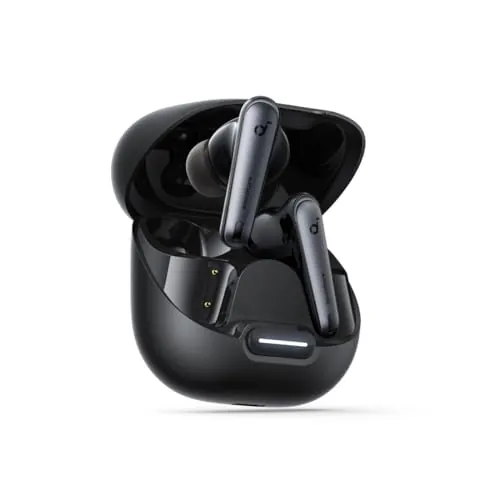
soundcore P40i A3955 vs Liberty 4 NC A3947: Phone Stand, LDAC and Multipoint
This guide covers the exact black soundcore P40i (A3955, ASIN B0CQXG17RL) and soundcore Liberty 4 NC (A3947, ASIN B0BZV4QFP8)—not the separate Liberty 4 model A3953. Choose P40i if you will use its case as a small landscape phone stand, want its rated battery figures, or plan to try Game Mode from the app. Choose Liberty 4 NC if your source supports LDAC and you are comfortable enabling it through the soundcore app and firmware update. Once LDAC is enabled, Liberty 4 NC exits multipoint; LDAC also is not available on iOS, and the manufacturer lists lower playtime with LDAC and ANC. Both are listed with multipoint, so decide whether you value two-device switching or LDAC on that Android phone more. This is a feature-fit guide; it does not name an audio or ANC winner.
Read comparison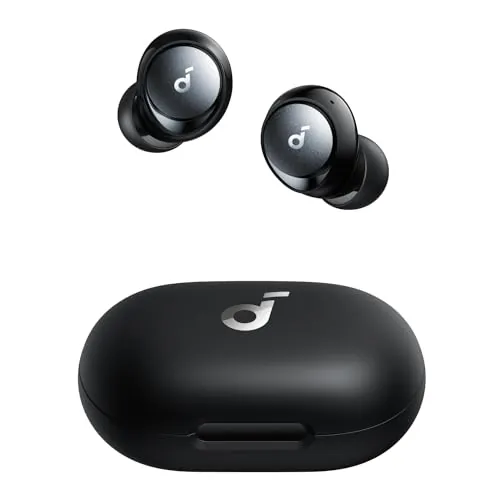
soundcore Space A40 A3936 vs P40i A3955: LDAC, Case and Battery
This guide compares the exact black soundcore Space A40 (A3936, ASIN B0B1LVC5VZ) with the black soundcore P40i (A3955, ASIN B0CQXG17RL). Both list multipoint, but Space A40 disables it while LDAC is enabled. Soundcore rates P40i for up to 12 hours per charge and 60 hours with its case, versus Space A40's 10/50 hours; P40i also has a case that props a phone in landscape. The practical choice is codec and switching workflow versus rated endurance and case use. These are manufacturer features and ratings, not a paired listening or runtime test.
Read comparison