
Products compared
soundcore
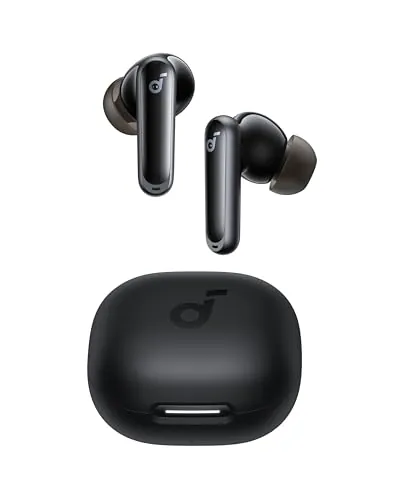
soundcore P40i Smart ANC True-Wireless Earbuds
Midnight Black P40i. Soundcore describes its case as both a charger and a phone stand; this is a feature listing, not a guarantee that it fits every phone.
Model A3955
Amazon ASIN B0CQXG17RL
soundcore
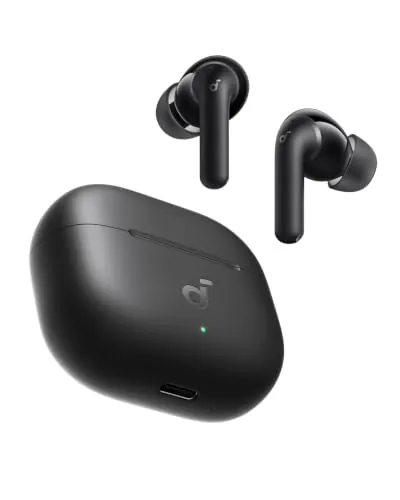
soundcore P42i True Wireless Earbuds with Adaptive ANC
Black P42i, model D1205. The U.S. product page lists multipoint and earbud controls; Soundcore support documents its codec and app-mode constraints.
Model D1205
Amazon ASIN B0GZYYKS41
Differences that matter
What matters most to you?
Choose a priority to see what it changes.
Sources for Case use documented by the manufacturers
Sources for Codecs and device requirements
Sources for Two-device connection
Sources for P42i sound-mode combinations
The case points to different routines
P40i's standout documented use is not an earbud mode: Soundcore describes its charging case as a phone stand. Its exact-model FAQ adds practical limits: the phone cannot be vertical, the stand is not intended for tablets, folding phones or very thick phone cases, and the earbuds need to be removed. Treat this as a horizontal phone-prop feature and check the phone/case before relying on it.
The P42i support material reviewed here documents its model-specific controls and codecs. The source set is not used to compare charging convenience, charger compatibility or charge time.
P42i's codec option is conditional, not an all-modes setting
Soundcore's P42i/D1205 specification FAQ lists SBC, AAC and LDAC. The support article says LDAC works only on Android, requires enabling it through the Soundcore app, and can increase power consumption. The feature-combination FAQ further says LDAC cannot run with Spatial Audio or Gaming mode; Custom EQ also cannot run with Spatial Audio or Gaming mode. If you care about LDAC, verify your source device and decide which app modes you want active together.
The reviewed P40i A3955 U.S. page and exact-model FAQ do not list a codec set. That omission is not proof that P40i lacks a codec; ask Soundcore or use a current A3955 specification if codec support is a must-have. This guide does not infer a sound-quality winner from supported formats.
Multipoint is shared; the control details are not a performance test
Both products document connection to two devices. P40i's FAQ explains the already-connected-to-two state and how to disconnect a device before pairing another. P42i's U.S. listing says multipoint, and its support guide gives three ways to add the second device: earbud controls, the case button or the app. If you frequently change phones or computers, compare those setup steps and confirm app support for your phone.
Both models use earbud gestures. P40i's FAQ describes app-customizable touch controls; P42i support says track controls can be customized but the call answer/end gestures cannot. The U.S. P42i product page calls its input stem control while support documentation refers to touch controls, so this comparison repeats the respective maker wording rather than claiming a tactile advantage.
Product details
soundcore P40i Smart ANC True-Wireless Earbuds
- Case use
- Soundcore describes the case as a 2-in-1 charger and phone stand. Its support FAQ says it cannot hold a phone vertically and is unsuitable for iPads, folding screens and phones with very thick cases; remove the earbuds during stand use. Source
- Controls and device switching
- Touch controls can be customized in the Soundcore app. The P40i FAQ describes its existing two-device state and how to pair another device after disconnecting one. Source
- Codec information in reviewed official sources
- The reviewed P40i U.S. product page and P40i FAQ do not provide a codec list; this guide leaves its codec support unspecified rather than treating an omitted specification as a missing feature. Source
soundcore P42i True Wireless Earbuds with Adaptive ANC
- Documented codecs and host condition
- Soundcore lists SBC, AAC and LDAC for P42i. Its support page states LDAC is supported only on Android devices; the feature must also be selected in the Soundcore app. Source
- App sound modes
- Soundcore says LDAC, Spatial Audio and Gaming mode are mutually exclusive with one another; Custom EQ also cannot run at the same time as Spatial Audio or Gaming mode. Source
- Controls and device switching
- The U.S. product page lists multipoint and earbud stem control. Support documents app-customizable track controls, while call answer/end gestures are fixed; Dual Connections can be set up from either earbud controls, the case button or the app. Source
Before you buy
Community discussions
A P40i owner considers giving up the phone stand
soundcore P40i Smart ANC True-Wireless Earbuds
A P40i owner weighing other earbuds says they would miss the phone stand built into the case, even though they had seldom used it.
What to check
Think about when you would actually prop up your phone. Check that the case feature matters to you before weighing it against P42i controls and connectivity.
A shopper asks how the P42i case can be charged
soundcore P42i True Wireless Earbuds with Adaptive ANC
A prospective P42i buyer asks whether they would need to charge the case wirelessly.
What to check
Check the case’s documented charging options and which charger or cables you already keep where you use the earbuds.
Common questions
Can the P40i case hold my phone vertically?
Soundcore's P40i FAQ says no: it says the stand is not suitable for iPads, folding screens or phones with very thick cases, and that the earbuds should be removed during stand use. Check your exact phone/case and use it horizontally.soundcore P40i Earbuds FAQsoundcore P40i | Smart ANC True-Wireless Earbuds
Does the P42i support LDAC with an iPhone?
Soundcore's P42i support article says LDAC is supported only on Android devices and not iPhone. It also says to enable LDAC in the Soundcore app and notes it cannot be used simultaneously with Spatial Audio or Gaming mode.How to optimize sound quality with soundcore P42i?Which soundcore P42i features cannot be used at the same time?
Do both earbuds support two-device connection?
The P42i U.S. product page lists multipoint, and its setup article describes two simultaneous devices. The P40i FAQ discusses connecting to two devices and explains how to free a connection when adding another. Both therefore have documented two-device use; no switching-speed comparison is claimed.P42i | True Wireless Earbuds with Adaptive ANCHow do I enable Dual Connections on soundcore P42i?soundcore P40i Earbuds FAQ
Can P42i call gestures be remapped?
Soundcore's P42i call-control article says double-tap answers and a two-second hold ends a call, and that these call settings cannot be customized. Its track controls are separately described as customizable in the app.How do I answer and end a call with soundcore P42i?How do I skip to the next or previous track using soundcore P42i?
Sources and scope
This is a manufacturer-documentation comparison, not a listening, ANC, microphone, fit, battery-life or safety test. The P42i codec/LDAC statements are model-specific; its support article says LDAC is Android-only and lists modes that cannot be combined. The official P40i U.S. product page and exact-model FAQ reviewed here do not state a codec list, so this guide does not claim P40i lacks LDAC. P40i phone-stand suitability depends on phone dimensions, orientation and case; Soundcore says it is not for iPads, folding phones or very thick cases and requires removing the earbuds. Verify app/OS compatibility and preferences before choosing.
- soundcore P40i | Smart ANC True-Wireless Earbuds
- soundcore P40i Earbuds FAQ
- P42i | True Wireless Earbuds with Adaptive ANC
- How do I enable Dual Connections on soundcore P42i?
- How do I answer and end a call with soundcore P42i?
- How do I skip to the next or previous track using soundcore P42i?
- How to optimize sound quality with soundcore P42i?
- Which soundcore P42i features cannot be used at the same time?
- P42i exact model specifications and charging input
Related comparisons
soundcore P40i A3955 vs Liberty 4 NC A3947: Phone Stand, LDAC and Multipoint
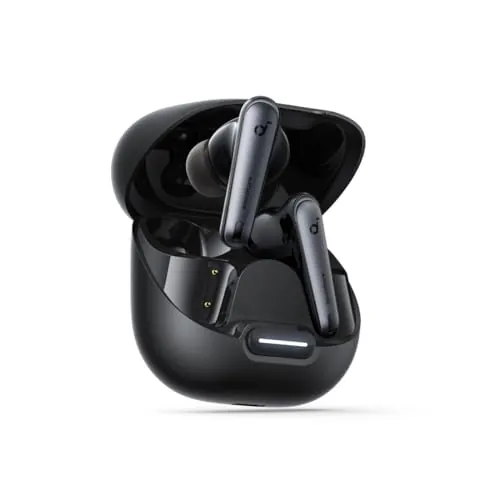
This guide covers the exact black soundcore P40i (A3955, ASIN B0CQXG17RL) and soundcore Liberty 4 NC (A3947, ASIN B0BZV4QFP8)—not the separate Liberty 4 model A3953. Choose P40i if you will use its case as a small landscape phone stand, want its rated battery figures, or plan to try Game Mode from the app. Choose Liberty 4 NC if your source supports LDAC and you are comfortable enabling it through the soundcore app and firmware update. Once LDAC is enabled, Liberty 4 NC exits multipoint; LDAC also is not available on iOS, and the manufacturer lists lower playtime with LDAC and ANC. Both are listed with multipoint, so decide whether you value two-device switching or LDAC on that Android phone more. This is a feature-fit guide; it does not name an audio or ANC winner.
Read comparison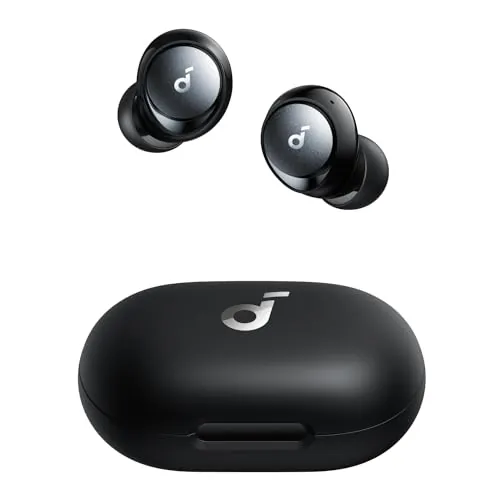
soundcore Space A40 A3936 vs P40i A3955: LDAC, Case and Battery
This guide compares the exact black soundcore Space A40 (A3936, ASIN B0B1LVC5VZ) with the black soundcore P40i (A3955, ASIN B0CQXG17RL). Both list multipoint, but Space A40 disables it while LDAC is enabled. Soundcore rates P40i for up to 12 hours per charge and 60 hours with its case, versus Space A40's 10/50 hours; P40i also has a case that props a phone in landscape. The practical choice is codec and switching workflow versus rated endurance and case use. These are manufacturer features and ratings, not a paired listening or runtime test.
Read comparison