
Products compared
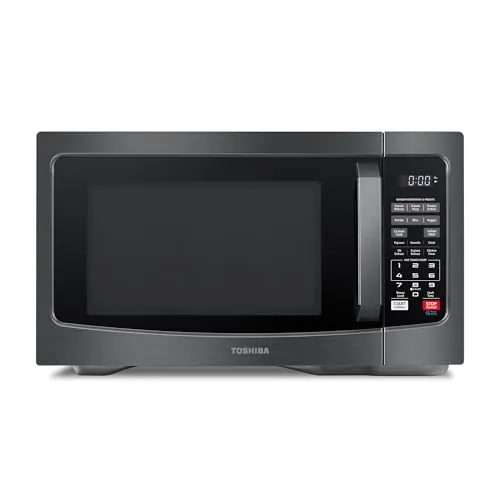
Toshiba
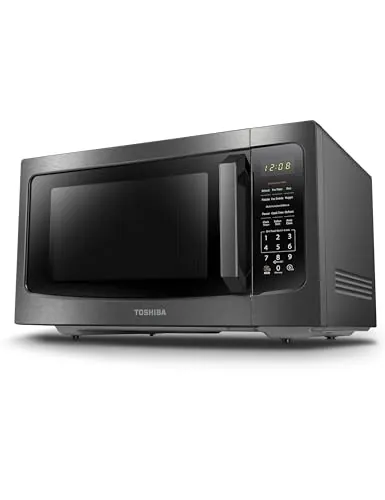
Toshiba 1.2 Cu. Ft. Microwave Oven with Smart Humidity Sensor
Exact U.S. Black Stainless Steel model. Manufacturer page lists 1.2 cu. ft. capacity and a 12.4-inch turntable; its exterior dimension and power fields contain conflicts that matter for tight fit or specification-based decisions.
Model EM131A5C-BS
Amazon ASIN B071WCB1T6
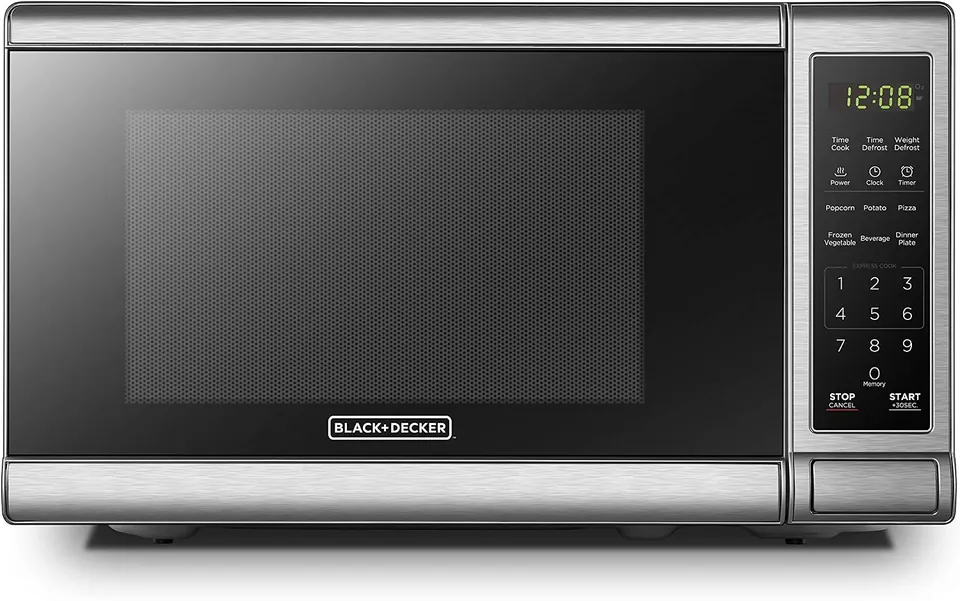
BLACK+DECKER
BLACK+DECKER 0.7 Cu. Ft. Microwave Oven
Exact EM720CB7 stainless steel model. The manual lists a 10-inch turntable, 700W microwave output, and countertop clearances including an open side.
Model EM720CB7
Amazon ASIN B07HGH1KG6
Differences that matter
What matters most to you?
Choose a priority to see what it changes.
Sources for Body size and required clearance
Sources for Reheat menu and its limits
Sources for Documented microwave ratings and settings
Will your usual dish fit?
Toshiba lists a 1.2 cu. ft. cavity and 12.4-inch turntable. The EM720CB7 manual lists 0.7 cu. ft. and a 10-inch turntable. Put your largest regular plate or container on paper and compare its diameter with the turntable, then account for the room it needs to rotate; cavity capacity alone does not tell you whether your dish will fit.
For the outside, the Toshiba model manual lists 20.5 × 17.1 × 12.8 inches, but Toshiba's current U.S. product page has two incompatible Product Dimensions entries. The BLACK+DECKER manual lists 17.3 × 13 × 10.2 inches. Treat those as body measurements, not the full clearance envelope, and physically check the Toshiba if the opening is close.
Plan for operating clearance, not just body width
The Toshiba manual calls for at least 3 inches at each side and above, 1 inch at the rear, unobstructed intake/outlet vents, and a minimum installation height of 3 feet. The BLACK+DECKER manual calls for at least 3 inches from adjacent walls, one side left open, and 12 inches above. Both instructions matter when deciding whether a shelf or counter location works.
Neither manual supports treating these countertop models as built-in. If your planned spot cannot meet its model's airflow instructions, choose a different location or compare another model.
Match the reheat routine to your food
Toshiba's Sensor Reheat is limited: its manual lists an 8–32 oz portion range and excludes dry bread-type foods, raw or uncooked foods, beverages and frozen foods. It also specifies minimum starting temperature and preparation conditions. Use the manual's Sensor Reheat instructions for the exact dish rather than assuming a sensor preset applies to everything.
BLACK+DECKER uses six named Auto Menu choices—popcorn, potato, pizza, frozen vegetable, beverage and dinner plate—with preset quantity choices. If you regularly warm foods in those categories and prefer a named button path, that may fit your routine. Neither manual compares the result against the other model.
Read power input and output separately
The model manuals distinguish microwave input from output. BLACK+DECKER lists 1050W input and 700W output. The Toshiba manual lists 1550W input and 1100W output, while Toshiba's current product page has inconsistent wattage and rated-output fields. Check the Toshiba rating plate if exact power matters; these published figures are not a test of time-to-heat, temperature or evenness.
The controls differ as well: Toshiba lists 10 power levels, while the EM720CB7 manual's PL0–PL10 table includes PL0 as a fan-only setting with no microwave power. Compare the adjustment steps you want without using setting count as a performance score.
Product details
Toshiba 1.2 Cu. Ft. Microwave Oven with Smart Humidity Sensor
The Toshiba's listed cavity and turntable are the larger of these two, and its Sensor Reheat instructions are specific about what foods and portions qualify. Its current product-page exterior dimensions and power fields conflict with each other and with the model manual; do not rely on a single webpage number for a tight installation or exact power comparison.
- Listed capacity and turntable
- 1.2 cu. ft.; 12.4-inch glass turntable. Source
- Exterior size and required placement
- The model manual lists 20.5 × 17.1 × 12.8 in. Its countertop instructions require at least 3 in on each side and above, 1 in at the rear, clear vents and a minimum installation height of 3 ft; the product page lists conflicting dimensions, so verify the actual unit. Source
- Sensor Reheat
- The manual lists Sensor Reheat portions of 8–32 oz and excludes bread/dry foods, raw/uncooked foods, beverages and frozen foods; follow its food and preparation instructions. Source
- Manual power rating
- EM131A5C-BS manual: 1550W microwave input and 1100W microwave output. Toshiba's current product page lists conflicting wattage/output fields; check the rating label if exact power matters. Source
BLACK+DECKER 0.7 Cu. Ft. Microwave Oven
The EM720CB7's manual gives a smaller exterior envelope and a 10-inch turntable, with an installation requirement for an open side and 12 inches above. Its Auto Menu is a short list of named foods and portions; match those labels to what you actually reheat.
- Listed capacity and turntable
- 0.7 cu. ft.; 10-inch glass turntable. Source
- Exterior size and required placement
- Manual lists 17.3 × 13 × 10.2 in (W × D × H); leave at least 3 in from adjacent walls, keep one side open, and leave 12 in above. Source
- Auto Menu
- Six named buttons: popcorn, potato, pizza, frozen vegetable, beverage and dinner plate; the manual gives selectable portions for those presets. Source
- Microwave power rating
- Manual lists 1050W microwave input and 700W microwave output at 120V, 60Hz; it lists power levels PL0 through PL10. Source
Before you buy
Community discussions
Measuring a cubby for a compact microwave
BLACK+DECKER 0.7 Cu. Ft. Microwave Oven
A shopper with a narrow cubby asks for a very small microwave. One reply lists the BLACK+DECKER EM720CB7 and suggests checking its dimensions.
What to check
Measure the opening, usable depth, and room for the door to swing. Check the exact model’s outside dimensions and required clearances.
Checking which beeps a microwave can mute
Toshiba 1.2 Cu. Ft. Microwave Oven with Smart Humidity Sensor
A discussion about keypad and reminder beeps includes a Toshiba EM131A5C-BS owner who chose their microwave for its sound controls.
What to check
If you heat food while others sleep, check which keypad, end-of-cycle, and reminder sounds the exact model lets you turn off.
Common questions
Which microwave has the larger cavity and turntable?
Toshiba lists 1.2 cu. ft. and a 12.4-inch turntable; the BLACK+DECKER EM720CB7 manual lists 0.7 cu. ft. and a 10-inch turntable. Measure the dishes you plan to use, and treat cavity ratings as listed capacity rather than a cooking-quality result.1.2 Cu. Ft. Microwave Oven with Smart Humidity Sensor - EM131A5C-BSBLACK+DECKER EM720CB7 Microwave Oven Use and Care Manual
What space do I need around each microwave?
The EM131A5C-BS manual says at least 3 inches on each side and above, 1 inch behind, clear vents, and a minimum installation height of 3 feet. The EM720CB7 manual says at least 3 inches from adjacent walls with one side open and 12 inches above. Check the exact product manual and do not rely on body dimensions alone.Toshiba EM131A5C-BS Microwave Oven Instruction ManualBLACK+DECKER EM720CB7 Microwave Oven Use and Care Manual
Can I use Sensor Reheat for any food in the Toshiba?
No. Toshiba's model manual lists exclusions including bread and other dry foods, raw or uncooked food, beverages and frozen food. It also gives portion and preparation conditions. Check the exact Sensor Reheat section for the food you plan to warm.Toshiba EM131A5C-BS Microwave Oven Instruction Manual
What are the BLACK+DECKER EM720CB7 Auto Menu buttons?
The manual lists popcorn, potato, pizza, frozen vegetable, beverage and dinner plate. Several let you select a quantity; for example, dinner plate lists 9, 12 or 18 oz and beverage lists 1–3 cups. Those are programmed control options, not evidence of better results than another microwave.BLACK+DECKER EM720CB7 Microwave Oven Use and Care Manual
Which power rating should I use for a Toshiba EM131A5C-BS?
The model manual specifies 1100W microwave output and 1550W input. Toshiba's current product page also shows 1000W in its wattage field and 100W in a rated-output field. Because the manufacturer page conflicts with itself and the manual, check the unit's rating plate if the exact value matters; do not use the published difference to predict heating speed.1.2 Cu. Ft. Microwave Oven with Smart Humidity Sensor - EM131A5C-BSToshiba EM131A5C-BS Microwave Oven Instruction Manual
Sources and scope
Toshiba's current U.S. product page shows two incompatible Product Dimensions entries, its model manual lists 20.5 × 17.1 × 12.8 inches, and listing data dimensions differ again. Confirm the exact unit and leave the manual's required clearance before planning a tight fit. Toshiba's product page also has conflicting wattage/output fields: it says 1000 Watts in one field and 100W rated output in another, while the EM131A5C-BS manual says 1100W output and 1550W input. Verify the rating plate if this specification is decisive. No heating speed, evenness, temperature accuracy, or food quality comparison is claimed.
Related comparisons
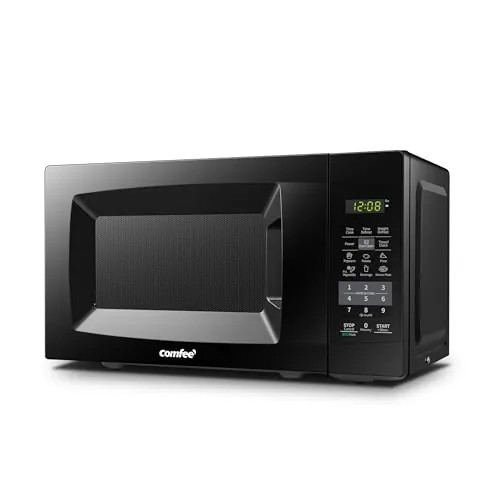
COMFEE EM720CPL-PMB vs Toshiba EM131A5C-BS: Counter Fit and Controls
COMFEE EM720CPL-PMB lists a 0.7-cu-ft cavity and 10-inch turntable, with express, one-touch and manual time/power controls. Toshiba EM131A5C-BS lists 1.2 cu ft and a 12.4-inch turntable, plus six sensor-cook menus. The Toshiba's official page gives conflicting outside dimensions, so use its exact manual and measure the unit before planning its counter fit. Neither capacity nor turntable diameter guarantees a dish will fit or rotate.
Read comparison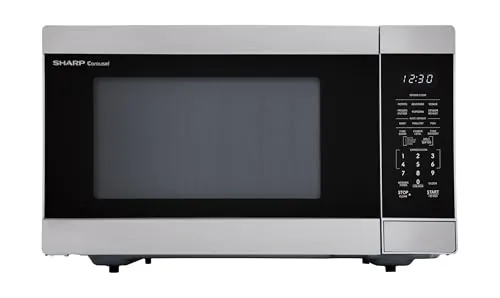
Sharp SMC1662KS vs Toshiba ML-EM45P(BS): Counter Fit and Menus
Both are nominal 1.6-cu.-ft. countertop microwaves with very similar exterior dimensions, but their manuals call for different clearances: Sharp says about four inches around the top, sides and rear; Toshiba requires three inches from adjacent walls, one side open and twelve inches above. Compare the measured location and the foods in each model's sensor menu before choosing.
Read comparison