
Products compared
UGREEN
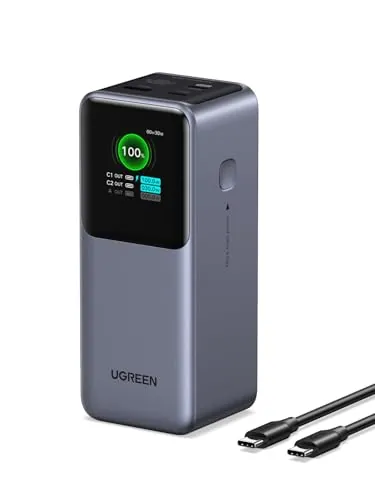
UGREEN Nexode 20,000mAh 130W Power Bank
Black U.S. offer with three output ports: two USB-C and one USB-A.
Model PB721 / part 35524
Amazon ASIN B0CXHNGDC1
Anker
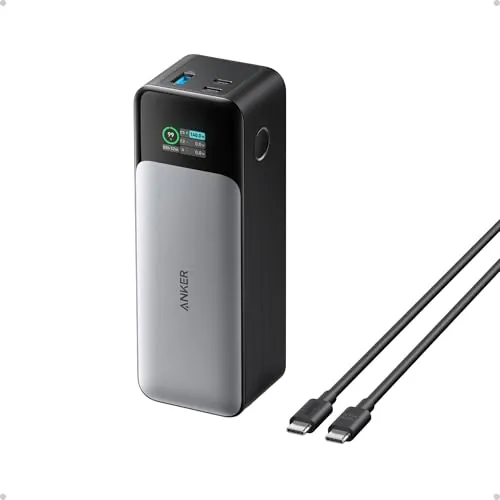
Anker 737 Power Bank (PowerCore 24K)
Black U.S. offer with two USB-C outputs and one USB-A output.
Model A1289 / part A1289011
Amazon ASIN B09VPHVT2Z
Differences that matter
Sources for Highest documented USB-C output profile
Sources for Using more than one output port
Sources for Recharging the bank from a wall adapter
Sources for Keeping an older USB-A cable in the setup
Start with the laptop's USB-C input profile
The UGREEN PB721's U.S. specification lists up to 100W on USB-C1 (20V/5A). The Anker 737 A1289 lists USB-C output profiles up to 28V/5A on either C port. Anker's FAQ adds an important condition: 140W requires a cable that supports PD 3.1 and a device that accepts PD 3.1 input.
This is a port-profile comparison, not a claim about charging speed on every laptop. Read the laptop maker's input specification and match it with the cable. If the laptop cannot negotiate the higher profile, the Anker's 140W ceiling does not create that support.
For a laptop-and-phone setup, check combined output separately
The PB721 page lists per-port ceilings of 100W for USB-C1, 30W for USB-C2, and 22.5W for USB-A. It markets the product as 130W, but its U.S. page's two- and three-port diagrams label 100W total-output scenarios. Keep that conflict visible and verify the current chart for the exact combination of ports you plan to use.
Anker lists 140W maximum total output for the A1289 and states that two connected USB-C devices share the 140W total according to their current input needs. The 140W single-port profile must not be read as 140W per device when both USB-C outputs are active. For other port combinations, consult the maker's chart instead of assuming each maximum remains available.
Your wall adapter changes the bank-recharge setup
UGREEN lists up to 65W input on PB721 USB-C1. Anker lists an A1289 input profile up to 28V/5A, or 140W. Those are maximum input profiles, not a measured same-condition comparison or a promise of a particular full-charge time.
Before buying, check the adapter and cable you already carry. A higher bank-input ceiling only helps when your charger and cable support the corresponding profile. The cited specifications do not verify the exact accessories included with every Amazon retail package, so confirm the current listing contents.
A USB-A output may keep one older cable useful
Both models include a listed USB-A output. UGREEN lists profiles up to 10V/2.25A (22.5W); Anker lists up to 12V/1.5A (18W). These are the power bank's documented output profiles, not a promise that an older phone, accessory, or cable will negotiate the maximum.
If USB-A matters to your setup, check the connected device's charging protocol and the cable you plan to use. For USB-C laptops, compare the host profile and USB-C cable separately.
A quick pre-purchase check
Write down your laptop's supported USB-C PD voltage/current profile, the cable rating, and the wall adapter you carry. Then list the other devices you will connect simultaneously. This turns the decision into a specific profile and port-allocation check rather than a comparison of the 130W and 140W labels alone.
If you cannot confirm your laptop profile or intended multi-port allocation, treat that point as unknown and consult the laptop and bank maker's current documentation before ordering.
Product details
UGREEN Nexode 20,000mAh 130W Power Bank
UGREEN's U.S. page identifies SKU 35524 and lists USB-C1 up to 100W, USB-C2 up to 30W, USB-A up to 22.5W, and USB-C1 input up to 65W. The same page markets the bank as 130W while its two- and three-port gallery diagrams label 100W total-output scenarios. Treat the exact simultaneous allocation as unresolved until you check the current manufacturer chart for your port combination.
- USB-C1 output
- Up to 100W; listed maximum profile is 20V/5A Source
- Other output ports
- USB-C2 up to 30W; USB-A up to 22.5W Source
- Bank input
- USB-C1 input up to 65W Source
- Multi-port note
- The U.S. page product label says 130W, while its multi-port diagrams label 100W total-output scenarios; do not assume per-port maxima are simultaneous Source
Anker 737 Power Bank (PowerCore 24K)
The U.S. Anker product page identifies the 737 Power Bank (PowerCore 24K) and lists two USB-C outputs, one USB-A output, and 140W maximum total output. Its FAQ says 140W output requires a PD 3.1 cable and a device that supports PD 3.1 input. Anker's A1289 support article says two connected USB-C devices share the 140W total rather than receiving 140W each.
- USB-C output profile
- Each USB-C port lists profiles up to 28V/5A (140W); Anker says reaching 140W requires a PD 3.1 cable and a device with PD 3.1 input Source
- Total output
- 140W maximum total; Anker says two connected USB-C devices share that total according to their input needs Source
- USB-A output
- 5V/3A, 9V/2A, or 12V/1.5A (18W maximum by listed profile) Source
- Bank input
- USB-C1 supports an input profile up to 28V/5A; use an appropriate PD charger and cable for the high-input profile Source
Before you buy
Community discussions
Deciding whether a larger power bank earns space in your bag
Anker 737 Power Bank (PowerCore 24K)
A traveler asked when a large power bank was worth carrying. One reply came from someone who takes an Anker 737 on international trips.
What to check
List the devices you would need to charge between outlets and check how much room you can spare in your bag.
Common questions
Can the Anker 737 provide 140W to both USB-C ports at the same time?
No. Anker lists 140W maximum total output and says that when both USB-C ports are used, the total is divided between the two devices according to their input needs. The ports do not each provide 140W simultaneously.Anker 737 Power Bank (PowerCore 24K) U.S. product page and specificationsIntroduction to the Anker 737 Power Bank 24K (A1289)
What do I need for 140W from the Anker 737?
Anker says to use a cable that supports PD 3.1 and a device that supports PD 3.1 input. Check your laptop's specific input profile and the cable rating; a 140W bank profile alone does not guarantee 140W to every connected laptop.Anker 737 Power Bank (PowerCore 24K) U.S. product page and specifications
Why does the UGREEN PB721 page say 130W but show some 100W multi-port totals?
The current U.S. page markets the PB721 as 130W and lists individual port maxima, while its multi-port diagrams label 100W total-output scenarios. Those statements should remain distinct; check UGREEN's current port-allocation chart for your exact connected-port combination rather than assuming the individual maxima add up.UGREEN Nexode Power Bank 20000mAh 130W with Smart Digital Display (U.S. specifications)
Sources and scope
This is a manufacturer-specification and setup comparison, not a matched charging test. UGREEN's current U.S. product page has an unresolved 130W product label versus 100W total-output labels in its multi-port diagrams. No exact laptop model was supplied, and no laptop-specific compatibility or charging result is inferred.
- UGREEN Nexode Power Bank 20000mAh 130W with Smart Digital Display (U.S. specifications)
- UGREEN Nexode Power Bank PB721-35524 manufacturer identity page
- Anker 737 Power Bank (PowerCore 24K) U.S. product page and specifications
- Introduction to the Anker 737 Power Bank 24K (A1289)
- Anker 737 Power Bank (PowerCore 24K) product support and manuals
Related comparisons
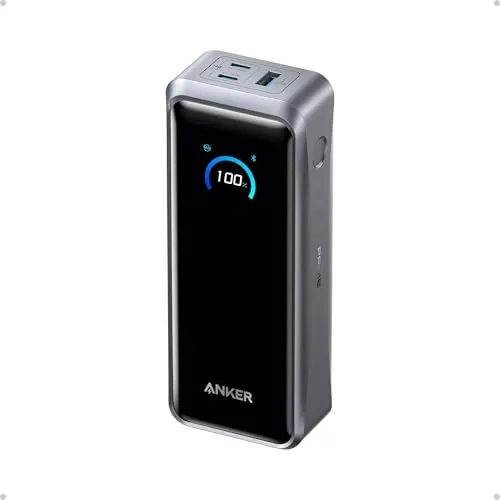
Anker Prime A110A 26K 300W vs Anker 737 A1289 24K
The Prime A110A raises Anker's published total output ceiling to 300W and supports a higher dual-input recharge ceiling, while the 737 A1289 is rated for 140W total. Both list up to 140W from a single USB-C port. Pick the Prime only when your devices and charging setup can use the extra headroom; otherwise the 737's one-laptop output may be enough.
Read comparison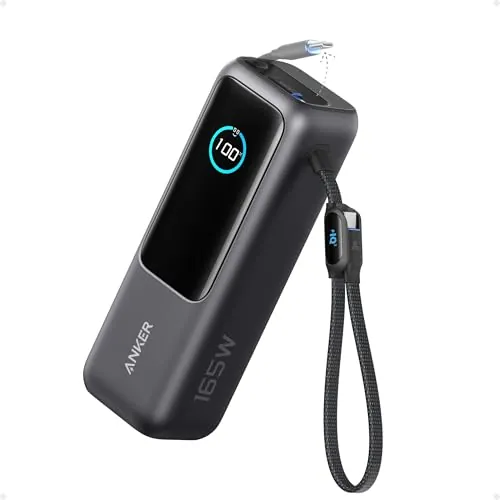
Anker 737 A1289 vs A1695: Built-In Cables and Shared Output
The Anker 737 A1289 has two USB-C ports and one USB-A port, but no built-in cable; its 140W USB-C ceiling requires a PD 3.1-capable device and a compatible cable. The Anker A1695 adds two integrated USB-C cables, a separate USB-C port and USB-A, with up to 100W from one USB-C output and 165W total under Anker’s two-USB-C condition. A1695’s maximum total falls to 130W with three or four devices. Decide by the cable you want to carry, the ports your devices use, and their accepted charging profiles—not the largest headline wattage alone.
Read comparison