
Products compared
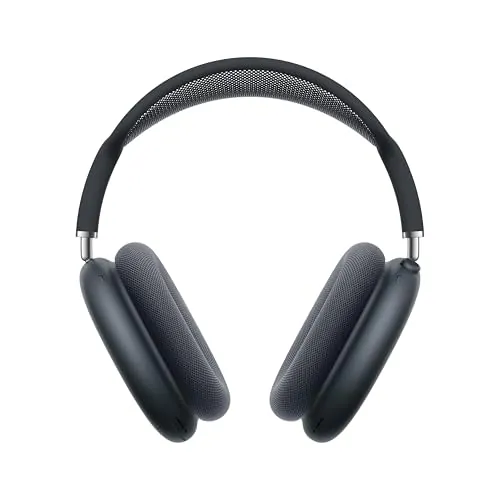
Apple
Apple AirPods Max 2
US-market Midnight variant from the selected Amazon listing. Apple identifies Midnight as an AirPods Max 2 color and lists the package contents; check the ASIN and model code on the live destination.
Model MHWK4AM/A
Amazon ASIN B0GSS4SGZR
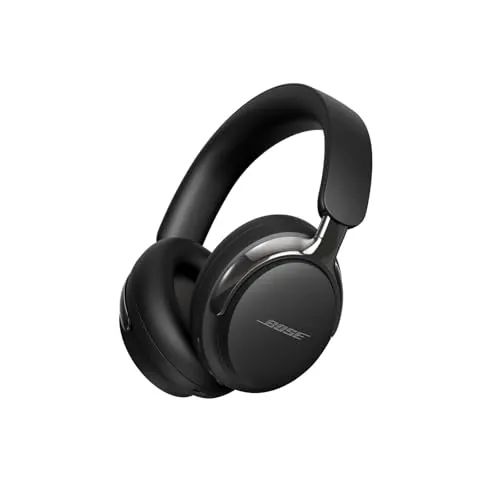
Bose
Bose QuietComfort Ultra Headphones (2nd Gen)
US-market Black Ultra 2nd Gen variant from the selected Amazon listing. This is distinct from the first-generation QuietComfort Ultra and standard QuietComfort Headphones (2nd Gen).
Model 890101-0100
Amazon ASIN B0FDKR293G
Differences that matter
What matters most to you?
Choose a priority to see what it changes.
Sources for Switching among devices
Sources for USB-C listening and computer calls
Sources for Published headphone weight
Start with your device-switching routine
Apple's automatic switching is designed for its supported ecosystem: AirPods Max can move between iPhone, iPad, Mac, Apple Watch and Vision Pro when the devices have current software, use the same Apple Account and have two-factor authentication enabled. If that setup matches your home and work devices, Max 2's switching may reduce manual steps.
Bose's guide describes Bluetooth multipoint differently: the Ultra 2 can remain actively connected to two devices, plays audio from only one at a time, and can receive calls from either. To move a music stream, pause it on the first device and start playback on the second. If you often alternate between a work laptop and a personal phone, check whether this manual handoff suits you better than Apple-account switching.
USB-C audio is not the same as guaranteed USB call support
Apple documents lossless and ultra-low-latency audio over USB-C for AirPods Max 2 when the device software and headphone firmware are current. Bose also documents USB-C audio on Ultra 2, describing compatible-file playback and use while charging. These specifications answer how digital audio can reach the headphones; they do not promise that every computer, mobile device, app or call workflow will behave identically.
For Bose USB voice, check the implementation details: the 8.2.20 firmware notes describe two-way PC voice calls for certain VoIP applications, and 10.12.12 describes game/chat balance over USB-C on compatible PCs and mobile devices, excluding consoles, plus improved web-conference compatibility. Do not buy on this feature alone until you verify the exact host, application and firmware version. The cited Apple USB-C audio guidance does not establish an equivalent Max 2 USB microphone mode, so verify your needed call setup directly rather than assuming either parity or absence.
Check what an analog cable will do when power is unavailable
For AirPods Max 2 and a 3.5 mm analog source, Apple specifies a USB-C-to-3.5 mm audio cable; its accessory store lists such a cable under AirPods Max 2 compatibility. The in-box Max 2 list shows a USB-C charge cable, so distinguish the charge lead from the analog audio accessory and confirm the cable is part of the setup you intend to carry.
Bose includes a 3.5 mm-to-2.5 mm cable with Ultra 2, but its owner's guide says AUX requires the headphones powered on. With a depleted battery, connect USB-C to external power and turn them on. In AUX mode, calls, media controls and earcup mic voice pickup are disabled. If the point of the cable is an emergency backup on a flight without a power source, Bose AUX does not satisfy that requirement; if external power is available, its guide documents wired use while charging.
Use weight as a packing fact, then check your own fit
Apple lists Max 2 at 386.2 g including cushions. Bose lists the Ultra 2 headphones alone at 0.583 lb (about 264 g) and separately gives 1.061 lb for the full product system. Keep those scopes separate when estimating what rests on your head versus what travels in the overall package.
The listed headphone weight favors Bose for buyers minimizing carried or worn mass on paper, but that is not a comfort test. Head shape, clamping feel, heat, eyeglasses and long-session tolerance are personal. If comfort is a priority, compare fit in person or use a retailer's return policy; do not infer comfort solely from the weight difference.
Product details
Apple AirPods Max 2
The selected listing is the Midnight AirPods Max 2, model MHWK4AM/A. Apple lists automatic switching within its device ecosystem and USB-C lossless/low-latency audio when current software and firmware are used. Its published headphone weight is 386.2 g including cushions. Apple also documents an analog 3.5 mm path through a USB-C-to-3.5 mm audio cable; confirm you have the cable before relying on that connection.
- Weight
- 13.6 oz (386.2 g), including cushions; Smart Case is listed separately at 4.74 oz (134.5 g). Source
- Automatic device switching
- Supported AirPods Max models can switch among iPhone, iPad, Mac, Apple Watch and Vision Pro when devices are updated and use the same Apple Account with two-factor authentication. Source
- Wired audio
- Apple documents USB-C lossless and ultra-low-latency audio on AirPods Max 2 with current device software and headphone firmware. For a 3.5 mm analog source, Apple specifies a USB-C-to-3.5 mm audio cable; the Apple accessories listing identifies a cable compatible with AirPods Max 2. Source
Bose QuietComfort Ultra Headphones (2nd Gen)
The assigned Bose is the Black QuietComfort Ultra Headphones (2nd Gen), model 890101-0100. Its guide documents two-device Bluetooth multipoint, USB-C audio, and a powered AUX path. The included analog cable does not provide passive listening with the headphone switched off: with a depleted battery, Bose says to connect USB-C power and power the headphones on. USB voice calling is host/app/firmware dependent.
- Weight
- Bose lists the headphone at 0.583 lb (about 264 g); the separate 1.061 lb figure is for the full product system, not the headphones alone. Source
- Bluetooth multipoint
- The owner's guide says up to two active device connections at a time, with audio from one device at a time; calls can arrive from either connected device. Source
- Included wired options
- The box lists a 3.5 mm-to-2.5 mm audio cable and USB-C cable. AUX requires the headphones to be powered on; with a depleted battery Bose instructs connecting USB-C power and turning the headphones on. USB-C audio is supported and can be used while charging. Source
- USB voice calls
- Bose documents two-way USB voice on PCs for certain VoIP apps; its later firmware notes USB call compatibility improvements for compatible PCs and mobile devices, excluding gaming consoles. Check current firmware, host and app support before relying on it. Source
Before you buy
Community discussions
Checking where a phone rings after you put the headphones away
Bose QuietComfort Ultra Headphones (2nd Gen)
A QuietComfort Ultra 2nd Gen user said the ringtone sometimes still played through the headphones while they were in the case, even with wear detection enabled. They sometimes switched the headphones off by hand.
What to check
Pair with the phone you normally use and receive a test call after you stow the headphones. Check where the ringtone plays when you also keep them paired to another device.
Checking app setup on the iPhone you already use
Bose QuietComfort Ultra Headphones (2nd Gen)
A QuietComfort Ultra 2nd Gen owner said an update transfer through their iPhone repeatedly dropped and resumed. They reached the end of the transfer several times and were still trying to finish.
What to check
Check that the app recognizes the headphones and completes setup on your own iPhone. Then try moving between your phone, computer, and wired connection.
Common questions
Can both headphones play audio over USB-C?
Both support digital USB-C playback with compatible sources. Apple specifies lossless, ultra-low-latency audio for Max 2 with current software and firmware. Bose’s 8.2.20 release notes add 24-bit/48 kHz lossless audio. Check the firmware, cable and host before relying on a particular format.Set up AirPods Max with your Mac and other Bluetooth devicesBose QuietComfort Ultra Headphones (2nd Gen) product pageQuietComfort Ultra Headphones (2nd Gen) Owner's GuideUpdating Your Headphones | QuietComfort Ultra Headphones (2nd Gen)
Does Bose Ultra 2 support USB microphone calls?
Bose firmware notes document two-way USB voice on PCs for certain VoIP applications and later improvements for compatible PCs and mobile devices. Compatibility is not universal; Bose's listed game/chat USB feature excludes gaming consoles. Confirm your installed firmware, host and application.Updating Your Headphones | QuietComfort Ultra Headphones (2nd Gen)
Can I use a 3.5 mm analog cable when the Bose battery is empty?
Not from AUX alone. The Ultra 2 guide says the headphones must be powered on. If depleted, connect the USB-C cable to external power and power the headphones on; the guide also says calls, media controls and earcup microphone voice pickup are disabled in AUX mode.QuietComfort Ultra Headphones (2nd Gen) Owner's Guide
Do AirPods Max 2 switch between my Apple devices automatically?
Apple includes AirPods Max models in automatic switching guidance for iPhone, iPad, Mac, Apple Watch and Vision Pro. Your devices need current operating systems and the same Apple Account with two-factor authentication. Manual switching is available too.Switch your AirPods to another device
Which one weighs less?
Bose lists its Ultra 2 headphone at 0.583 lb (about 264 g); Apple lists AirPods Max 2 at 386.2 g including cushions. Bose's separate 1.061 lb listing covers the full product system. Published weight does not predict individual comfort.Bose QuietComfort Ultra Headphones (2nd Gen) product pageAirPods Max 2 - Technical Specifications
Sources and scope
This guide compares documented features and model-specific specifications; it does not claim this guide tested sound, ANC, microphones, comfort, or battery life. Device switching, USB audio and USB voice features depend on compatible hosts, software, firmware and apps. A listed weight does not predict personal comfort. The assignment's Amazon variant identities are retained, but buyers should verify the exact name, color and model code on the live listing. No prices are included.
- AirPods Max 2 - Technical Specifications
- Switch your AirPods to another device
- Set up AirPods Max with your Mac and other Bluetooth devices
- AirPods Max 2-compatible USB-C to 3.5 mm cable listings
- Buy AirPods Max 2 - Midnight
- Bose QuietComfort Ultra Headphones (2nd Gen) product page
- QuietComfort Ultra Headphones (2nd Gen) Owner's Guide
- Updating Your Headphones | QuietComfort Ultra Headphones (2nd Gen)
Related comparisons
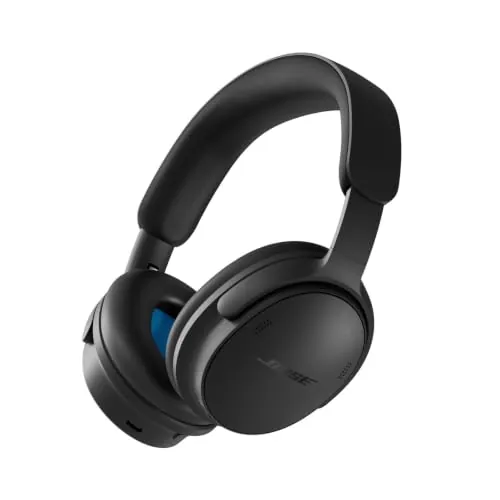
Bose QuietComfort (2nd Gen) vs QuietComfort Ultra (2nd Gen)
Both second-generation Bose models offer noise cancellation and USB-C wired listening, but Bose positions the Ultra as its premium model with CustomTune, Immersive Audio, and a capacitive volume strip. Bose's stated battery maximums differ by 6 hours with ANC on / in Bose's Quiet mode; RTINGS reports 27 hours for its tested QuietComfort sample and 37 hours for Ultra (2nd Gen). RTINGS describes the QuietComfort (2nd Gen)'s noise isolation as on par with Ultra (2nd Gen), so the available evidence does not establish that the Ultra cancels more noise in a direct controlled comparison.
Read comparison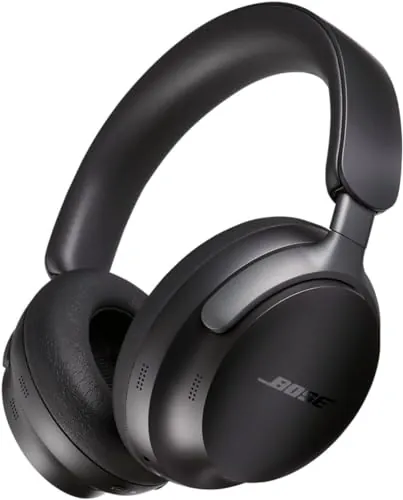
Bose QuietComfort Ultra vs 2nd Gen: Should Owners Upgrade?
The QuietComfort Ultra 2nd Gen is a practical upgrade for USB-C computer audio, charging while listening, longer manufacturer-rated sessions, and video with Cinema Mode. If you mainly use Bluetooth and want noise cancellation, the original remains a credible choice: an exact-pair independent comparison reports similar overall ANC strengths, not a clear generational leap.
Read comparison