
Products compared
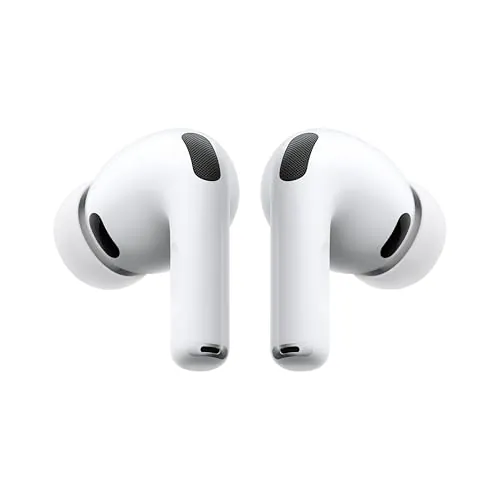
Apple
Apple AirPods Pro 3
The retailer listing identifies Apple AirPods Pro 3 part MFHP4LL/A. Apple lists current Apple-device software as the system requirement and supports Bluetooth pairing with non-Apple devices with limited functionality. Apple Support provides a Pro 3-specific pairing step for Android and other non-Apple devices; Siri is unavailable there.
Model MFHP4LL/A
Amazon ASIN B0FQFB8FMG
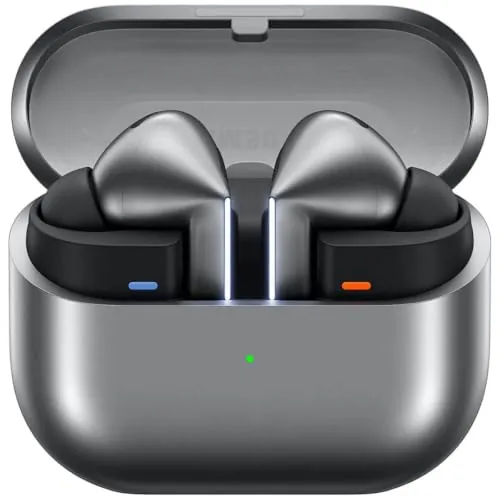
Samsung
Samsung Galaxy Buds3 Pro, Silver
The retailer listing identifies Silver model SM-R630NZAAXAC, matching Samsung Canada’s official Galaxy Buds3 Pro page. Samsung support lists Buds3 Pro as Bluetooth-only on iOS, without Galaxy Buds iOS app support. Auto Switch needs supported Galaxy devices on One UI 3.1 or later signed into the same Samsung account. This is the Canadian model code; these pages do not establish U.S. warranty or retailer package equivalence.
Model SM-R630NZAAXAC
Amazon ASIN B0D6T9CRLT
Differences that matter
What matters most to you?
Choose a priority to see what it changes.
Sources for Basic Bluetooth pairing outside the maker's ecosystem
Sources for Automatic switching across the same-brand devices
Sources for Settings and ecosystem-specific features
Sources for Exact Samsung regional model code
Start with the phone you will use most
If an iPhone is central to your setup, Apple documents AirPods Pro 3 requirements for its current operating systems and says the earbuds can also pair to a non-Apple device over Bluetooth, with limited functionality and no Siri. Apple's current support guide provides a Pro 3 pairing step: open the case with the earbuds inside and double-tap the case front until its light flashes, then select the AirPods in the host Bluetooth list.
On iPhone, Samsung lists Galaxy Buds3 Pro as Bluetooth-only and says the Galaxy Buds iOS app does not support this model. For Samsung app settings or Auto Switch, check whether your phone is a compatible Galaxy device and meets Samsung’s software and account requirements. Bluetooth pairing alone does not provide the full app and ecosystem features.
Check the account and software gates for switching
For supported AirPods, Apple describes automatic switching among Apple devices signed into the same Apple Account, with manual switching available as well. Verify the current system requirements and settings on your own Apple devices before relying on a specific switching routine.
Samsung’s U.S. support page says Buds3 Pro Auto Switch needs One UI 3.1 or later and a shared Samsung account. Samsung Canada’s page for Silver SM-R630NZAAXAC also says Galaxy AI features such as Interpreter and Live Translate require compatible Galaxy devices; availability varies by device. Check feature access on the phone you plan to use.
Pre-buy checklist for a mixed-device home
Before choosing, list your primary phone and second device, including the account signed into each. Check whether the feature you care about is ordinary Bluetooth pairing, maker-app settings, or automatic switching. For AirPods Pro 3 on a non-Apple host, Apple warns that functions are limited and Siri is unavailable. For Buds3 Pro, Samsung says iOS use is Bluetooth-only and Auto Switch requires compatible Galaxy devices, One UI 3.1 or later, and one Samsung account. Finally, verify the exact Silver SM-R630NZAAXAC retail offer and its regional terms; do not assume a U.S. support or warranty package from the Canadian model code.
Product details
Apple AirPods Pro 3
- System and non-Apple support
- Apple lists latest iOS/iPadOS/watchOS/macOS/tvOS/visionOS versions for its Apple-device requirements. Apple says non-Apple use is over Bluetooth with limited functionality; Siri is unavailable when paired to a non-Apple device. Source
- Non-Apple Bluetooth pairing
- For AirPods Pro 3, Apple Support says to open the case with the AirPods inside, double-tap the front of the case until the status light flashes white, then select the AirPods in the host's Bluetooth list. Source
Samsung Galaxy Buds3 Pro, Silver
- Exact variant and market
- Samsung Canada’s official page identifies Galaxy Buds3 Pro, model SM-R630NZAAXAC, Silver. The retailer listing shows the same code and describes it as an international model. Source
- iOS and Galaxy switching limits
- Samsung lists Buds3 Pro as Bluetooth-only on iOS, not supported by the Galaxy Buds iOS app. Samsung lists Auto Switch for Buds3 Pro on Galaxy devices running One UI 3.1 or later signed into the same Samsung account. Source
Before you buy
Community discussions
Choosing earbuds for a Galaxy phone and an iPad
Apple AirPods Pro 3
A shopper with a Galaxy S25 Ultra and an iPad Air was weighing AirPods Pro 3 against Galaxy Buds3 Pro.
What to check
Start with the device you use most for calls and music. Check where each pair lets you change settings and which device you would use for setup.
Common questions
Can AirPods Pro 3 pair to an Android phone?
Yes. Apple says AirPods can act as a Bluetooth headset with a non-Apple device for listening and talking. Siri is unavailable and functionality may be limited. Apple's AirPods Pro 3 pairing guide says to open the case with the earbuds inside and double-tap the front of the case to enter pairing mode.Pair AirPods with a non-Apple deviceAirPods Pro 3 - Technical Specifications
Can Samsung Galaxy Buds3 Pro use the Galaxy Buds app on iPhone?
Samsung lists Galaxy Buds3 Pro as Bluetooth-only on iOS and does not list it as compatible with the Galaxy Buds iOS app. Samsung's support list does include the model for Bluetooth use.Galaxy Buds that are compatible with iOS
What is needed for Buds3 Pro Auto Switch?
Samsung says Buds3 Pro Auto Switch works on supported Galaxy devices running One UI 3.1 or later, with those devices signed into the same Samsung account. Samsung says Auto Switch is not available on iOS.Use Auto switch with your Galaxy buds and paired devices
Is SM-R630NZAAXAC the Canadian Silver model?
Yes. Samsung Canada’s product page identifies Silver Galaxy Buds3 Pro as SM-R630NZAAXAC, matching the code on the retailer listing. That match does not establish U.S. warranty or package terms; confirm those for the exact offer.Galaxy Buds3 Pro | SM-R630NZAAXAC
Sources and scope
This comparison covers documented pairing, app access and device switching, not listening or fit results. For Samsung, check that the retailer is selling Silver model SM-R630NZAAXAC, the Canadian code shown on Samsung’s page. Samsung’s U.S. Auto Switch and iOS support pages identify Buds3 Pro by family name; they do not establish Canadian service, U.S. warranty or retailer package equivalence. Apple says AirPods Pro 3 has limited functions with non-Apple hosts. Check current OS and app requirements for your phone and region.
Related comparisons
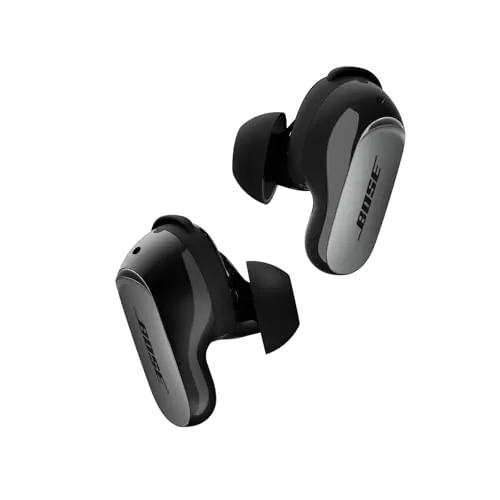
AirPods Pro 3 vs Bose QuietComfort Ultra Earbuds (2nd Gen): Fit and Device Switching
This is white Apple AirPods Pro 3 (MFHP4LL/A) versus black Bose QuietComfort Ultra Earbuds (2nd Gen, 896637-0010), not Bose's first-generation Ultra earbuds or either brand's headphones. RTINGS' direct comparison says AirPods Pro 3 has slightly better ANC and isolation plus longer continuous battery life, while Bose's microphone does a bit better with Android and PCs. The everyday difference is device workflow: Apple says AirPods can be used as Bluetooth headphones with non-Apple devices but functionality may be limited; Bose offers an iOS/Android app and multipoint for two source devices. Fit may override either result: Apple includes five tip sizes, and Bose offers nine tip-and-stability-band combinations plus an in-app seal test. Try the seal and switching routine with your actual phone and laptop before deciding.
Read comparison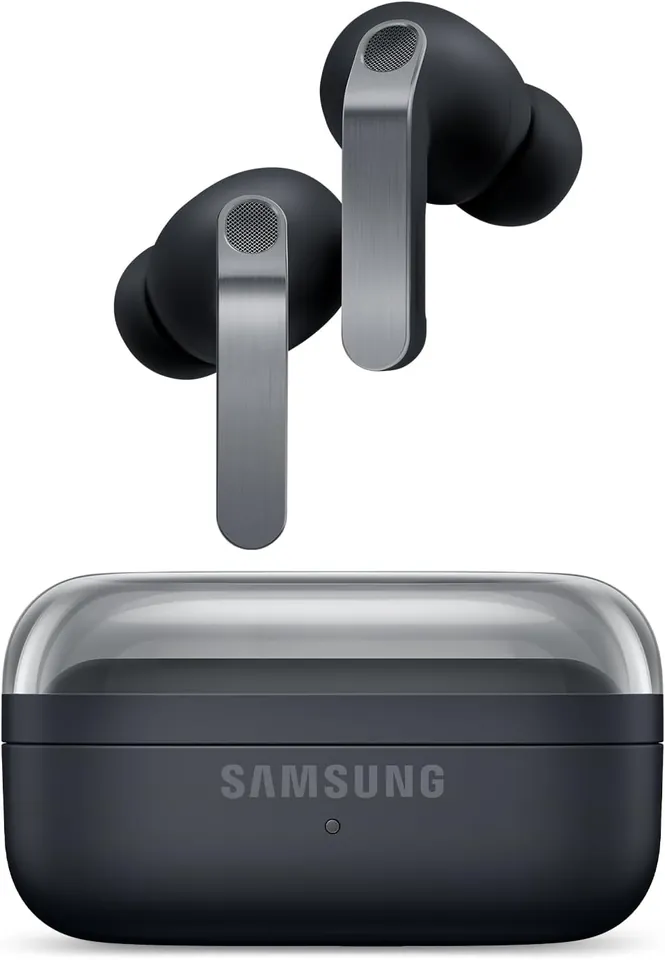
Galaxy Buds4 Pro vs Buds3 Pro: Check Phone Support and the Exact Region SKU
Compare the silver Galaxy Buds3 Pro international listing with the black Galaxy Buds4 Pro US listing by the Galaxy and Android features you will actually activate. The Buds4 Pro family adds head gestures, but Samsung lists phone and app requirements; verify the assigned retail model code and the Buds3 Pro seller's regional warranty before buying.
Read comparison