
Products compared
Apple
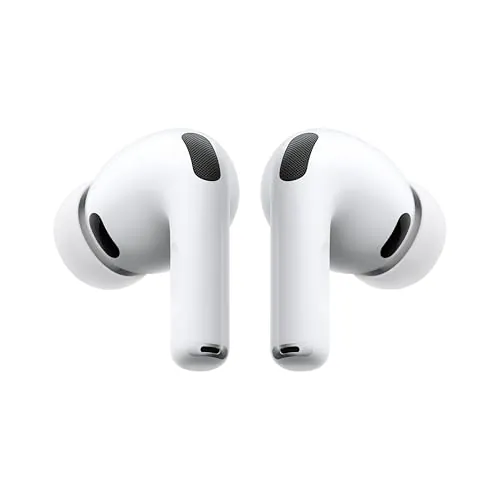
Apple AirPods Pro 3
selected listing: white AirPods Pro 3. Apple specifies a USB-C MagSafe Charging Case and lists Apple-device system requirements; Bluetooth use with non-Apple devices may have limited functionality.
Model MFHP4LL/A
Amazon ASIN B0FQFB8FMG
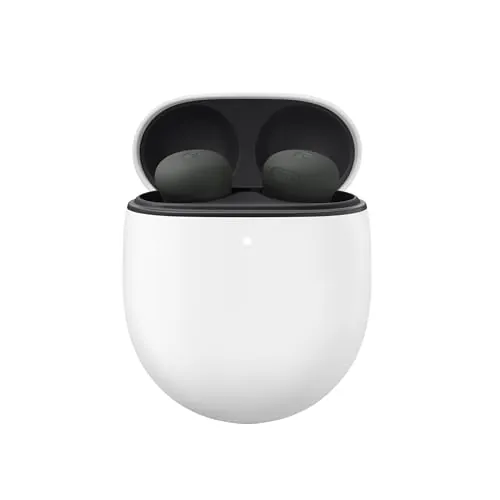
Google Pixel Buds Pro 2
selected listing: Hazel. Google lists broad Bluetooth pairing, Android companion-phone requirements for full feature access, USB-C and Qi case charging, and a case pairing button.
Model GA05762-US
Amazon ASIN B0D79ND3N7
Differences that matter
What matters most to you?
Choose a priority to see what it changes.
Sources for Phone pairing and feature access
Sources for Charging the case
Sources for Cable and eartips in the package listing
Sources for Starting Bluetooth setup
Sources for Finding a misplaced case
Start with the phone you will actually use
The first decision is not a sound ranking; it is which phone feature path you want. Apple lists iPhone, iPad, Apple Watch, Mac, Apple TV, and Vision Pro with their current operating systems for AirPods Pro 3. Apple also allows Bluetooth-headphone use with non-Apple devices, but warns functionality may be limited.
Google takes a broad-pairing, narrower-full-feature approach: Pixel Buds Pro 2 pair with Bluetooth 4.0-or-newer devices including iOS, Android, tablets, and laptops. Google says full feature access needs a Google Account, an Android 6.0-or-newer companion phone, and internet. So an iPhone can pair them, but that alone does not satisfy Google's stated full-feature requirements.
Choose a case around your charging routine
AirPods Pro 3's MagSafe case is listed for MagSafe, Apple Watch, Qi-certified, or USB-C charging. Apple specifically says the USB-C charge cable is sold separately. Pixel Buds Pro 2 list USB-C and Qi-certified wireless charging. If you already charge other devices on one of those pads or keep a USB-C cable at your desk, check which of the documented methods matches your routine.
The finding features also fit into their respective ecosystems: Apple lists a case speaker for Find My and Google lists a case ringtone speaker for Find Hub. That is a reason to check the service you already use, not evidence that one locating system works farther or more reliably.
Check box contents and the first pairing step
Apple lists five silicone tip sizes (XXS through L) and no USB-C charging cable in the box; its specifications explicitly say that cable is sold separately. Google lists four eartip options, with medium attached, plus the charging case and Quick Start Guide. Its listed contents do not mention a cable, so verify the exact offer if you expect one in the box.
Google documents its pairing flow clearly: charge the buds and case, open the case next to the device, then hold the button on the back until the status light pulses white. Android 6.0+ can show a pairing notification; other devices use the Bluetooth device list. For Apple's model, use the device-family and operating-system requirements in Apple's technical specifications and check the feature you depend on when pairing outside Apple's ecosystem.
Product details
Apple AirPods Pro 3
- Case charging
- MagSafe charger, Apple Watch charger, Qi-certified charger, or USB-C connector Source
- In the box
- Earbuds, USB-C MagSafe Charging Case, five silicone tip sizes (XXS, XS, S, M, L), and documentation; USB-C charge cable sold separately Source
- Case locator feature
- Case includes a speaker for use with Find My Source
- Host-device requirements
- Apple lists iPhone, iPad, Apple Watch, Mac, Apple TV, and Apple Vision Pro with their latest respective OS; non-Apple Bluetooth headphone use may have limited functionality Source
Google Pixel Buds Pro 2
- Case charging
- USB-C charging port and Qi-certified wireless charging Source
- In the box
- Earbuds, wireless charging case, four eartip sizes (XS, S, M attached, L), and Quick Start Guide; the listed contents do not mention a USB-C cable Source
- Host-device requirements
- Pairs with Bluetooth 4.0+ devices including iOS, Android, tablets, and laptops; full feature access requires a Google Account, Android 6.0+ companion phone, and internet Source
- Case pairing
- Open the case and hold its rear pairing button until the status light pulses white, then choose Pixel Buds from the device's Bluetooth list Source
- Case locator feature
- Case has a ringtone speaker for Find Hub Source
Before you buy
Community discussions
A Pixel Buds Pro 2 owner reported fit slipping during walks and runs
Google Pixel Buds Pro 2
A Pixel Buds Pro 2 owner said the earbuds often fell out while walking and came out quickly when running despite trying the included tip sizes and insertion adjustments. Their previous Galaxy Buds fit them better; that is a comparison of one person's ears, not a model-wide fit result.
What to check
If you plan to exercise in either pair, assess the fit with your own ears and movement rather than carrying over a tip size or fit expectation from another model. This report does not establish which product will fit you better.
Common questions
Can Pixel Buds Pro 2 pair with an iPhone?
Yes. Google says they pair with Bluetooth devices including iOS, and its iPhone/iPad setup page describes them as a standard Bluetooth headset on iOS. Google's full-feature requirements still include an Android 6.0-or-newer companion phone, a Google Account, and internet.Pixel Buds Pro 2 Features, Specs & Clear CallingSet up Google Pixel Buds - iPhone and iPad
Can AirPods Pro 3 be used with Android?
Apple says AirPods can be used as Bluetooth headphones with non-Apple devices, but functionality may be limited. Check whether the particular feature you want works with your phone before choosing them for an Android-centered setup.AirPods Pro 3 - Tech Specs
Do either charging cases include every cable I might need?
Apple's box list says the USB-C charge cable is sold separately. Google's listed box contents name earbuds, a wireless charging case, four eartip sizes, and a Quick Start Guide, but do not name a USB-C cable. Verify the exact seller package if you need a cable in the box.AirPods Pro 3 - Tech SpecsPixel Buds Pro 2 Features, Specs & Clear Calling
Sources and scope
This guide covers the white AirPods Pro 3 (MFHP4LL/A) and Hazel Pixel Buds Pro 2 (GA05762-US). Use the listed phone requirements, case and included accessories to narrow your choice. For fit and sound, try the earbuds with your own phone.
Related comparisons
AirPods Pro 3 vs Bose QuietComfort Ultra Earbuds (2nd Gen): Fit and Device Switching
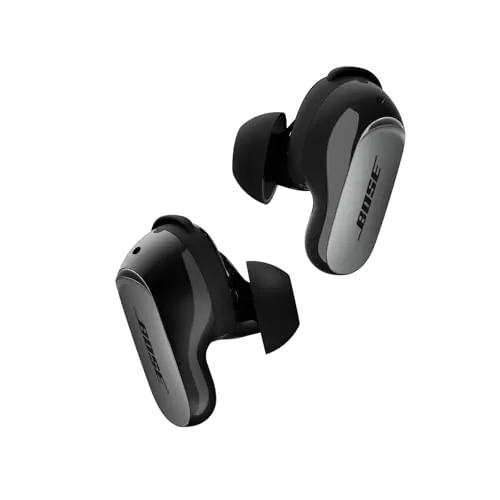
This is white Apple AirPods Pro 3 (MFHP4LL/A) versus black Bose QuietComfort Ultra Earbuds (2nd Gen, 896637-0010), not Bose's first-generation Ultra earbuds or either brand's headphones. RTINGS' direct comparison says AirPods Pro 3 has slightly better ANC and isolation plus longer continuous battery life, while Bose's microphone does a bit better with Android and PCs. The everyday difference is device workflow: Apple says AirPods can be used as Bluetooth headphones with non-Apple devices but functionality may be limited; Bose offers an iOS/Android app and multipoint for two source devices. Fit may override either result: Apple includes five tip sizes, and Bose offers nine tip-and-stability-band combinations plus an in-app seal test. Try the seal and switching routine with your actual phone and laptop before deciding.
Read comparisonBose QuietComfort Ultra Earbuds (2nd Gen) vs Pixel Buds Pro 2: Device Switching, Fit and Case
Bose QuietComfort Ultra Earbuds (2nd Gen), Black (896637-0010), and Google Pixel Buds Pro 2, Hazel (GA05762-US), both support multipoint and wireless charging. Pixel Buds Pro 2 pair with Bluetooth 4.0+ devices across Android, iOS, tablets and laptops, but Google says full feature access needs a Google Account, an Android 6.0+ companion phone and internet; its Audio switch has additional Android and same-account requirements. Bose lists app-managed listening modes and Bluetooth multipoint, plus a charging case, three eartip sizes, three stability-band sizes and a short USB-C-to-USB-A cable. Google lists four eartip sizes, a USB-C/Qi case and no cable in its box list. Neither model has a direct matched test against the other in the evidence used here, so this guide does not rank sound, ANC, comfort or battery performance.
Read comparison