Products compared
UGREEN
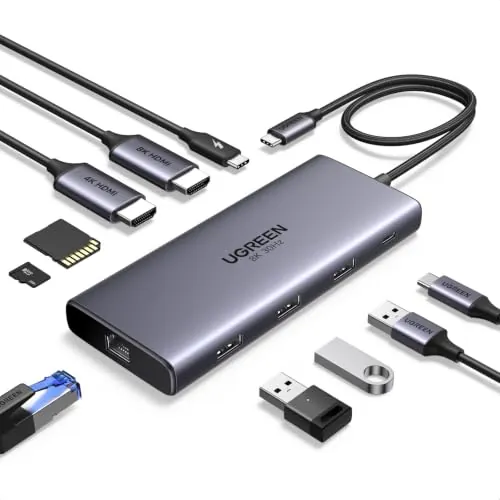
UGREEN Revodok Pro 210 10-in-1 USB-C Docking Station
A two-HDMI desk hub for a laptop setup where both displays use HDMI and you want a USB-C PD power input at the dock. The manufacturer lists up to 100 W entering that PD port, up to 85 W passed to the laptop, and 15 W reserved for dock operation. Its exact 15534 page says MacBook displays mirror; confirm host support and the U.S. offer’s power accessories.
Model 15534
Amazon ASIN B0BXDQS4BD
Anker
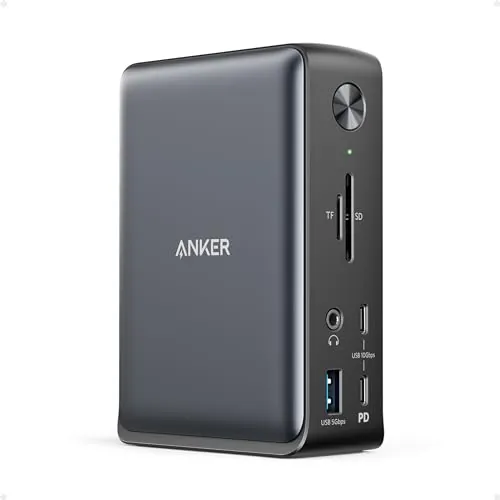
Anker 575 USB-C Docking Station (13-in-1)
A mixed-video-output option when a monitor needs a direct DisplayPort connection as well as HDMI. The U.S. Anker page identifies the 575 and lists a DC input rated 20 V/6.5 A plus up to 85 W on the laptop USB-C upstream port. Anker’s support page describes different display modes by operating system. Confirm the exact seller bundle and the host’s screen limit before relying on a particular setup.
Model A8392 (A83921A1)
Amazon ASIN B088F7SY6S
Differences that matter
Sources for Dock-side power versus laptop charging
Sources for Everyday peripheral connections
Start with the laptop and the monitor plan
These are not interchangeable just because both are USB-C docks with two HDMI sockets. The UGREEN Revodok Pro 210 15534 provides two HDMI outputs and no DisplayPort socket on its product specification. Anker’s 575 A8392 adds one DisplayPort. If a monitor must connect by DisplayPort directly, the Anker has the matching socket; if the screens are HDMI, write down the number of screens and whether each needs its own desktop before comparing further.
Anker's U.S. product page lists one monitor at up to 4K@60Hz, two at 2 × 4K@30Hz, and three at 3 × 1080p. Its support page explains that the mode depends on the host OS: Windows can use MST/SST with different content on connected screens; macOS uses SST, so external screens mirror one another. UGREEN lists two displays via HDMI at up to 4K@60Hz max or one display at up to 8K@30Hz through HDMI 2, and says MacBook displays mirror. These are maker-stated capability limits, not a guarantee for a particular laptop, GPU, monitor, cable or refresh-rate setup.
Before buying, check the laptop manufacturer's documentation for USB-C DisplayPort Alt Mode and Power Delivery, then verify how many external displays that exact host supports at your intended resolution and refresh rate. Anker says video will not work without DP Alt Mode; without PD, the dock can still provide its stated video/data functions but not laptop charging. UGREEN's broad compatibility wording does not replace this host-specific check.
Separate dock power from laptop power
The UGREEN's 100 W figure is the maximum USB-C PD input to the dock. The same exact-SKU page says up to 85 W is passed to the laptop and 15 W is reserved for dock operation. It also says a wall charger is not included. Because the page is in UGREEN's Canada locale, treat that as the exact model's documented configuration, not proof of what a U.S. marketplace seller includes.
Anker lists a DC-IN connection rated 20 V/6.5 A on its U.S. product page and up to 85 W at the laptop USB-C upstream port. Those figures describe different points in the power path. Check your laptop's required charging input against the 85 W host ceiling and check the exact retail package for the DC supply and cable. Neither dock should be chosen based on its dock-side input or adapter label alone.
Count the devices that stay at the desk
UGREEN lists a 5 Gbps USB-C data port, USB-A 3.0 and USB-A 2.0 connections, Gigabit Ethernet, and SD/microSD card readers. Its page says the USB data ports do not provide video or device charging. That layout is enough to shortlist it when the desk uses two HDMI screens and basic USB peripherals, provided the host and power checks also pass.
Anker lists three USB-A and three USB-C connections, but their roles differ: the exact support port map identifies the upstream host connection, a USB-C PD port, and a USB-C data port separately. The dock also lists Gigabit Ethernet, UHS-I SD and microSD readers, and a combined 3.5 mm audio port. Count the devices and card/headset needs you actually use; do not count every USB-C-shaped port as interchangeable.
A short pre-buy compatibility pass
Write down: (1) laptop model and USB-C video/charging support; (2) the monitor input for each screen; (3) whether you need separate desktops or mirroring; (4) target resolution and refresh rate per screen; (5) laptop charging requirement; and (6) whether your selected offer includes the dock-side power supply and cable. If any of those remain unknown, resolve them against the laptop documentation and the exact seller listing before choosing either dock.
If the answers point to two HDMI screens and a USB-C PD input plan, UGREEN is the conditional fit. If a native DisplayPort connection or Anker's three-output Windows layout matters, Anker is the conditional fit. If the laptop cannot provide the display mode you want, or needs more than 85 W from the dock, keep comparing rather than treating either port count as a compatibility promise.
Product details
UGREEN Revodok Pro 210 10-in-1 USB-C Docking Station
- Display connections
- Two HDMI outputs; the 15534 page lists two displays up to 4K@60Hz max, or up to 8K@30Hz through HDMI 2 alone. These are manufacturer limits, not a guarantee for an unspecified host. Source
- Dock power and laptop pass-through
- USB-C PD input up to 100 W; up to 85 W laptop pass-through with 15 W reserved for dock operation. The exact-SKU Canada page says a wall charger is not included; check the selected U.S. offer separately. Source
- Data and wired desk ports
- 5 Gbps USB-C data, one USB-A 3.0, two USB-A 2.0, Gigabit Ethernet, and SD/microSD readers; USB data ports do not provide charging or video output according to the product listing. Source
Anker 575 USB-C Docking Station (13-in-1)
- Display connections
- Two HDMI 2.0 outputs plus one DisplayPort. Anker lists up to 4K@60Hz for one screen, 2 × 4K@30Hz for two, or 3 × 1080p for three; the support page says mode depends on the host OS, with independent Windows displays and mirrored external displays on macOS. Source
- Dock input and laptop output
- The U.S. product page lists DC-IN at 20 V/6.5 A and up to 85 W at the laptop-charging USB-C upstream port. The power-supply rating and laptop output are separate values. Source
- Data and wired desk ports
- Anker lists three USB-A ports, three USB-C ports with distinct host/data/charging roles, Gigabit Ethernet, UHS-I SD and microSD slots, and a combined 3.5 mm audio port. Source
Before you buy
Community discussions
Checking a two-monitor 4K desk layout
Anker 575 USB-C Docking Station (13-in-1)
An MSI laptop owner says two Philips 4K displays had worked through an Anker 575 13-in-1 hub for nearly a year before they stopped working together; either display worked alone, and the cause remained unclear. This is one reported setup issue, not evidence of a general dock limitation.
What to check
Check the display output supported by your exact laptop and plan for the resolution and connection types of both screens. If possible, test both monitors together through the dock in the layout you intend to keep.
Common questions
Which dock has a DisplayPort output?
The Anker 575 A8392 lists one DisplayPort alongside two HDMI outputs. The UGREEN 15534 page lists two HDMI outputs. Confirm that your laptop’s USB-C video support and your monitor’s chosen input match the connection plan.UGREEN Revodok Pro 210 10-in-1 USB-C Hub, exact SKU 15534 (Canada-locale page)Anker 575 USB-C Docking Station (13-in-1), exact model A8392 port map
Will either dock guarantee two independent screens on my MacBook?
No. The UGREEN 15534 page says MacBook displays mirror. Anker says macOS uses SST, so connected external monitors mirror one another. Check your exact laptop’s supported display setup before purchasing; the number of output sockets is not the same as a guarantee of independent desktops.UGREEN Revodok Pro 210 10-in-1 USB-C Hub, exact SKU 15534 (Canada-locale page)What display modes can Anker 575 USB-C Docking Station support?
Does UGREEN’s 100 W PD input mean it sends 100 W to my laptop?
No. UGREEN lists up to 100 W at its USB-C PD input, up to 85 W passed to the laptop, and 15 W reserved for dock operation. The exact-SKU page says a wall charger is not included, but it is a Canada-locale page; verify the U.S. offer package.UGREEN Revodok Pro 210 10-in-1 USB-C Hub, exact SKU 15534 (Canada-locale page)
What should I check before ordering the Anker 575?
Check the laptop’s USB-C DisplayPort Alt Mode and Power Delivery support, the external-display mode your operating system supports, and the exact seller’s included DC power supply and cable. Anker’s U.S. product page lists the dock’s DC input and up to 85 W laptop output, but does not establish the contents of a particular marketplace offer.Anker 575 USB-C Docking Station (13-in-1), U.S. product specification and host requirementsAnker 575 USB-C Docking Station (13-in-1), exact model A8392 port mapWhat display modes can Anker 575 USB-C Docking Station support?
Sources and scope
Check USB-C video support, the host’s external-display limit and the combination of resolution and refresh rate you need. UGREEN’s exact Canadian specification identifies the device. Check the selected U.S. seller bundle for its power accessories.
- UGREEN Revodok Pro 210 10-in-1 USB-C Hub, exact SKU 15534 (Canada-locale page)
- Anker 575 USB-C Docking Station (13-in-1), U.S. product specification and host requirements
- Anker 575 USB-C Docking Station (13-in-1), exact model A8392 port map
- What display modes can Anker 575 USB-C Docking Station support?