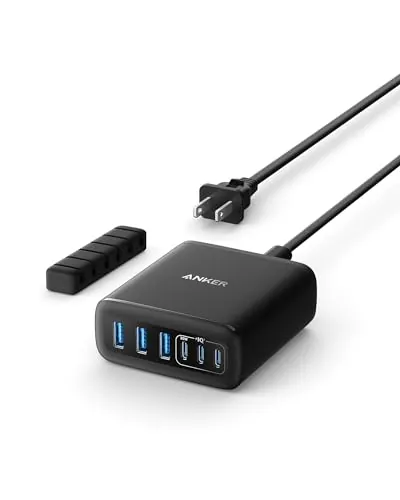
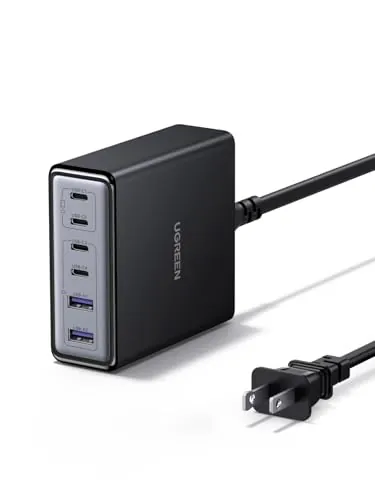
Products compared
Anker
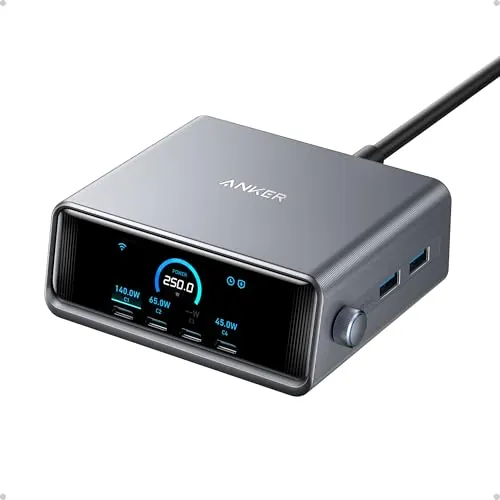
Anker Prime Charger (250W, 6 Ports, GaNPrime)
A six-port, corded desktop charging station with a screen and control dial. Anker's U.S. product page recommends the supplied AC cord or a standard two-pin C7 AC cord rated above 4.0A. Measure the body and cord route at the intended outlet.
Model A2345
Amazon ASIN B0CYLL8Y89
Anker
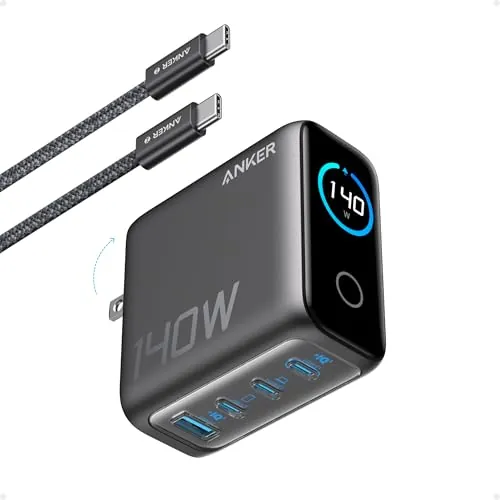
Anker Charger (140W, 4-Port, PD 3.1)
A four-port AC charger with three USB-C ports, one USB-A port and a display. Anker Support lists a 2.72 × 2.72 × 1.42-inch body. Its spec page describes 140W-capable output on C1 or C2 when used alone and also publishes allocations for simultaneous use.
Model A2697
Amazon ASIN B0DFCH3C4W
Differences that matter
What matters most to you?
Choose a priority to see what it changes.
Sources for Port layout and single-port ceilings
Sources for What happens when several devices are connected
Sources for Outlet, desk and carry fit
Sources for Cable and host check for a 140W target
Start with your real port map
The Prime A2345 offers six connections (four USB-C, two USB-A); the A2697 offers four (three USB-C, one USB-A). Port count is the first filter, but it does not tell you what every connected device will receive. On A2345, Anker lists C1 up to 140W and C2/C3/C4 up to 100W each when used alone. A2697 lists up to 140W on either C1 or C2 alone, 40W on C3 and 33W on USB-A.
Write your expected simultaneous connection list before choosing. If it includes a high-power laptop plus a phone or tablet, look at the combined-port row for the exact ports you expect to occupy. The output allocations are published limits, not a prediction of the laptop's draw.
The total headline and shared allocation answer different questions
Anker lists A2345 at up to 240W when two ports are in use and up to 250W with three to six ports. It does not present those totals as a promise to each port, and it says its allocation examples may vary after firmware changes.
For A2697, Anker provides a more explicit port map: C1+C2 is 70W+70W; C1 or C2 combined with C3 is 100W+40W; and all four ports are listed as 65W+45W+12W+12W, totaling 134W. Anker notes that the actual negotiated output may adjust with device protocol, cable and load. Match the table to the devices you will connect rather than treating the one-port maximum as the shared total.
Check the outlet, body and carry space
A2345 is listed at 4.18 × 1.58 × 3.64 inches and 640 g. Anker recommends the supplied AC cord or a standard two-pin C7 AC cord rated above 4.0A. That gives a buyer a concrete cord-routing check for a desk where the charger should sit apart from the receptacle.
A2697's support specification lists a more square 2.72 × 2.72 × 1.42-inch body and 100–240V AC input. Measure the outlet spacing, shelf orientation and bag opening you actually plan to use. These body dimensions do not establish wall-plug clearance or prove a charger fits a particular travel setup; check the exact offer and destination power arrangement.
Pick the control workflow you will use
A2345 has a 2.26-inch LCD and a dial. Anker documents AI Power Mode and an app setup path: Wi-Fi is enabled from the charger screen, the setup phone needs Bluetooth enabled, and the network must be 2.4GHz rather than 5GHz. Choose that workflow only if those controls are useful in your setup.
A2697 is documented with a screen and local button operations. Its support guide illustrates power-distribution, temperature-monitoring and total-operating-time views; the illustrated operation uses a short press to change screens and a long press to rotate the display. The material checked here does not establish that A2697 shares A2345's app and mode workflow.
Confirm the host and cable before expecting a maximum
A2697's exact-model support table lists 28V at 5A, up to 140W, on C1 or C2 when that port is used alone. A2345's U.S. page lists 140W maximum on C1 alone and 100W on each of C2 through C4 alone. These are charger-side outputs; the host must request a matching profile, and a shared-port setup changes the available allocation.
Before checkout, check the host manufacturer's input requirements and the cable rating it requires. Confirm the exact Amazon offer's box contents rather than assuming the cable package shown on another regional or bundle page applies to this ASIN. Neither charger should be treated as a data hub or video adapter from the charging specifications reviewed here.
Product details
Anker Prime Charger (250W, 6 Ports, GaNPrime)
- Ports
- 4 USB-C and 2 USB-A Source
- Single-port published maximums
- USB-C1: up to 140W; USB-C2/C3/C4: up to 100W each; USB-A1/A2: up to 22.5W each Source
- Multiple-port headline maximum
- Up to 240W with two ports in use; up to 250W with three through six ports in use. Anker says its allocation examples may vary by firmware. Source
- Body dimensions and weight
- 4.18 × 1.58 × 3.64 in; 22.58 oz / 640 g Source
- Controls and setup
- 2.26-inch LCD and control dial; Anker documents AI Power Mode and Wi-Fi/app setup that requires a 2.4GHz network and Bluetooth enabled on the setup phone Source
Anker Charger (140W, 4-Port, PD 3.1)
- Ports
- 3 USB-C and 1 USB-A Source
- Single-port published maximums
- USB-C1 and C2: up to 140W each; USB-C3: up to 40W; USB-A1: up to 33W Source
- Four-port allocation
- When all four ports are in use, Anker lists 65W + 45W + 12W + 12W, totaling 134W Source
- Body dimensions
- 2.72 × 2.72 × 1.42 in (69 × 69 × 36 mm) Source
- C1/C2 output profile
- Anker lists 28V⎓5A (140W max) when either C1 or C2 is the only port in use; simultaneous-port limits are lower and depend on the ports used Source
Before you buy
Community discussions
Checking smart features at the desk separately from power delivery
Anker Prime Charger (250W, 6 Ports, GaNPrime)
An Anker A2345 owner reported that their desk charger powered devices as expected but had trouble with Wi-Fi setup for its smart functions. They were still troubleshooting the connection.
What to check
If smart controls matter at your desk, confirm the app and your Wi-Fi setup before relying on them. Measure which ports and cable lengths you would use even when traveling.
Common questions
Does the A2697 deliver 140W to two USB-C devices at once?
No. Anker's table lists 70W + 70W when C1 and C2 are both used. The 140W figure is the listed maximum for either C1 or C2 when used alone; other combinations have their own allocations.Specification of Anker 140W Charger A2697 — Anker SupportHow Power is Distributed in Anker Charger (140W, Four-Port, PD 3.1) — Anker Support
Can I use all four A2697 ports and still get 140W total?
Anker lists 65W + 45W + 12W + 12W when all four ports are in use, a stated total of 134W. It also notes that output may adjust with the device protocol, cable and load.Specification of Anker 140W Charger A2697 — Anker SupportHow Power is Distributed in Anker Charger (140W, Four-Port, PD 3.1) — Anker Support
What should I check if a laptop does not draw the charger's maximum?
Check the laptop's documented USB-C input profile, the port you chose, and the cable rating required by the device and charger makers. Then consult the exact charger's allocation for the number of active ports. Published output is not a test result or a promise for every host.Anker Prime Charger (250W, 6 Ports, GaNPrime) — Anker U.S.Specification of Anker 140W Charger A2697 — Anker Support
Do either of these chargers provide USB data or video output?
The manufacturer pages reviewed for this guide describe charging ports and power profiles, but do not establish data-transfer or video-output support. If you need those connections, use a hub or dock whose exact manual documents them.Anker Prime Charger (250W, 6 Ports, GaNPrime) — Anker U.S.Specification of Anker 140W Charger A2697 — Anker Support
Sources and scope
This is a specifications-based comparison of the exact listing data models A2345 and A2697 using Anker U.S. and Anker Support material. It is not a charging-time, temperature, device-compatibility, durability or safety test. Published maximums describe charger outputs under stated port combinations; a connected host must request a supported profile, and its cable, firmware, load and battery state affect actual charging. Anker says A2345 power-allocation examples may change with firmware. The A2697 support page lists 295 g for the charger, while a separate support summary labels 395 g as total weight; weight is omitted here. The sources reviewed do not establish USB data-transfer or video-output functionality, so do not treat either charger as a USB hub or display adapter.
- Anker Prime Charger (250W, 6 Ports, GaNPrime) — Anker U.S.
- Specification of Anker 140W Charger A2697 — Anker Support
- How Power is Distributed in Anker Charger (140W, Four-Port, PD 3.1) — Anker Support
- A2697-Anker 140W Charger Screen Display Guide — Anker Support
- Anker Charger (140W, 4-Port, PD 3.1) User Guide (A2697) — Anker Support