
Products compared
Apple
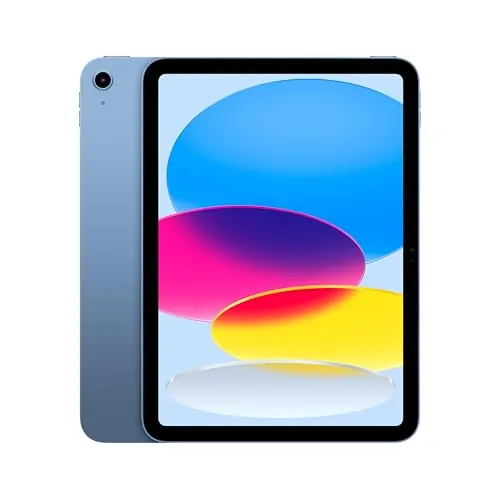
Apple iPad 11-inch (A16), 128GB Wi-Fi, Blue
The Apple iPad 11-inch (A16) configuration compared here is Blue, 128GB, Wi-Fi. Apple lists Apple Pencil (USB-C) and Apple Pencil (1st generation) compatibility; the iPad box contents Apple lists do not include a Pencil.
Model MD4A4LL/A
Amazon ASIN B0DZ75TN5F
Samsung
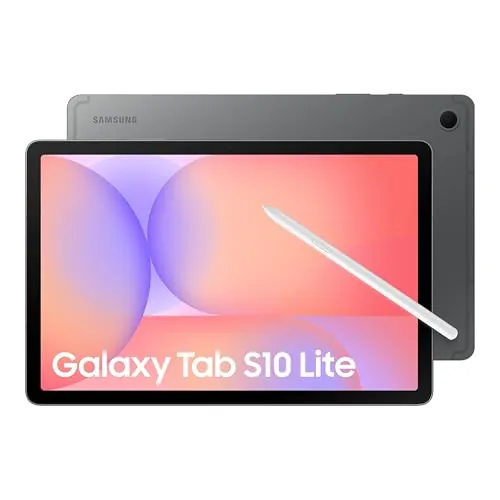
Samsung Galaxy Tab S10 Lite, 128GB Wi-Fi, Gray
The Samsung offer compared here is the Gray 128GB Wi-Fi model identified as SM-X400NZANXAR. Samsung’s U.S. Gray 128GB Wi-Fi configuration page reviewed here uses SM-X400NZAAXAR. The difference is unresolved; confirm the exact code on the seller’s offer and box.
Model SM-X400NZANXAR
Amazon ASIN B0FF5JJ3CP
Differences that matter
What matters most to you?
Choose a priority to see what it changes.
Sources for Pen included versus pen compatibility
Sources for Storage path for the 128GB configurations
Sources for Physical workspace and carry check
Sources for Moving from iPad to Galaxy
Start with the pen already in your plan
This pair is easiest to separate by accessory setup. Apple's specification lists Apple Pencil (USB-C) and Apple Pencil (1st generation) as compatible with iPad (A16). First-generation Pencil pairing and charging needs a USB-C to Apple Pencil Adapter. Apple's listed iPad box contains the tablet, a 1-meter USB-C charge cable and a 20W USB-C power adapter, not a Pencil.
Samsung says an S Pen is included with the Tab S10 Lite. The U.S. Gray 128GB Wi-Fi configuration page reviewed here uses SM-X400NZAAXAR, while the offer compared here is identified as SM-X400NZANXAR. The code difference is unresolved, so verify the seller’s exact device and box contents before counting on the pen.
Choose a storage routine, not just a capacity label
Both configurations compared here have 128GB. Apple lists 128GB, 256GB and 512GB iPad A16 options. Samsung lists 128GB and 256GB S10 Lite versions and separately sold microSD expansion up to 2TB. This gives the buyer a choice between fixed internal capacity and removable storage for supported uses; it does not establish that every app or app-data folder can move to a card.
Before buying, check which files must stay on the tablet and whether the apps you use support removable-card storage. If you prefer fixed internal capacity, compare the Apple capacity tier you need rather than assuming the entry configuration will be enough.
Plan for the switch if your current device is an iPad
Samsung documents Smart Switch transfer from iOS by cable, wirelessly or through iCloud. It says transfer availability varies by method and specifically names contacts, gallery, videos, calendars and reminders for wireless transfer. Samsung recommends a wired connection when moving diverse sets of data.
Use that as a migration checklist, not a promise that apps or their settings will be recreated. List the apps, sign-ins and files that matter to you, then confirm each app's Android availability and its own sync or export steps before replacing an iPad.
Check the physical setup and exact Samsung code
Samsung lists a 10.9-inch display and body dimensions of 10.01 × 6.53 × 0.26 inches for the Tab S10 Lite family. Measure the tablet plus your intended case, stand or separately sold keyboard; screen diagonals do not tell you whether a complete setup fits.
The official Samsung U.S. Gray/128GB/Wi-Fi configuration page reviewed here uses model code SM-X400NZAAXAR. The Samsung offer compared here is identified as SM-X400NZANXAR. This guide does not resolve whether the suffix difference reflects a listing typo, regional/package variation or another distinction. Check the code and package on the exact seller offer.
Product details
Apple iPad 11-inch (A16), 128GB Wi-Fi, Blue
- Apple Pencil options
- Apple lists compatibility with Apple Pencil (USB-C) and Apple Pencil (1st generation). The first-generation Pencil needs a USB-C to Apple Pencil Adapter to pair and charge. Source
- Tablet box
- Apple lists the iPad, a 1-meter USB-C charge cable and a 20W USB-C power adapter; an Apple Pencil is not on the listed contents. Source
- Listed internal capacities
- Apple lists 128GB, 256GB and 512GB capacities for iPad (A16); the Blue Wi-Fi model compared here is 128GB. Source
Samsung Galaxy Tab S10 Lite, 128GB Wi-Fi, Gray
- Included stylus
- Samsung’s U.S. Tab S10 Lite page says an S Pen is included. Confirm the exact retail model code and package because the official configuration page and the Samsung offer compared here show different suffixes. Source
- Expandable storage
- Samsung lists 128GB and 256GB storage options and up to 2TB microSD expansion; the card is sold separately. Source
- Published size
- Samsung describes a 10.9-inch display and lists body dimensions of 10.01 × 6.53 × 0.26 inches for the Tab S10 Lite family. Measure the intended sleeve or stand rather than assuming accessories fit. Source
Before you buy
Community discussions
List the stylus, storage and case you would buy
Samsung Galaxy Tab S10 Lite, 128GB Wi-Fi, Gray
A parent comparing the Galaxy Tab S10 Lite and iPad A16 for drawing and videos weighed the stylus purchase, removable storage and the keyboard case their child wanted.
What to check
Check the compatible stylus and case by model. Estimate how much built-in storage you will need once the apps and downloaded media you use are installed.
Estimate how much internal space your apps need
Samsung Galaxy Tab S10 Lite, 128GB Wi-Fi, Gray
An owner of a 128 GB Galaxy Tab S10 Lite asked if a memory card could free enough space for the larger games they wanted to install.
What to check
Check how much space your largest apps use and which files they can store on a card. Use that to choose the tablet’s built-in capacity.
Common questions
Does the iPad A16 come with an Apple Pencil?
Apple's listed in-box items are the iPad, USB-C charge cable and 20W USB-C power adapter; the list does not include a Pencil. Apple lists USB-C and first-generation Pencil compatibility. The first-generation model needs a USB-C to Apple Pencil Adapter for pairing and charging. Check the exact retail bundle.iPad (A16) - Tech Specs
Does the Galaxy Tab S10 Lite include an S Pen?
Samsung’s U.S. Tab S10 Lite page says an S Pen is included. Its Gray 128GB Wi-Fi configuration page uses model suffix SM-X400NZAAXAR, while the Samsung offer compared here is identified as SM-X400NZANXAR. Match the seller’s full model code and box contents before counting on the included pen.Galaxy Tab S10 LiteGalaxy Tab S10 Lite 128GB Gray Wi-Fi configuration
Can I expand storage on the Galaxy Tab S10 Lite?
Samsung lists up to 2TB of microSD expansion, with the card sold separately. Its page does not establish that every app or every type of app data can be moved to the card, so check the storage behavior for the apps you need.Galaxy Tab S10 Lite
Can Smart Switch move everything from an iPad?
Samsung documents iOS transfer by cable, wirelessly or through iCloud, and says available data, content and apps vary by method. It specifically lists contacts, gallery, videos, calendars and reminders for wireless transfer. Review the apps and accounts you rely on separately.Galaxy Tab S10 Lite
Sources and scope
Samsung’s Gray 128GB configuration page uses SM-X400NZAAXAR, and the retailer listing uses SM-X400NZANXAR. Confirm the model and S Pen inclusion for the selected offer. Check separate stylus and adapter requirements before ordering each tablet.
Related comparisons
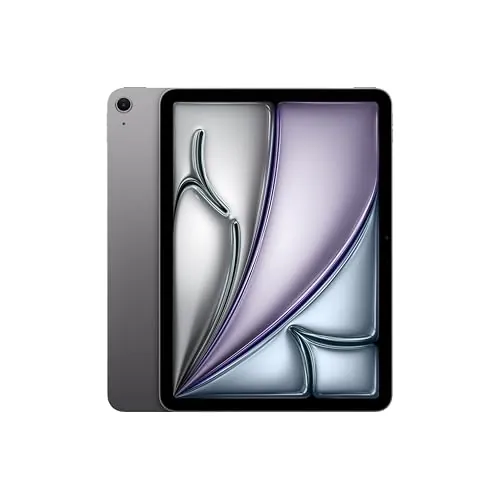
Apple iPad 11-inch (A16) vs iPad Air 11-inch (M4): Which Pencil and Keyboard Setup Fits?
For a desk setup built around handwritten notes and typing, start with your existing accessories. The 11-inch iPad (A16) supports Apple Pencil USB-C or first-generation Pencil and Magic Keyboard Folio; the 11-inch iPad Air (M4) supports Apple Pencil Pro or USB-C and Magic Keyboard for iPad Air. Both are 128GB Wi-Fi models here. The Air adds a fully laminated P3 display and Pencil hover for drawing and annotation workflows.
Read comparison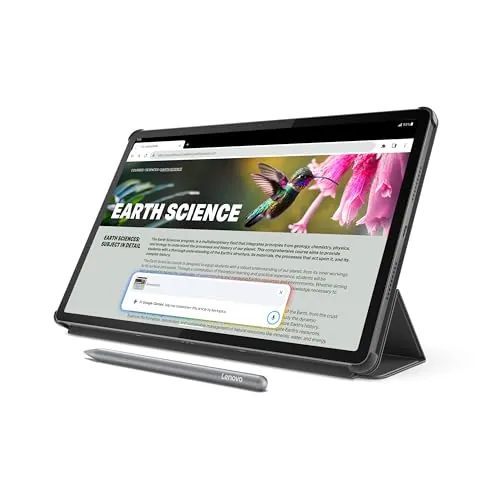
Lenovo Idea Tab Pro vs Galaxy Tab S10 Lite: Big Screen or Lighter Kit?
The Lenovo Idea Tab Pro compared here is a 12.7-inch 3K, 144Hz TB373FU configuration with 8GB RAM, 128GB storage, microSD support up to 1TB and USB-C DisplayPort output. Its current U.S. offer, B0F1NGFSNY, lists a pen and Folio Case, but Lenovo says TB373FU bundles vary. Samsung’s 10.9-inch S10 Lite includes an S Pen, supports split-screen and Samsung Notes, and supports separately sold microSD expansion up to 2TB. Its compared U.S. offer is identified as SM-X400NZANXAR, while Samsung’s official U.S. Gray/Wi-Fi/128GB page uses SM-X400NZAAXAR. Check the offer’s exact model code before checkout.
Read comparison