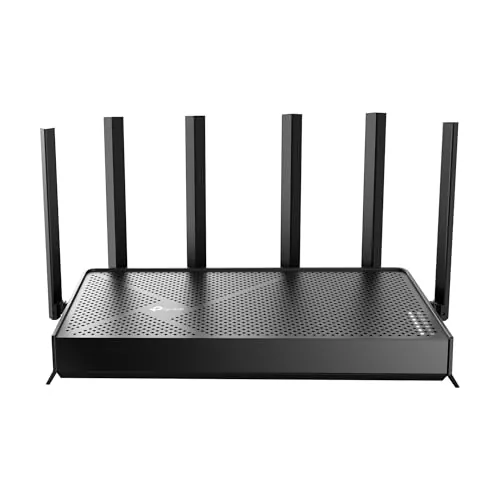
Products compared
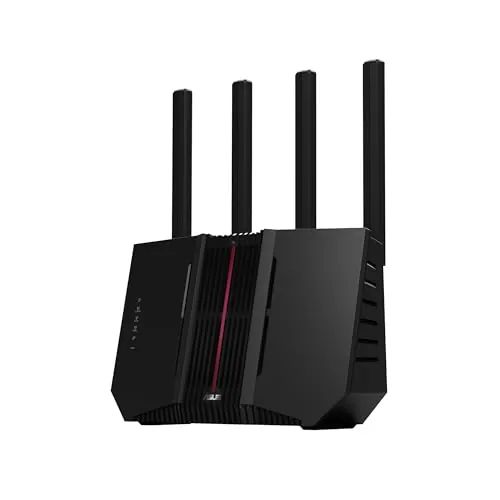
ASUS
ASUS RT-BE9700 WiFi 7 Tri-band Router
ASUS U.S. model RT-BE9700; tri-band Wi-Fi 7 router.
Model RT-BE9700
Amazon ASIN B0GJX8NKVR
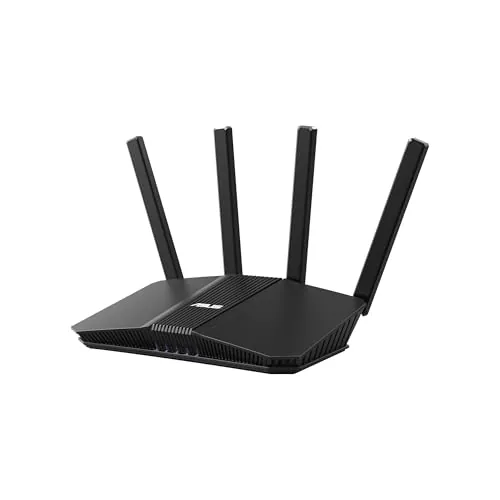
ASUS
ASUS RT-BE58U WiFi 7 Dual-band Router
ASUS U.S. model RT-BE58U; dual-band Wi-Fi 7 router.
Model RT-BE58U
Amazon ASIN B0DHWBS9G6
Differences that matter
What matters most to you?
Choose a priority to see what it changes.
Sources for Wi-Fi bands and client fit
Sources for Wired devices after the WAN connection
Sources for Placement, dimensions, and mounting
Sources for Optional ASUS mesh expansion
Start with the clients you already use
Both specification pages identify their router as Wi-Fi 7 (802.11be). Their band lists differ: RT-BE9700 includes 2.4, 5, and 6 GHz, while RT-BE58U lists 2.4 and 5 GHz. If the extra band is why you are considering the RT-BE9700, check the wireless specifications for your laptop, phone, or other target client first. A router's band list does not establish that every client supports or uses that band.
The RT-BE58U product page describes Multi-Link Operation over its 2.4 and 5 GHz bands and cautions that supported MLO modes and bands vary by device. Treat that as a client-dependent feature check, not an expected speed result.
Draw the Ethernet layout before choosing a port count
The RT-BE9700 spec maps one 10 Gbps port and one 2.5 Gbps port as WAN/LAN, plus three 2.5 Gbps LAN ports. The RT-BE58U maps one 2.5 Gbps and one 1 Gbps port as WAN/LAN, plus three 1 Gbps LAN ports. The model's port-role labels matter: if you assign a WAN/LAN port to the modem or ONT, do not also count it as an unused LAN port.
A quick planning worksheet is enough: write the modem/ONT uplink, then each wired PC, NAS, console, access point, or switch; note each device's documented port rate; then mark the router port used by WAN. If a link must negotiate above 1 Gbps, check the port on the other device and the cable path as well. These are setup checks, not a claim about measured throughput.
Check placement and mesh plans against the exact model
ASUS lists the RT-BE9700 at 247.18 × 101.59 × 287.47 mm and includes a wall-mount kit in its package contents. The RT-BE58U spec lists 238 × 147 × 193 mm. Use those published dimensions to check the actual installation location, but leave space for power and Ethernet connectors and follow the product's installation guide for the intended orientation. If a wall mount is important, the RT-BE9700's listed package includes a kit; the RT-BE58U package list does not mention one, so verify the exact seller's contents rather than assuming.
Both models are listed as AiMesh primary routers and nodes. That is useful when planning an ASUS mesh, but the two spec sheets do not confirm a particular existing model or firmware combination. Check current ASUS support information for the exact devices you plan to combine. ASUS's RT-BE58U manual also recommends central placement and avoiding obstructions; it does not establish a coverage comparison between these routers.
Product details
ASUS RT-BE9700 WiFi 7 Tri-band Router
- Listed Wi-Fi bands
- 2.4 GHz, 5 GHz, and 6 GHz; Wi-Fi 7 (802.11be) is listed. Source
- Ethernet port roles
- One 10 Gbps WAN/LAN port, one 2.5 Gbps WAN/LAN port, and three 2.5 Gbps LAN ports. Source
- Listed size and box contents
- 247.18 × 101.59 × 287.47 mm; ASUS lists a wall-mount kit, RJ-45 cable, and power adapter in the package contents. Source
- AiMesh roles
- Listed as both a primary AiMesh router and an AiMesh node. Source
ASUS RT-BE58U WiFi 7 Dual-band Router
- Listed Wi-Fi bands
- 2.4 GHz and 5 GHz; Wi-Fi 7 (802.11be) is listed. Source
- Ethernet port roles
- One 2.5 Gbps WAN/LAN port, one 1 Gbps WAN/LAN port, and three 1 Gbps LAN ports. Source
- Listed dimensions
- 238 × 147 × 193 mm, as listed by ASUS. Source
- AiMesh roles
- Listed as both a primary AiMesh router and an AiMesh node. Source
Before you buy
Community discussions
A router buyer is replacing an older Wi-Fi 5 model and wants Wi-Fi 6E or 7
ASUS RT-BE9700 WiFi 7 Tri-band Router
The OP has a Netgear Nighthawk RAX43 and is considering an upgrade for internet above gigabit and Wi-Fi 6E or 7. The post asks for recommendations but does not report results with the listed ASUS models.
What to check
Before paying for a new band or multi-gig port, check the ISP plan, modem connection and the actual Wi-Fi bands and link rates supported by devices in the home. Treat the post as an upgrade checklist, not a coverage or speed result.
Common questions
Does the RT-BE9700's listed 9.7 Gbps mean my internet will run at 9.7 Gbps?
No. ASUS lists per-band Wi-Fi data-rate figures as specifications and says actual throughput and coverage vary with network, service-provider, interface, and environmental conditions. Use the supported client bands and port map to plan; this page does not test or predict your home's end-to-end speed.ASUS RT-BE9700 — Tech Specs (ASUS USA)
Can the RT-BE58U connect a 2.5 Gbps internet service?
Its specifications list one 2.5 Gbps WAN/LAN port. Check the modem/ONT, service, cable path, and selected router port role together; the router port label does not verify your whole connection or guarantee an observed rate.RT-BE58U — Tech Specs (ASUS USA)
Can either model join an ASUS AiMesh network?
ASUS lists both the RT-BE9700 and RT-BE58U as primary AiMesh routers and AiMesh nodes. Check the current ASUS compatibility guidance for your exact existing router and firmware before buying for a specific mesh arrangement.ASUS RT-BE9700 — Tech Specs (ASUS USA)RT-BE58U — Tech Specs (ASUS USA)
Sources and scope
This is a feature-fit comparison based on ASUS U.S. documentation. It does not include controlled speed, latency, range, coverage, or load testing. A router's listed bands and port rates do not ensure a device can use them: check the client, modem or switch, port assignment, and installed cabling for your own setup. ASUS lists AiMesh roles for both models, but these pages do not establish compatibility with every existing router or firmware combination.