
Products compared
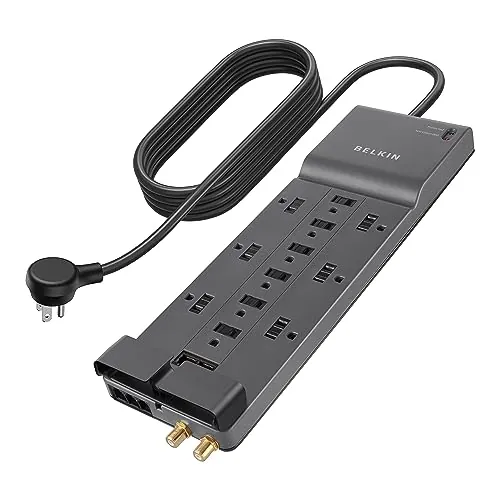
Belkin
Belkin 12-Outlet Surge Protector with Phone, Ethernet and Coax Protection, 10 ft Cord
Exact U.S. BE112234-10 model in gray finish.
Model BE112234-10
Amazon ASIN B000HPX46U
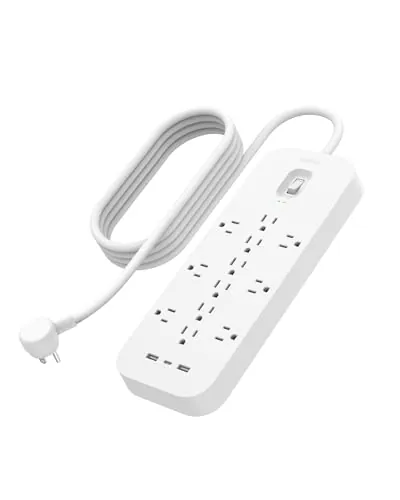
Belkin
Belkin 12-Outlet Surge Protector with USB-C and USB-A Ports
Exact U.S. SRA007p12tt6 model in white finish.
Model SRA007p12tt6
Amazon ASIN B0BQNB74CF
Differences that matter
Sources for Cord reach and plug profile
Sources for Mounting and placement details
Sources for Shared AC outlet count
Start with the cable that must reach the strip
The main functional split is visible in the listed connections. BE112234-10 documents telephone/modem/fax/DSL, coax and RJ-45 Ethernet connection points. SRA007 instead lists two USB-A ports and one USB-C port alongside its AC outlets. Pick the connection type your actual equipment needs; neither list establishes service compatibility, network bandwidth or the charging result for a specific device.
If you are choosing SRA007 for USB, check the device maker's required charging profile and the exact Belkin output documentation before relying on it. The product page establishes the USB-A and USB-C ports, but that alone does not establish laptop charging or a particular device's supported protocol.
Measure the route and check the plug before mounting
Belkin lists a 10-foot cord and low-profile right-angle plug for BE112234-10; its FAQ also identifies rear mounting holes. SRA007's product page lists a 6-foot cord and keyhole wall mounting. Sketch the route from the receptacle, include the actual cord bend and furniture clearance, and check the mounting surface and fastener position before buying.
These details support a placement check, not a promise that a cord reaches a particular point or that a strip fits behind a cabinet. BE112234-10 has documented mounting holes; SRA007 is listed with keyhole mounting, so follow the exact product instructions for the chosen wall setup.
Treat the shared outlet count as a tie
Both product pages list 12 AC outlets. BE112234-10's FAQ breaks that into six regular outlets and six BlockSpace outlets; SRA007's page confirms 12 AC outlets. Outlet count alone does not show whether a bulky adapter will leave neighboring sockets accessible, so check the exact layout image and plug dimensions for your setup.
For SRA007, Belkin support specifies indoor use and plugging directly into a wall outlet. If its six-foot cord does not reach the intended position under that instruction, move the planned location or consider another model rather than adding an extension cord or another strip.
Product details
Belkin 12-Outlet Surge Protector with Phone, Ethernet and Coax Protection, 10 ft Cord
Belkin 12-Outlet Surge Protector with USB-C and USB-A Ports
Before you buy
Common questions
Which one has USB ports?
SRA007 lists two USB-A ports and one USB-C port. Confirm the power and protocol your devices need; the listed port types do not establish that a laptop or any specific device will charge as expected.Belkin SRA007p12tt6 12-Outlet Surge Protector with USB-C and USB-A — U.S. product page
Which one includes telephone, coax and Ethernet connection points?
Belkin's BE112234-10 product page lists telephone/modem/fax/DSL, coaxial cable and RJ-45 Ethernet connections. Connector presence does not establish network speed or compatibility with a particular service; verify the exact equipment path separately.Belkin BE112234-10 12-Outlet Surge Protector with Phone/Ethernet/Coax Protection — U.S. product page
Is the longer cord automatically the better fit?
No. BE112234-10 lists a 10-foot cord and SRA007 lists a 6-foot cord. Measure your actual wall-to-strip route and check plug clearance and mounting location; length alone does not guarantee fit.Belkin BE112234-10 FAQBelkin SRA007p12tt6 12-Outlet Surge Protector with USB-C and USB-A — U.S. product page
Can I extend SRA007 with an extension cord or another strip?
Belkin's SRA007 support page says to use the unit indoors and plug it directly into a wall outlet. If the listed 6-foot cord cannot reach that way, reassess the placement or compare another product whose manufacturer instructions support the needed setup.Belkin SRA007 support FAQ
Sources and scope
This guide compares manufacturer-listed connections and placement details, not electrical testing or surge-protection performance. Belkin's exact-model pages conflict on joule figures; its SRA007 product page and FAQ also conflict on Connected Equipment Warranty coverage. Those claims are excluded. A port's presence does not establish a particular device's charging compatibility or power needs.
Related comparisons
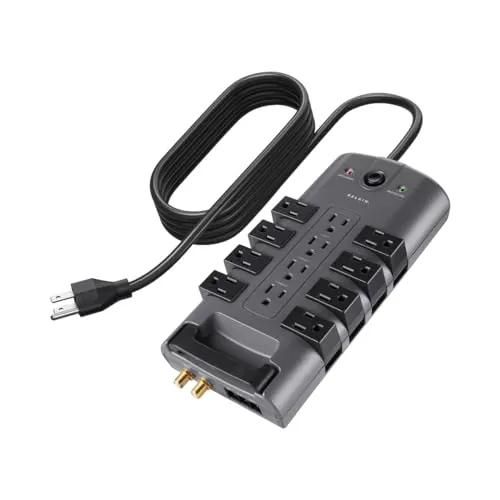
Belkin SRA007p12tt6 vs BP112230-08: USB, Pivoting Outlets and Cord Reach
Both Belkin strips list 12 AC outlets, but their documented extras differ. The SRA007p12tt6 lists two USB-A ports, one USB-C port and a 6-foot cable. The BP112230-08 lists eight pivoting outlets, RJ-11 and coaxial/cable connections, and an 8-foot cord. Count your USB devices, mark any telephone or coax line, and measure the full outlet-to-strip route before choosing.
Read comparison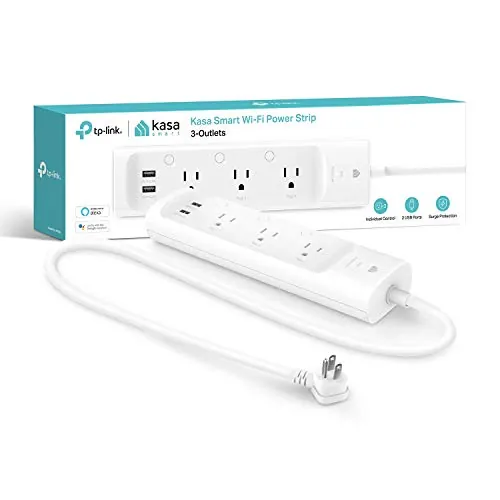
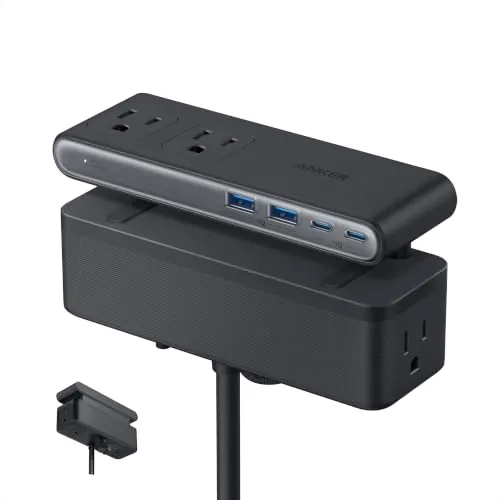
Anker Nano Clamp A9196 vs Kasa KP303: Desk Fit or App-Controlled Outlets?
These U.S. power strips solve different desk problems. The white Kasa KP303 gives three AC outlets their own buttons and Kasa-app schedules, while its two USB-A ports stay on. The black Anker Nano A9196 clamps to a qualifying desk edge and places six conventional AC outlets plus two USB-C and two USB-A ports in top and bottom zones. Its 70 W USB-C headline is conditional: the guide shows 45 W on C1, 12 W on C2 and 12 W shared by both USB-A ports when all four USB ports are in use. Before buying Anker, measure desk thickness, edge angle and the space above and below the desk; before choosing Kasa, confirm that app control applies to the AC devices you want to switch, not to USB charging.
Read comparison