
Products compared
Belkin
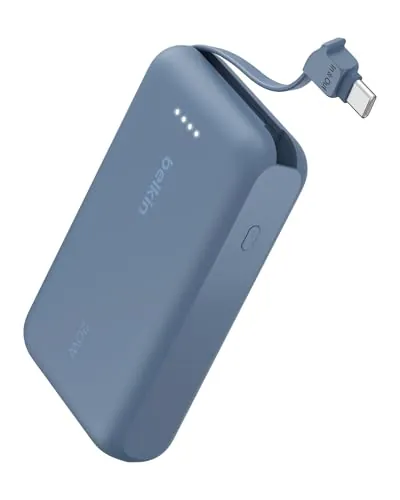
Belkin BoostCharge Power Bank 10K with Integrated Cable
Blue, 10,000mAh bank with a short integrated USB-C cable and a separate USB-C port. Belkin rates a single output at up to 20W and both outputs together at 15W total. Its exact support page lists a small status indicator and dimensions of 3.9 × 2.5 × 0.9 in.
Model BPB021
Amazon ASIN B0DFYCZS76
Belkin
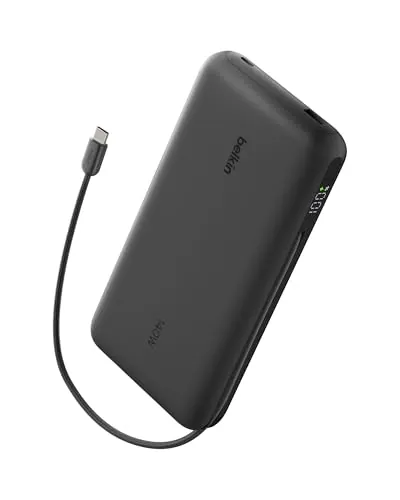
Belkin UltraCharge Pro Laptop Power Bank 25K
Black, 25,000mAh bank with an integrated braided USB-C cable, a USB-C in/out port, a USB-A port, and a digital status display. Belkin says the USB-C port supports up to 140W output when used to charge a device, up to 90W input with a compatible USB-C charger, and that power is shared when multiple outputs are active.
Model BPB039
Amazon ASIN B0GXX52D5Y
Differences that matter
Sources for Single-output rating and multi-device behavior
Sources for Recharging the power bank
Start with the cables on your device list
BPB021 gives you two USB-C connections: its built-in cable and a separate port. BPB039 gives you an integrated braided USB-C cable, a USB-C in/out port, and USB-A. If every device you carry uses USB-C and only one or two are plugged in at a time, BPB021's simpler connector set may suit the workflow. If the list includes a USB-A device or a USB-C laptop with a higher power requirement, BPB039 offers more connection options. Confirm any laptop's USB-C PD support and input requirement before treating the higher rating as a match.
The BPB021's integrated lead is listed at 2.2 inches (5.7 cm), so it may work differently from a loose cable that lets the bank sit beside a device. Check the physical position you use. Belkin does not provide a comparable cable length in the BPB039 support page reviewed here, so this guide does not claim one cable reaches farther.
Separate one-device ratings from shared output
For BPB021, Belkin's technical table gives 20W for one output and 15W total when the integrated cable and port are both active. For BPB039, Belkin lists the USB-C in/out port up to 140W when charging a device and USB-A up to 18W; the support guide says power is shared whenever multiple outputs are active. Its FAQ also advertises up to 158W total for three connected devices. That 158W number is a combined maximum claim, not 158W per output, and the reviewed port documentation does not specify exact allocation for every device/port combination.
This makes your actual plan decisive. Note the single highest-demand device, then mark what else will be connected at the same time. Check the device's own USB-C PD input and use-case-specific bank limits. No head-to-head charge timing or tested device combination is presented here.
Match the indicator and recharge routine
BPB021 uses an indicator light for battery status; BPB039 has a digital display for battery and charging status. The BPB021's USB-C port and integrated lead are each listed for up to 20W input. Belkin says BPB039 can recharge through its USB-C in/out port at up to 90W with a compatible charger, and lists only the power bank in the box. If the 90W input rating matters, account for a suitable wall charger rather than assuming it is included.
Belkin lists 10,000mAh for BPB021 and 25,000mAh/90Wh for BPB039. Treat these as manufacturer capacity statements, not a prediction of how many charges or hours your devices will get. No battery endurance or full-charge test is included.
Run this pre-buy check for your own setup
Before choosing, write down each device, connector, USB-C PD requirement, and whether it will charge at the same time as another device. If the list is USB-C only and within BPB021's 20W single-output/15W dual-output ratings, compare the short built-in cable and light indicator with your routine. If you need USB-A or an appropriately compatible device that can use a higher USB-C output, check BPB039's port and sharing limits against that plan.
For laptop charging, check the laptop maker's input specification and verify it accepts USB-C Power Delivery. If you rely on the BPB039's 90W recharge input, add a compatible wall charger to your kit; Belkin's package-content list shows the bank only. If pocket dimensions matter, BPB021 has a listed body size, but the exact BPB039 sources reviewed here do not supply comparative body dimensions.
Product details
Belkin BoostCharge Power Bank 10K with Integrated Cable
Belkin UltraCharge Pro Laptop Power Bank 25K
- Outputs
- 1 integrated braided USB-C cable + 1 USB-C in/out port + 1 USB-A port Source
- USB-C port rating
- Up to 140W output; up to 90W input using a compatible USB-C charger Source
- USB-A rating
- Up to 18W; power is shared across active ports Source
- Battery capacity
- 25,000mAh and 90Wh, as stated by Belkin Source
Before you buy
Common questions
Does BPB021 provide 20W to each device when two outputs are in use?
No. Belkin lists up to 20W from one output; when the integrated cable and USB-C port are both used, its specification lists 5V/3A or 15W total. The combined figure is not 15W per device.Meet the Belkin BoostCharge Power Bank 10K with Integrated Cable (BPB021)
Does BPB039 deliver 140W to one device while also charging others at full speed?
Belkin rates the USB-C in/out port up to 140W when outputting and states that power is shared across active ports. Its FAQ says up to 158W total when charging three devices, but the reviewed documentation does not provide the exact output split for every three-device combination. Do not assume every connected device receives its single-output maximum.UltraCharge Pro Laptop Power Bank 25K (BPB039) FAQsUnderstanding the Charging Ports and Power Output on UltraCharge Pro Laptop Power Bank 25K (BPB039)
Can BPB039 charge a laptop?
Belkin lists BPB039's USB-C in/out port at up to 140W and names compatible laptop examples in its model-specific support article. Check that your exact laptop accepts USB-C Power Delivery and its input requirement fits the bank's supported output; the listing is not a guarantee for every laptop.Meet the UltraCharge Pro Laptop Power Bank 25K (BPB039)Understanding the Charging Ports and Power Output on UltraCharge Pro Laptop Power Bank 25K (BPB039)
Does BPB039 include the wall charger needed to recharge at up to 90W?
The exact BPB039 support page lists one UltraCharge Pro Laptop Power Bank 25K in the package contents. Belkin says the USB-C in/out port supports up to 90W input with a compatible USB-C charger; do not assume a wall charger is in the box.Meet the UltraCharge Pro Laptop Power Bank 25K (BPB039)Understanding the Charging Ports and Power Output on UltraCharge Pro Laptop Power Bank 25K (BPB039)
Sources and scope
This guide uses Belkin's model-specific U.S. documentation and does not test charge speed, runtime, or device compatibility. BPB039's FAQ gives a three-device shared total up to 158W, while Belkin's separate port guide says power is shared among active ports and does not publish a per-port split for every combination. Do not interpret 140W as available to each connected device simultaneously. Confirm your device's USB-C Power Delivery requirements and cable needs; exact charge behavior depends on the device and connection.
- Meet the Belkin BoostCharge Power Bank 10K with Integrated Cable (BPB021)
- Meet the UltraCharge Pro Laptop Power Bank 25K (BPB039)
- UltraCharge Pro Laptop Power Bank 25K (BPB039) FAQs
- Understanding the Charging Ports and Power Output on UltraCharge Pro Laptop Power Bank 25K (BPB039)
- Belkin UltraCharge Pro Laptop Power Bank 25K, US black offer specifications
- Belkin BPB039 regulatory and electrical specifications
Related comparisons
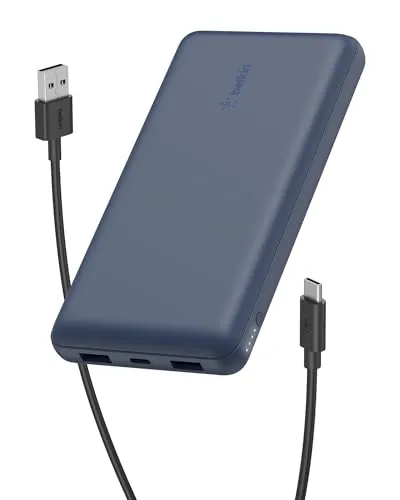
Belkin BPB012 vs BPB021: More Reserve or a Built-In USB-C Cable?
Both blue Belkin banks have a 15W shared-output ceiling when charging multiple devices. BPB012 is rated at 20,000mAh and has two USB-A ports plus one USB-C port; BPB021 is rated at 10,000mAh and has an integrated USB-C cable, a USB-C port, and a 20W maximum only when one output is used. The practical choice is capacity and cable mix versus an attached lead—not a promise of charge counts or faster multi-device charging.
Read comparison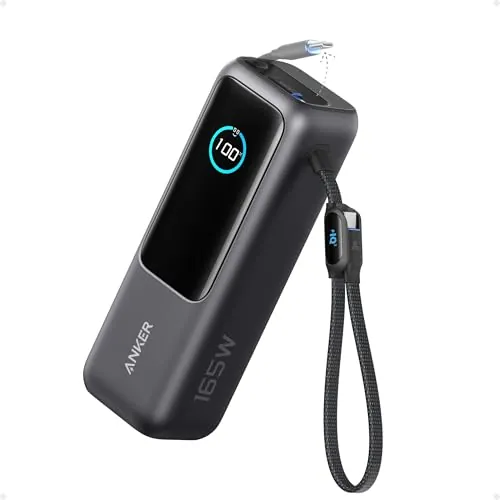
Belkin BPB039 vs Anker A1695: Built-In Cables and Shared Output
Choose the Belkin BPB039 when your device accepts more than 100W from a single compatible USB-C output. It lists up to 140W from one output. Choose the Anker A1695 for two built-in USB-C leads or up to four connected devices. Its USB-C outputs are rated up to 100W each or 165W shared across two under the stated charge conditions. Check your device inputs and simultaneous port needs.
Read comparison