
Products compared
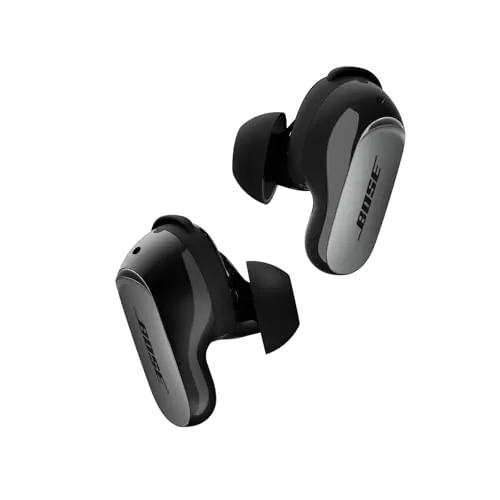
Bose
Bose QuietComfort Ultra Earbuds (2nd Gen), Black
Black Bose QuietComfort Ultra Earbuds (2nd Gen), model 896637-0010.
Model 896637-0010
Amazon ASIN B0F7M3HPBD
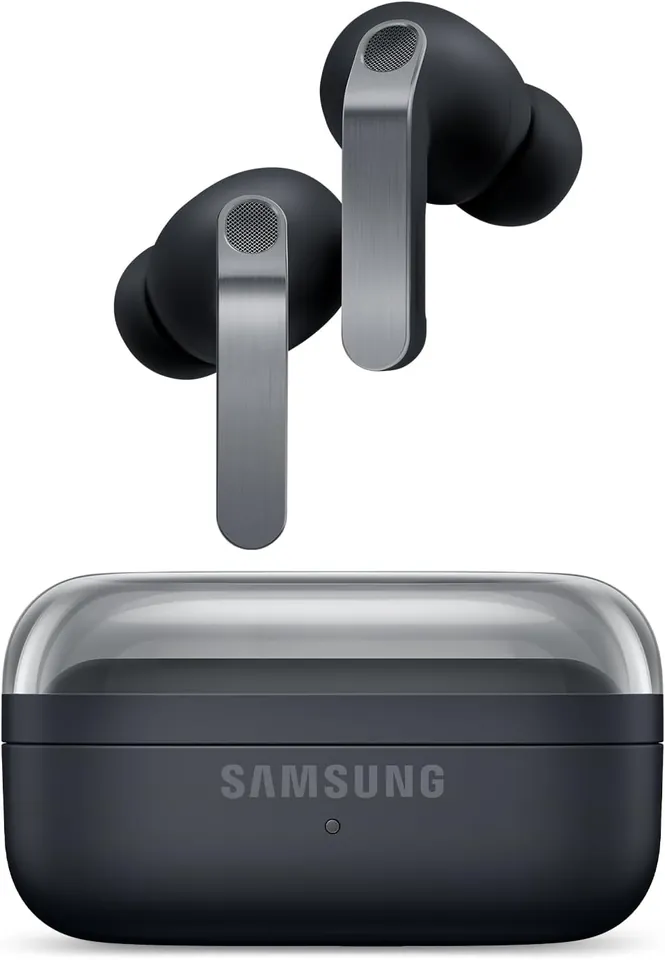
Samsung
Samsung Galaxy Buds4 Pro, Black (U.S. Amazon listing)
Black Galaxy Buds4 Pro, model SM-R640NZKFXAR. Samsung’s own U.S. store uses code SM-R640NZKAXAR for its Black offer.
Model SM-R640NZKFXAR
Amazon ASIN B0G1PJLWLZ
Differences that matter
What matters most to you?
Choose a priority to see what it changes.
Sources for Phone and app setup
Sources for Charging case and what is in the box
Check your phone before comparing Galaxy features
Samsung says Galaxy Buds4 Pro can connect as Bluetooth audio regardless of operating system. Its advanced-settings route is narrower: Samsung Account sign-in is required, Galaxy Wearable is not supported on iOS, and the app route requires Android 12 or later with at least 1.5 GB of memory. On One UI 8.0 or later, Samsung says settings can be configured directly in Galaxy phone settings; older One UI versions use Galaxy Wearable.
If UHQ audio matters, check Samsung's UHQ eligibility list: Galaxy S26/S25/S24/S23, Z Fold7/6/5, Z Flip7/6/5, and Tab S11/S10/S9 families with One UI 6.1.1 or later. Super Wideband calling has a different list—S26/S25, Fold7/6, Flip7/6, A56, and Tab S11/S10 with One UI 6.1.1 or later—and mobile-network support may matter. Samsung notes it may add devices in the future, so confirm the current list for your exact handset.
Bose identifies its Bose app as available for iOS and Android, and its product page documents multipoint with two source devices connected at once. Only one source plays audio at a time. That makes the phone-and-computer connection workflow a concrete Bose feature to consider, without asserting that Galaxy Buds4 Pro has a particular unsupported connection mode.
Compare fit setup, not a promised comfort winner
Bose documents three eartip sizes and three stability-band sizes, which gives nine combinations; its support guide says you may use different sizes in the left and right ears and shows an in-app seal test. This is a more adjustable kit on paper, not proof that every listener will prefer it.
Samsung lists three eartip sizes (S/M/L) for Buds4 Pro and shows an Earbud Fit Test in Galaxy settings. The fit-test workflow depends on the supported Samsung settings/app setup. If tips have been a recurring issue, try the relevant size options and fit check soon after delivery while the seller's return terms still apply.
Choose the control style you will actually use
The Bose page describes tap controls, swipe volume, customizable shortcuts, and the option to turn off touch controls in the app for this second-generation model. Samsung describes single, double, and triple pinches plus a vertical swipe for volume; pinch-and-hold can be customized where device settings or the Wearable app apply.
If you often adjust settings from an iPhone, Bose's app availability is relevant. If you use a supported Galaxy phone, Samsung shows controls in system settings on newer One UI versions. These sources document gestures and setup paths, not which controls feel easier in your hand.
Plan the case charge and first-day setup
Both manufacturers list wireless charging for their cases. Bose additionally lists USB-C charging and a 12-inch USB-C-to-USB-A cable in the box; Bose says the power adapter is sold separately. Samsung's U.S. product page lists the case and three eartip sizes but says no charger or USB Type-C cable is included. Samsung also says a wireless charging pad is sold separately.
Samsung’s U.S. store lists Black Buds4 Pro as SM-R640NZKAXAR. The retailer offer compared here is SM-R640NZKFXAR. Check the package and warranty for the one you plan to buy.
Product details
Bose QuietComfort Ultra Earbuds (2nd Gen), Black
- Fit kit
- Three eartip sizes and three stability-band sizes, making nine tip-and-band combinations; Bose also documents an in-app Earbud Seal Test. Source
- Phone app and simultaneous device connections
- Bose app support for iOS and Android; Bluetooth multipoint can keep two source devices connected at once, with audio playing from one at a time. Source
- Case charging and included cable
- Wireless-charging case with USB-C input; a 12-inch USB-C-to-USB-A cable is listed in the box. Power adapter is not included. Source
Samsung Galaxy Buds4 Pro, Black (U.S. Amazon listing)
- Fit kit and fit check
- Samsung lists three silicone eartip sizes (S/M/L) and an Earbud Fit Test in Galaxy settings; advanced settings require the supported Samsung/Android setup described below. Source
- Phone app and Galaxy feature prerequisites
- Basic Bluetooth audio pairing is available across operating systems. Galaxy Wearable advanced settings require Android 12 or later and at least 1.5 GB memory; the app is not supported on iOS. UHQ audio and Super Wideband calling each have separate, narrower Galaxy-device lists. Source
- Case charging and listed package
- Samsung says the Buds4 Pro charging case supports wireless charging. The official U.S. product page lists the earbuds, case, three tip sizes, and quick-start guide; it says no charger or USB Type-C cable is included. Source
Before you buy
Community discussions
Trying ear tips and stability bands before keeping the earbuds
Bose QuietComfort Ultra Earbuds (2nd Gen), Black
A Bose QuietComfort Ultra Earbuds 2nd Gen owner tried several tip and band combinations because one earbud felt loose while walking.
What to check
Try the included sizes on each side. See how each earbud feels when you move, and check the return terms if none of the sizes work for you.
Choosing earbuds for a phone from another brand
Samsung Galaxy Buds4 Pro, Black (U.S. Amazon listing)
A buyer used Galaxy Buds4 Pro with a Pixel 10 Pro and found that some of the features they had expected were unavailable in their setup.
What to check
List the controls and features you plan to use. Check which are available on the phone you already own.
Common questions
Can Galaxy Buds4 Pro pair with an iPhone?
Samsung says Bluetooth audio connection is available regardless of operating system. Galaxy Wearable is not supported on iOS, so do not expect the Samsung advanced-settings workflow there.Explore Galaxy Buds4 Pro: U.S. product, setup, control, fit and case details
Which Galaxy devices enable UHQ audio or Super Wideband calls?
Samsung's UHQ list is S26/S25/S24/S23, Fold7/6/5, Flip7/6/5, and Tab S11/S10/S9 families with One UI 6.1.1 or later. Its Super Wideband list is narrower and different: S26/S25, Fold7/6, Flip7/6, A56, and Tab S11/S10 with One UI 6.1.1 or later. Calling can also depend on the mobile network. Recheck Samsung's current list before buying because it says additional devices may be added.Explore Galaxy Buds4 Pro: U.S. product, setup, control, fit and case details
Do both charging cases support a wireless charging pad?
Yes. Bose lists a wireless charging case for QC Ultra Earbuds (2nd Gen). Samsung says the Buds4 Pro case can be charged wirelessly and that its wireless charging pad is not included.QuietComfort Ultra Earbuds (2nd Gen), Black selected: product details, controls and box contentsExplore Galaxy Buds4 Pro: U.S. product, setup, control, fit and case details
Does Bose include a charging cable?
Bose lists a 12-inch USB-C-to-USB-A cable in the box. Its page says a power adapter is not included. Samsung's U.S. page lists no USB Type-C cable or charger in the Galaxy Buds4 Pro box.QuietComfort Ultra Earbuds (2nd Gen), Black selected: product details, controls and box contentsExplore Galaxy Buds4 Pro: U.S. product, setup, control, fit and case details
Which has more ways to adjust the fit?
Bose documents three eartip sizes plus three stability-band sizes, or nine combinations, and an app seal test. Samsung lists three eartip sizes and a Galaxy-settings fit test. This describes adjustment options, not a guaranteed comfort winner.Wearing and adjusting your QuietComfort Ultra Earbuds (2nd Gen)Explore Galaxy Buds4 Pro: U.S. product, setup, control, fit and case details
Sources and scope
The two Black Galaxy Buds4 Pro offers carry different model codes. Confirm the exact offer and the phone features available on the device you already use.
- QuietComfort Ultra Earbuds (2nd Gen), Black selected: product details, controls and box contents
- Wearing and adjusting your QuietComfort Ultra Earbuds (2nd Gen)
- Downloading the Bose App for QuietComfort Ultra Earbuds
- QuietComfort Ultra Earbuds (2nd Gen) Owner's Guide: Bluetooth multipoint connections
- How to control Bose wireless earbuds, including QC Ultra Earbuds (2nd Gen)
- Explore Galaxy Buds4 Pro: U.S. product, setup, control, fit and case details
- Samsung U.S. direct-sale Galaxy Buds4 Pro Black model code
- Exact Amazon listing for Bose QuietComfort Ultra Earbuds (2nd Gen), ASIN B0F7M3HPBD
- Exact Amazon listing for Galaxy Buds4 Pro Black, ASIN B0G1PJLWLZ
Related comparisons
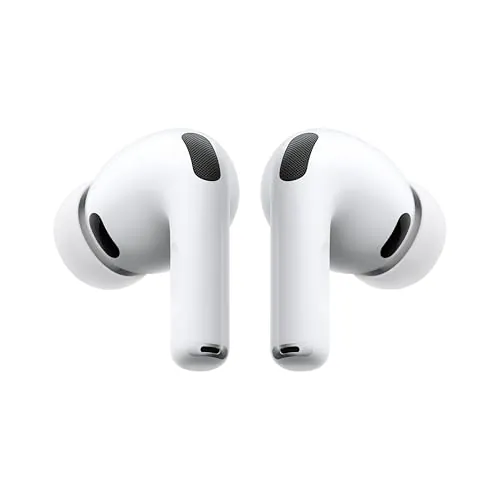
AirPods Pro 3 vs Bose QuietComfort Ultra Earbuds (2nd Gen): Fit and Device Switching
This is white Apple AirPods Pro 3 (MFHP4LL/A) versus black Bose QuietComfort Ultra Earbuds (2nd Gen, 896637-0010), not Bose's first-generation Ultra earbuds or either brand's headphones. RTINGS' direct comparison says AirPods Pro 3 has slightly better ANC and isolation plus longer continuous battery life, while Bose's microphone does a bit better with Android and PCs. The everyday difference is device workflow: Apple says AirPods can be used as Bluetooth headphones with non-Apple devices but functionality may be limited; Bose offers an iOS/Android app and multipoint for two source devices. Fit may override either result: Apple includes five tip sizes, and Bose offers nine tip-and-stability-band combinations plus an in-app seal test. Try the seal and switching routine with your actual phone and laptop before deciding.
Read comparison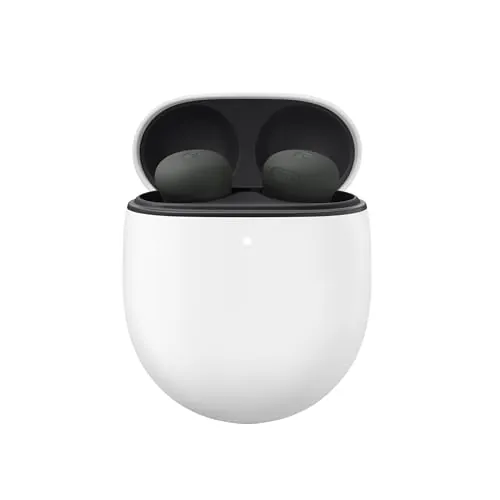
Bose QuietComfort Ultra Earbuds (2nd Gen) vs Pixel Buds Pro 2: Device Switching, Fit and Case
Bose QuietComfort Ultra Earbuds (2nd Gen), Black (896637-0010), and Google Pixel Buds Pro 2, Hazel (GA05762-US), both support multipoint and wireless charging. Pixel Buds Pro 2 pair with Bluetooth 4.0+ devices across Android, iOS, tablets and laptops, but Google says full feature access needs a Google Account, an Android 6.0+ companion phone and internet; its Audio switch has additional Android and same-account requirements. Bose lists app-managed listening modes and Bluetooth multipoint, plus a charging case, three eartip sizes, three stability-band sizes and a short USB-C-to-USB-A cable. Google lists four eartip sizes, a USB-C/Qi case and no cable in its box list. Neither model has a direct matched test against the other in the evidence used here, so this guide does not rank sound, ANC, comfort or battery performance.
Read comparison