
Products compared
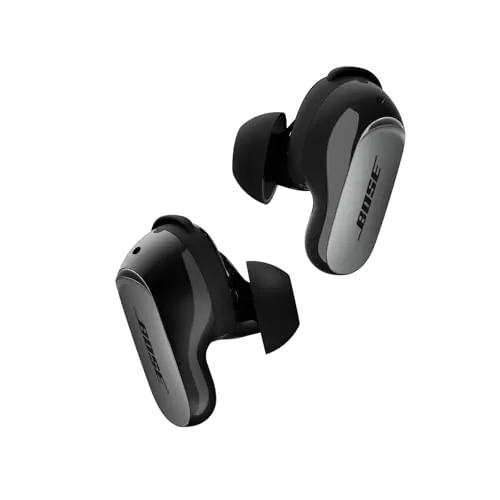
Bose
Bose QuietComfort Ultra Earbuds (2nd Gen)
Black U.S. QuietComfort Ultra Earbuds (2nd Gen), part 896637-0010. Bose identifies this as the second-generation U.S. model and lists the standard fit kit and charging case; the compared offer is one retail unit.
Model 896637-0010
Amazon ASIN B0F7M3HPBD
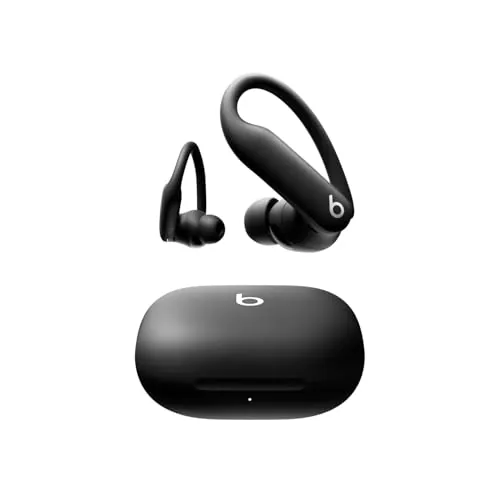
Beats
Beats Powerbeats Pro 2
Jet Black Powerbeats Pro 2, model MX723DN/A. Beats' Jet Black product page documents fit, controls and case charging; its U.S. product information lists the USB-C cable and power adapter as sold separately.
Model MX723DN/A
Amazon ASIN B0DT2344N3
Differences that matter
What matters most to you?
Choose a priority to see what it changes.
Sources for Fit hardware and adjustment steps
Compare the parts you adjust for fit
Bose gives you two separate fit variables: the eartip and the stability band. Its included kit has sizes small, medium and large for the tips and sizes 1, 2 and 3 for the bands; Bose says those can be mixed and matched. The manual also describes how to align the band microphone opening with the earbud microphone, so check that the band is installed in the right position after changing sizes.
Powerbeats Pro 2 uses five eartip sizes and an earhook. Beats' fitting instructions say to place the hook behind the ear, insert the earbud, then rotate the hook back; if the seal needs adjustment, change the tip or reposition the hook. These are two different fitting routines, not evidence that one design will fit or stay in place better for a specific wearer.
Choose touch and swipe or physical buttons
The Bose earbuds use touch surfaces, including swipe volume. Bose says its app can customize gestures for each earbud and disable touch controls. Powerbeats Pro 2 gives each earbud a multi-function button and volume rocker; Beats says press-and-hold can be set for listening modes or a voice assistant in iOS settings or the Android Beats app. Pick the control surface you would rather use. No side-by-side test of control speed, mis-taps or workout handling is available here.
Host setup is also documented differently. Bose can be paired through its app or the phone/computer Bluetooth menu, and its manual also describes Android Fast Pair. The manual states that the Bose earbuds can keep two active device connections while playing audio from one at a time. Beats documents an iPhone/iPad pairing animation and automatic switching, plus Beats-app or Bluetooth-menu setup on Android. Apple automatic switching should not be treated as proof of a particular simultaneous connection count; check with Beats if that requirement decides the purchase.
Check the case and charging cable before checkout
Both manufacturer pages describe a wireless charging case, and Beats explicitly says its case works with Qi-compatible chargers and USB-C. Bose's manual describes both USB-C cable charging and wireless charging. If you already have a Qi pad, either maker's published case workflow can use one; follow the case-specific placement instructions.
The maker-listed box contents are not identical. Bose lists a short USB-C-to-USB-A cable but not a power adapter. Beats lists the charging case, says USB-C charging works, and marks both cable and adapter as sold separately. Before choosing based on accessories, verify the exact seller, Amazon ASIN and any bundle additions shown at checkout.
Product details
Bose QuietComfort Ultra Earbuds (2nd Gen)
- Included fit kit
- Three pairs of eartips (S, M, L) and three pairs of stability bands (1, 2, 3), which Bose says can be mixed and matched. Source
- Controls
- Touch and swipe controls; Bose describes per-earbud gesture customization and an app setting to disable touch controls. Source
- Case charging and maker-listed box contents
- Wireless charging case and 12-inch USB-C to USB-A cable are listed in the U.S. box contents; power adapter is not included. Source
Beats Powerbeats Pro 2
- Included fit hardware
- Five eartip sizes (XS, S, M, L, XL) and an earhook; Beats' instructions say to place the hook behind the ear, insert the bud, then rotate the hook back. Source
- Controls
- A multi-function button and up/down volume rocker on each earbud; press-and-hold can be configured for listening modes or a voice assistant in iOS settings or the Beats app for Android. Source
- Case charging and maker-listed box contents
- Wireless charging case supports Qi-compatible charging and USB-C; Beats lists the USB-C cable and power adapter as sold separately. Source
Before you buy
Community discussions
One owner's Powerbeats Pro 2 hook and ear fit did not line up
Beats Powerbeats Pro 2
One Powerbeats Pro 2 owner says the ear hook pulled the earbud away from their ear-canal entry despite trying different tip sizes and positions, and they returned it. This is a personal fit concern, not a comparative result.
What to check
Ear shape and hook fit are individual; if that design is a deciding factor, assess how each exact option sits on your own ears before relying on another person's fit experience.
A Powerbeats owner checks how the case fits in a pocket
Beats Powerbeats Pro 2
One Powerbeats Pro 2 owner describes the case as somewhat large and says they were able to fit it in their pockets.
What to check
Check the dimensions of both cases against the pocket or bag compartment you use when you go out.
Common questions
Which earbuds are more secure for running?
These sources do not compare fit or exercise retention. Bose explains its mix-and-match tip and stability-band fit; Beats explains its earhook and five-tip setup. Follow each fit guide and try the exact pair if movement retention is decisive.Bose: Shape fit to you — QuietComfort Ultra Earbuds (2nd Gen)Powerbeats Pro 2 Quick Start Guide
Do both cases charge wirelessly?
Yes. Bose documents wireless charging for the QuietComfort Ultra Earbuds (2nd Gen) case, and Beats says the Powerbeats Pro 2 case works with Qi-compatible wireless chargers. Check charger placement instructions for the exact case and pad.QuietComfort Ultra Earbuds (2nd Gen) — Bose U.S. product page and package contentsQuietComfort Ultra Earbuds (2nd Gen) User GuidePowerbeats Pro 2 — U.S. Jet Black product page, specifications and package contents
Is a USB-C charging cable included with each pair?
Bose's U.S. product page lists a 12-inch USB-C-to-USB-A cable in the box and says the power adapter is not included. Beats lists the USB-C cable and power adapter as sold separately. Verify the exact Amazon seller package in case it is a different bundle.QuietComfort Ultra Earbuds (2nd Gen) — Bose U.S. product page and package contentsPowerbeats Pro 2 — U.S. Jet Black product page, specifications and package contents
Can Bose connect to two devices at once?
Bose's manual says the earbuds can be actively connected to up to two devices at a time, though they can play audio from only one device at a time. Beats documents Apple automatic switching, but the sources checked for this guide do not establish an equivalent two-active-device limit for Powerbeats Pro 2.QuietComfort Ultra Earbuds (2nd Gen) User GuidePowerbeats Pro 2 — U.S. Jet Black product page, specifications and package contents
Sources and scope
This is a source-based comparison of fit hardware, documented setup and charging workflows. It is not a listening, comfort, exercise-retention, ANC, heart-rate or battery-life test. Fit instructions cannot predict an individual ear fit or which pair will stay in place during movement. Bose's manual describes up to two active device connections; the Beats sources here establish Apple and Android pairing flows and Apple automatic switching, but do not establish a directly comparable simultaneous-connection limit. Maker box contents may differ from a seller-created bundle, so verify the exact Amazon listing before relying on the cable statement.
- QuietComfort Ultra Earbuds (2nd Gen) — Bose U.S. product page and package contents
- QuietComfort Ultra Earbuds (2nd Gen) User Guide
- Bose: Shape fit to you — QuietComfort Ultra Earbuds (2nd Gen)
- Bose: How to control wireless earbuds
- Powerbeats Pro 2 — U.S. Jet Black product page, specifications and package contents
- Powerbeats Pro 2 Quick Start Guide
- Powerbeats Pro 2 Support
Related comparisons
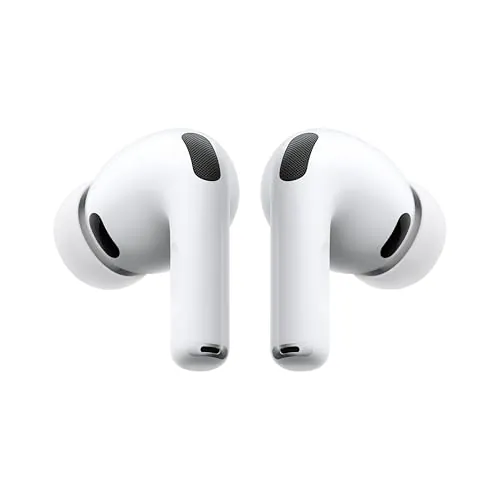
AirPods Pro 3 vs Bose QuietComfort Ultra Earbuds (2nd Gen): Fit and Device Switching
This is white Apple AirPods Pro 3 (MFHP4LL/A) versus black Bose QuietComfort Ultra Earbuds (2nd Gen, 896637-0010), not Bose's first-generation Ultra earbuds or either brand's headphones. RTINGS' direct comparison says AirPods Pro 3 has slightly better ANC and isolation plus longer continuous battery life, while Bose's microphone does a bit better with Android and PCs. The everyday difference is device workflow: Apple says AirPods can be used as Bluetooth headphones with non-Apple devices but functionality may be limited; Bose offers an iOS/Android app and multipoint for two source devices. Fit may override either result: Apple includes five tip sizes, and Bose offers nine tip-and-stability-band combinations plus an in-app seal test. Try the seal and switching routine with your actual phone and laptop before deciding.
Read comparison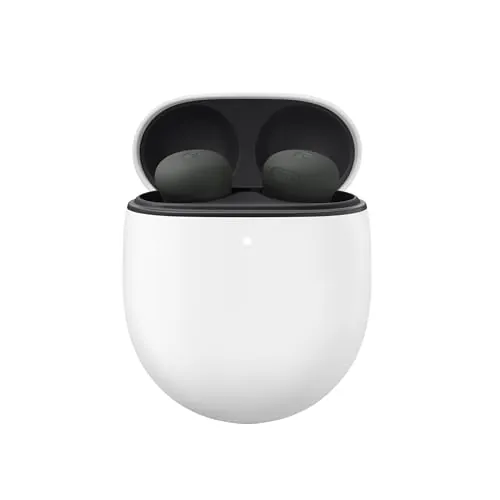
Bose QuietComfort Ultra Earbuds (2nd Gen) vs Pixel Buds Pro 2: Device Switching, Fit and Case
Bose QuietComfort Ultra Earbuds (2nd Gen), Black (896637-0010), and Google Pixel Buds Pro 2, Hazel (GA05762-US), both support multipoint and wireless charging. Pixel Buds Pro 2 pair with Bluetooth 4.0+ devices across Android, iOS, tablets and laptops, but Google says full feature access needs a Google Account, an Android 6.0+ companion phone and internet; its Audio switch has additional Android and same-account requirements. Bose lists app-managed listening modes and Bluetooth multipoint, plus a charging case, three eartip sizes, three stability-band sizes and a short USB-C-to-USB-A cable. Google lists four eartip sizes, a USB-C/Qi case and no cable in its box list. Neither model has a direct matched test against the other in the evidence used here, so this guide does not rank sound, ANC, comfort or battery performance.
Read comparison