
Products compared
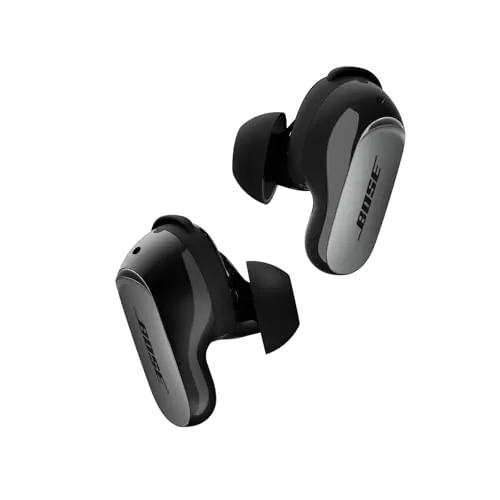
Bose
Bose QuietComfort Ultra Earbuds (2nd Gen), Black
Black Bose QuietComfort Ultra Earbuds (2nd Gen), model 896637-0010. Bose's U.S. Black product page and generation-specific owner guide document the features and package details below.
Model 896637-0010
Amazon ASIN B0F7M3HPBD
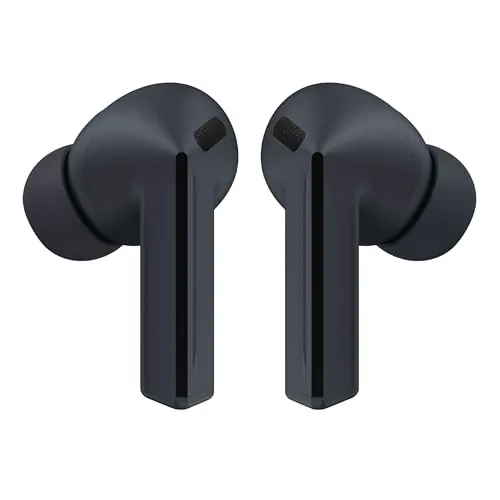
Samsung
Samsung Galaxy Buds3 FE, Black
Black U.S. Galaxy Buds3 FE listing; model code SM-R420NZKFXAR. Samsung's current U.S. Black storefront shows SM-R420NZKAXAR for this product family. Confirm the exact seller model code before ordering; the suffix-to-ASIN mapping is not confirmed.
Model SM-R420NZKFXAR (listing data code; exact suffix mapping unresolved)
Amazon ASIN B0FGYDF3DD
Differences that matter
What matters most to you?
Choose a priority to see what it changes.
Sources for Two-device use versus Galaxy Auto Switch
Sources for Case charging method
Sources for What the box contributes to charging
Sources for Earbud controls and setup
For laptop-and-phone switching, look for multipoint wording
The Bose owner's guide for this exact generation says multipoint can keep two devices actively connected while audio plays from one at a time. To switch streams, pause the first device and start playback on the second; if two are already connected, pairing another device replaces the older active connection. This is specific, published behavior for a mixed-device routine. Samsung's Buds3 FE page instead describes Auto Switch between Galaxy phones, tablets and Galaxy Book after signing into the same Samsung account on each device. Samsung also offers ordinary Bluetooth pairing with compatible Android and iOS devices, but its generic Auto Switch support page omits Buds3 FE. Do not treat that omission as proof of missing generic multipoint; check your host devices and current support before relying on Auto Switch.
Check the case before you plan a charging spot
Bose documents both USB-C and compatible third-party wireless charging for its case. The wireless pad is not supplied. Samsung says the Buds3 FE case charges by cable and does not support wireless charging. The difference matters if your earbuds normally live on a bedside pad; if you already plug in a cable, it may not affect your routine.
Include the small accessories you will actually need
Bose lists a 12-inch USB-C A-to-C cable in the U.S. box contents, but no power adapter or wireless pad. Samsung lists the case, three sizes of ear tips and Quick Start Guide but says the USB-C cable is not included. Before ordering, check whether you have a cable of the length you need and a suitable power source. That accessory check is more useful than assuming either retailer bundle is identical to the maker's standard package.
Verify the exact Samsung code and host before checkout
The Samsung item listed here is a Black Galaxy Buds3 FE with model code SM-R420NZKFXAR. Samsung's current U.S. Black purchase page shows SM-R420NZKAXAR for the same product family, so confirm the seller's exact code and package if the suffix matters to your purchase. For Auto Switch, Samsung says each Galaxy device must use the same Samsung account; its general support list does not name Buds3 FE, so check current support for your phone, tablet or computer.
Product details
Bose QuietComfort Ultra Earbuds (2nd Gen), Black
- Pairing workflow
- Up to six devices can be stored; multipoint allows active connection to two at a time, with audio playing from one device at a time. Source
- Case charging
- USB-C or a compatible third-party wireless charger; wireless charger is not included. Source
- Included charging item
- Bose lists a 12-inch USB-C (A-to-C) cable; power adapter is not included. Source
Samsung Galaxy Buds3 FE, Black
- Pairing workflow
- Samsung says Auto Switch works across Galaxy devices without individual pairing when each device is signed into the same Samsung account; its product page names phone, Tab and Galaxy Book. Source
- Case charging
- Samsung says to charge the case by cable; wireless charging is not supported. Source
- Included charging item
- The U.S. in-box list includes earbuds, three ear-tip sizes, case and Quick Start Guide; USB-C cable is not included. Source
Before you buy
Community discussions
A buyer asks about switching between a phone and laptop
Samsung Galaxy Buds3 FE, Black
A Galaxy Buds3 FE shopper wanted to use the same earbuds with a non-Samsung phone and a laptop.
What to check
For your phone and laptop, check how you would move playback from one device to the other and whether you need to reconnect manually.
Common questions
Can the Bose earbuds stay connected to my phone and laptop at the same time?
Bose's second-generation owner guide says the earbuds can be actively connected to two devices at once through multipoint. Audio plays from one device at a time; pausing one source and playing the other changes the stream.QuietComfort Ultra Earbuds (2nd Gen) Owner's Guide
Does Galaxy Buds3 FE Auto Switch work with any Bluetooth laptop?
Samsung describes Auto Switch across Galaxy devices, including Galaxy Book, with each device signed into the same Samsung account. This is separate from basic Bluetooth pairing. The Samsung item listed here uses a model suffix that differs from Samsung's current U.S. Black storefront code, so confirm both host eligibility and the seller's package before checkout.Galaxy Buds3 FE: Samsung U.S. product details and FAQsUse Auto switch with your Galaxy buds and paired devicesGalaxy Buds3 FE, Black: Samsung U.S. storefront SKU
Which charging accessories are included?
Bose lists a short USB-C A-to-C cable, but not a wall power adapter or wireless pad. Samsung lists earbuds, three sizes of ear tips, case and quick-start guide; the USB-C cable is not included. Samsung says the Buds3 FE case does not support wireless charging.QuietComfort Ultra Earbuds (2nd Gen): Black product details and box contentsGalaxy Buds3 FE: Samsung U.S. product details and FAQs
Does this comparison say one pair sounds better or cancels more noise?
No. It compares documented switching, controls and charging workflows only. No controlled head-to-head test of sound, ANC, calls, fit or battery endurance was found in the sources used here.QuietComfort Ultra Earbuds (2nd Gen) Owner's GuideGalaxy Buds3 FE: Samsung U.S. product details and FAQs
Sources and scope
This guide compares manufacturer-documented connection, control and charging workflows; it does not test sound, ANC, calls, fit, battery life or reliability. The Samsung item listed under ASIN B0FGYDF3DD uses model code SM-R420NZKFXAR, while Samsung's current U.S. Black storefront shows SM-R420NZKAXAR for the Galaxy Buds3 FE family. The suffix mapping is unresolved; confirm the model code on the seller's listing and package. Samsung's general Auto Switch support article does not name Buds3 FE, so check current host and software eligibility before relying on that workflow.
- QuietComfort Ultra Earbuds (2nd Gen): Black product details and box contents
- QuietComfort Ultra Earbuds (2nd Gen) Owner's Guide
- Galaxy Buds3 FE: Samsung U.S. product details and FAQs
- Galaxy Buds3 FE, Black: Samsung U.S. storefront SKU
- Use touch controls for your Samsung Galaxy earbuds
- Use Auto switch with your Galaxy buds and paired devices
Related comparisons
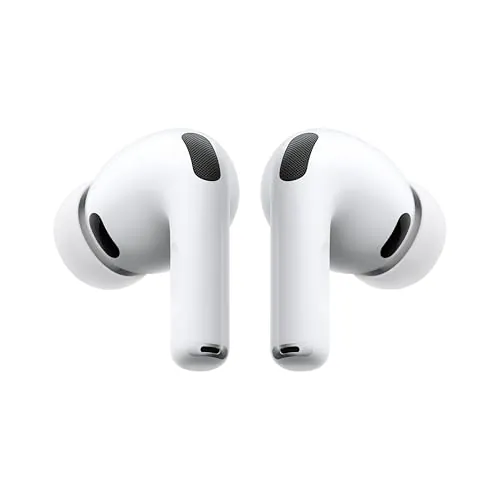
AirPods Pro 3 vs Bose QuietComfort Ultra Earbuds (2nd Gen): Fit and Device Switching
This is white Apple AirPods Pro 3 (MFHP4LL/A) versus black Bose QuietComfort Ultra Earbuds (2nd Gen, 896637-0010), not Bose's first-generation Ultra earbuds or either brand's headphones. RTINGS' direct comparison says AirPods Pro 3 has slightly better ANC and isolation plus longer continuous battery life, while Bose's microphone does a bit better with Android and PCs. The everyday difference is device workflow: Apple says AirPods can be used as Bluetooth headphones with non-Apple devices but functionality may be limited; Bose offers an iOS/Android app and multipoint for two source devices. Fit may override either result: Apple includes five tip sizes, and Bose offers nine tip-and-stability-band combinations plus an in-app seal test. Try the seal and switching routine with your actual phone and laptop before deciding.
Read comparison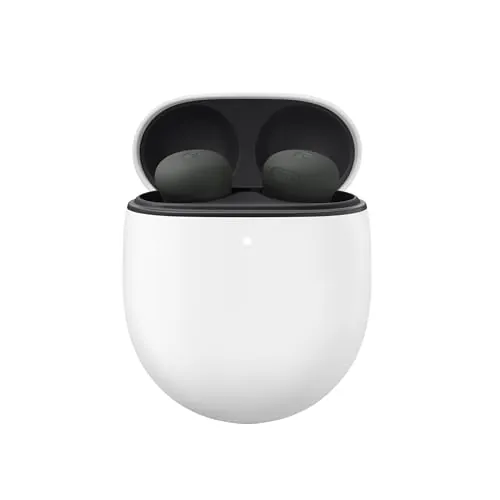
Bose QuietComfort Ultra Earbuds (2nd Gen) vs Pixel Buds Pro 2: Device Switching, Fit and Case
Bose QuietComfort Ultra Earbuds (2nd Gen), Black (896637-0010), and Google Pixel Buds Pro 2, Hazel (GA05762-US), both support multipoint and wireless charging. Pixel Buds Pro 2 pair with Bluetooth 4.0+ devices across Android, iOS, tablets and laptops, but Google says full feature access needs a Google Account, an Android 6.0+ companion phone and internet; its Audio switch has additional Android and same-account requirements. Bose lists app-managed listening modes and Bluetooth multipoint, plus a charging case, three eartip sizes, three stability-band sizes and a short USB-C-to-USB-A cable. Google lists four eartip sizes, a USB-C/Qi case and no cable in its box list. Neither model has a direct matched test against the other in the evidence used here, so this guide does not rank sound, ANC, comfort or battery performance.
Read comparison