
Products compared
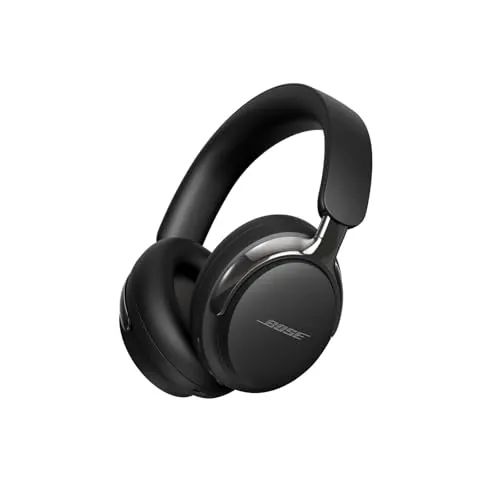
Bose
Bose QuietComfort Ultra Headphones (2nd Gen), Black
Exact US black model 890101-0100. Bose lists a carry case, a 3.5 mm-to-2.5 mm audio cable and a USB-C-to-USB-C cable in the box. Its 2nd Gen owner guide documents USB-C audio as well as Bluetooth and AUX use.
Model 890101-0100
Amazon ASIN B0FDKR293G
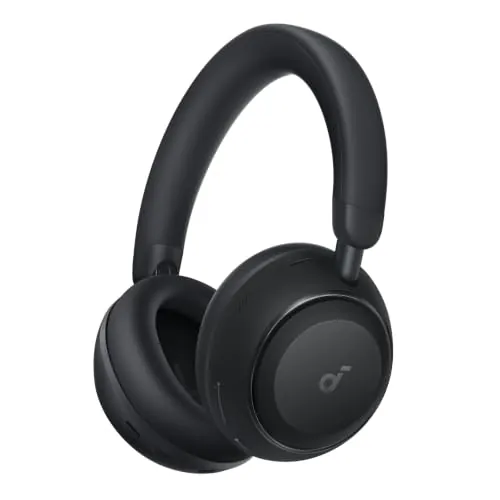
Soundcore
soundcore Space 2, Jet Black
Exact US model D1402 in Jet Black. soundcore documents Bluetooth multipoint, app customization and an AUX use procedure. The reviewed exact-model sources do not establish USB-C audio or confirm a supplied carry case; check the specific offer contents if either is required.
Model D1402
Amazon ASIN B0GR4GR5QH
Differences that matter
What matters most to you?
Choose a priority to see what it changes.
Sources for Digital wired audio and charging
Sources for Switching between two Bluetooth devices
Start with the port on the device you actually carry
For a laptop, phone or seatback system with a USB-C audio output, Bose’s QuietComfort Ultra Headphones (2nd Gen) are the documented option in this pair: their exact owner guide supports USB-C audio and says USB audio can continue while the headphones charge. Confirm the source supports USB audio; the shape of a USB-C socket alone does not establish that.
For an analog source, Bose lists a 3.5 mm-to-2.5 mm cable in the box. Space 2’s support article also documents AUX use and calls its audio cable included, but the text reviewed does not give the plug sizes. Match the connector ends to your own source before travel. Do not read Bose’s confirmed digital-audio support as proof that Space 2 lacks it; soundcore’s exact D1402 sources reviewed here leave the point open.
Check what the headphones let you control over a cable
On Bose’s AUX connection, the owner guide says the headphones must be powered on, and the earcup microphone, phone calls and media playback controls are disabled; control playback from the source. The same guide documents USB-C audio separately, so USB-C and analog should not be treated as interchangeable modes.
For Space 2 AUX, soundcore says connect while powered off and then turn the headphones on. It says the multifunction and volume buttons are inactive, while the NC button can change modes when powered on. The FAQ contradicts itself about AUX calls: it says calls are unsupported but also says AUX cables with integrated microphones are supported. If wired calls matter, check directly with soundcore and test the exact cable/source combination before depending on it.
Multipoint is shared; decide whether you need the documented case
Both manufacturers document Bluetooth use with two devices. Bose’s guide says two may be actively connected while audio plays from one at a time; soundcore’s D1402 page describes switching between two. That makes multipoint a shared feature here, though the exact switching routine is worded differently.
For transit storage, Bose lists a carry case and the guide describes folding the earcups flat to put them away. soundcore calls Space 2 travel-ready, but the readable exact-model product-page text reviewed did not confirm an included case. If the supplied case is part of your decision, check the exact offer’s box contents rather than inferring it from the travel label.
Product details
Bose QuietComfort Ultra Headphones (2nd Gen), Black
soundcore Space 2, Jet Black
- Bluetooth device switching
- The D1402 product page lists multipoint and describes switching between two devices. Source
- AUX controls
- soundcore says to connect the audio cable while the headphones are off, then turn them on; in AUX, the multifunction and volume buttons do not work, while the NC button can be used when powered on. Source
Before you buy
Community discussions
Checking where a phone rings after you put the headphones away
Bose QuietComfort Ultra Headphones (2nd Gen), Black
A QuietComfort Ultra 2nd Gen user said the ringtone sometimes still played through the headphones while they were in the case, even with wear detection enabled. They sometimes switched the headphones off by hand.
What to check
Try packing the case the way you travel. Before moving to a different device, check the power control and whether the first phone is still sending audio to the headset.
Common questions
Does the Bose USB-C cable carry audio or only charge?
Bose’s QuietComfort Ultra Headphones (2nd Gen) owner guide explicitly supports USB-C audio and says the headphones can be used in USB audio mode while charging. The guide cautions that charging is slower while the headphones are in use. The soundcore D1402 sources reviewed here do not establish USB-C audio, so confirm that feature with soundcore if it is a deciding requirement.QuietComfort Ultra Headphones (2nd Gen) Owner’s Guidesoundcore Space 2 D1402 — US manufacturer product page
Can I use the Space 2 volume and multifunction buttons on AUX?
soundcore says those buttons do not function over AUX. Its support article says to connect the cable with the headphones off and then power them on; the NC button remains usable while powered on. The same article gives conflicting call guidance, so verify wired microphone use with soundcore before relying on it.How do I connect my soundcore Space 2 using the AUX cable? — soundcore Support
Do both headphones connect to a phone and laptop?
Both exact-model sources document two-device Bluetooth connection. Bose’s guide says up to two devices may be connected at once, with audio from one device at a time. soundcore’s D1402 page describes multipoint switching between two devices. Confirm the switching behavior you expect with your own device settings.QuietComfort Ultra Headphones (2nd Gen) Owner’s Guidesoundcore Space 2 D1402 — US manufacturer product page
Which one has an included travel case?
Bose lists a carry case in the QuietComfort Ultra Headphones (2nd Gen) box. The exact soundcore page reviewed calls Space 2 travel-ready, but the readable product-page text did not confirm a carry case in the box. Check the exact Space 2 offer contents if a case matters.Bose QuietComfort Ultra Headphones (2nd Gen) — US product page and box contentssoundcore Space 2 D1402 — US manufacturer product page
Sources and scope
This is a source-based connection and control comparison, not an ANC, sound, call, comfort or battery test. Bose’s guide is explicit about USB-C audio and its included cables; soundcore’s D1402 documentation reviewed here covers AUX, but does not establish USB-C audio. soundcore’s support article contains conflicting AUX-call statements, and an included Space 2 carry case was not confirmed in the readable exact-model materials reviewed.
Related comparisons
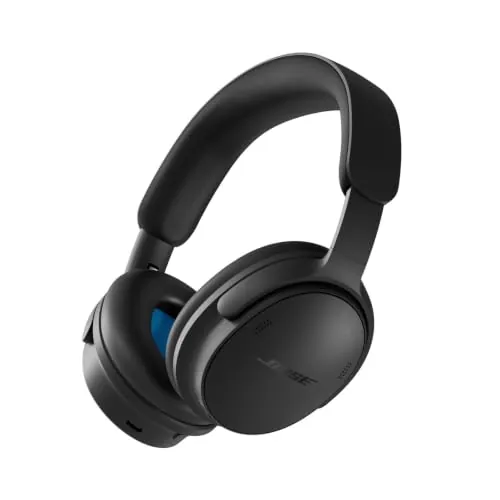
Bose QuietComfort (2nd Gen) vs QuietComfort Ultra (2nd Gen)
Both second-generation Bose models offer noise cancellation and USB-C wired listening, but Bose positions the Ultra as its premium model with CustomTune, Immersive Audio, and a capacitive volume strip. Bose's stated battery maximums differ by 6 hours with ANC on / in Bose's Quiet mode; RTINGS reports 27 hours for its tested QuietComfort sample and 37 hours for Ultra (2nd Gen). RTINGS describes the QuietComfort (2nd Gen)'s noise isolation as on par with Ultra (2nd Gen), so the available evidence does not establish that the Ultra cancels more noise in a direct controlled comparison.
Read comparison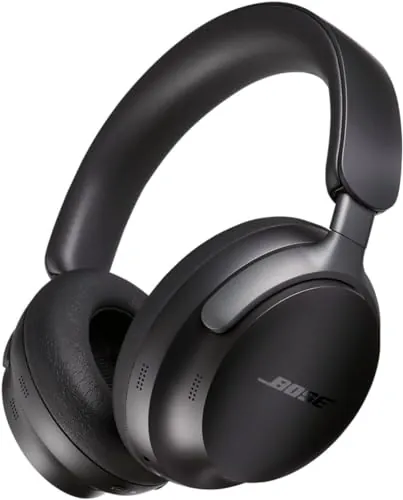
Bose QuietComfort Ultra vs 2nd Gen: Should Owners Upgrade?
The QuietComfort Ultra 2nd Gen is a practical upgrade for USB-C computer audio, charging while listening, longer manufacturer-rated sessions, and video with Cinema Mode. If you mainly use Bluetooth and want noise cancellation, the original remains a credible choice: an exact-pair independent comparison reports similar overall ANC strengths, not a clear generational leap.
Read comparison