
Products compared
Bose
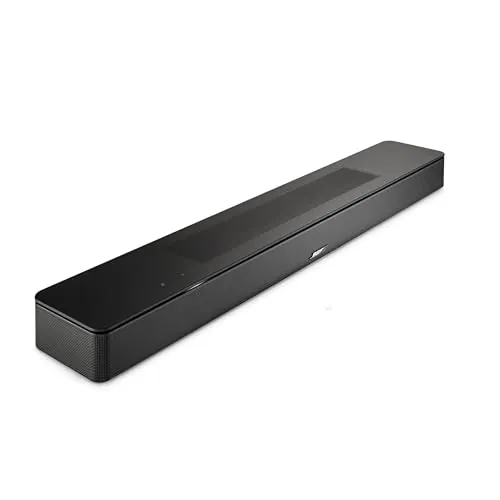
Bose Smart Soundbar
listing data-matched U.S. black single soundbar; verify the Amazon listing still names model 892079-1100 before checkout.
Model 892079-1100
Amazon ASIN B0D6W8XQ6J

Sony
Sony HT-S100F
U.S. HT-S100F 2.0-channel soundbar; check the exact model on the listing and the included-cable details for its seller/condition.
Model HT-S100F
Amazon ASIN B0797MY6JB
Differences that matter
What matters most to you?
Choose a priority to see what it changes.
Sources for TV input and Atmos route
Sources for Extra speakers and expansion
Sources for Music and app workflow
Sources for Shelf width and setup cables
Start with the TV connection and audio format
Both models offer HDMI ARC and optical, so a matching socket alone does not decide the comparison. Bose documents Dolby Atmos through a compatible TV’s eARC or ARC port; its optical option is for the alternate connection path, not Atmos. For Sony HT-S100F, the manufacturer lists Dolby Digital, Dolby Dual mono and two-channel LPCM for HDMI ARC and optical. Check the TV’s audio-output menu and the format sent by your source before buying: an ARC port does not itself confirm the full format path.
This makes Bose the conditional choice when Atmos is a real requirement and every link in the chain supports it. Choose Sony when the TV can send one of Sony’s listed formats and you do not need Atmos. No audio-quality or latency ranking is implied.
Decide whether you will expand beyond one bar
Bose’s Smart Soundbar owner guide names Bass Module 700, Bass Module 500, Surround Speakers 700 and Surround Speakers as compatible optional accessories. The Bose app also connects certain SoundLink speakers or Bose headphones with SimpleSync; the guide says only one such product can be connected at a time. These are specific compatibility paths, not a promise that any wireless speaker will work.
Sony’s HT-S100F specification lists Wireless Surround, wireless surround with optional speakers and Wireless Multi-room as No. Treat this as a single-bar setup for this comparison. If future rear speakers, a bass module or whole-home Bose grouping matter, those support boundaries are a material buying distinction; if not, you need not pay attention to an expansion feature.
Choose the music and control routine you actually use
Bose lists AirPlay 2, Chromecast built-in and Spotify Connect, plus Bluetooth, Bose app setup and compatible product grouping. Sony’s manual gives Bluetooth and USB as direct music inputs. On Sony, the remote cycles TV, Bluetooth and USB inputs; USB files play from the attached drive, and an HDMI connection is needed if you want the USB content list on the TV. The manual also names file and device limitations, so check them if USB is central to your routine.
Both can use TV audio over their documented inputs. Bose adds Wi-Fi streaming and app controls; that matters if you will use those services or grouping, not simply because you want music from a phone. Sony’s published feature list supports Bluetooth and USB playback without those network services.
Check shelf space and cables before ordering
Bose lists a 27.34-inch width and includes HDMI and optical cables in its product-page box list. Sony lists a 35-1/2-inch body width; its U.S. box list includes an optical cable and AC cord. If you plan to connect Sony over ARC, make sure an HDMI cable is available. These are manufacturer-listed figures and standard box contents; verify the Amazon offer page, especially for used or open-box condition.
For TV-remote power and volume, both manuals point to HDMI ARC/CEC setup. Sony’s guide says Control for HDMI must be enabled on both devices and does not guarantee operation with non-Sony products. Bose’s guide requires the ARC/eARC connection for TV-remote power, volume and mute. Check the TV’s CEC setting name in its own manual before treating one-remote operation as certain.
Product details
Bose Smart Soundbar
- TV connection options
- HDMI eARC or ARC for the documented Atmos path; optical is an alternate TV connection Source
- Included connection cables
- Bose lists both HDMI and optical cables in the box Source
- Optional expansion
- Bose lists Bass Module 700, Bass Module 500, Surround Speakers 700 and Surround Speakers as compatible accessories Source
- Listed width
- 27.34 in Source
Sony HT-S100F
- TV connection options
- HDMI ARC or optical; the specification lists Dolby Digital, Dolby Dual mono and LPCM 2ch for both inputs Source
- Additional-speaker and multi-room support
- Sony lists wireless surround, optional wireless-speaker surround and wireless multi-room as No Source
- Listed width
- 35-1/2 in (900 mm) Source
- Local music inputs
- Bluetooth receiver and USB-A playback; USB audio file formats are listed by Sony Source
Before you buy
Community discussions
Testing one-remote startup with the TV
Bose Smart Soundbar
An owner connected the 2024 Bose Smart Soundbar through an LG OLED’s ARC port and used an Apple TV remote. They reported that the TV and streamer sometimes powered on without the bar.
What to check
Try the TV’s sound output at startup with the streamer you actually use. Check that the bar joins the setup and the remote you prefer changes volume.
Common questions
Can either bar connect to a TV over optical?
Yes. Both manufacturer sources list optical as a TV connection. It is an alternate path for Bose, but the Bose manual specifies eARC or ARC—not optical—for Dolby Atmos. Sony lists Dolby Digital, Dolby Dual mono and LPCM 2ch over optical.Bose Smart Soundbar owner guideSony HT-S100F specifications (Sony USA)
Will the Sony HT-S100F add wireless rear speakers later?
Sony’s specification page lists Wireless Surround and Wireless Surround with optional speakers as No. Bose lists specific compatible bass and surround accessories for the Smart Soundbar, but compatibility is model-specific; check its owner guide rather than assuming another speaker will pair.Sony HT-S100F specifications (Sony USA)Bose Smart Soundbar owner guide
Does Sony require an HDMI cable to show music files from USB?
Sony says the soundbar can play files from a connected USB device; to view the USB content list on the TV, connect the soundbar to the TV with HDMI. Check the manual’s supported file types and USB-device notes before relying on a library drive.Sony HT-S100F Operating Instructions (U.S. section)
Can I control volume with my TV remote?
Both guides document TV-remote control over HDMI ARC/CEC under supported settings. Sony requires Control for HDMI on the soundbar and TV; Sony says operation with non-Sony devices is not guaranteed. Bose’s guide requires the ARC/eARC TV connection for TV-remote power, volume and mute.Bose Smart Soundbar owner guideSony HT-S100F Operating Instructions (U.S. section)
Sources and scope
This is a documentation-based feature-fit comparison, not a listening, sound-quality, bass, dialogue, latency or reliability test. Atmos depends on the entire TV/source/content/settings chain. Sony lists only its specified TV-input formats and does not list Atmos. Bose add-ons and SimpleSync partners are model-specific, optional products; SimpleSync accepts one compatible product at a time. Availability of streaming services, app functions and TV remote control can depend on software, region, network and the connected TV. Manufacturer box-content lists describe standard U.S. packages; confirm the actual seller listing and condition.
Related comparisons
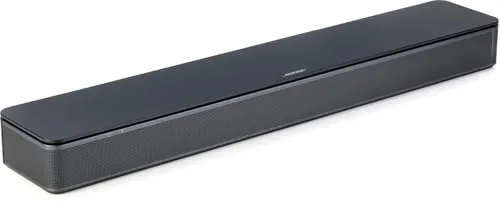
Bose TV Speaker 838309-1100 vs Sony HT-S100F: Match TV Ports, Cables, and Shelf Space
For a simple TV connection, either soundbar can use optical audio and both official box lists include an optical cable. Both also support HDMI ARC, but plan for a separate HDMI cable and verify that your TV has an ARC-labeled port; actual control and audio behavior depends on the TV and its settings. Bose’s TV Speaker (838309-1100) includes a remote with Dialogue and Bass controls and supports optional wired Bose Bass Module 500 or 700 expansion using a separately sold cable. Sony HT-S100F includes a remote and supports Voice mode plus USB playback for compatible file types. Bose is 23.38 inches wide; Sony is 35.5 inches wide, so check the shelf and cable path.
Read comparisonBose TV Speaker vs Bose Smart Soundbar: Connections, App and Expansion
These Bose soundbars serve different system plans. The TV Speaker focuses on one TV connection, Bluetooth music and remote control; it includes an optical cable, while its HDMI cable is sold separately. Smart Soundbar adds the Bose app, Wi-Fi streaming and optional wireless bass and surround equipment, and its box lists both optical and HDMI cables. Before choosing, check your TV ports, whether you need Dolby Atmos, the cables already included, the space under your TV and any accessories you expect to add.
Read comparison