
Products compared
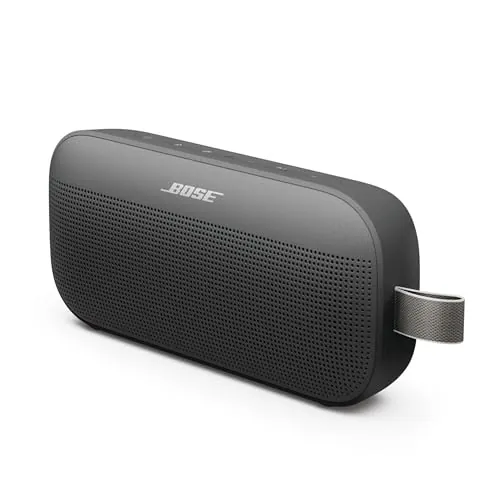
Bose
Bose SoundLink Flex Portable Speaker (2nd Gen), Black
U.S. Black variant; portable Bluetooth speaker with built-in microphone and speakerphone controls.
Model 887612-0100
Amazon ASIN B0D6WD2QSQ
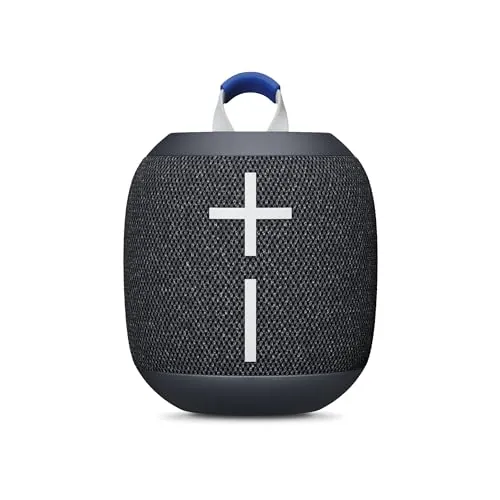
Ultimate Ears
Ultimate Ears WONDERBOOM 4, Active Black
U.S. Black variant; compact portable speaker with a maker-documented WONDERBOOM Double Up workflow.
Model 984-001876 (M/N SR0192)
Amazon ASIN B0BRXJ9WTD
Differences that matter
Sources for Pairing with a second speaker
Sources for Carry space and attachment check
Sources for Water use and charging after exposure
Start with the way you will use calls
The Bose SoundLink Flex 2nd Gen has a manufacturer-listed microphone and speakerphone. Its play/pause button answers an incoming call; a double press declines or ends one. The owner guide also documents holding one call while taking another. Logitech's WONDERBOOM 4 spec says its microphone is N/A, so it does not supply the speaker-side mic in that workflow.
This answers a concrete setup question: if the phone will sit away from you and you want to speak through the speaker, the Bose feature set is the documented match. If you do not need calls through the speaker, move on to which second speaker you plan to pair. These documents do not compare call clarity or microphone performance.
Name the speaker before buying a second one
Bose's default Shortcut links the Flex 2 to one compatible Bose Bluetooth speaker with a Shortcut button. The guide says matching models can play left/right Stereo, while different Bose models use Party mode; for this Bose link, the two speakers must stay within 30 ft (9 m) of one another and each must be within 30 ft (9 m) of the streaming device.
WONDERBOOM Double Up is a separate workflow: the model-specific guide says to long-press the center button on both a WONDERBOOM 4 and a WONDERBOOM 3 or 4. After pairing, long-press either center button to toggle mono and two-channel stereo; long-press Bluetooth to leave. Before checkout, check the exact model printed on the speaker you already own. The documents reviewed here do not establish pairing a Bose and a WONDERBOOM together.
Check bag fit and water expectations separately
For a fitted pocket, Bose lists Flex 2 at 2.06 × 7.93 × 3.56 inches and 1.291 lb. Logitech lists WONDERBOOM 4 at 95.3 × 95.3 × 104 mm and 420 g using its own Height, Length and Depth labels. The selected listing has different WONDERBOOM dimensions and weight, so this guide uses Logitech's product-specific spec and recommends a physical fit check when a few millimeters matter.
Both manufacturers describe IP67 and say the speaker floats. Bose explicitly says Flex 2 is not designed to be used while in water. The Bose product page identifies a nylon utility loop for clipping outside a bag; the WONDERBOOM pages checked do not specify a comparable loop. If hanging the speaker is essential, verify the actual unit or box before purchase rather than assuming the accessories match.
Verify the exact variant and charging box contents
The assigned U.S. products are Bose Black, part 887612-0100, and WONDERBOOM 4 Active Black, part 984-001876 (M/N SR0192). Match those identifiers and colors on the exact listing so another generation or bundle is not substituted.
Bose lists a USB-C-to-A cable in the box and says a power adapter is not included. Logitech's support spec says a USB-C cable is included with WONDERBOOM 4; however, the selected ASIN's listing feature text says its charging cable is not included. Resolve that discrepancy against the current seller's exact package and condition. Do not assume either box includes a wall adapter.
Product details
Bose SoundLink Flex Portable Speaker (2nd Gen), Black
- Speakerphone
- Built-in microphone; Bose lists the speakerphone and play/pause call controls. Source
- Published size and weight
- 2.06 in H × 7.93 in W × 3.56 in D; 1.291 lb, as listed by Bose. Source
- Carry and water notes
- Nylon sport utility loop; IP67; Bose says it floats but is not designed for use while in water. Source
Ultimate Ears WONDERBOOM 4, Active Black
- Microphone and buttons
- Logitech lists microphone as N/A; center button controls playback and Double Up, and the bottom button selects Outdoor Boost or Podcast mode. Source
- Published size and weight
- 95.3 × 95.3 × 104 mm and 420 g in Logitech's Height × Length × Depth × Weight table. Source
- Grouping and water notes
- Double Up is documented with another WONDERBOOM 4 or 3; IP67-rated and floats, according to Ultimate Ears. Source
Before you buy
Community discussions
Starting a stereo pair with two Flex 2 speakers
Bose SoundLink Flex Portable Speaker (2nd Gen), Black
An owner setting up two SoundLink Flex 2nd Gen speakers found instructions for the earlier model unhelpful. They reported using the manual for their generation and the Shortcut button to start stereo playback.
What to check
Check the generation of the speaker you already own. Try starting the documented two-speaker mode and see whether you can remember the controls away from home.
Checking audible prompts after updating the speaker
Bose SoundLink Flex Portable Speaker (2nd Gen), Black
A SoundLink Flex 2nd Gen owner who depends on spoken feedback reported that announcements they relied on, including battery level, changed after an update. They also had trouble with media controls on some connected devices.
What to check
If you use the speaker for calls, test the answer and end controls on your phone. Check whether the cues you need are available in the current setup.
Common questions
Can the WONDERBOOM 4 answer a call as a speakerphone?
Logitech's WONDERBOOM 4 specification lists its microphone as N/A. Bose lists a built-in microphone and describes answer, decline and end controls on the SoundLink Flex 2nd Gen. This compares documented hardware and controls, not call clarity.Specification — WONDERBOOM 4SoundLink Flex Portable Speaker (2nd Gen) — Black U.S. product page
Can I pair a Bose SoundLink Flex 2 with a WONDERBOOM 4 for stereo?
The reviewed Bose guide describes linking the Flex 2 to a compatible Bose Bluetooth speaker with a Shortcut button; Ultimate Ears documents Double Up with WONDERBOOM 3 or 4. These sources do not establish cross-brand pairing, so do not buy the pair expecting it to work as a stereo group.SoundLink Flex Portable Speaker (2nd Gen) Owner's GuideWONDERBOOM 4 — Active Black U.S. product page
Which speaker should I choose for a pool or bag?
Both manufacturers describe IP67 and floating. Bose explicitly documents a nylon sport utility loop and says Flex 2 is not designed to be used while in water. Logitech lists WONDERBOOM 4's physical dimensions and weight, but the official pages reviewed here do not specify an attachment loop. Check the exact fit and intended attachment before buying; these facts do not establish comparative durability.SoundLink Flex Portable Speaker (2nd Gen) — Black U.S. product pageSpecification — WONDERBOOM 4WONDERBOOM 4 — Active Black U.S. product page
Is a USB-C cable included with WONDERBOOM 4?
Logitech's support specification says the USB-C charging cable is included, while the selected ASIN-specific listing feature text says it is not. Confirm the box contents shown for the exact seller and condition before checkout.Specification — WONDERBOOM 4
Sources and scope
This guide uses manufacturer product, owner-guide and support documentation. No hands-on or controlled listening, call, loudness, range, battery-runtime, durability or reliability test was performed. Bose and WONDERBOOM use different documented group-pairing workflows; the sources do not establish cross-brand pairing. Logitech's WONDERBOOM 4 support specification says a USB-C charging cable is included, while the selected ASIN's listing feature text says it is not; confirm the exact seller box contents. Do not treat published dimensions as a substitute for checking a bag or compartment in the orientation you will use.
Related comparisons
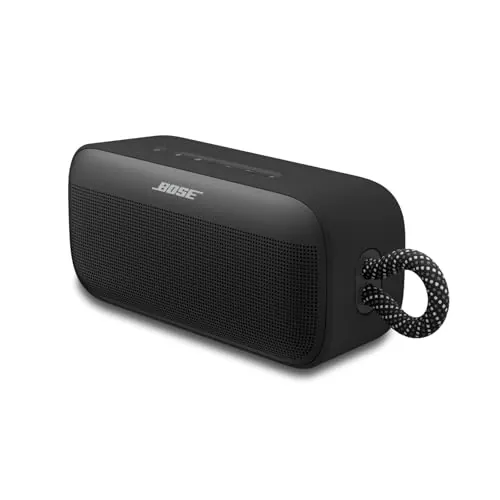
Bose SoundLink Plus vs Ultimate Ears WONDERBOOM 4
Bose SoundLink Plus suits buyers who will use its USB-C phone charge-out, app EQ and larger battery rating. WONDERBOOM 4 is much lighter by listed weight and offers 360-degree coverage with physical Outdoor Boost and Podcast controls. Both are IP67 and float; Bose warns against using it in water.
Read comparison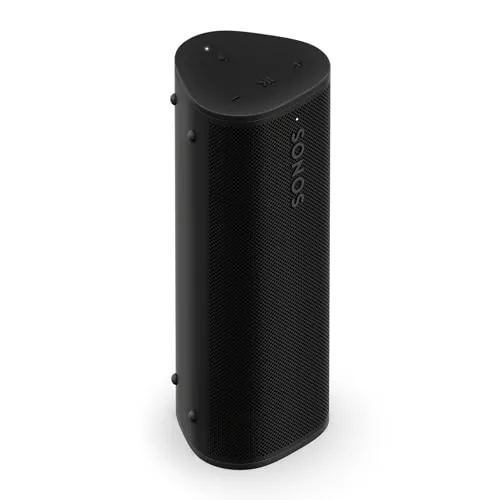
Bose SoundLink Flex (2nd Gen) vs Sonos Roam 2: Setup, Wi-Fi and Wet-Use Limits
Both exact Black models support Bluetooth and carry an IP67 rating, but the setup path differs. Roam 2 can play Bluetooth audio right out of the box; use the Sonos app on iOS or Android to add it to Wi-Fi and group it with Sonos products. Flex 2 stays Bluetooth-first, floats, and Bose says not to use it while in water. Check your network, charging plan, and water-use expectations before buying.
Read comparison