
Products compared
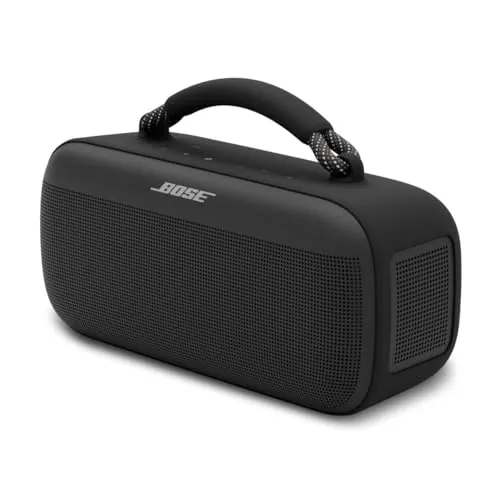
Bose
Bose SoundLink Max Portable Speaker, Black
Black U.S. SoundLink Max Portable Speaker; not a SoundLink Plus or SoundLink Flex.
Model 883848-0100
Amazon ASIN B0CVL1K7DX
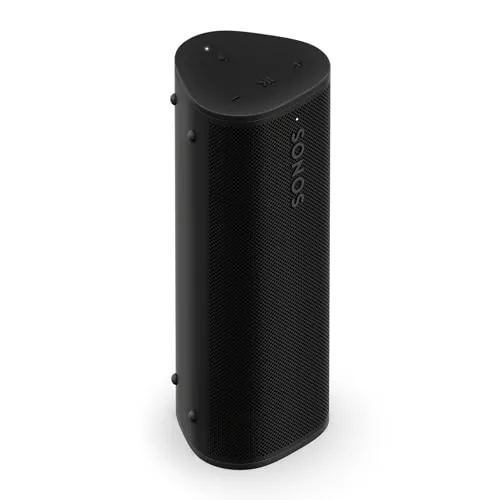
Sonos
Sonos Roam 2, Black
Black U.S. Roam 2 portable speaker; not the first-generation Sonos Roam.
Model ROAM2US1BLK
Amazon ASIN B0CY6S748H
Differences that matter
Sources for Source device and wired playback
Sources for Existing speaker ecosystem
Sources for Carry and storage fit
Start with the source you need to connect
For a wired source, the Bose SoundLink Max Owner's Guide documents a 3.5 mm AUX input. The cable is not included, and connecting it disconnects Bluetooth. This gives a practical path for equipment with a compatible analog output, but check the source's actual port and cable needs before ordering.
Sonos documents Roam 2 as playing directly from a mobile device over Bluetooth. These sources do not establish an analog line input for Roam 2, so do not assume that the same wired-source workflow applies.
Match the speaker to the system you already own
Bose documents two different options for SoundLink Max: linking with one compatible Bose Bluetooth speaker, or SimpleSync with one compatible Bose smart speaker or soundbar. For the Bluetooth-speaker link, both speakers and the streaming device should be within 30 ft (9 m). Same-model pairs can use Stereo mode; different models can use Party mode only. SimpleSync has its own setup and compatible-device requirements.
Roam 2 can be set up over Wi-Fi in the Sonos app to connect with the rest of a Sonos system. For Bluetooth audio sharing to other Sonos products, Sonos requires Wi-Fi setup and continued grouping. Roam 2 cannot swap Bluetooth audio to and from other Sonos products, so follow the documented grouping flow rather than expecting a speaker-to-speaker Bluetooth handoff.
Check the controls and the space where you will use it
Roam 2 has separate power and Bluetooth buttons. Sonos' quick-start guide shows holding Bluetooth to pair and pressing it to reconnect; the play/pause control can group or swap Sonos audio while held. Bose's guide describes reconnecting to its two most recently connected devices, and its shortcut can be changed or disabled in the Bose app. Check the live shortcut setting if a button action matters to your routine.
Roam 2's published dimensions and weight give a concrete bag-fit reference. Bose lists a longer, wider SoundLink Max body and a removable handle, but its product page conflicts between two weight figures. Measure the available opening and verify Bose's weight if the carried load matters; neither product's dimensions alone establish how it will feel in use.
Product details
Bose SoundLink Max Portable Speaker, Black
- Wired source input
- 3.5 mm AUX input; the audio cable is not provided. Connecting it disconnects Bluetooth until the cable is removed and reconnected or Bluetooth is selected. Source
- Speaker linking
- Can link to one compatible Bose Bluetooth speaker at a time. The guide says the two speakers and the streaming device should each be within 30 ft (9 m); different models play in Party mode, while same-model speakers can use Stereo mode. Source
- Listed body size
- 4.73 in H × 10.42 in W × 4.13 in D. Bose's page shows two different weight figures, so weight is not stated here. Source
Sonos Roam 2, Black
- Documented size and weight
- 6.61 × 2.44 × 2.36 in (168 × 62 × 60 mm); 0.95 lb (0.43 kg). Source
- Phone and Sonos system setup
- Sonos documents direct Bluetooth playback from a mobile device, plus Sonos app setup over Wi-Fi to connect to the rest of a Sonos system. Sharing Bluetooth audio to other Sonos products requires Wi-Fi setup and keeping the products grouped. Source
- On-speaker controls
- The quick-start guide shows a press-and-hold on the Bluetooth button to pair and a press to reconnect; the play/pause control can group Sonos products or swap audio while held. Source
Before you buy
Community discussions
Trying a portable speaker with a television
Bose SoundLink Max Portable Speaker, Black
A SoundLink Max owner tried sending TV audio to the speaker by Bluetooth as an alternative to the television’s built-in speakers.
What to check
Check which audio output your TV offers and how you will adjust volume. Test whether speech stays in sync with the picture.
Common questions
Can I connect an analog audio source to the Bose SoundLink Max?
The SoundLink Max Owner's Guide documents a 3.5 mm audio input and says the cable is not provided. When the cable is connected, Bluetooth disconnects. Check that your source has a compatible output and obtain the required cable separately.Bose SoundLink Max Owner's Guide (English)
Can Roam 2 send Bluetooth audio to other Sonos speakers?
Sonos documents this after Roam 2 has been set up and connected over Wi-Fi and the products are grouped. The group must remain in place for sharing; Sonos says Roam and Roam 2 cannot swap Bluetooth audio to and from other Sonos products.Sonos Support: Share Bluetooth audio with your Sonos system
Which one is easier to carry?
Sonos publishes Roam 2 dimensions of 6.61 × 2.44 × 2.36 inches and a weight of 0.95 lb. Bose lists SoundLink Max dimensions of 4.73 × 10.42 × 4.13 inches and includes a removable handle, but the same Bose page gives two different weights. Compare the dimensions to your bag and confirm Bose's weight if it affects your choice.Bose SoundLink Max Portable Speaker product page, Black selectionSonos Roam 2 Fact Sheet
Sources and scope
This guide compares documented connections, setup and physical dimensions. It does not test sound quality, loudness, battery life, Bluetooth range or durability. Bose's own product page gives conflicting SoundLink Max weight values in two sections, so this guide omits its weight. Confirm your exact source device and existing speaker system before buying.
Related comparisons
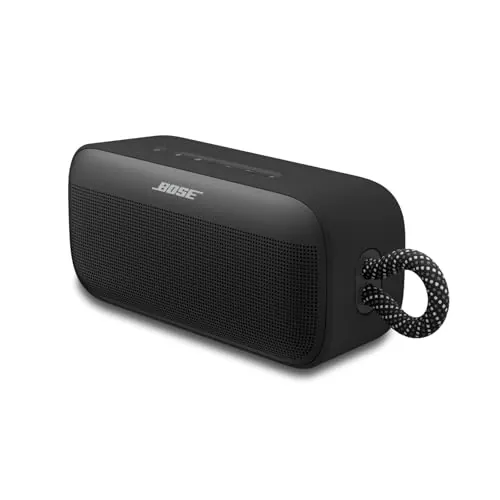
Bose SoundLink Max vs SoundLink Plus: AUX, Charging and Carry Fit
The SoundLink Max adds a 3.5 mm AUX input, a removable rope handle and, for the US package, a USB-C power supply. SoundLink Plus has a carrying loop and includes a USB-C cable but no wall adapter. Both support USB-C charging and device charge-out; check your wired sources and existing charger before choosing.
Read comparison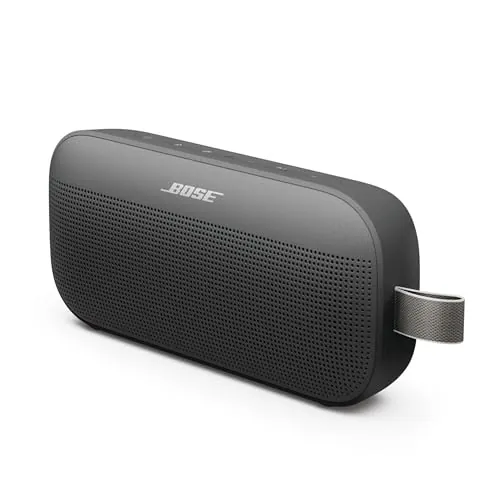
Bose SoundLink Flex (2nd Gen) vs Sonos Roam 2: Setup, Wi-Fi and Wet-Use Limits
Both exact Black models support Bluetooth and carry an IP67 rating, but the setup path differs. Roam 2 can play Bluetooth audio right out of the box; use the Sonos app on iOS or Android to add it to Wi-Fi and group it with Sonos products. Flex 2 stays Bluetooth-first, floats, and Bose says not to use it while in water. Check your network, charging plan, and water-use expectations before buying.
Read comparison