
Products compared
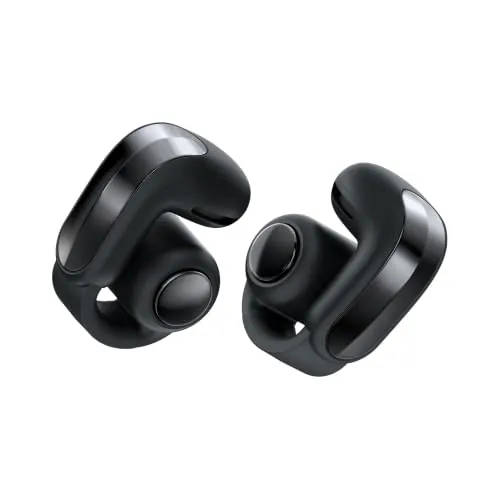
Bose
Bose Ultra Open Earbuds (2nd Gen)
Exact selected listing: Black Bose Ultra Open Earbuds (2nd Gen), product model 897806-0010. Confirm the 2nd Gen wording and Black option; the first-generation Ultra Open is a different model.
Model Ultra Open Earbuds 2nd Gen / 897806-0010
Amazon ASIN B0HF8PYLWS
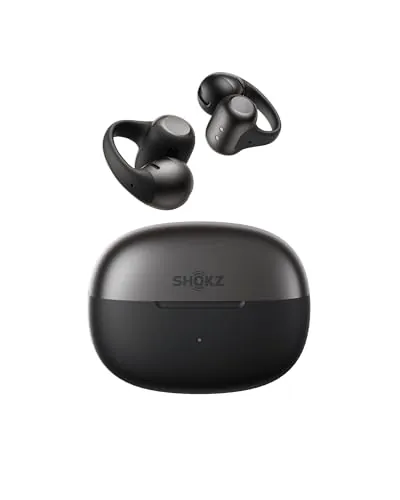
SHOKZ
Shokz OpenDots 2 Open-Ear Clip-On Earbuds
Exact selected listing: Black SHOKZ OpenDots 2, listed model E320. Do not substitute OpenDots ONE. The official product page identifies OpenDots 2 Black, but does not bridge its listed retailer UPC to this Amazon ASIN; verify the exact model and package on the offer.
Model OpenDots 2 / E320
Amazon ASIN B0GQ3MD31D
Differences that matter
What matters most to you?
Choose a priority to see what it changes.
Sources for Contact point and wearing layout
Sources for Ear assignment and fit adjustment
Sources for Phone and computer switching
The shape is the first decision
Bose describes the Ultra Open Earbuds (2nd Gen) as an adjustable flexible cuff curving around the ear, with the speaker just outside the ear canal. Shokz describes a clip-shaped JointArc with a ball speaker at the inner ear ridge and a cylindrical battery section behind the ear. Those are distinct contact maps; try the actual shape if an individual fit matters.
Shokz also documents Dynamic Ear Detection that recognizes left and right earbuds so either can be worn interchangeably. Bose's cited page describes a cuff and flexible joint, but does not document this automatic left/right feature. Neither manufacturer description proves which will feel better or stay in place on a particular ear.
Choose how you want to operate them
Each Bose earbud has a button on top of its barrel. Bose documents press and press-and-hold patterns for playback, next/previous, volume, calls and shortcuts; the Bose app can assign a shortcut to the phone's native assistant.
OpenDots 2 uses taps and force-sensor pinches. Shokz lists actions for playback, calls, tracks and volume, and says gesture functions can be customized in the Shokz App. Pick the input style you are more willing to use while the earbud is on; there is no test here of accidental inputs or ease of use.
Check the phone-and-computer routine
Both manufacturers list multipoint. Shokz specifically says OpenDots 2 can connect to two devices simultaneously and exposes multipoint through its app. Bose's current page confirms Bluetooth multipoint but does not state a device count. If your routine depends on a particular phone/computer handoff, confirm the Bose limit and switching behavior directly rather than assuming the products are identical.
Both pages identify open-ear products. If you actually want a sealed ear canal or isolation from the room, this pair answers the wrong product question.
Plan the case and charging setup
Bose says the 2nd Gen case can charge over USB-C or wirelessly. Its published box list names the buds, charging case and printed materials; the charger note says the power adapter is not included. Shokz documents both USB-C and Qi charging and lists a USB-C cable in the OpenDots 2 model-page box contents.
The OpenDots 2 listing data UPC-to-Amazon mapping remains unresolved, so the Shokz model page does not prove the selected marketplace package. Check the actual Black OpenDots 2 offer's box listing before counting on a cable. Manufacturer battery maxima also use different conditions; they are not a head-to-head runtime result.
Before you buy
Read the offer title and model twice: Bose Ultra Open Earbuds (2nd Gen), Black; Shokz OpenDots 2, Black. The original Bose Ultra Open and Shokz OpenDots ONE are not treated as the assigned products. Next choose your preferred ear contact point and control style, verify the device-switching detail you need, and confirm the exact package/cable contents on the selected offer.
If the shape is uncertain, use the seller's current return policy as a practical try-on consideration, but do not assume any particular seller policy from the manufacturer page.
Product details
Bose Ultra Open Earbuds (2nd Gen)
- Ear placement
- Cuffed open-ear design with an adjustable flex joint that curves around the ear; speakers sit just outside the ear canal. Source
- Controls
- A top-of-barrel physical button on each earbud handles playback, track changes, calls, shortcuts and volume; volume uses a press followed by a press-and-hold. Source
- Device switching
- Bose lists Bluetooth multipoint; the cited product page does not specify a maximum device count. Source
- Charging
- Case supports USB-C wired charging or wireless charging; Bose lists up to 9 hours per earbud charge, with playtime varying by settings and use. Source
Shokz OpenDots 2 Open-Ear Clip-On Earbuds
- Ear placement
- Clip-on JointArc layout: ball-shaped speaker at the inner ear ridge and cylindrical battery section behind the ear; dynamic ear detection identifies left and right. Source
- Controls
- Tap and force-sensor pinch gestures cover playback, calls, track changes and volume; gesture controls can be customized in the Shokz App. Source
- Device switching
- Shokz states OpenDots 2 can connect to two devices simultaneously; the Shokz App includes multipoint management. Source
- Charging
- Charging case supports USB-C and Qi wireless charging. Shokz lists up to 10 hours per charge and up to 40 hours with the case; these are maker estimates, not a matched test. Source
Before you buy
Community discussions
One Ultra Open 2nd Gen buyer reports repeated fit adjustments
Bose Ultra Open Earbuds (2nd Gen)
The OP identifies Bose Ultra Open 2nd Gen and says they had to adjust the fit frequently and found the earbuds stayed put only while lying still. This is one buyer’s experience and does not compare the Shokz design.
What to check
If you plan to wear open earbuds while moving, try positioning each design on your own ear during the activities you have in mind. The Bose uses an adjustable cuff-like joint and the OpenDots 2 uses a clip-on joint; this one report cannot establish which will fit better for you.
Common questions
Are the Bose Ultra Open Earbuds (2nd Gen) and OpenDots 2 sealed in-ear earbuds?
No. Both manufacturer pages describe open-ear designs. Bose says its speakers sit just outside the ear canal; Shokz places its speaker at the inner ear ridge. Neither guide supports a claim that these provide sealed in-ear isolation.Bose Ultra Open Earbuds (2nd Gen) — product details, controls and chargingOpenDots 2 Clip-on Earbuds — design, controls, charging and multipoint
Which product uses physical buttons?
Bose documents a top-of-barrel button on each Bose Ultra Open Earbud (2nd Gen), including press and press-and-hold controls. Shokz describes taps and force-sensor pinch gestures for OpenDots 2.Bose Ultra Open Earbuds (2nd Gen) — product details, controls and chargingOpenDots 2 Clip-on Earbuds — design, controls, charging and multipoint
Can both connect to a phone and computer?
Both manufacturers list multipoint. Shokz explicitly states OpenDots 2 connects to two devices simultaneously. Bose confirms Bluetooth multipoint but does not give a maximum count on the page cited here; verify that detail for your devices.Bose Ultra Open Earbuds (2nd Gen) — product details, controls and chargingOpenDots 2 Clip-on Earbuds — design, controls, charging and multipoint
Do the cases support wireless charging, and is a cable included?
Both makers describe wireless case charging as well as USB-C charging. Shokz's OpenDots 2 product page lists a USB-C cable in the model-family box contents. Bose's 2nd Gen box list names the earbuds, case and printed guides, while its charger note says the power adapter is not included; check the exact retailer package for a USB-C cable.Bose Ultra Open Earbuds (2nd Gen) — product details, controls and chargingOpenDots 2 — official product page and model-family box contentsOpenDots 2 Clip-on Earbuds — design, controls, charging and multipoint
Does OpenDots 2 automatically tell left from right?
Yes. Shokz documents Dynamic Ear Detection for identifying the left and right sides, allowing the earbuds to be worn interchangeably. The cited Bose material does not document this feature for its 2nd Gen model.OpenDots 2 Clip-on Earbuds — design, controls, charging and multipoint
Do manufacturer battery estimates prove OpenDots 2 lasts longer?
No. Bose and Shokz publish different maximum estimates under different or incompletely comparable stated conditions. This guide does not claim a matched runtime advantage; use each figure as a maker estimate and check how listening modes and volume affect it.Bose Ultra Open Earbuds (2nd Gen) — product details, controls and chargingOpenDots 2 Clip-on Earbuds — design, controls, charging and multipoint
Sources and scope
The guide compares the documented controls and wearing layouts for Bose Ultra Open Earbuds 2nd Gen and Shokz OpenDots 2. Fit depends on your ear shape. Check the exact Black OpenDots 2 package because product barcode references differ.
Related comparisons
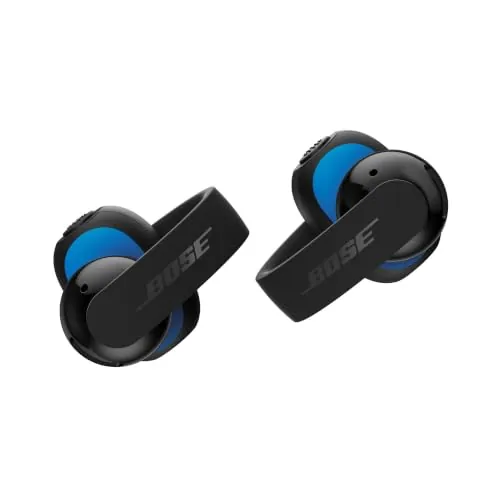
Bose Ultra Open Earbuds (2nd Gen) vs Sport Open: Daily or Workout Use?
Both are Black Bose open-ear cuff designs with USB-C and wireless case charging. Bose positions Ultra Open (2nd Gen) for commutes, work, and downtime, while the 2026 Sport Open is built around running, workouts, and outdoor use. Compare their cuff setup, physical controls, and condition-labeled battery figures without treating the manufacturers’ separate tests as a head-to-head result.
Read comparison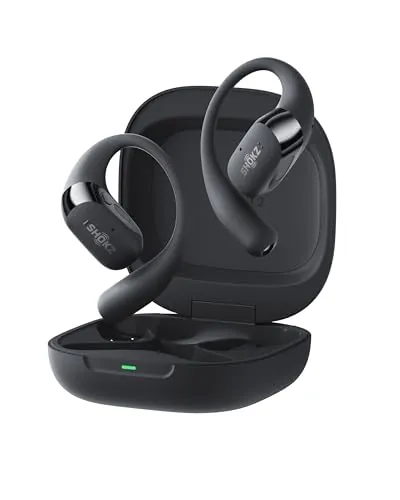
Shokz OpenFit 2+ vs OpenDots 2: Buttons, Case Protection and Care
OpenFit 2+ uses physical multifunction buttons and its charging case has no water-resistance rating. OpenDots 2 uses tap and pinch gestures, lets either earbud serve as left or right when enabled, and its case has an IP54 rating. The useful distinction is how you operate and dry the set after sweat or rain, not a claim that either one sounds or fits better.
Read comparison