
Products compared
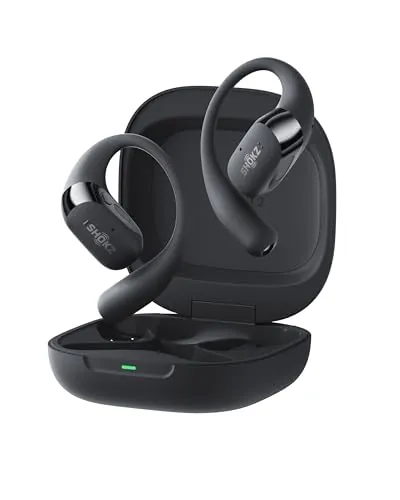
Shokz
Shokz OpenFit 2+ Black
Open-ear earbuds with flexible ear hooks and physical multifunction buttons.
Model T921
Amazon ASIN B0DYCJSZLS
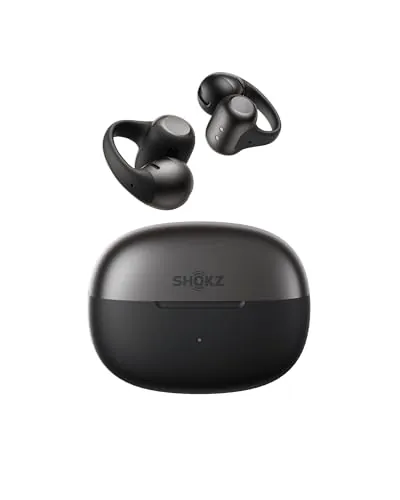
Shokz
Shokz OpenDots 2 Black
Open-ear clip-on earbuds with tap and force-sensor pinch controls.
Model E320
Amazon ASIN B0GQ3MD31D
Differences that matter
What matters most to you?
Choose a priority to see what it changes.
Sources for Controls and one-ear use
Sources for What the ratings cover
Sources for Case and charging routine
Sources for After-sweat care
The choice is physical buttons or tap-and-pinch gestures
OpenFit 2+ is the physical-button option. Shokz's default map uses clicks for playback, calls and track changes, with left/right button holds for volume; the maker says each earbud can be used on its own and retains that side's button functions. Button actions can be customized in the app.
OpenDots 2 places its controls on the clip: tap for playback and pinch gestures for calls, tracks and volume. The E320 guide assigns left and right pinch actions separately. The maker also documents an app setting that lets either unit serve as the left or right earbud. That is useful if you want to switch sides, but it is a different routine from reaching for a physical button.
A simple pre-buy check is to picture the action you will use most: a click on an ear hook, or a tap/pinch on a clip. The available sources describe the control maps but do not compare accidental inputs, response, or ease of use under exercise conditions.
Compare ratings by component, not by product name
Shokz lists IP55 for the OpenFit 2+ earbuds and says its charging case is not waterproof-rated. For OpenDots 2, the E320 manual specifies IP57 for the earbud bodies and IP54 for the case, and notes that protection can degrade with wear.
These labels do not turn either set into a swim or immersion product. The OpenDots 2 guide specifically says not to immerse it and calls for the product to be fully dry before use or charging. For OpenFit 2+, keep the unrated case dry and check its charging port before charging.
Map the after-workout cleanup before buying
For OpenFit 2+, Shokz advises wiping the buds with a soft dry cloth, removing mesh debris with a dry cotton swab, and ensuring the case port is dry before charging. Its case supports Qi charging, but the U.S. product page lists a cable rather than a wireless pad in the box.
For OpenDots 2, first wipe away sweat or debris and let the buds and charging contacts dry fully before returning them to the case. Its guide gives a specific method for the metal contacts: a pointed cotton swab with a small amount of medical alcohol or clean water, then a dry lint-free cloth until completely dry. The case can charge by the included USB-C cable or a certified wireless charger; the case manual says to center it on the pad and keep its port dry for wired charging.
This is a useful difference for buyers who want a documented case rating and wireless-charge option, but neither one removes the need to dry the set. Follow the manual for the exact model instead of treating an earbud rating as permission to put a wet device into its case.
Product details
Shokz OpenFit 2+ Black
- Default controls
- Physical multifunction buttons; button actions can be customized in the Shokz app. Source
- Published protection
- IP55 for the earbuds; the charging case is not rated waterproof. Source
- In the box
- Earbuds, charging case, Type-C cable, user guide, legal statement and warranty card; no wireless charging pad is listed. Source
Shokz OpenDots 2 Black
- Default controls
- Tap or pinch gestures; gesture assignments can be customized in the Shokz app. Source
- Published protection
- IP57 for the earbuds and IP54 for the charging case. Source
- In the box and charging
- Earbuds, charging case and USB-C cable are listed; the case also supports certified Qi wireless charging. Source
Before you buy
Community discussions
Compare the clip and hook during an in-store try-on
Shokz OpenDots 2 Black
A shopper tried OpenDots 2, OpenFit 2+ and OpenFit Pro in a store, then selected OpenFit 2+.
What to check
Try the OpenDots clip and OpenFit 2+ hook with your usual glasses, if possible.
Check the case-lid step when putting OpenDots 2 away
Shokz OpenDots 2 Black
In a thread about OpenDots One, a separate OpenDots 2 owner says their earbuds disconnect after they close the charging case.
What to check
Check what each model does when you put the earbuds away and close the case, especially if you often switch back to another audio device.
Common questions
Can I put either charging case in water because the earbuds have an IP rating?
No. The ratings are component-specific. OpenFit 2+ earbuds are IP55 and its case has no water-resistance rating. The OpenDots 2 manual gives IP57 to the earbuds and IP54 to the case, but still says not to immerse the product and to dry it fully before use or charging.OpenFit 2+ product, package and FAQOpenDots 2 E320 User Guide
Does either model include a wireless charging pad?
No pad is listed in either package. Both makers describe wireless charging support for the case, but the listed box contents include a charging cable and case rather than a pad.OpenFit 2+ product, package and FAQOpenDots 2 product, package and support FAQ
Sources and scope
This is a manufacturer-document comparison, not a comfort, sound, call-quality, gesture-response or durability test. IP ratings describe the stated protection of each component; they do not make either set suitable for immersion or charging while wet. Confirm the exact model and included items on the seller's listing before purchase.
Related comparisons
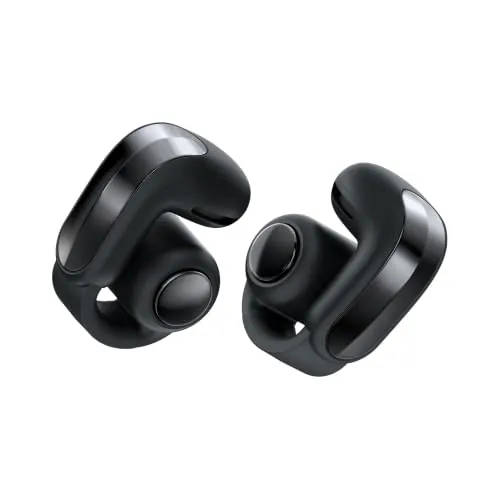
Bose Ultra Open Earbuds (2nd Gen) vs Shokz OpenDots 2: Fit Layout, Controls and Charging
Choose Bose Ultra Open Earbuds 2nd Gen if you want physical buttons on a flexible cuff. Choose Shokz OpenDots 2 if you prefer tap and pinch controls with automatic left/right detection. Both have wireless case charging. Shokz specifies two-device multipoint, and Bose lists multipoint without a device count on its product page.
Read comparison
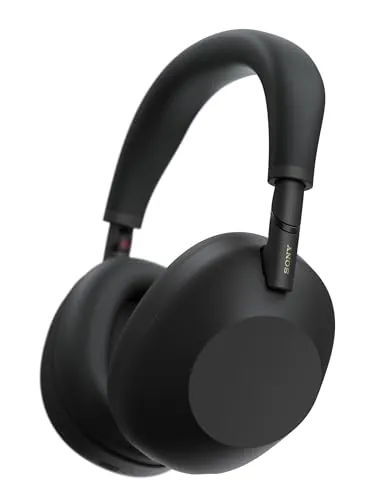
Sony WH-1000XM5 vs WH-1000XM6: Is the Upgrade Worth It for Office Noise?
Sony rates both headphones for up to 30 hours with noise canceling on and 40 hours off, so battery life is not a stated-generation upgrade. RTINGS' current public direct-pair verdict says XM6 reduces mid-range noise such as office chatter and keyboard clacks more effectively, but its softer pads can lose their seal more easily with glasses or small shifts. If your XM5 already handles your commute and calls, the XM6 changes matter most when that office-noise improvement is a problem you will use and the new fit feels secure.
Read comparison