
Products compared
Brother
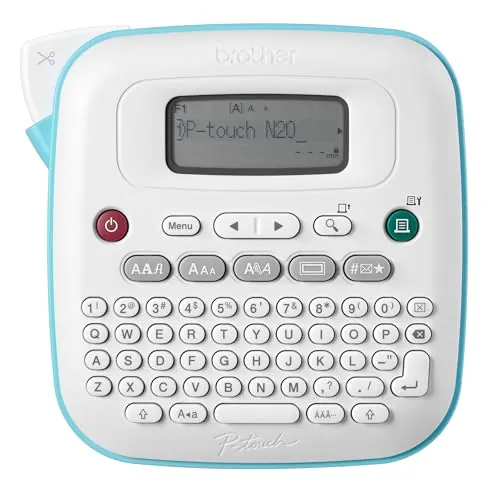
Brother P-touch PT-N20 Personal Desktop Label Maker
Brother's U.S. PT-N20 page describes a built-in QWERTY keyboard, 16-character preview display and up to ten saved labels. It uses Brother Btag cassettes, listed as 12 mm wide. The maker lists six AAA batteries or an optional AC adapter; both are sold separately. Its page lists no mobile-device printing app.
Model PT-N20 / PTN20
Amazon ASIN B0DFDRSHBJ
Brother
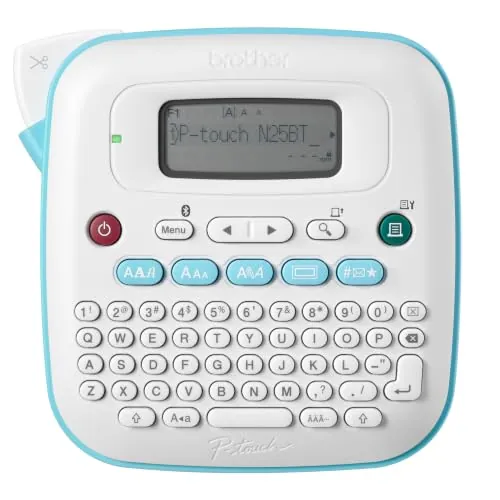
Brother P-touch PT-N25BT Personal Connected Label Maker
The U.S. PT-N25BT page also lists a QWERTY keyboard, 16-character display, ten saved labels and 12 mm Btag tape. Bluetooth adds Brother Design&Print 2, whose templates and extra layout elements are optional; the keyboard remains usable on the machine. Brother lists six AAA batteries or an optional AC adapter, sold separately, and says app compatibility varies by device and operating system.
Model PT-N25BT / PTN25BT
Amazon ASIN B0DFFHQPSC
Differences that matter
Phone templates with keyboard entry available
Brother P-touch PT-N25BT Personal Connected Label Maker · Brother documents Bluetooth Design&Print 2 and extra app layout options for PT-N25BT, alongside its built-in keyboard. This preference applies only if a supported phone/tablet workflow will be used.
View PT-N25BT / PTN25BT on Amazon (paid link)Sources for Make and preview a label at the machine
Sources for Reuse a design versus print copies
Sources for Optional phone-design workflow
Sources for Power and what to check in the carton
Check your tape drawer first
The PT-N20 and PT-N25BT both use Brother Btag cassettes, listed at 12 mm wide. Brother's Btag page identifies the tape family for both exact models. If your drawer holds another P-touch tape format, check its mark before choosing either printer rather than assuming the family name means it fits.
Both U.S. product pages list a Btag sample cassette in the carton. If you are planning a larger color-coded project, check which Btag colors and cassette lengths are currently available for the labels you expect to print.
Keep the shared printer usable from its keyboard
Brother lists a QWERTY keyboard and a 16-character display for each model, and both save up to ten labels. Its manual treats saved files and copy count as separate functions: recall a saved layout when you need it again, or set a number of copies for a batch of the same label. These common tasks do not distinguish the two printers.
For a shared space where one person may prefer a phone, the PT-N25BT still permits direct keyboard entry. The choice changes when that person actually wants its app templates or additional layout options, not simply because more than one person shares the machine.
Treat the app as an optional design path
The PT-N25BT adds Bluetooth and Brother's Design&Print 2 app. Brother describes extra templates and layout elements, while the PT-N20's U.S. specification lists no mobile-device printing app. That makes the connected model useful when a recurring set benefits from phone-based design; it does not change the tape width or the basic keyboard workflow.
Brother's manual describes installing Design&Print 2 on iPhone, iPad or Android mobile devices and selecting the printer from inside the app after Bluetooth is enabled. Its product-page disclaimer says software compatibility can vary by device and OS. Check the current compatibility information for your device before buying for app use, especially in a shared household with older phones or tablets.
Plan power and supplies before checkout
Neither exact U.S. product page lists batteries or the optional AC adapter as included. Each specifies six AAA batteries and lists an optional Brother adapter for PT-N20/PT-N25BT; the shared manual identifies AD-24ES-01. Check the exact adapter designation and what the selected carton contains rather than treating a generic power supply as compatible.
For a desk where the machine will stay, confirm whether you want to source the adapter separately. For a portable labeling session, plan for six AAA batteries. These are the same documented power choices for both models, not a reason to select one over the other.
A practical pre-buy decision
Write down the labels you actually expect to make: short names typed at the device, repeated labels for bins, or a coordinated set where phone templates and extra layout controls would help. The first two workflows are listed for both models; the third is the PT-N25BT's documented distinction.
Then check three things against the exact listing: your tape is Btag and 12 mm, your phone or tablet is supported if you want the app, and the carton or your supply plan covers six AAA batteries or the specified optional adapter.
Product details
Brother P-touch PT-N20 Personal Desktop Label Maker
Brother P-touch PT-N25BT Personal Connected Label Maker
- Tape family and width
- Brother Btag tape cassettes; 12 mm maximum label width Source
- On-device entry and saved labels
- QWERTY keyboard, 16-character display, up to 10 stored labels Source
- Phone workflow
- Bluetooth with Brother P-touch Design&Print 2; phone/tablet and OS compatibility should be checked with Brother Source
Before you buy
Community discussions
A household label buyer checks N20 tape before choosing
Brother P-touch PT-N20 Personal Desktop Label Maker
A shopper comparing the P-touch N20 with the D220 planned to label a few household items and cables. They asked about refill families and how far the starter supply would go.
What to check
Decide whether your work is occasional plain labeling or repeat designs, and check the starter supply in the exact offer.
Common questions
Does the PT-N25BT require a phone to print?
No. Brother lists a built-in QWERTY keyboard and preview display on the PT-N25BT. Bluetooth and Design&Print 2 provide an additional way to design and send labels.Brother P-touch PTN25BT Personal Connected Label Maker
Will my existing P-touch tape fit these models?
Do not assume so from the P-touch name alone. Brother says both models use Btag cassettes at 12 mm and its manual says to use a cassette marked Btag; check the mark on your existing supply.Brother PT-N20 Personal Desktop Label MakerBrother P-touch PTN25BT Personal Connected Label MakerBrother PT-N10/PT-N20/PT-N25BT User's Guide (U.S. English PDF)
Does ten saved labels mean ten total copies?
No. Brother's manual describes up to ten saved label files and separately describes setting the number of copies from the printer for either PT-N20 or PT-N25BT.Brother PT-N10/PT-N20/PT-N25BT User's Guide (U.S. English PDF)
What should I check before using the phone app?
Brother's manual says Design&Print 2 works with iPhone, iPad and Android mobile devices and pairs through the app over Bluetooth. Brother cautions that compatibility can vary by device and operating system, so verify its current list for your exact device.Brother P-touch PTN25BT Personal Connected Label MakerBrother PT-N10/PT-N20/PT-N25BT User's Guide (U.S. English PDF)
Sources and scope
This is a feature and workflow comparison, not a test of print speed, app reliability, tape adhesion or label life. Both models are limited to Brother Btag tape; the comparison does not establish compatibility with other Brother tape families. Brother's app compatibility can vary by device and operating system, so check its current support list before buying around a phone workflow. No price comparison is included.
Related comparisons
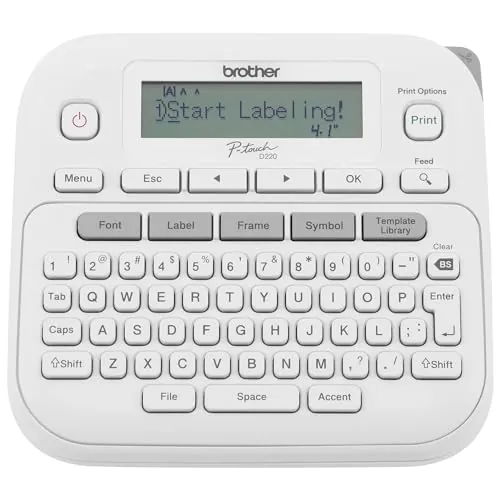
Brother PTD220 vs PT-N20: Tape Fit, Saved Labels and Power Setup
The shared 12 mm maximum does not mean these tape families interchange. Brother lists the PTD220 for TZe tape from 3.5 to 12 mm; PT-N20 is documented for Btag 12 mm tape exclusively. PTD220 also lists up to 30 saved labels and 25 preset templates; PT-N20 lists 10 saved labels, while its current page does not specify template availability. Both models use six AAA batteries or an optional AC adapter, neither included.
Read comparison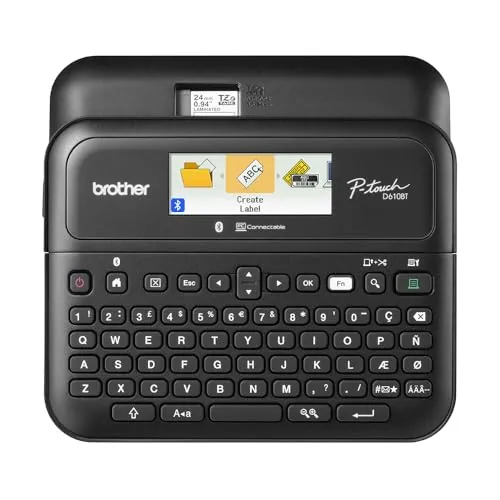
Brother PT-N20 vs PT-D610BT: Btag vs TZe, Apps and Box Contents
The key choice is the tape ecosystem and where you create labels. Brother specifies the PT-N20 exclusively for 12 mm Btag cassettes; its US page describes a keyboard, preview and saved-label workflow and lists no mobile-device printing app. The PT-D610BT's US support specification lists standard TZe cassettes from 3.5 to 24 mm, USB 2.0 Micro-B and Bluetooth, while Brother documents P-touch Editor and iPrint&Label workflows for computer and mobile use. Box contents and power differ too: the PT-N20 uses six AAA batteries and has an optional adapter; the PT-D610BT uses six AA batteries or its included adapter and USB cable. Match existing tape stock and the device you want to design from before deciding.
Read comparison