
Products compared
COROS
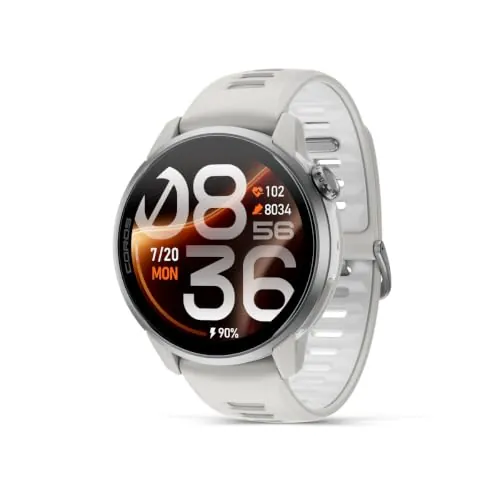
COROS PACE 4 Pro GPS Sport Watch, Titanium, White Silicone
The assigned white-silicone PACE 4 Pro variant. COROS documents downloadable landscape/topographic map layers and route-following options, plus local MP3 playback. Route selection, map transfer and device setup use the COROS app; music playback from the watch uses paired Bluetooth headphones or a speaker.
Model COROS PACE 4 Pro
Amazon ASIN B0HGMV1NNV
Garmin
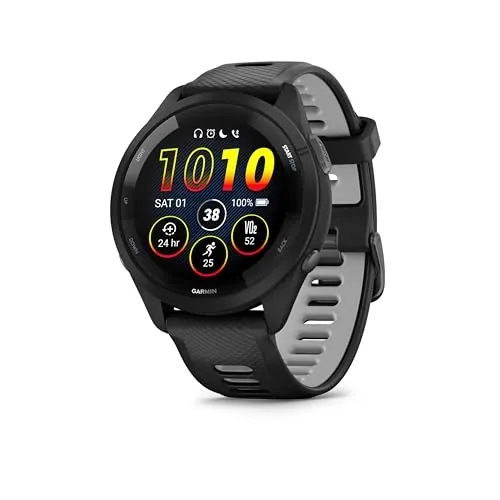
Garmin Forerunner 265, 46 mm, Black/Powder Gray
The assigned 46 mm Forerunner 265 variant, not the smaller 265S. Garmin documents courses created or sent through Garmin Connect, an on-watch map with the course line, and off-course/turn alerts. For music, it supports personal audio files or downloads from supported providers; Bluetooth headphones are required for watch-stored audio.
Model 010-02810-00
Amazon ASIN B0BS1T9J4Y
Differences that matter
What matters most to you?
Choose a priority to see what it changes.
Sources for Map content and course workflow
Sources for Watch face and listed size
Sources for Phone-free music workflow
Sources for GPS battery estimates by maker mode
Sources for Race-plan workflow
Start with the map you expect to see
Both watches support preparing a route and following it, but their official documentation describes different map workflows. COROS names downloadable global landscape and topographic layers and directs PACE 4 Pro owners to download regional maps and sync a selected route through its app. Garmin’s 265 manual describes creating or sending a course with Garmin Connect, then viewing the course track on the watch map with pan and zoom.
Treat that as a content and setup choice, not a navigation accuracy claim. COROS lists turn-by-turn reminders in Run and Trail Run plus off-course alerts. Garmin lists off-course and turn-prompt alerts. The sources reviewed here do not confirm automatic recalculation onto a new route after a deviation.
Check the audio workflow before leaving the phone at home
COROS describes local MP3 files copied from a computer to the watch; its help article says music streaming apps are not supported. The watch can control phone playback, or play stored files through paired Bluetooth headphones or a speaker.
Garmin offers a broader file/provider path in its manual: personal MP3/M4A files transfer through Garmin Express, while third-party provider downloads require provider setup and Wi-Fi. Watch-stored audio uses Bluetooth headphones. Check current provider availability and any subscription before treating a service as part of the purchase.
Read the battery tables as two different estimates
COROS lists the PACE 4 Pro at up to 60 hours in All Systems On / High or 40 hours in Dual Frequency / Max, with lower Always-On Display figures. Garmin’s Forerunner 265 46 mm manual gives 20 hours GPS Only, 16 hours Auto Select and 14 hours All + Multi-Band with wrist heart rate, and lower music-on estimates.
These rows use different mode names and conditions; they do not establish equal-settings runtime. Garmin specifically separates the 265 46 mm and 265S rows. Actual life also changes with enabled features, so check the mode and music/display settings you expect to use.
Use dimensions for a first fit check, not a comfort verdict
COROS lists the PACE 4 Pro at 47.6 mm across and 51 g with its silicone band; its nylon configuration is lighter. Garmin lists the 46 mm Forerunner 265 at 46.1 mm across and 47 g. Display diagonals are 1.47 inches and 1.3 inches respectively. If sleeve clearance or wrist circumference matters, compare these published figures with your own measurements; they cannot predict comfort or readability.
Product details
COROS PACE 4 Pro GPS Sport Watch, Titanium, White Silicone
- Display and size
- 1.47-inch LTPO AMOLED, 466 × 466 pixels; 47.6 × 47.6 × 11.8 mm. COROS lists 51 g with the silicone band and 43 g with the nylon band. Source
- Route setup
- Download global landscape/topographic maps through the COROS app; upload or create a route in the app and sync it to the watch. The exact-model support page documents route alerts and Back to Start. Source
- Music
- Local MP3 files only; COROS documents transferring files from a computer and pairing Bluetooth headphones or speakers. The watch does not support music streaming apps. Source
- Maker battery estimates
- PACE 4 Pro: 60 h All Systems On / High (45 h with Always-On Display); 40 h Dual Frequency / Max (30 h AOD). COROS says usage, navigation, backlight, signal and accessories affect actual consumption. Source
Garmin Forerunner 265, 46 mm, Black/Powder Gray
- Display and size
- 1.3-inch AMOLED, 416 × 416 pixels; 46.1 × 46.1 × 12.9 mm and 47 g. The 265 Series manual distinguishes 46 mm 265 values from 265S values. Source
- Route setup
- Create or send a course in Garmin Connect, sync it to the watch, then navigate the saved course. The 265 Series manual documents a course map with pan/zoom and off-course and turn-prompt alerts. Source
- Music
- Load personal MP3/M4A audio using Garmin Express, or download audio from a supported provider after connecting it and Wi-Fi; listen with Bluetooth headphones. Provider listing data and account terms vary. Source
- Maker battery estimates
- Forerunner 265 46 mm: up to 20 h GPS Only, 16 h SatIQ Auto Select, 14 h All Systems + Multi-Band with wrist HR; music-enabled figures are 7, 6.5 and 6 h respectively. Garmin says enabled features affect actual life. Source
Before you buy
Community discussions
Checking turn prompts on a saved route
Garmin Forerunner 265, 46 mm, Black/Powder Gray
A Forerunner 265 owner reported turn prompts stopping after previously working and remaining unavailable after reset, update, and Garmin Connect reinstall. The captured post has no replies and does not compare the COROS watch; treat it as one route-use question to test, not a general GPS or navigation conclusion.
What to check
Run a saved-course and turn-prompt check on both exact devices using the activities and phone setup you expect to use.
Choosing which phone notifications reach the wrist
Garmin Forerunner 265, 46 mm, Black/Powder Gray
A Forerunner 265 owner asked about app-specific notification controls but did not find the expected options. The captured post has no replies and does not compare COROS; it supplies a phone-control question only.
What to check
Check the notification controls available on each exact watch with your phone before treating app filtering as a deciding feature.
Common questions
Does the Forerunner 265 have the same map layers as the PACE 4 Pro?
The reviewed COROS support page explicitly lists downloadable landscape and topographic maps for PACE 4 Pro. Garmin’s 265 Series manual documents a map with the current course line, map panning/zooming, and navigation prompts. Those sources do not establish equivalent downloadable terrain layers for the 265, so check the exact map content you need.Activity Tracking and Activity SettingsForerunner 265 Series Watch Owner’s Manual
Will either watch automatically reroute if I leave a course?
The sources reviewed here document following a route/course and off-course alerts; they do not establish automatic alternate-route recalculation for either exact watch. If that is a must-have, verify the behavior with the manufacturer before relying on it.Activity Tracking and Activity SettingsForerunner 265 Series Watch Owner’s Manual
Can I listen without carrying my phone?
Both document watch-stored audio with Bluetooth headphones. COROS describes local MP3 files transferred from a computer. Garmin supports personal MP3/M4A transfer through Garmin Express and downloads from supported providers after Wi-Fi setup; provider availability and account terms vary.Playing Music from Your COROS WatchForerunner 265 Series Watch Owner’s Manual
Which battery estimate should I compare?
Use the maker’s row for the exact GPS mode and settings you intend to use. COROS lists High/All Systems On and Max/Dual Frequency; Garmin lists GPS Only, SatIQ Auto Select and All Systems + Multi-Band, with separate 46 mm and 265S rows. The labels are not a paired test, and music/AOD or other features change estimates.Battery Specifications for COROS WatchesForerunner 265 Series Watch Owner’s ManualForerunner 265 and 265S Battery Life Assumptions
Sources and scope
This is a documentation-based feature and fit comparison, not a watch test. It does not compare GPS accuracy, map legibility, battery runtime, training results or comfort. COROS documents route following, turn/off-course alerts and Back to Start; Garmin documents course navigation and alerts. The reviewed material does not establish automatic rerouting behavior for either watch. Battery figures are maker estimates in differently named modes. Confirm current software, service and device requirements before relying on a specific workflow.
- COROS PACE 4 Pro
- COROS watch comparison (PACE 4 Pro model row)
- Activity Tracking and Activity Settings
- Set Up Your COROS PACE 4 Pro
- Battery Specifications for COROS Watches
- Playing Music from Your COROS Watch
- Forerunner 265 Series Watch Owner’s Manual
- Forerunner 265 and 265S Battery Life Assumptions
- Garmin announces Forerunner 265 and 965 running watches
- Garmin Forerunner 265 product comparison
Related comparisons
Garmin Forerunner 165 vs 265: Multisport, Music and Training Modes
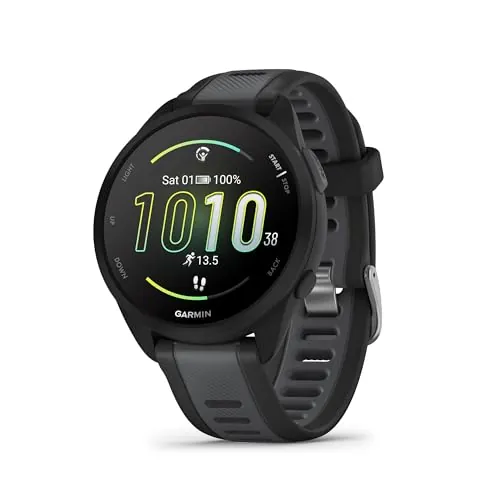
This pair is the standard black Forerunner 165 (43 mm, part 010-02863-20; not the 165 Music) versus the Black/Powder Gray Forerunner 265 (46 mm, 010-02810-00; not the 42 mm 265S). Garmin documents triathlon and configurable transitions on the 265. Both manuals describe daily suggested workouts, while the 265 adds Training Readiness/Status summaries and Multi-Band/SatIQ satellite options. The standard 165 does not have music storage; the 265 manual lists 8 GB media storage. Use battery estimates for the exact mode you plan to run, and try the labeled case sizes if wrist fit matters.
Read comparison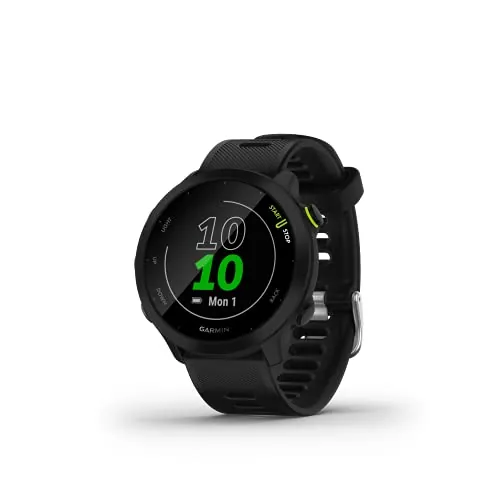
Garmin Forerunner 55 vs 265: Size, Sport Workflow and Battery Modes
Both watches keep physical buttons and can send activities to Garmin Connect. The Forerunner 55 has a 42 mm case and five-button navigation; the Forerunner 265 is a 46 mm AMOLED model with configurable touch that can be turned off, plus a documented Change Sport flow for multisport activities. Compare the official wrist ranges and case dimensions, then choose the satellite mode and music setting you would actually use: Garmin's 265 manual gives separate battery estimates for each. Both use Garmin's proprietary charging cable. Garmin Connect's website can export synced activities in several file formats, so that step is not an exclusive reason to choose either watch.
Read comparison