
Products compared
Garmin
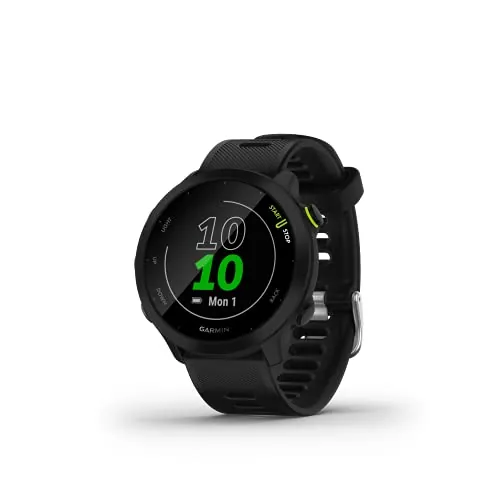
Garmin Forerunner 55 GPS Running Watch
Black U.S. listing. Garmin lists a 42 mm body, 37 g weight, MIP display and five physical controls. The manual documents track-run and pool-swim activities, GPS-only or GPS plus GLONASS/GALILEO choices, and Garmin Connect/Garmin Express sync.
Model 010-02562-00
Amazon ASIN B092RCLKHN
Garmin
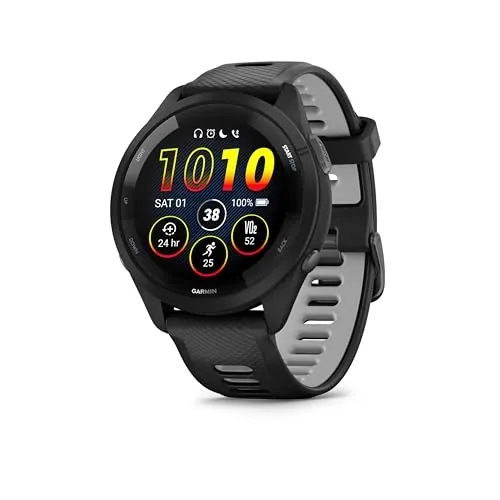
Garmin Forerunner 265 Running Smartwatch, 46 mm
Black/Powder Gray 46 mm U.S. listing. Garmin lists a 46.1 mm body and 47 g weight. It retains buttons alongside a configurable touchscreen; Garmin documents changing sport during an activity and saving a multi-sport activity.
Model 010-02810-00
Amazon ASIN B0BS1T9J4Y
Differences that matter
What matters most to you?
Choose a priority to see what it changes.
Sources for Case size, listed wrist range and weight
Sources for Display and activity controls
Sources for Sport and satellite setup workflow
Sources for Published battery estimates by mode
Sources for Charge and activity-export path
Start with wrist fit, then choose the display
Garmin's product comparison lists the Forerunner 55 at 42 × 42 × 11.6 mm and 37 g, with a 126–203 mm listed wrist range. The 46 mm Forerunner 265 is listed at 46.1 × 46.1 × 12.9 mm and 47 g, with a 135–205 mm range. These are manufacturer fit references, not a promise about comfort: measure your wrist and try the exact case if you are near a boundary.
The 55 uses a 208 × 208 MIP screen and five buttons. The 265 pairs a 416 × 416 AMOLED touchscreen with buttons. Garmin lets you configure touch for general use and per activity, so you can prefer the 265 display without making touch your only control. The touchscreen is unavailable during swim activities.
Check your sport and satellite workflow before buying
The 55 manual gives a simple per-activity GPS menu: GPS Only, GPS + GLONASS or GPS + GALILEO. The 265 manual documents GPS Only, All Systems, All + Multi-Band and Auto Select (SatIQ), while warning that satellite settings are not available for every activity. These options describe settings, not a measured route-quality result.
If you need a multi-sport session, Garmin's 265 guide explains changing sport during an activity and saving the session as multisport; it also has a Triathlon Training section. The 55 manual documents track-run and pool-swim profiles. Before choosing the 55 for a specific race format, check its exact activity menu against the steps you need rather than assuming a series feature.
Budget battery by the mode you will use
Garmin's manual lists up to 14 days for the 55 in smartwatch mode with smart notifications and wrist heart rate, and up to 20 hours in GPS mode. For the 46 mm 265, it lists up to 20 hours in GPS Only, 16 hours in Auto Select and 14 hours in All + Multi-Band with wrist heart rate; music playback changes those estimates to 7, 6.5 and 6 hours. The 265 manual says actual battery life depends on enabled features, including activity tracking, notifications, GPS and connected sensors.
Pick the setting you expect to run, include whether you will play music, and compare the matching manufacturer estimate with your event duration. Do not read the different 265 modes as a test against the 55: the manuals do not provide a controlled, same-settings comparison or a matching 55 estimate for every combined-satellite mode.
Charging and exporting are shared Garmin workflows
Both manuals describe a proprietary Garmin charging cable and specify a USB-C computer port or a 5 W minimum AC adapter as the power source. The 55 and 265 manuals also describe syncing activity data to Garmin Connect using the phone app or Garmin Express on a computer.
To export a workout file, sync it to Garmin Connect first. Garmin's support instructions for the Connect website describe opening an individual timed activity and choosing an export format such as the original FIT file, TCX or GPX. The site also documents CSV export for activity lists. Because the steps happen in Connect after sync, confirm the receiving service accepts your preferred format; export is not a differentiator between these watches.
Product details
Garmin Forerunner 55 GPS Running Watch
- Case and listed wrist range
- 42 × 42 × 11.6 mm; 37 g; Garmin lists 126–203 mm wrist circumference. Source
- Display and controls
- 208 × 208 memory-in-pixel display; the manual labels five buttons. Source
- Battery estimates
- Up to 14 days in smartwatch mode with smart notifications and wrist heart rate; up to 20 hours in GPS mode, per Garmin's manual. Source
- Charging
- Garmin says the watch comes with its proprietary charging cable; the manual specifies a USB-C computer port or a 5 W minimum AC adapter as the power source. Source
Garmin Forerunner 265 Running Smartwatch, 46 mm
- Case and listed wrist range
- 46.1 × 46.1 × 12.9 mm; 47 g; Garmin lists 135–205 mm wrist circumference for the 46 mm Forerunner 265. Source
- Display and controls
- 416 × 416 AMOLED touchscreen plus physical buttons; touchscreen can be configured for general use and each activity, but is unavailable during swim activities. Source
- Battery estimates by activity mode
- With wrist heart rate: GPS Only up to 20 h; Auto Select up to 16 h; All + Multi-Band up to 14 h. With music playback, the respective estimates are up to 7 h, 6.5 h and 6 h. Actual life depends on enabled features. Source
- Charging
- Garmin says the watch comes with its proprietary charging cable; the manual specifies a USB-C computer port or a 5 W minimum AC adapter as the power source. Source
Before you buy
Community discussions
Checking turn prompts on a saved route
Garmin Forerunner 265 Running Smartwatch, 46 mm
A Forerunner 265 owner reported that route turn prompts stopped working after previously working, and that a factory reset, software update, and Garmin Connect reinstall did not restore them. No replies are present in the captured post, so this is one unresolved case rather than evidence of a general problem.
What to check
Before relying on turn prompts for a race or unfamiliar route, test a saved course through the exact activity and phone-app setup you plan to use.
Choosing which phone notifications reach the wrist
Garmin Forerunner 265 Running Smartwatch, 46 mm
A Forerunner 265 owner asked whether alerts can be disabled by app and noted finding a solution in a forum but not the controls on the watch or in the app. The captured post has no replies, so it does not resolve which options are available.
What to check
Check whether the notification filtering you want is available with your phone platform and current Garmin Connect settings before choosing a watch.
Common questions
Does the Forerunner 265 require touchscreen use while running?
No. Garmin says touchscreen use can be configured for general watch use and for each activity. The 265 still has physical buttons, and its touchscreen is not available during swim activities.Forerunner 265 Series Owner's Manual (US English)
Which watch documents a triathlon or multisport workflow?
Garmin's Forerunner 265 manual includes Triathlon Training and Creating a Multisport Activity, and describes changing sport during an activity. For the 55, check the exact activity menu against your planned event; this guide does not infer missing support from a page omission.Forerunner 55 Owner's Manual (US English)Forerunner 265 Series Owner's Manual (US English)
Can I export activities from either watch?
Both manuals describe syncing activities to a Garmin Connect account, including the Garmin Connect app and Garmin Express. Garmin's Connect website help says an individual timed activity can then be exported in formats including original FIT, TCX and GPX. The file export is handled in Connect after syncing, not by choosing a distinct watch export format.Forerunner 55 Owner's Manual (US English)Forerunner 265 Series Owner's Manual (US English)How Do I Export Data Out of Garmin Connect?
Are the Forerunner 55 and 265 battery figures directly comparable?
Not as a controlled test. Garmin lists the 55 at up to 20 hours in GPS mode; for the 46 mm 265, its manual lists different maxima by GPS Only, Auto Select and All + Multi-Band settings, and lower values with music. Use the estimate for the mode you plan to run and allow for enabled features.Forerunner 55 Owner's Manual (US English)Forerunner 265 Series Owner's Manual (US English)
Sources and scope
This guide uses Garmin's published specifications and manuals, not hands-on fit, battery, GPS, or activity testing. Listed wrist ranges are a screening reference rather than a fit guarantee. Battery figures are manufacturer estimates for named modes and can change with enabled features; the 55 manual does not provide a matching set of estimates for its combined-satellite modes. Garmin Connect export instructions describe the account service after activities have synced and do not establish that one watch exports better than the other. The assigned 265 is the Black/Powder Gray 46 mm model (010-02810-00), not the 265S.
Related comparisons
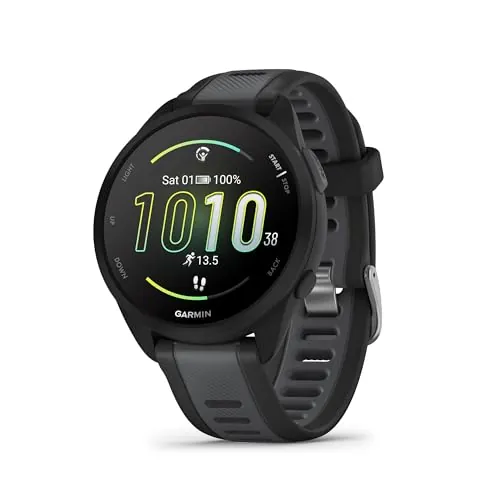
Garmin Forerunner 55 vs 165: Music, Controls and Routes
The standard Forerunner 165 (010-02863-20) is not the Music edition. Both it and the Forerunner 55 can control music playing on a paired phone, but phone-free on-watch music belongs to the separate 165 Music model. The 165 can follow a course synced from Garmin Connect; the 55 does not support on-device courses, although PacePro can give GPS-based pace guidance for a selected course or distance.
Read comparisonGarmin Forerunner 165 vs 265: Multisport, Music and Training Modes
This pair is the standard black Forerunner 165 (43 mm, part 010-02863-20; not the 165 Music) versus the Black/Powder Gray Forerunner 265 (46 mm, 010-02810-00; not the 42 mm 265S). Garmin documents triathlon and configurable transitions on the 265. Both manuals describe daily suggested workouts, while the 265 adds Training Readiness/Status summaries and Multi-Band/SatIQ satellite options. The standard 165 does not have music storage; the 265 manual lists 8 GB media storage. Use battery estimates for the exact mode you plan to run, and try the labeled case sizes if wrist fit matters.
Read comparison