
Products compared
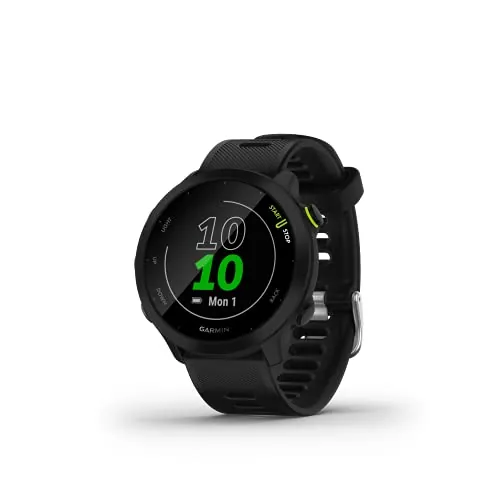
Garmin
Garmin Forerunner 55 Black
Black US configuration; five-button running watch
Model 010-02562-00
Amazon ASIN B092RCLKHN
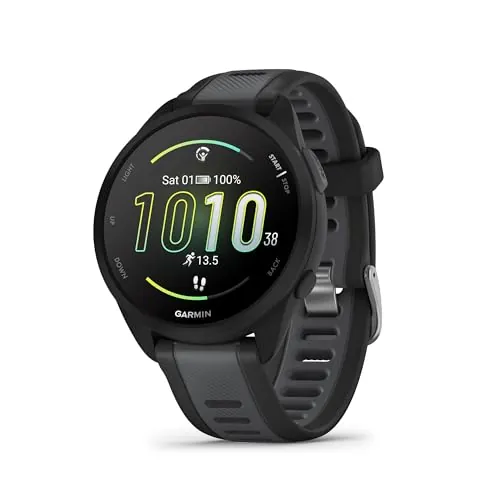
Garmin
Garmin Forerunner 165 Black/Slate Gray, standard non-Music 43 mm
Black/Slate Gray US variant; standard 43 mm Forerunner 165, not Forerunner 165 Music
Model 010-02863-20
Amazon ASIN B0CT3SGHXL
Differences that matter
What matters most to you?
Choose a priority to see what it changes.
Sources for Music without carrying a phone
Sources for Following a saved course
Sources for How you move through watch screens
Sources for Garmin's stated battery maximums
First check whether “165” means the Music edition
This comparison's second product is the standard Forerunner 165, part 010-02863-20—not the Forerunner 165 Music. The 165 Series manual explains that non-Music watches can bring up controls for music already playing on a connected phone. Garmin's series announcement reserves downloaded music and phone-free listening for the Music edition. The Forerunner 55 manual also documents controls for music on a connected smartphone. If running without a phone and listening to a stored playlist is a must, check a specific Music-capable SKU rather than inferring that function from the word “165.”
So if you usually carry your phone, music controls do not distinguish the two assigned watches. If you leave the phone behind, verify that the model you choose explicitly supports stored playback; the assigned 165 is the standard non-Music edition.
A real route-following difference is documented
If you want to load a route and follow it from the watch, Garmin's Forerunner 165 Series manual documents sending a course from Garmin Connect, opening Navigation > Courses, selecting the course and starting navigation. The manual says navigation information appears. The product identity here is standard 165 non-Music; the manual presents course-following as a series feature and does not mark it Music-only.
Garmin's Forerunner 55 page explicitly says the 55 is not compatible with on-device courses. It does support PacePro, with GPS-based pace guidance for a course or distance selected in Garmin Connect. That can help structure pace, but it is not the same as following a saved course on the watch. This comparison does not promise turn-by-turn street-map directions or rerouting.
Choose a screen you will want to use mid-run
The Forerunner 55 is controlled by five buttons and uses a sunlight-visible transflective MIP display. The standard 165 adds an AMOLED touchscreen but keeps five physical buttons. If you want touch to be optional, Garmin provides a setting to disable it for everyday use and activity profiles. You can decide on interaction style without assuming every 165 action must use the screen.
The battery numbers are worth reading by mode, not as a stopwatch contest. Garmin lists up to two weeks smartwatch and 20 hours GPS for the 55; the standard 165 manual lists up to 11 days smartwatch, 19 hours GPS-only and 17 hours all-systems GPS. These are maximum estimates with different modes and settings, and the 165 manual says actual runtime depends on enabled features.
A quick pre-check before you order
Read the complete part number, not only the family name. The assigned 165 is 010-02863-20, standard non-Music; Garmin sells the 165 Music as a separate model. If you need on-watch playlists or phone-free audio prompts, verify the Music-edition SKU and its listing before purchase.
If your decision depends on following a route, make sure the feature you want is course navigation rather than PacePro pace guidance. If it depends on battery, compare the activity modes you will actually enable. Those two checks answer more than a broad “Which watch is better?” label.
Product details
Garmin Forerunner 55 Black
The Forerunner 55 suits a runner who wants five-button operation and does not need documented on-watch course following. PacePro can provide GPS-based pace guidance for a course or distance; Garmin explicitly says it is not compatible with on-device courses.
- Display and controls
- Sunlight-visible transflective MIP display and five physical buttons; no touchscreen control is documented. Source
- Music
- The manual documents controls for music playing on a connected smartphone; it does not describe the Forerunner 55 as a phone-free music player. Source
- Course guidance
- Garmin says Forerunner 55 is not compatible with on-device courses; PacePro provides GPS-based pace guidance for a selected course or distance in Garmin Connect. Source
- Garmin-listed battery maximums
- Up to 2 weeks in smartwatch mode and up to 20 hours in GPS mode; actual use varies. Source
Garmin Forerunner 165 Black/Slate Gray, standard non-Music 43 mm
The assigned Forerunner 165 is the standard non-Music model. It keeps physical buttons while adding touchscreen interaction and documented saved-course navigation. Do not mistake its phone-music controls for built-in storage or phone-free listening; those are listed for the separate 165 Music edition.
- Display and controls
- AMOLED touchscreen plus five physical buttons; touchscreen use can be disabled. Source
- Music
- The non-Music watch can control phone playback when paired; phone-free on-watch music storage is for Forerunner 165 Music, a different variant. Source
- Course navigation
- Garmin documents sending a course from Garmin Connect and following it on the 165; the manual's music/non-music distinction does not label course navigation as Music-only. Source
- Garmin-listed battery maximums
- Up to 11 days in smartwatch mode; up to 19 hours GPS-only or 17 hours with all satellite systems. Enabled features affect actual life. Source
Before you buy
Community discussions
Forerunner 165 Music and non-Music audio-prompt question
Garmin Forerunner 165 Black/Slate Gray, standard non-Music 43 mm
A buyer who owns the 165 Music said most listening happens on a phone and that Connect audio prompts seemed to come from the phone. They then reported that a recipient of a non-Music 165 could not get audio prompts, despite Garmin’s website appearing to list them for both editions. The post does not resolve the setup or whether the watch or phone should provide the prompts.
What to check
If spoken prompts matter, verify Garmin’s current instructions for the exact non-Music watch and test the intended Connect, phone, and headphone setup; do not assume on-watch music storage is required or that the archived question is resolved.
Common questions
Does the assigned Forerunner 165 store music for phone-free listening?
No. The assigned Black/Slate Gray SKU 010-02863-20 is the standard non-Music 165. Garmin identifies phone-free music storage as a Forerunner 165 Music-only feature. The standard 165 can control music playing on a connected phone.Garmin announces the Forerunner 165 SeriesForerunner 165 Series Watch Owner's Manual (U.S. English)
Can the Forerunner 55 follow a course saved on the watch?
Garmin says the Forerunner 55 is not compatible with on-device courses. It supports PacePro pace guidance for a selected course or distance, which is a different function. The Forerunner 165 Series manual documents syncing and following a saved course.Forerunner 55 product page and course-compatibility noteForerunner 165 Series Watch Owner's Manual (U.S. English)
Do I have to use touch on the Forerunner 165?
No. It has five physical buttons as well as its touchscreen, and the manual explains how to disable touch for general watch use or activity profiles.Forerunner 165 Series Watch Owner's Manual (U.S. English)
Are the Forerunner 55 and 165 battery numbers a direct test comparison?
No. They are manufacturer estimates for differently named modes and conditions. Garmin notes that enabled features affect the 165's actual battery life; this guide does not claim a measured runtime winner.Forerunner 55 Owner's Manual (U.S. English)Forerunner 165 Series Watch Owner's Manual (U.S. English)
Sources and scope
This guide covers the exact Black Forerunner 55 and standard Black/Slate Gray non-Music Forerunner 165, not the 165 Music. Garmin's 165 Series manual covers both 165 variants; Garmin's product release identifies stored phone-free music and audio prompts as Music-only functions. Garmin lists maximum battery estimates under different named modes; they are not a controlled side-by-side runtime test. This guide did not test either watch or make health-outcome claims.
Related comparisons
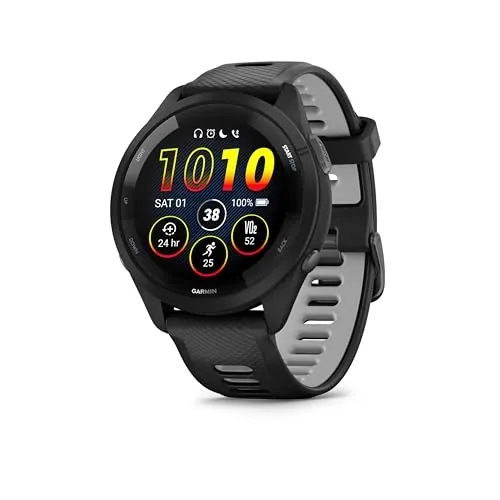
Garmin Forerunner 165 vs 265: Multisport, Music and Training Modes
This pair is the standard black Forerunner 165 (43 mm, part 010-02863-20; not the 165 Music) versus the Black/Powder Gray Forerunner 265 (46 mm, 010-02810-00; not the 42 mm 265S). Garmin documents triathlon and configurable transitions on the 265. Both manuals describe daily suggested workouts, while the 265 adds Training Readiness/Status summaries and Multi-Band/SatIQ satellite options. The standard 165 does not have music storage; the 265 manual lists 8 GB media storage. Use battery estimates for the exact mode you plan to run, and try the labeled case sizes if wrist fit matters.
Read comparison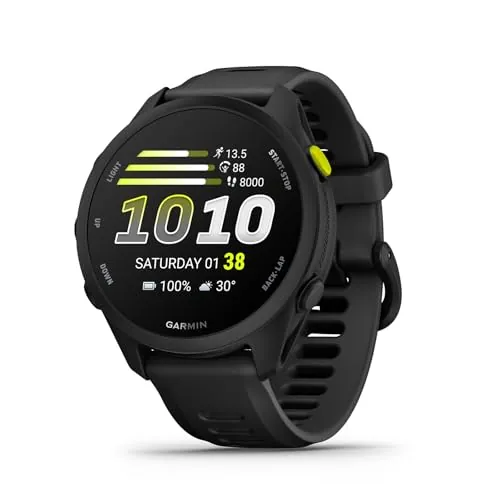
Garmin Forerunner 70 vs 165: Display, Navigation, Training and Garmin Pay
Garmin documents the Forerunner 70 and standard Forerunner 165 with a 1.2-inch AMOLED touchscreen and five-button layout. Both manuals describe following courses and Garmin Coach/daily suggested workouts. The 165 Series manual documents Garmin Pay for supported cards and locations; Garmin says Pay is added on the Forerunner 170 relative to the 70. The 70 manual also has sections for Training Readiness and Training Status. Those sections are not proof that the 165 lacks the features.
Read comparison