Products compared
DJI
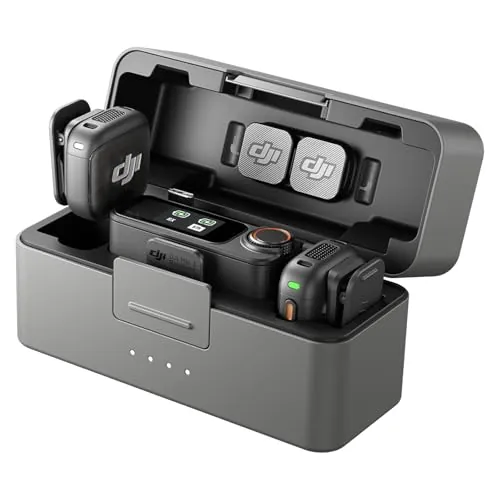
DJI Mic 3 (2 TX + 1 RX + Charging Case)
Selected US two-transmitter, one-receiver charging-case bundle; the exact DJI store contents list did not name lavalier microphones.
Model DM3037
Amazon ASIN B0F995J8FR
RØDE
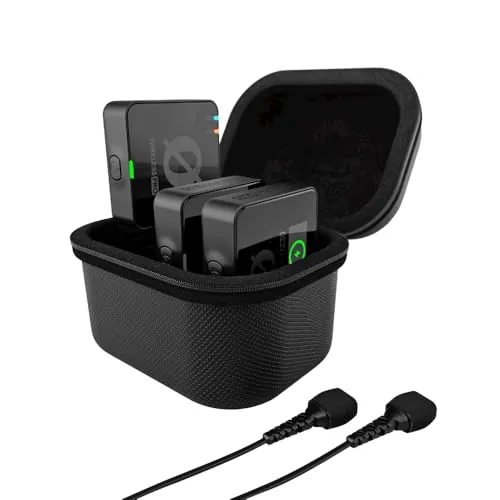
RØDE Wireless PRO (2 TX + 1 RX + Charging Case; two Lavalier II microphones)
US Wireless PRO kit with two transmitters, one receiver, charging case, and two Lavalier II microphones with locking 3.5 mm connectors.
Model Wireless PRO
Amazon ASIN B0CB2HGR9Q
Differences that matter
What matters most to you?
Choose a priority to see what it changes.
Sources for Lavalier microphones in the selected kit
Sources for Transmitters per receiver and separate-channel route
Sources for Camera and phone connection check
Start with what you need clipped to each person
If two lavalier mics should be included, the RØDE kit is the straightforward match: its US Wireless PRO page lists two Lavalier II microphones with locking 3.5 mm connectors. The selected DJI 2 TX + 1 RX kit's captured In the Box list does not name lavaliers. That is a box-content comparison; it does not prove whether a separately purchased lav works with Mic 3.
Before checkout, match the exact kit title and check the item list for the number of transmitters, the receiver, case, and the particular lav or adapter you require. DJI's selected bundle includes two transmitters; a four-transmitter use case means adding Mic 3 transmitters separately.
Check receiver count before planning a larger interview
DJI documents up to four Mic 3 transmitters linked to one receiver. Its Q (quadraphonic) mode records four transmitters on separate channels, but DJI limits that route to compatible computer/software or specified Sony-camera and adapter combinations. The normal 3.5 mm output stays stereo, combining transmitter pairs rather than sending four separate channels.
RØDE sets a two-transmitter maximum for one Wireless PRO receiver. Its Series IV multi-kit guidance does not raise that receiver limit. So choose DJI only if extra Mic 3 transmitters and the required USB or Sony adapter path match your actual recording gear; for a two-person setup, the receiver ceiling may not matter.
Map the signal path to your camera or phone
For a camera with a 3.5 mm mic input, DJI documents analog output from its receiver. DJI also documents digital USB-C and phone-adapter output; its separate Mic Series Camera Adapter is for compatible Sony cameras with an MI hot shoe. On a phone, a Mic 3 transmitter can connect directly by Bluetooth without the receiver, but DJI says one phone connects to one transmitter at a time and app/OS support should be checked.
Wireless PRO's receiver sends digital audio through USB-C to compatible phones, tablets, and computers. Its Direct Connect feature is different: a transmitter connects over Bluetooth to an iOS phone through RØDE Capture without the receiver. For either system, write down the host's port, required cable or adapter, and app before purchase; don't assume Lightning or camera accessories are included unless the exact box contents say so.
Treat timecode and 32-bit float as workflow checks
Both makers document timecode and internal transmitter recording, but those labels do not mean every receiver output carries a 32-bit-float file or that every camera accepts the same timecode format. DJI lists receiver modes for internal timecode, LTC input/output, and audio timecode output. RØDE offers Merge, Split, Safety, and timecode receiver modes, with timecode enabled through RØDE Central before selecting it on the receiver.
Both systems describe 32-bit float as transmitter-side onboard recording. RØDE's default recording mode is Manual; Always can be enabled in RØDE Central. Confirm recording state, timecode format, camera/recorder support, and how files are moved into your editing workflow before relying on either feature.
Product details
DJI Mic 3 (2 TX + 1 RX + Charging Case)
- Selected bundle
- Two transmitters, one receiver, and charging case; the captured exact-kit contents list did not include lavaliers Source
- Receiver pairing and output
- Up to four Mic 3 transmitters can link to one receiver; four-channel output requires a compatible USB/software or specified Sony-camera adapter route, while the ordinary 3.5 mm output remains stereo Source
- Transmitter backup and timecode
- Internal transmitter recording supports 24-bit or 32-bit float; receiver timecode modes include internal only, LTC input/output, and audio timecode output Source
RØDE Wireless PRO (2 TX + 1 RX + Charging Case; two Lavalier II microphones)
- Included lavaliers
- Two Lavalier II microphones; each uses a locking 3.5 mm connector Source
- Receiver pairing and routing
- A Wireless PRO receiver supports up to two Series IV transmitters; its routing modes include Merge, Split, Safety, and enabled timecode modes Source
- Transmitter backup and timecode
- Each transmitter supports onboard 32-bit-float recording; Manual is the default and Always recording can be enabled with RØDE Central. Timecode routing modes must first be enabled in RØDE Central Source
Before you buy
Community discussions
Counting the inputs for a recording session
RØDE Wireless PRO (2 TX + 1 RX + Charging Case; two Lavalier II microphones)
A shopper considering RØDE Wireless PRO asked about adding a third microphone for recordings that include guitar and voice.
What to check
Count the sources you want to record separately and check the receiver and recorder inputs in the exact manuals. Match the kit to the number you need.
Common questions
Does this DJI Mic 3 bundle include two lavalier microphones?
The exact DJI US 2-TX combo contents captured in the published source do not list lavalier microphones. The reviewed DJI sources do not establish whether a separately purchased lav connects to its transmitter, so verify the specific accessory and compatibility before buying one.DJI Mic 3 U.S. getting-started and box guideSupport for DJI Mic 3 - United States
Can either receiver connect four transmitters?
DJI says a Mic 3 receiver can link up to four Mic 3 transmitters, but this selected kit includes two and four-channel recording depends on a compatible USB/software or specified Sony adapter route. RØDE says one Wireless PRO receiver supports at most two Series IV transmitters.DJI Mic 3 FAQCan You Connect More Than Two Wireless Series IV Transmitters to a Receiver? - RØDE Support
Does Wireless PRO's 32-bit float record to the camera or phone?
RØDE describes it as onboard transmitter recording. DJI likewise describes 32-bit float in its transmitter's internal recording options. Treat these as files recorded on the transmitters, separate from the audio signal routed from a receiver to a camera or phone.Wireless PRO - RØDE US product pageHow to Enable Onboard Recordings on the Wireless PRO TX - RØDE SupportDJI Mic 3 FAQ
Are the timecode modes ready without setup?
DJI lists its receiver timecode modes in Mic 3 support. RØDE says Wireless PRO timecode modes must first be enabled in RØDE Central, then can be selected on the receiver. Confirm that the mode and format match your camera or recorder.DJI Mic 3 FAQHow to Change the Channel & Timecode Modes on the Wireless PRO - RØDE Support
Sources and scope
This is a feature and kit comparison, not a sound, range, reliability, or battery test. The selected DJI kit’s listed contents do not include lavaliers, and compatibility with a separately purchased lav is not established here. Confirm the exact bundle contents and your host and cable route before ordering.
- DJI Mic 3 U.S. getting-started and box guide
- Support for DJI Mic 3 - United States
- DJI Mic 3 FAQ
- Wireless PRO - RØDE US product page
- Can You Connect More Than Two Wireless Series IV Transmitters to a Receiver? - RØDE Support
- How Do I Connect the Wireless RX to a Smartphone, Tablet or Computer? - RØDE Support
- How to Change the Channel & Timecode Modes on the Wireless PRO - RØDE Support
- How to Enable Onboard Recordings on the Wireless PRO TX - RØDE Support