
Products compared
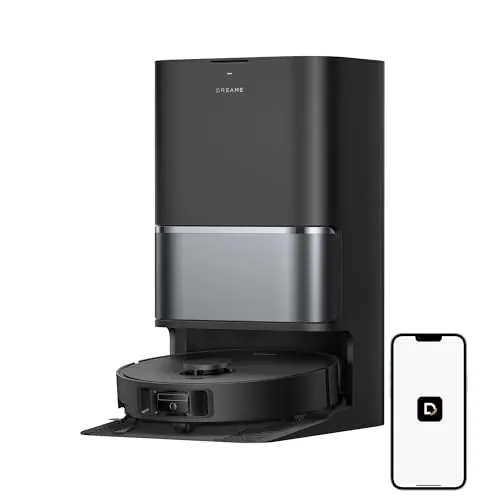
Dreame
Dreame L40 Ultra Gen 2 Robot Vacuum and Mop
Exact US listing: L40 Ultra Gen 2, model RLL53SE, black. Its manufacturer page lists a 10.5 mm mop lift and no mop-removal feature; the page also lists a separate auto-solution dispenser as an extra purchase.
Model RLL53SE
Amazon ASIN B0FSJPFDPV
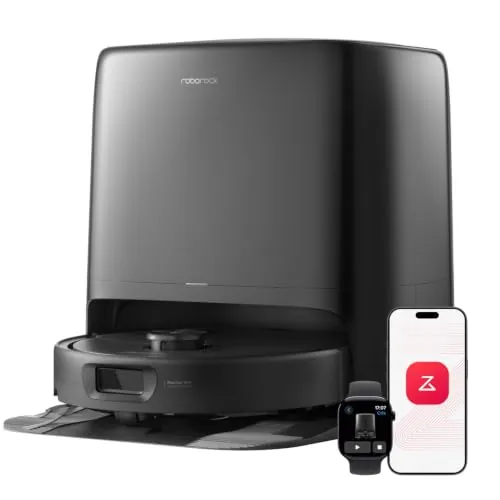
Roborock
Roborock Qrevo 2 Pro Robot Vacuum with Auto Mop Removal
Exact US listing: Qrevo 2 Pro, black. Roborock’s manual is for the Qrevo 2 Pro Series and identifies robot model RRE0QUI and dock EWFD63LRR. The auto-detach/reinstall feature is conditional and must be enabled in the app.
Model Qrevo 2 Pro (robot RRE0QUI; dock EWFD63LRR)
Amazon ASIN B0GXF7ZQPY
Look up your exact robot vacuum model and key differences
Enter an exact model number or ASIN to see its cited side of the documented dock, upkeep or coverage differences.
Select an exact model above, or enter its ASIN.
Browse exact models in this comparison
- RLL53SE · ASIN B0FSJPFDPV — Dreame L40 Ultra Gen 2 Robot Vacuum and Mop
- Qrevo 2 Pro (robot RRE0QUI; dock EWFD63LRR) · ASIN B0GXF7ZQPY — Roborock Qrevo 2 Pro Robot Vacuum with Auto Mop Removal
Enter an exact model number or ASIN to see its cited side of the documented difference. These statements apply to the listed models and packages; check the linked source for regional variants and conditions.
Differences that matter
What matters most to you?
Choose a priority to see what it changes.
Sources for Routine dock and tank chores
Make the rug workflow your first decision
These models do not use the same documented carpet routine. Dreame lists a 10.5 mm mop lift but no mop removal. Roborock’s manual describes detaching the mop mounts before carpet cleaning, provided the feature is enabled in the app and its conditions are met. That is a feature distinction, not evidence that either robot will leave your rugs dry.
The high-pile case needs special care: Roborock’s US product page promotes high-pile carpet handling, but the Qrevo 2 Pro Series manual says not to use the product on high-pile carpet. Treat that as an unresolved manufacturer conflict and ask Roborock about the exact floor before relying on the page claim. Dreame’s lift measurement alone does not establish suitability either.
Budget for dock upkeep, not just automated cycles
Both manufacturers describe docks that empty dust and wash/dry the mop pads. Dreame also lists automatic refill of the robot water box, but says owners still need to empty the used-water tank and refill the clean-water tank. Its manual recommends used-tank cleaning after each use.
Roborock’s manual names a removable cleaning tray and filter, and describes emptying/rinsing the dirty-water tank and cleaning the tray/filter as needed. Both manuals also describe regular brush and mop-cloth care. Use the exact maintenance instructions to decide which routine fits you; the sources do not establish a faster or easier maintenance winner.
Measure the dock location using each maker’s basis
Dreame lists its base station at 17.99 × 13.39 × 23.23 inches. Roborock lists dimensions for the robot and dock together, then separately asks for at least 0.82 m of height, 0.42 m of width and 1.2 m of depth around the dock on a hard, flat floor. These are not matching measurement labels, so do not treat them as a direct size contest.
Measure the proposed location, ceiling clearance, approach and route to the outlet. If space is tight, compare your measurements with both manufacturer instructions and confirm any remaining clearance question with the maker.
Check the exact included kit
Dreame’s US page lists the L40 Ultra Gen 2 package contents and identifies the automatic solution dispenser as separately purchased. Roborock’s page lists the Qrevo 2 Pro robot, dock, dock base, power cable and rotating mop module. Confirm the retailer’s exact offer contents before assuming an optional accessory or spare part is included.
Product details
Dreame L40 Ultra Gen 2 Robot Vacuum and Mop
- Rug handling listed by Dreame
- Mop lifts up to 0.41 in (10.5 mm); mop removal is listed as unavailable. The product page describes carpet-handling settings in the app. This is a stated mechanism, not a promise that a particular rug stays dry. Source
- Base-station size and listed water capacity
- 17.99 × 13.39 × 23.23 in; clean/used-water tanks are listed as 4.5 L/4.0 L. Measure the intended space and access path rather than assuming these dimensions guarantee fit. Source
- Owner maintenance
- The manual’s maintenance table says to clean the used-water tank after each use; it lists clean-water-tank care every two weeks and washboard-filter care every one to two months. Actual use may change maintenance frequency. Source
Roborock Qrevo 2 Pro Robot Vacuum with Auto Mop Removal
- Rug handling in the manual
- The manual says the robot automatically detaches mop-cloth mounts to clean carpet first; the auto-detach/reinstall feature must be enabled in the app and applies only under specific conditions. The same manual says not to use the product on high-pile carpets. Source
- Dock envelope and placement clearance
- Roborock lists robot-and-dock dimensions of 15.83 × 19.45 × 17.72 in. Its manual separately requires a hard, flat placement and at least 0.82 m high × 0.42 m wide × 1.2 m deep clear space; these are different measurement bases. Source
- Owner maintenance
- The manual describes removing and rinsing the dock cleaning tray/filter, emptying and rinsing the dirty-water tank as needed, and cleaning mop cloths and brush parts on separate schedules. Source
Before you buy
Community discussions
Keeping rugs dry while cleaning rubber mats
Roborock Qrevo 2 Pro Robot Vacuum with Auto Mop Removal
A Qrevo 2 Pro owner with hardwood, rugs, and rubber kitchen mats wanted to mop the mats while leaving the rugs dry. They asked whether the app could handle the two areas separately.
What to check
List which mats and rugs you want to mop, avoid, or vacuum. Check whether lifting the pads gives enough clearance for the pile you actually have.
Checking carpet pile around a litter box
Roborock Qrevo 2 Pro Robot Vacuum with Auto Mop Removal
A shopper with mid-to-high-pile carpet asked how the Qrevo 2 Pro might handle clay litter tracked past several rubber mats. Their existing S7 struggled with that task, and they had not tested the Qrevo in the post.
What to check
Check carpet pile depth and the few spots that accumulate debris before choosing a rug mode. A vacuum-only test there can help you judge whether you still need a separate pass.
Common questions
Can the Qrevo 2 Pro automatically leave its mop mounts at the dock for rugs?
Its manual describes automatic mount detachment for carpet cleaning, but says the auto-detach/reinstall option must be enabled in the app and applies only under specific conditions. The manual also says not to use it on high-pile carpet, despite a conflicting product-page headline; confirm the intended rug use with Roborock.Roborock Qrevo 2 Pro Robot Vacuum with Auto Mop Removal — US product pageRoborock Qrevo 2 Pro Series User Manual (robot RRE0QUI; dock EWFD63LRR)
Does the Dreame remove its mop pads for carpet?
Dreame lists mop lifting up to 10.5 mm and marks mop removal unavailable. Those specifications describe the mechanism, not a guarantee for any rug.Dreame L40 Ultra Gen 2 Robot Vacuum and Mop — US product page and specifications
Do either of these docks eliminate water-tank maintenance?
No. Dreame says the owner still empties used water and refills clean water, and its manual recommends cleaning the used-water tank after each use. Roborock’s manual also describes emptying and rinsing its dirty-water tank as needed.Dreame L40 Ultra Gen 2 Robot Vacuum and Mop — US product page and specificationsDreame L40 Ultra Gen 2 User Manual (robot model RLL53SE; base RCLE0512)Roborock Qrevo 2 Pro Series User Manual (robot RRE0QUI; dock EWFD63LRR)
Which dock is smaller?
The listed figures are not directly comparable: Dreame gives base-station dimensions, while Roborock gives robot-and-dock dimensions and a separate installation-clearance requirement. Measure the intended space against both exact products and their manuals.Dreame L40 Ultra Gen 2 Robot Vacuum and Mop — US product page and specificationsRoborock Qrevo 2 Pro Robot Vacuum with Auto Mop Removal — US product pageRoborock Qrevo 2 Pro Series User Manual (robot RRE0QUI; dock EWFD63LRR)
Sources and scope
This is a manufacturer-document comparison, not a cleaning, carpet-dryness, obstacle, hair-wrap or durability test. Roborock’s US product page promotes high-pile carpet handling, but the Qrevo 2 Pro Series manual says not to use it on high-pile carpet; that conflict is unresolved and the manual restriction is preserved here. Dreame’s 10.5 mm lift and Roborock’s conditional mount removal describe mechanisms, not guaranteed results on a particular rug. Advertised suction and mop-wash temperature figures are not used as a cross-model performance comparison.
Related comparisons
Dreame L40 Ultra Gen 2 vs Roborock Qrevo S Pro: Dock Fit and Mop Care
Both models pair vacuuming and mopping with an all-in-one dock. Dreame documents extending edge hardware and a 10.5 mm mop lift; Roborock documents a 10 mm lift and gives numeric dock clearances. Measure the planned dock position and decide which water, bag, and mop chores fit your routine; neither source set establishes a cleaning winner.
Read comparison
Dreame L10s Pro Ultra Heat vs. L40 Ultra Gen 2: Is the Upgrade Worth It?
The L40 Ultra Gen 2 is a feature-fit upgrade if its extending side brush and AceClean DryBoard solve a specific need. The L10s Pro Ultra Heat already has MopExtend, a manufacturer-stated 136°F hot-water mop wash, and an integrated automatic detergent compartment. Both docks still need routine water-tank and washboard/filter care. Published suction figures do not establish which cleans better in a home, so decide by the dock and edge features you will use, then verify the exact bundle and model label before checkout.
Read comparison