
Products compared
PlayStation
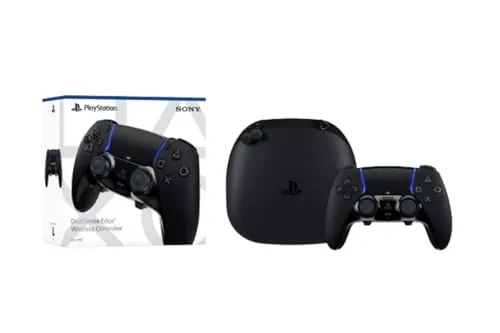
PlayStation DualSense Edge Wireless Controller - Midnight Black
Midnight Black DualSense Edge. Sony identifies the model family and color, but its product page does not show part number 1000046706.
Model DualSense Edge (Midnight Black)
Amazon ASIN B0DSQQ1P8D
PlayStation
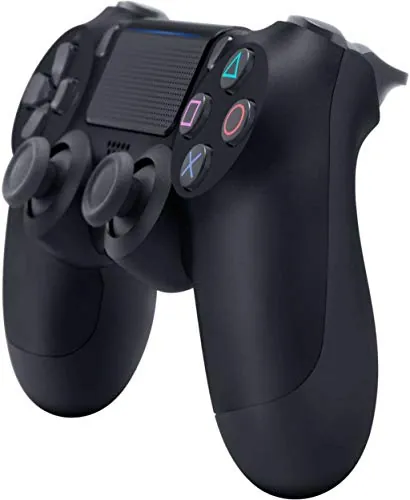
DUALSHOCK 4 Wireless Controller for PlayStation 4 - Jet Black
Jet Black DUALSHOCK 4. Sony identifies the model family and color, but its product page does not show listed model 3001538.
Model DUALSHOCK 4 (Jet Black; listed model 3001538)
Amazon ASIN B01LWVX2RG
Differences that matter
What matters most to you?
Choose a priority to see what it changes.
Sources for Included customization and rear controls
Sources for First pairing and wired setup
Sources for Changing systems or using a PC
Start with the games, not the controller shape
If you play PS5-native games, put DualSense Edge first: Sony positions it as a PS5 controller, and its DualSense page describes features such as haptic feedback and adaptive triggers in supported titles. Sony's compatibility guidance limits DUALSHOCK 4 on a PS5 console to supported PS4 games and says PS5 games require DualSense wireless controllers. If your routine is still mostly PS4 games, DUALSHOCK 4 remains the straightforward generation match.
A quick pre-buy check: read the game listing's PS4 or PS5 version label, then match the controller to that version. A PS4 game running on PS5 can use DUALSHOCK 4 if supported; choosing a PS5 edition changes the controller requirement.
Compare what you get for custom controls
The Midnight Black Edge listing includes two styles of back button, three cap shapes and a carrying case, plus the braided USB cable and connector housing. Its support guide explains how to change caps and buttons, adjust trigger stops and create profiles. Those parts make sense if you expect to swap controls or use saved layouts. The standard DUALSHOCK 4 product page describes the familiar light bar, touch pad, motion sensing, speaker, headset jack and USB charging. Sony offers a separate DS4 Back Button Attachment with two mappable buttons, but says the controller is sold separately from that accessory.
Before checkout, distinguish box contents from optional upgrades. Edge's direct Midnight Black box list is specific to that color offer; the DS4 accessory is a separate purchase and should not be inferred from a controller-only Amazon page.
Plan pairing and the cable you will use
For first pairing to a console, Sony's support pages use the same basic sequence for both: connect by USB and press PS; disconnect for wireless play once charged. Edge's included cable is a braided USB cable with a connector housing that locks the Type-C plug, and Sony documents a wired PS5 communication setting. DUALSHOCK 4 uses a USB pairing flow; on Windows, Sony specifies a compatible micro-USB cable or its USB wireless adapter. Check the exact DS4 offer for included cables instead of assuming the packaging contains one.
If you move between systems, Edge can retain up to four pairings in named slots, while Sony says a DUALSHOCK 4 can pair with one console at a time. On PC, check the operating-system list and the game's controller support before buying; connected does not guarantee every feature or title behaves the same way.
Product details
PlayStation DualSense Edge Wireless Controller - Midnight Black
Edge is the relevant choice when you want a DualSense controller for PS5 games and plan to use its remappable rear buttons, replaceable stick module, trigger stops or saved control profiles. Its exact Midnight Black offer lists the cable, swappable controls and case in the box.
- Console and PC positioning
- PS5 controller; PlayStation lists Windows 10/11, macOS Ventura 13.3+, iOS/iPadOS 16.4+ and tvOS 16.4+ for Bluetooth/USB use, with some feature limits Source
- Custom controls
- Remappable buttons, two styles of back buttons, three stick-cap types, replaceable stick modules, adjustable trigger stops and saved profiles Source
- Midnight Black box listing
- USB braided cable with connector housing, stick caps, half-dome and lever back buttons, carrying case and manual Source
DUALSHOCK 4 Wireless Controller for PlayStation 4 - Jet Black
DUALSHOCK 4 fits a PS4 setup and supported PS4 titles on PS5. It does not replace a DualSense controller for PS5 games. Sony separately sells a back-button attachment for DS4 if you want two mappable rear buttons; that accessory is not established as included with this assigned controller offer.
- Console generation
- PS4 controller; on PS5, Sony supports it for supported PS4 games only, not PS5 games Source
- Documented controller features
- Touch pad, light bar, motion sensors, built-in speaker, 3.5 mm headset jack and USB charging Source
- PC connection
- Windows PC connection via a DUALSHOCK 4 USB wireless adapter or compatible micro-USB cable; game support varies Source
Before you buy
Community discussions
Deciding whether rear controls matter in your games
PlayStation DualSense Edge Wireless Controller - Midnight Black
Someone who added a black DualSense Edge describes using rear buttons for actions such as dodge, dash, or healing in single-player games.
What to check
List the actions you would move to a rear button and the games you still play with an older controller. Compare the value of those controls with the controller support for your library.
Checking which games need a second PS5 controller
DUALSHOCK 4 Wireless Controller for PlayStation 4 - Jet Black
Someone planning local multiplayer on a PS5 asks about adding a second controller. The discussion leads them to check which editions of their games support their older controller.
What to check
Check the PS4 or PS5 edition of each game you play locally and Sony’s controller support for that edition before buying a second controller.
Common questions
Can DUALSHOCK 4 play PS5 games?
No. Sony's backward-compatibility guidance says DUALSHOCK 4 works on PS5 consoles with supported PS4 games, and that PS5 games can only be played with DualSense wireless controllers. The Edge is a DualSense controller designed for PS5.PlayStation Support: PS5 backward compatibility and supported controllersPlayStation DualSense Edge wireless controller — PS5 product features
What extra controls are included with the Midnight Black DualSense Edge?
PlayStation Direct lists changeable stick modules, stick caps, two styles of rear buttons, a locking USB braided cable, carrying case and manual for the Midnight Black offer. Check that the exact offer still matches this box list.PlayStation Direct DualSense Edge Wireless Controller — Midnight Black U.S. product page and box contents
Can I add back buttons to DUALSHOCK 4?
Sony sells a DUALSHOCK 4 Back Button Attachment with two mappable buttons and up to three profiles. The accessory page says the controller is sold separately, so do not treat it as included with the DS4 listing.PlayStation DUALSHOCK 4 Back Button Attachment — separate accessory
Can I use either controller on a Windows PC?
Sony lists Edge USB and Bluetooth support for Windows 10 (64-bit) and Windows 11. For DUALSHOCK 4, Sony says Windows PC connection uses a DUALSHOCK 4 USB wireless adapter or compatible micro-USB cable. In either case, game support and some controller features vary by game and setup.PlayStation Support: PlayStation controllers and PC connections
Sources and scope
This is a compatibility and feature-fit guide, not a latency, stick-drift, durability or gameplay test. The Edge compared here is Midnight Black, while DUALSHOCK 4 is Jet Black. Sony's pages identify those product families and colors but do not show listing data part numbers 1000046706 or 3001538. Confirm the exact model and box contents in the seller listing before buying. PlayStation and connected-device support can vary by game, application, operating system and software version.
- PlayStation Direct DualSense Edge Wireless Controller — Midnight Black U.S. product page and box contents
- PlayStation DualSense Edge wireless controller — PS5 product features
- PlayStation Support: personalize DualSense Edge
- PlayStation Support: pair, charge and use DualSense Edge
- PlayStation DUALSHOCK 4 wireless controller — Jet Black family features
- PlayStation Support: PS5 backward compatibility and supported controllers
- PlayStation Support: pair and charge DUALSHOCK 4
- PlayStation Support: PlayStation controllers and PC connections
- PlayStation DUALSHOCK 4 Back Button Attachment — separate accessory
Related comparisons
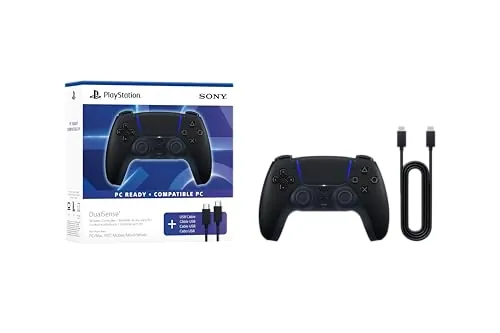
DualSense Edge Midnight Black vs DualSense PC Cable Bundle: Which Setup Fits?
These are two distinct Midnight Black PlayStation controllers, and the second listing is a specific PC cable bundle. Edge adds rear-button remapping, adjustable stick and trigger settings, switchable profiles and a replaceable stick-module option; its box includes a case and alternate caps and rear buttons, but no spare module. The standard DualSense PC bundle offers Bluetooth or USB connection and includes a 1.5 m USB-C-to-USB-C cable. Both controllers can connect to PC over Bluetooth or USB, but Sony says game feature support varies; haptics require USB on PC, and adaptive triggers can require USB in select games. Check the titles you actually play before paying for customization you may not use.
Read comparison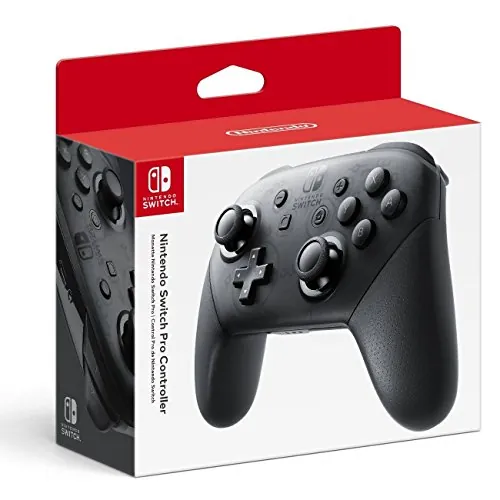
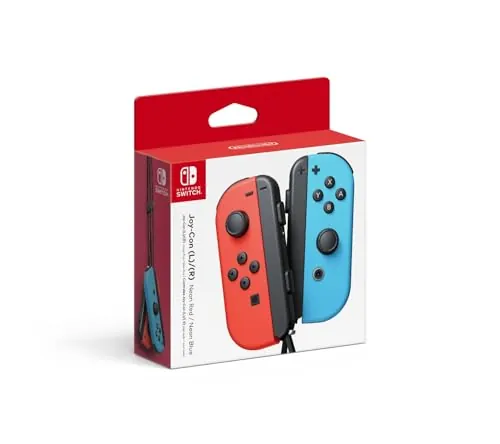
Original Nintendo Switch Pro Controller vs Joy-Con on Switch 2
Both the original Switch Pro Controller and original Joy-Con pair wirelessly connect to Switch 2. The Pro can charge from the Switch 2 dock and has a documented wired setup; original Joy-Con cannot attach and need another charging route. Choose around your exact game, dock setup, and whether you need two separable controllers.
Read comparison