
Products compared
Elgato
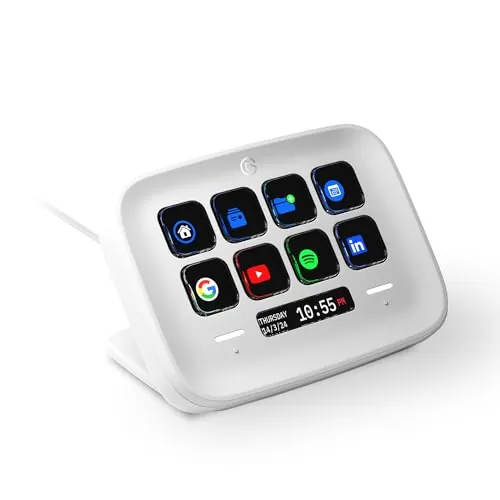
Elgato Stream Deck Neo, White
White US single-device listing; the manufacturer identifies the white Neo product family as SKU 10GBJ9901.
Model Stream Deck Neo (SKU 10GBJ9901)
Amazon ASIN B0CVY4566H
Elgato
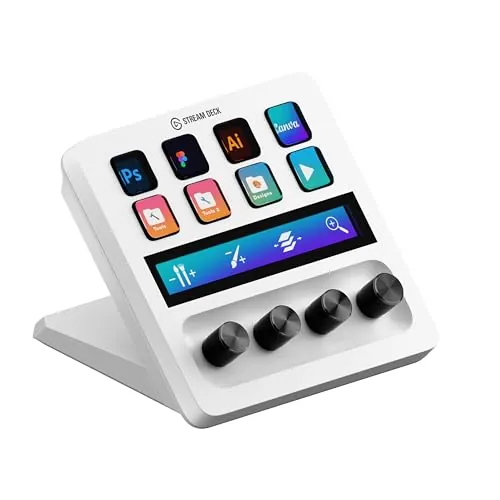
Elgato Stream Deck+ White
White US single-device listing; the manufacturer identifies the white Stream Deck+ as SKU 10GBD9911.
Model Stream Deck+ White (SKU 10GBD9911)
Amazon ASIN B0BXHL5DMD
Differences that matter
What matters most to you?
Choose a priority to see what it changes.
Sources for LCD keys and page-navigation surface
Sources for Physical control for incremental actions
Sources for Included cable and host connection
Sources for Desk footprint and built-in stand
Choose the control surface around a real task
Both White models have eight customizable LCD keys and use Elgato's Stream Deck desktop app. Neo's extra controls are two touch points for moving between key pages plus an Info Bar. Stream Deck+ replaces those page touch points with a touch strip and four physical dials; the strip shows the assigned dial context and can swipe between pages.
For a page-based meeting or editing layout, Neo's dedicated touch points keep page navigation separate from the keys. For a supported app setting you want to adjust in increments, Stream Deck+ can rotate a dial and use its press action. Elgato warns that not every plug-in supports dial input, so validate the exact action before treating that workflow as available.
Check your computer port and cable route
Neo's cable is permanently attached and listed at 90 cm; its product page specifies a USB 2.0-or-later Type-C host connection. If the USB-C port is not on the side of the desk where the device will sit, measure the route before buying, and account for a separate adapter if your host has only USB-A.
Stream Deck+ White lists a 150 cm USB-C-to-USB-C cable in the box and an integrated stand. Elgato's current product page specifies a USB-C 3.0 host port, although its technical specifications identify the device interface as USB 2.0. For a USB 2.0-only computer, verify compatibility with Elgato before checkout. The listed OS requirements are Windows 11 or later or macOS 13 or later for these product pages.
Use footprint as the last fit check
Neo is listed at 107 × 78 × 26 mm with an integrated stand that has three positions. Stream Deck+ White is 140 × 138 × 110 mm with its integrated stand. Measure the usable desk area and leave room for the attached cable or the included longer cable; the dimensions describe the devices, not a tested ergonomic advantage.
Product details
Elgato Stream Deck Neo, White
Neo uses its touch points to change key pages; its configurable Info Bar can show a clock, the current page, or both. Its short, fixed cable and three-position integrated stand suit a compact placement when the computer has the listed USB-C port.
- Keys and page display
- Eight customizable LCD keys, two Touch Points for page switching, and a customizable Info Bar. Source
- Cable and stand
- Fixed attached 90 cm USB-C cable; integrated stand with three positions. Source
- Host setup
- Current product page lists Windows 11 or later or macOS 13 or later and a USB 2.0 Type-C connection. Source
Elgato Stream Deck+ White
Stream Deck+ adds physical dials and a touch strip for direct, incremental control when the selected app action or plug-in exposes dial support. It is physically larger and ships with a longer detachable cable; check the exact host port before choosing it.
- Keys and dials
- Eight customizable LCD keys and four 360-degree encoders with push action. Source
- Touch strip
- 108 × 14 mm LCD touch panel; touch-strip swipes change pages and assigned dial actions can use touch-strip taps or long-press behaviors where supported. Source
- Cable and host setup
- USB-C to USB-C cable (150 cm) in the box; current product page lists Windows 11 or later or macOS 13 or later and a USB-C 3.0 host port. The technical specification calls the device interface USB 2.0 Type-C, so verify compatibility if the computer only has a USB 2.0 port. Source
Before you buy
Community discussions
Checking Companion support before adding a Neo
Elgato Stream Deck Neo, White
A shopper already using Companion with other Stream Decks wanted to know whether the Neo would work with their setup.
What to check
If your shortcuts rely on Companion, confirm support for the exact device and actions you need before buying.
Whether four dials fit your actual actions
Elgato Stream Deck+ White
A Stream Deck+ owner used its dials for volume, weather and browser tabs and wanted more actions they could control from the dials.
What to check
List the actions you want to assign to a dial and check which plug-ins support them. Compare that with the shortcuts you would put on Neo’s pages.
Common questions
Do both models have eight keys?
Yes. Elgato's device comparison lists eight configurable LCD keys for both Neo and Stream Deck+. Their extra controls differ: Neo has page Touch Points and an Info Bar; Stream Deck+ has four dials and a touch strip.Stream Deck Device Comparison Guide
Can every Stream Deck+ plug-in use the dials?
No. Elgato's dial guide says only available actions appear and not all plug-ins support dials. Check your exact app, plug-in and intended action first.Elgato Stream Deck+ Dials Introduction
What does the Stream Deck+ touch strip do?
The strip can show dial information, respond to taps or supported long-press actions, and swipe between pages when two or more pages are configured.Elgato Stream Deck+ Touch Strip guide
What cables and stands come with the white models?
Neo has a fixed attached 90 cm USB-C cable and an integrated three-position stand. Stream Deck+ White lists a 150 cm USB-C-to-USB-C cable in the box and an integrated stand. Check the selected Amazon child listing for its current box contents.Stream Deck Neo (White US product page; SKU 10GBJ9901)Stream Deck+ White (US product page; SKU 10GBD9911)
Do they run different desktop apps?
Elgato's comparison guide lists the same Stream Deck desktop app for both. The current product pages list Windows 11 or later or macOS 13 or later; confirm those requirements against the computer you plan to use.Stream Deck Device Comparison GuideStream Deck Neo (White US product page; SKU 10GBJ9901)Stream Deck+ White (US product page; SKU 10GBD9911)
Sources and scope
This is a model-feature and desk-setup comparison, not a tested productivity or software-compatibility result. Elgato says Stream Deck+ dial availability depends on the actions and plug-ins installed, and not all plug-ins support dials. Its current product page lists USB-C 3.0 as a host requirement while also listing a USB 2.0 device interface; verify compatibility with a USB 2.0-only host. No software behavior beyond the cited documented controls is promised.
Related comparisons
Elgato Stream Deck Neo vs Mini: Page Controls, Cable and Desk Space
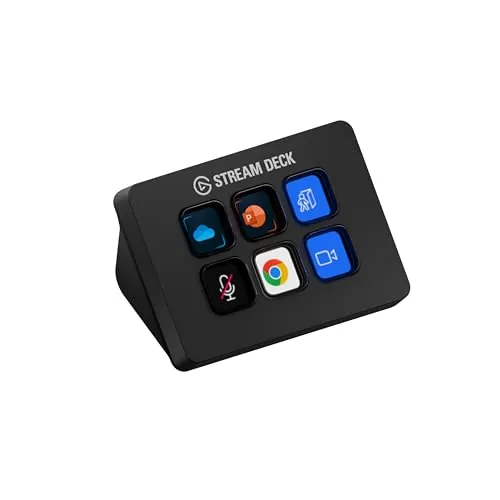
Both use the Stream Deck software and support software Pages and folders. Neo adds two dedicated Touch Points for switching Pages and eight keys; Mini has six keys, a smaller listed device body, and a fixed 1.5 m cable versus Neo’s 0.9 m. Elgato’s Mini connector listings conflict, so verify the plug on the exact unit before ordering.
Read comparison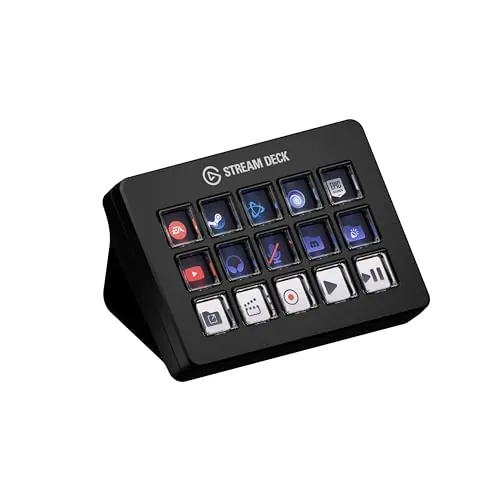
Elgato Stream Deck Scissor Keys vs Stream Deck+ White: Keys, Dials and Setup Fit
These exact Elgato models share Stream Deck software and the listed Windows 11/macOS 13 minimums, but their setup requirements are not identical: Scissor Keys lists a USB-C port, while Stream Deck+ White lists USB-C 3.0. The hardware also changes how you map actions: 15 programmable scissor keys versus eight keys plus four push encoders and a touch panel. Start with your computer ports and your most-used controls, then check the included stand/cable and physical footprint.
Read comparison