
Products compared
Ring
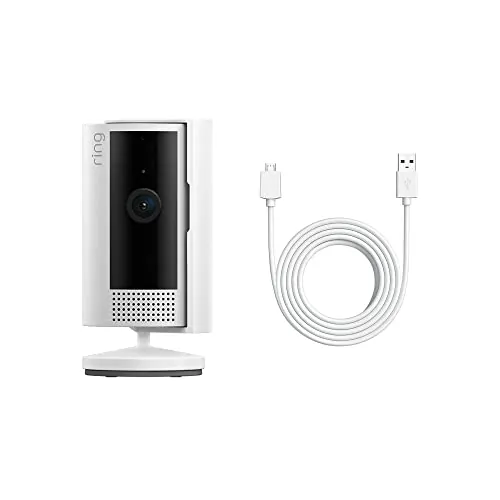
Ring Indoor Cam (2nd Gen), White with 10 ft. USB-A to Micro USB Power Cable
The white Indoor Cam (2nd Gen) offer compared here includes an additional 10 ft USB-A-to-Micro-USB power cable. Ring’s core camera documentation describes a flexible swivel mount and plug-in operation. Ring presents saved event-history playback as a Ring Protect feature and says certain functions are available without a plan.
Model Indoor Cam (2nd Gen)
Amazon ASIN B0BX79SLY9
eufy Security
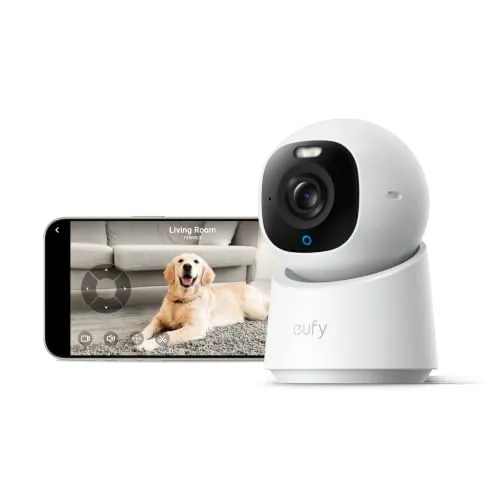
eufy Indoor Cam E30 (T8417)
The exact listing identifies the white eufy Indoor Cam E30, model T8417. eufy documents local microSD recording and app-operated pan/tilt; no microSD card is included. The card must meet eufy's published requirements and be formatted in the eufy app before use.
Model T8417
Amazon ASIN B0DJVGZQW7
Differences that matter
What matters most to you?
Choose a priority to see what it changes.
Sources for How saved recordings are set up
Sources for What local card will work with the E30
Sources for Aiming the camera and network prerequisite
Start with the recording workflow
The central setup choice is not a security score: it is how you want to save and review footage. Ring Protect describes video event history as a plan feature, while Ring says certain features remain available without a plan. eufy lists local E30 recording to a separately purchased microSD card and marks the card as not included.
For an E30 card, use eufy's compatibility guidance: Class 10 or higher, SDXC and UHS-I, maximum 128 GB; the page excludes UHS-II and UHS-III and says the card must be formatted in the eufy app. These requirements make the local-storage route concrete, but do not predict retained footage duration.
Then decide how you will aim it
Ring describes a flexible swivel mount that can sit on a table or be mounted high on a wall or ceiling beam. eufy describes app-operated pan/tilt, Panoramic View and Quick Focus. Choose the physical placement workflow or the app movement you want; the product pages do not establish that either camera sees more of your room or follows movement more effectively.
Both makers list 2.4 GHz Wi-Fi. eufy explicitly requires a compatible smartphone with its app for setup and control. Check band availability where the camera will sit before buying, and measure the outlet and cable route for the exact offer.
Product details
Ring Indoor Cam (2nd Gen), White with 10 ft. USB-A to Micro USB Power Cable
- Mount placement
- Flexible swivel mount; Ring describes tabletop or high wall/ceiling-beam placement. Source
- Power/network
- Plug-in; standard outlet; 2.4 GHz Wi-Fi listed in the core-camera specifications. Source
- Saved event history
- Ring Protect plan materials describe saving, sharing and replaying recorded video events; certain Ring functions remain available without a plan. Source
eufy Indoor Cam E30 (T8417)
- Local recording
- E30 product comparison lists 24/7 and event recording and says no microSD card is included; the card is a separate setup item. Source
- Supported microSD card
- Class 10 or higher, SDXC, UHS-I (not UHS-II or UHS-III), maximum 128 GB; insert and format in the eufy app. Source
- App and network setup
- A compatible smartphone with the eufy app is required for setup/control; the camera uses 2.4 GHz Wi-Fi only. Source
Before you buy
Community discussions
Separate watching live from keeping recordings
Ring Indoor Cam (2nd Gen), White with 10 ft. USB-A to Micro USB Power Cable
A Ring Indoor Cam (2nd Gen) owner who wanted to check on a pet asked whether live viewing would still work after their plan trial ended.
What to check
Decide whether you need to watch live, review older clips, or both. Check what the current plan and local storage options cover for the exact camera.
Common questions
Does the Ring Indoor Cam work without a Ring Protect plan?
Ring says certain product features are available without a plan. Its plan page describes saving and replaying video event history as a Protect feature. Check the current terms for the features and retention you need.Ring Protect Plans
Does the eufy Indoor Cam E30 include a microSD card?
No. eufy's E30 product comparison marks the card as not included. Its support page lists compatible card requirements and says to format a card in the eufy app before use.Indoor Cam E30 product page, eufy USIndoor Cam E30: Compatible MicroSD Card Specifications, eufy Support
Can I pan the camera remotely?
eufy documents app-operated pan/tilt and panoramic view for E30. Ring's cited Indoor Cam page describes a flexible swivel mount that you position physically. This comparison does not establish room coverage or movement-tracking results.Indoor Cam E30 product page, eufy USIndoor Cam Plug-In | Ring
What Wi-Fi band should I check before setup?
Both cited model materials specify 2.4 GHz Wi-Fi. eufy says E30 connects exclusively on 2.4 GHz and requires its app on a compatible smartphone; verify the network is available at the planned camera location.Indoor Cam Plug-In | RingIndoor Cam E30: Compatibility and Requirements, eufy Support
Sources and scope
No controlled comparison or independent test was reviewed. Do not infer security effectiveness, privacy outcomes, detection accuracy, recording reliability, image quality, tracking performance or room coverage. Ring says certain functions remain available without a plan and describes saved event history under Ring Protect; check current plan terms for the exact features you need. Eufy says the E30 supports local microSD recording but does not include a card; its compatibility article caps supported cards at 128 GB and gives specific format/class requirements. Both makers document 2.4 GHz Wi-Fi requirements, but this does not verify signal or operation at a particular installation point. The assigned Ring Amazon offer is the White 2nd Gen bundle with an added 10-ft USB-A-to-Micro-USB cable; Ring's core camera page lists its standard 6.5-ft cable, so bundle contents are not treated as a camera-feature advantage.
Related comparisons
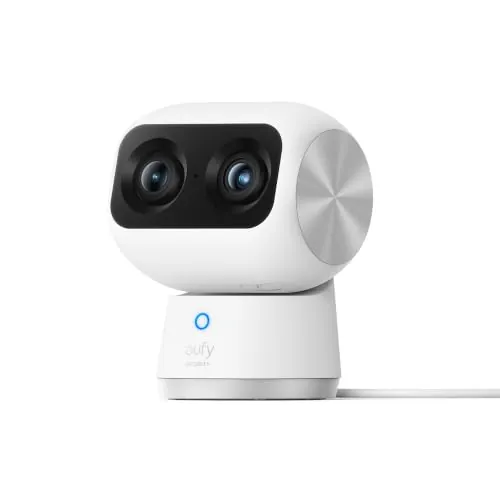
eufy Indoor Cam S350 vs E30: Lens, Storage and Setup
Both are powered indoor pan-and-tilt cameras with two-way audio and a local microSD path. S350 (T8416) pairs a 4K wide camera with a separate 2K telephoto camera and lists 3× optical zoom; E30 (T8417) adds Apple HomeKit support, a spotlight for color night viewing, and a supplied 2 m cable and wall mount. Check the Wi‑Fi band, storage hub, outlet and intended view before buying.
Read comparison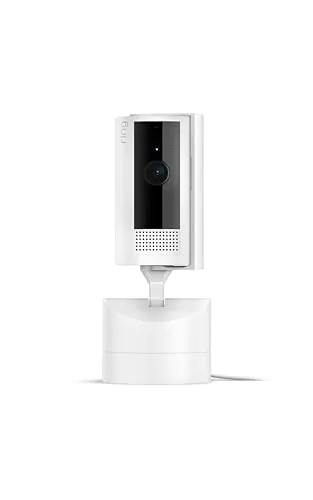
Ring Indoor Cam (2nd Gen) vs Pan-Tilt Indoor Cam (2024): Fixed View or Remote Reframing
The Ring Indoor Cam (2nd Gen) is a compact, manually aimed camera with a static 143° diagonal field of view. The assigned Pan-Tilt Indoor Cam is Ring’s 2024 1080p model: it retains a static lens view and adds app-controlled 360° pan and 169° tilt. The 2nd Gen is smaller including its stand; the Pan-Tilt needs more shelf or mounting clearance. Ring now lists a separate Pan-Tilt Indoor Cam 2K with auto-tracking and a built-in privacy cover, so check the name and ASIN before applying these older-model specifications.
Read comparison