
Products compared
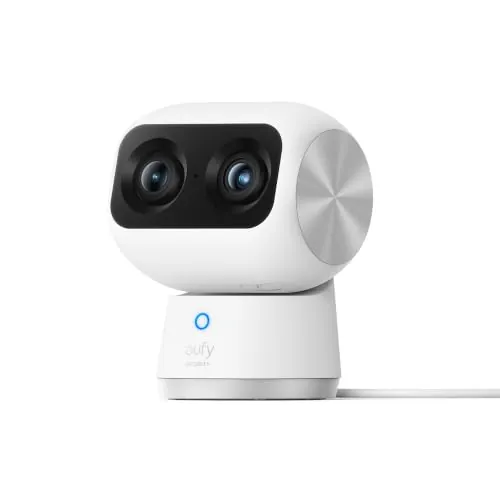
eufy Security
eufy Indoor Cam S350
US white indoor camera; eufy product number T8416.
Model T8416
Amazon ASIN B0CD7F1M9R
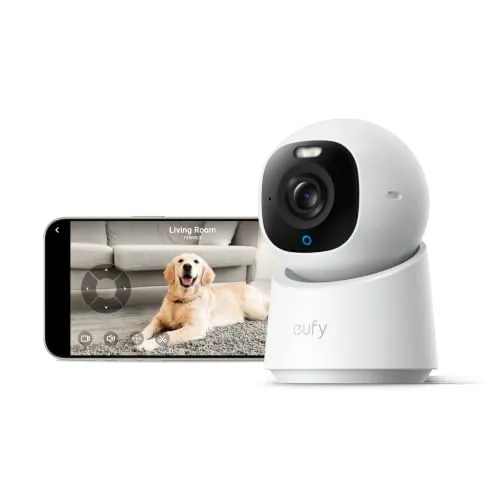
eufy Security
eufy Indoor Cam E30
US white indoor camera; eufy support identifies the E30 user guide for model T8417.
Model T8417
Amazon ASIN B0DJVGZQW7
Differences that matter
What matters most to you?
Choose a priority to see what it changes.
Sources for microSD and HomeBase storage
What S350’s second camera changes
S350 (T8416) pairs a 4K wide camera with a separate 2K telephoto camera. Eufy’s support page specifies 3× optical zoom and up to 8× digital zoom. That gives a documented choice of lens view while retaining the wide camera; it does not prove one camera produces better footage in a real room.
E30 (T8417) is listed as a 4K UHD camera with a 125° diagonal field of view and 360° panoramic viewing. The E30 material reviewed does not list a separate telephoto camera or optical-zoom specification. Treat those as unlisted details, not proof of a camera deficiency.
Check movement against the spot you want to cover
For S350, eufy gives an exact movement range: 360° horizontally and 75° vertically, including 45° upward and 30° downward. Eufy describes E30 as pan-and-tilt with a 360° panoramic view, but the cited E30 product page does not give a vertical tilt range.
Before buying, identify whether your intended view is level with the camera or above/below it, then compare that angle with the model guide and planned mount. A headline “360°” does not answer how far a camera tilts vertically or guarantee a clear view around furniture or room corners.
Match platform and network before setup
E30 supports Apple HomeKit, Alexa and Google Assistant; eufy says HomeKit video is limited to 1080p. Eufy’s E30 requirements say it connects to 2.4GHz Wi‑Fi only. S350 does not support Apple HomeKit but supports 2.4GHz and 5GHz dual-band Wi‑Fi 6.
Check the network at the exact location where the camera will sit or mount. If the HomeKit app path is essential, E30 is the fit in this pair and its 1080p limit matters. If 5GHz connectivity is essential at that location, S350 is the documented option.
Pick a recording path and verify the hub
Neither camera has internal storage in the cited specifications, and both require a separately purchased microSD card for that local route. E30 support specifies a Class 10 or higher SDXC card using UHS-I, up to 128GB, formatted in the eufy app. S350 support lists Class 10 or higher and up to 128GB.
Eufy’s compatibility table lists both T8416 and T8417 as compatible with HomeBase Mini and HomeBase 3, but not HomeBase 2. S350’s FAQ adds a HomeBase 3 firmware requirement. If you already own a hub, check its exact model and firmware before counting on it for storage.
Plan the outlet, mount and two-way audio use
These are powered indoor cameras, so plan a nearby outlet and cable route before choosing a shelf or wall position. Eufy’s E30 package list includes a power adapter, 6.5 ft/2 m USB-A to USB-C cable, wall mount, positioning sticker and screws. S350’s support page says the camera must remain connected to a 5V/2A adapter by its included Type-C cable; its exact model guide describes screw mounting.
Both product sources list two-way audio. S350’s model specs call it full-duplex talk; E30’s official product page simply describes built-in two-way audio. The sources do not compare speaker loudness, microphone clarity or call performance, so choose on installation and platform fit instead.
Product details
eufy Indoor Cam S350
- Camera arrangement
- 4K wide-angle camera plus a separate 2K telephoto camera. Source
- Zoom
- 3× optical zoom and up to 8× digital zoom per eufy support. Source
- Pan and tilt
- 360° horizontal, 75° vertical (45° upward, 30° downward). Source
- Power and audio
- Always connected to a 5V/2A power adapter through the included Type-C USB cable; full-duplex two-way talk. Source
- Local storage
- No internal storage; microSD is not included and supports up to 128GB. HomeBase 3 compatibility is listed with firmware V3.3.2.6 or above. Source
eufy Indoor Cam E30
- Camera view and movement
- 4K UHD; eufy advertises a 360° panoramic view. The cited page does not state a separate telephoto camera, optical-zoom specification or vertical pan/tilt range. Source
- Smart-home and Wi‑Fi
- Apple HomeKit, Alexa and Google Assistant; HomeKit stream resolution up to 1080p. Connects to 2.4GHz Wi‑Fi only. Source
- Local storage
- Uses a separately purchased microSD card, up to 128GB; also listed for HomeBase Mini and HomeBase 3, not HomeBase 2. Source
- Power and box contents
- Included power adapter and USB-A to USB-C cable (6.5 ft/2 m); package list includes wall mount, positioning sticker and screw pack. Source
- Two-way audio
- Built-in two-way audio; the cited product page does not characterize audio quality. Source
Before you buy
Community discussions
Choosing a camera that can sit on a shelf
eufy Indoor Cam S350
A shopper wanted to place an indoor camera on a shelf without drilling. A reply suggested the Eufy S350 and E30.
What to check
Measure the shelf and check where the power lead would go. Compare the exact models’ bases and available placement options.
Common questions
What does the S350 telephoto camera add?
Eufy describes S350 as a 4K wide camera paired with a 2K telephoto camera. Its support page specifies 3× optical and up to 8× digital zoom. That describes the lens setup, not a tested image-quality advantage.Indoor Cam S350 | eufy USIntroducing the Indoor Cam S350 (T8416) | eufy SupportIndoor Cam S350 FAQ | eufy Support
Does E30 work with Apple HomeKit?
Yes. Eufy lists E30 as HomeKit-compatible and says HomeKit video supports up to 1080p. Eufy’s S350 FAQ says S350 does not support HomeKit.eufy Indoor Cam E30 Pet Camera: 4K & 360° Coverage | eufy USIndoor Cam E30: Smart Home Integration | eufy SupportIndoor Cam S350 FAQ | eufy Support
Can either camera record to a microSD card?
Both have a local microSD storage path and the cards are not included. Eufy lists up to 128GB for both; E30’s exact card guidance calls for a Class 10 or higher SDXC card with UHS-I, formatted in the eufy app.Introducing the Indoor Cam S350 (T8416) | eufy SupportIndoor Cam E30: How Do I Store Video Recordings on My Camera? | eufy SupportIndoor Cam E30: Compatible MicroSD Card Specifications | eufy Support
Will either model use HomeBase 2?
Eufy’s current HomeBase compatibility table lists T8416 S350 and T8417 E30 as supported by HomeBase Mini and HomeBase 3, but not HomeBase 2. Check the current table and exact firmware requirements for your setup.eufy Security: Complete HomeBase Compatibility Guide | eufy SupportIndoor Cam S350 FAQ | eufy Supporteufy Indoor Cam E30 Pet Camera: 4K & 360° Coverage | eufy US
Do they both support two-way audio?
Yes. Eufy lists two-way audio for E30 and full-duplex two-way talk for S350. The sources do not establish which has clearer audio or a better speaker.eufy Indoor Cam E30 Pet Camera: 4K & 360° Coverage | eufy USIntroducing the Indoor Cam S350 (T8416) | eufy Support
What should I measure before buying?
Check outlet distance and cable routing, Wi‑Fi band at the camera position, the direction and height you need the camera to cover, and which HomeBase or microSD card you will use for recordings.Indoor Cam S350 FAQ | eufy SupportIndoor Cam E30: Compatibility and Requirements | eufy SupportIndoor Cam E30: What’s in the Box? | eufy SupportIntroducing the Indoor Cam S350 (T8416) | eufy SupportIndoor Cam E30: How Do I Store Video Recordings on My Camera? | eufy Supporteufy Security: Complete HomeBase Compatibility Guide | eufy Support
Sources and scope
This is a comparison of manufacturer-described capabilities and setup requirements, not an independent image, audio, tracking, reliability or night-vision test. S350 documentation lists exact horizontal and vertical movement; the E30 page reviewed advertises a 360° panoramic view but does not give its vertical tilt range or an optical-zoom specification. Do not infer that E30 lacks any feature simply because the cited product page does not list it. Confirm current product and box details for the exact ASIN at checkout.
- Indoor Cam S350 | eufy US
- Indoor Cam S350 FAQ | eufy Support
- Introducing the Indoor Cam S350 (T8416) | eufy Support
- eufy Indoor Cam E30 Pet Camera: 4K & 360° Coverage | eufy US
- Indoor Cam E30: Compatibility and Requirements | eufy Support
- Indoor Cam E30: How Do I Store Video Recordings on My Camera? | eufy Support
- Indoor Cam E30: Smart Home Integration | eufy Support
- eufy Security: Complete HomeBase Compatibility Guide | eufy Support
- Indoor Cam E30: What’s in the Box? | eufy Support
- eufy Indoor Cam E30 User Guide (T8417) | eufy Support
- Indoor Cam E30: Compatible MicroSD Card Specifications | eufy Support
Related comparisons
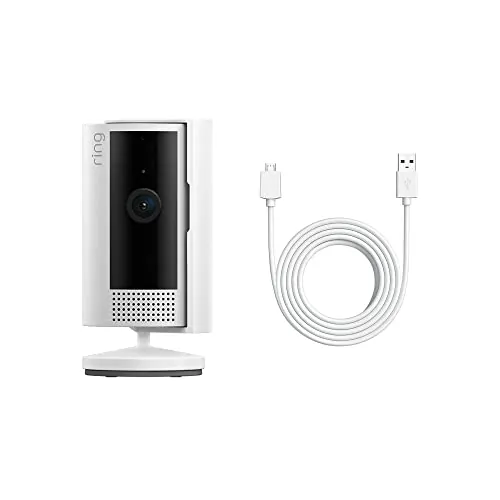
Ring Indoor Cam (2nd Gen) vs eufy Indoor Cam E30: Recording and Viewing Setup
For these exact US indoor models, the practical choice is how you want to save and revisit clips, then how you want to aim the camera. Ring describes event-history playback through Ring Protect while certain features remain available without a plan. eufy lists local microSD recording with no included card; its E30 card guidance specifies Class 10 or higher, SDXC, UHS-I (not UHS-II/III), up to 128 GB, formatted in the app. Ring uses a flexible swivel mount for physical positioning; eufy documents app-operated pan/tilt. This is a setup and feature-fit guide, not a security or camera-performance test.
Read comparison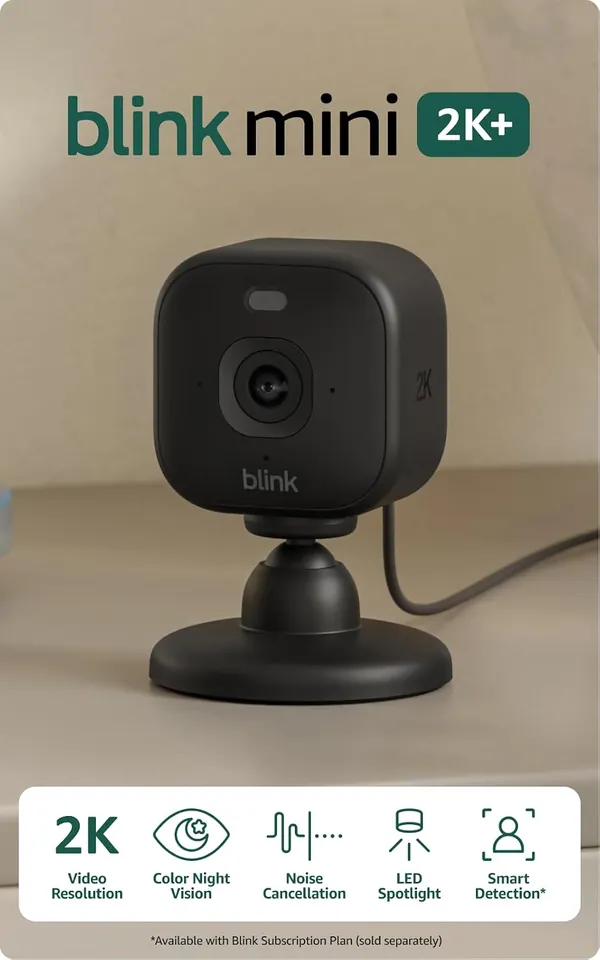
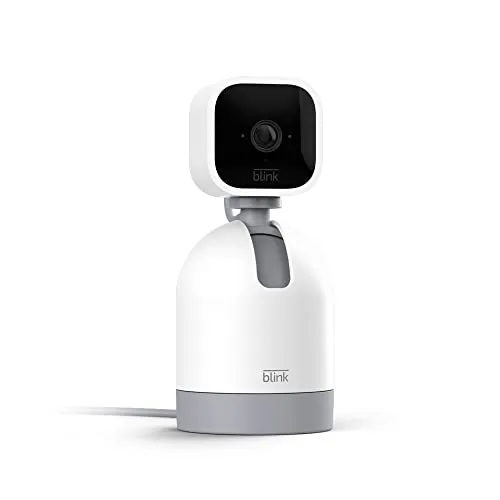
Blink Mini 2K+ 2-Pack vs Mini Pan-Tilt Camera
The Mini 2K+ package contains two cameras with fixed framing; the Mini Pan-Tilt package pairs one original-generation Mini with a motorized mount for app-controlled indoor repositioning. The mount is not compatible with Mini 2K+, and recording features depend on camera generation and storage setup.
Read comparison