
Products compared
Amazon
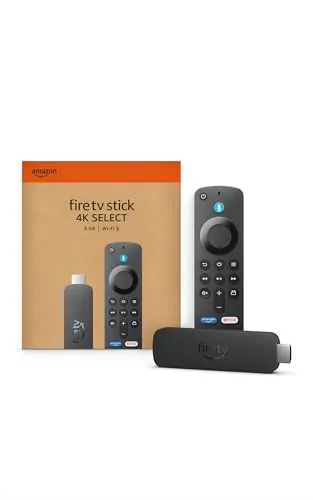
Amazon Fire TV Stick 4K Select (2025)
2025 US Fire TV Stick 4K Select; identified as build AFTCA002 in Amazon's current device table.
Model CL32P4
Amazon ASIN B0C6W3D4RM
Amazon
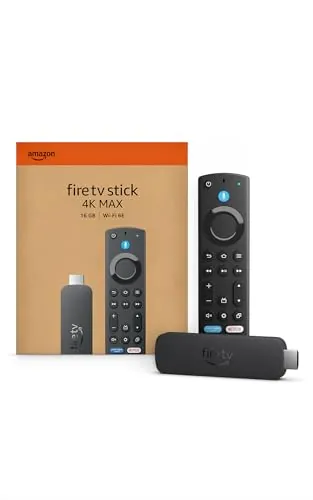
Amazon Fire TV Stick 4K Max (2nd Generation, 2023)
2023 2nd-generation US Fire TV Stick 4K Max; identified as build AFTKRT in Amazon's device table.
Model K3R6AT
Amazon ASIN B0BP9SNVH9
Differences that matter
What matters most to you?
Choose a priority to see what it changes.
Sources for App platform and compatibility check
Sources for Wi-Fi and storage
Sources for Remote replacement compatibility
Start with the app you cannot replace
These are different platform families even though both carry Fire TV branding. Amazon identifies the 2025 Select as Vega OS (the current device table reports OS 2.0) and the 2nd-generation Max as Fire OS 8 / Android 11. Amazon's Appstore explains that Fire OS and Vega OS use separately managed release tracks and binaries. That means a general app name, an Android build, or another Fire TV model's compatibility is not enough to conclude the Select supports your app.
Make a short list of must-have apps and check each app's current Amazon Appstore Works With section for the exact device. If a listing marks Max but not Select, Max is the supported choice between these two. If it marks Select, the platform distinction alone is no reason to reject Select. If it does not identify the device clearly, compatibility remains unknown until confirmed.
Match HDR to the whole television path
Amazon's support table lists HDR10, HDR10+, and HLG for Select. For the 2nd-generation Max it also lists Dolby Vision. This supports a conditional format choice: if Dolby Vision is a requirement and the TV and content support it, Max is the model that explicitly lists it. The Select's listed formats do not include Dolby Vision; the omission is not a claim about every possible firmware behavior.
A 4K logo on the stick or TV does not check the full route. Amazon says 4K Ultra HD requires an Ultra HD television input that supports HDCP 2.2 and HDCP 2.2 across connected equipment such as an AV receiver or soundbar. It also notes that not every HDMI port on a television necessarily supports HDCP 2.2. Check the port labels or TV manual before you order.
Separate listed capability from a speed promise
Amazon lists Wi-Fi 5 and 8 GB storage for Select; the Max support page lists Wi-Fi 6E and 16 GB, with external storage support. The Max is the more flexible specification if your router supports 6 GHz or you expect to install more apps. Wi-Fi 6E support does not guarantee faster or steadier streaming in a given home, and the storage figure is not a promise of available free space.
Both Amazon support entries identify compatible Appstore apps, but app availability is a separate question from storage and network standards. Decide using the actual apps, network hardware and storage you expect to use rather than inferring a general performance winner from the spec sheet.
Check the remote by its exact generation
If you plan to keep a remote you already own, Amazon's remote compatibility chart lists the Alexa Voice Remote (2024 Release) and Alexa Voice Remote (3rd Generation) for both Select and Max 2nd Generation. It lists Alexa Voice Remote Enhanced for Max 2nd Generation but not Select. Use the full remote name and generation in the compatibility check.
This table covers compatibility; it does not confirm the remote bundled by every marketplace offer or seller. Check the exact listing's included accessories if you need a particular remote in the box.
Product details
Amazon Fire TV Stick 4K Select (2025)
Select's Vega OS makes exact app compatibility the first check. Amazon directs buyers to the Works With section on the individual app page; the platform label alone cannot establish that a named app is available.
- Operating system
- Vega OS 2.0 in Amazon's current 2026 device table; an older official page listed 1.1 Source
- Video formats listed by Amazon support
- HDR10, HDR10+, and HLG Source
- Wi-Fi and storage
- Wi-Fi 5; 8 GB internal storage; no external storage listed Source
- Audio route
- HDMI passthrough for Dolby/DTS encoded audio; the exact supported formats and downstream decoding path should be checked for the intended setup Source
Amazon Fire TV Stick 4K Max (2nd Generation, 2023)
The Max offers more listed storage and Wi-Fi capability, plus Dolby Vision in Amazon's format list. These are feature differences, not evidence of faster streaming or a better picture in an individual home.
- Operating system
- Fire OS 8 based on Android 11 Source
- Video formats listed by Amazon support
- Dolby Vision, HDR10, HDR10+, and HLG Source
- Wi-Fi and storage
- Wi-Fi 6E; 16 GB internal storage; external storage supported Source
- Remote compatibility
- Amazon lists compatibility with Alexa Voice Remote Enhanced, Alexa Voice Remote (2024 Release), and Alexa Voice Remote (3rd Generation) Source
Before you buy
Community discussions
Testing Echo controls and resuming an app
Amazon Fire TV Stick 4K Max (2nd Generation, 2023)
A Fire TV Stick 4K Max Gen 2 owner who upgraded from the first generation reported difficulty with some Echo voice commands and said Netflix sometimes reloaded after a longer pause.
What to check
If you use an Echo to control the TV, try the voice commands you use most and check how your main app resumes after a pause.
Planning a test for Plex live TV
Amazon Fire TV Stick 4K Max (2nd Generation, 2023)
A first-generation 4K Max owner reported buffering and dropped frames with antenna TV through Plex and asked whether moving to the second generation would help.
What to check
For a Plex setup, check app availability on the exact device. Try your own live TV source and network before relying on an upgrade.
Common questions
Will my streaming apps work on the 4K Select?
Check the current Amazon Appstore detail page for each app and look for Fire TV Stick 4K Select in Works With. Amazon documents Vega OS for Select and separate Fire OS and Vega OS release tracks, so general Fire TV compatibility does not prove support for this exact device.Which Fire TV Device Do I Have?Step 5: Add Release DetailsIdentify Fire TV Devices
Is the Fire TV Stick 4K Select the same as the 4K Plus?
No. Amazon lists the 2025 Fire TV Stick 4K Select as build AFTCA002 running Vega OS. The separately listed 2025 4K Plus is AFTMA08C15 and runs Fire OS 8. Do not transfer Plus app-platform or device specifications to Select.Identify Fire TV Devices
Can either stick deliver 4K through a soundbar or receiver?
Amazon's setup guidance calls for an Ultra HD television input supporting HDCP 2.2 and HDCP 2.2 support across connected home-theater devices, including receivers and soundbars. Check the exact HDMI input and every device in your path; a device specification cannot certify your system.Watch Video in 4K Ultra HD on Your Fire TV Device
Can I reuse my Alexa Voice Remote?
Amazon's current compatibility table lists the Alexa Voice Remote (2024 Release) and Alexa Voice Remote (3rd Generation) for both Select and 2nd-gen Max. Alexa Voice Remote Enhanced is listed for 2nd-gen Max but not Select. Check the exact remote generation rather than relying on a similar name.Amazon Fire TV and Alexa Devices Compatible with Fire TV Remotes
Sources and scope
This is a source-based feature and compatibility guide, not a hands-on performance test. No particular app listing, television, HDMI port, receiver, soundbar, Wi-Fi network, or content title has been checked for a buyer. Amazon's live support and developer pages can change; recheck the exact app and device support before purchase. The published September 2026 article identified Select as Vega OS 1.1; the current Amazon device table checked on November 24, 2026 identifies the 2025 Select as Vega OS 2.0. OS version is therefore stated using the current table and documented as a time-sensitive source change.
Related comparisons
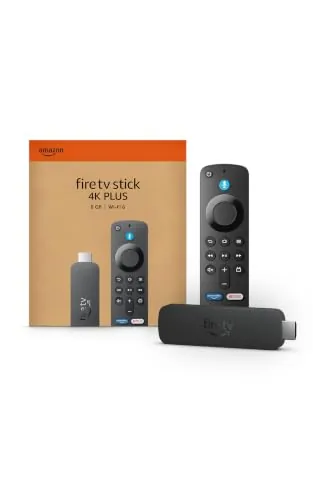
Fire TV Stick 4K Plus vs 4K Max: App Compatibility, Storage and Remote
This comparison covers the U.S. Fire TV Stick 4K Plus (2025) and Fire TV Stick 4K Max (2nd Gen, 2023). Amazon lists both with Fire OS 8 based on Android 11, so Max is not an OS-generation upgrade. That does not guarantee support for a particular app: check the app's Works With information for the exact device. Max adds 16 GB total storage with external-storage support, a Wi-Fi 6E/6 GHz option for compatible networks, an enhanced remote and Ambient Experience. Both devices list 2 GB memory and the same core 4K HDR and audio formats. Decide whether a specific Max feature fits your setup.
Read comparison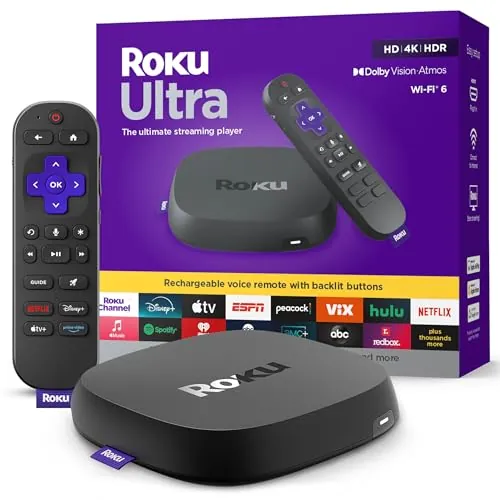
Roku Ultra 4850R vs Fire TV Stick 4K Max: Ethernet, Remote and Setup
These exact U.S. models both list 4K video with Dolby Vision, HDR10+ and Dolby Atmos. Their practical differences are the Roku box with built-in Ethernet and rechargeable Voice Remote Pro versus the Fire stick with Wi-Fi 6E, a voice remote with dedicated TV controls and Ethernet only through a separately sold adapter. Check your TV's HDMI/HDCP support, wired-network parts, remote habits and streaming apps before choosing.
Read comparison